I'm having a number of strange and frustrating issues trying to add headers and footers to the PDF I am generating.
Essentially, all I want is to have a header containing a small image in the top right, and a footer that contains another small image in the left corner, and the page number in the right corner. Initially, I set the footer using the right property with Page [page] of [toPage]. This worked as expected, however this didn't allow me to insert an image to the left, as the left property only allows text (correct me if I'm wrong here but I don't think I can place an image tag here?).
I then tried changing the footer to use a template like so:
footer: {
      html: {
        template: 'reports/pdf/_footer.html',
        layout: nil,
        locals: { report: report }
      }
    }
however this results in no footer being rendered at all. I then changed this to pre-render the template to a string, and set the footer using the content property instead. This works, and I can then see my footer, however due to it being pre-rendered, I am unable to add page numbers which makes it useless for my needs. What am I doing wrong with the footer when trying to render as a template?
The other issue I ran into which is also very strange is with the header. Again, if i set the header by pre-rendering my template, then it works more or less as expected, but when I try and set it by supplying the template, then it's not working properly at all. What I see is the first page of the document looks fine, I have a header and content, however every page that follows it is now blank - no header, no content. I don't mind having to use the content option for the header as there is no page number but this is still unusual and unexpected behaviour.
The header I'm trying to render is:
!!!
%html{ style: 'height: 60px; background-color: transparent;' }
  %head
    = wicked_pdf_stylesheet_link_tag('documents/semantic.min')
    = wicked_pdf_stylesheet_link_tag('documents/pdf')
  %body

    #header
      %div.header-container
        .ui.grid.report-header
          .row
            .four.wide.right.floated.right.aligned.column
              - if !report.company.avatar.blank?
                = image_tag(report.company.avatar.url, height: 40)
and the footer I'm trying to render is
!!!
%html{ style: 'height: 60px; background-color: transparent;' }
  %head
    = wicked_pdf_stylesheet_link_tag('documents/semantic.min')
    = wicked_pdf_stylesheet_link_tag('documents/pdf')
    = # wicked_pdf_javascript_include_tag("documents/pdf")

  %body
    #header
      %div.header-container
        .ui.grid.report-header
          .row
            .four.wide.column
              = image_tag(asset_data_base64('logo-dark.png'), height: 40)

            .four.wide.right.floated.right.aligned.column
              Page
              %span.page
              of
              %span.topage
I'm running wicked_pdf version 0.11.0, wkhtmltopdf version 0.12.2.1 qt patched, running on OS X 10.10.3
 pareeohnos
All 10 comments
If you pass HTML in your headers and footers, you'll need to use JavaScript to set the page numbers:
 unixmonkey
on 18 Jun 2015
unixmonkey
on 18 Jun 2015
I've used that code but no joy. When I included ANY javascript into the footer, it just disappeared. I didn't think you could do the page numbering for pre-rendered views?
pareeohnos
on 18 Jun 2015
So I've done some more digging and think I've mostly found out what is going wrong (perhaps you could shed a bit more light on it though).
I dug through the code a bit, and stuck a debug line inside the prerender_header_and_footer method to output the contents of the temporary footer file that is generated. What I found was that if i used HTML that I pre-rendered myself, it was exactly as I expected, however when I was supplying the template it was actually producing invalid HTML which I'm guessing wkhtmltopdf isn't happy about.
Essentially what seems to be happening, is that if you use the template option for the footer (assuming header as well, yet to test), and specify either nil or false for the layout (I didn't want one as the footer contains all required markup) then instead of it not using a layout, it ignores this and uses the standard layout of the application. The resulting markup then looks something along the lines of
<html>
<head>.......</head>
<body>
<html>
<head>........</head>
<body>
Footer/header content here
</body>
</html>
</body>
</html>
The only remedy I found to this, was to create a new layout file that contained the html, head etc definitions, or to create a blank layout file with nothing more than a yield call in it and then specify this layout. Everything then works more or less as expected.
I say more or less, because the second issue I ran into (albeit a more minor issue and more a question) was the CSS framework I'm using. I'm layout out the reports with semantic-ui which seems to work find for the main part of the report, but after getting the footer to work, the moment I included the semantic-ui stylesheet it all disappeared again. I have a suspicion it's due to the reset styles but I'm not certain.
If the reset were to specify width and height of 100% for the footer, would this effectively try and make it the entire width/height of the page rather than just the footer area? Or is it something more unusual going on?
pareeohnos
on 23 Jun 2015
Today tried to use headers and footers and faced, probably, every possible problems and bugs which were possible to face with.
- You HAVE to have
<!doctype html>in all the html files, used to compile result pdf. This means, your main body content of pdf should have<!doctype html>, and all theheaderandfootersection must have it also. Sure, this means also thatheaderandfootermust be complete html documents with all head and body tags. - You probably will have problems with encoding in footer and header, if you will not include
<meta http-equiv="Content-Type" content="text/html; charset=utf-8">
in your head. Looks like it is not necessary to do for main body of pdf (encoding: 'UTF-8'option will do its job), but for footer and headerencodingoption is ignored i suppose. - You probably will get broken page-breaks and margins (including something like 'empty' footers and header), if you leave default values for
pdf_from_string(or other method of pdf rendering). Setting explicit experimental values can solve the problem. For my case, when I have 1 line of text in footer, these values works fine:
view = ApplicationController.new
view.class.include ApplicationHelper
pdf = WickedPdf.new.pdf_from_string(
          view.render_to_string(
              template: 'history/index.pdf.slim',
              layout: 'pdfs.pdf.slim',
              locals: {:@vars=> @vars}
          ),
          footer:  {
              content: view.render_to_string(
                      template: 'layouts/pdf_footer.pdf.slim',
                      layout: false
                  ),
              spacing: 10
          },
          margin: {top: 30, bottom: 30, left: 25, right: 30},
          page_size: 'A4',
          encoding: 'UTF-8'
      )
Take a look at what exactly these options mean (spacing, margin, etc). - Set explicit
layoutoptions for all the body and header/footer sections. If you will ignore this parameter, it can be assigned to some default layout you definetely will not be glad to see. If your template file includes all the html tags (does not require to be layouted), setlayout: false(like in my footer example). - For
pdf_from_stringmethod you have to usecontentoption for header and footer (nothtml). - Try not to add common stylesheets and javascripts files from your application. Probably, you need a tiny amount of code from them, and the rest can just break your pdf file. Move necessary classes and js-code to special files and add it to your
assets.rbto precompile.
Here is my layout for main body content (pdfs.pdf.slim):
doctype html
html
  head
    meta http-equiv="content-type" content="text/html; charset=utf-8"
    = wicked_pdf_stylesheet_link_tag 'pdf'
  body
    .container
      = yield
Here is my footer.pdf.slim:
doctype html
html
  head
    meta http-equiv="Content-Type" content="text/html; charset=utf-8"
    = wicked_pdf_stylesheet_link_tag 'pdf'
    javascript:
      function number_pages() {
          var vars = {};
          var x = document.location.search.substring(1).split('&');
          for (var i in x) {
              var z = x[i].split('=', 2);
              vars[z[0]] = decodeURIComponent(z[1]);
          }
          var x = ['frompage', 'topage', 'page', 'webpage', 'section', 'subsection', 'subsubsection'];
          for (var i in x) {
              var y = document.getElementsByClassName(x[i]);
              for (var j = 0; j < y.length; ++j) y[j].textContent = vars[x[i]];
          }
          // delete footer on first page (title)
          if (vars['page']==='1') {
            document.body.innerHTML = '';
          }
      }
  body(onload='number_pages()')
    .nobreak
      ' Page
      span.page>
      ' of
      span.topage>
Notice, I hide footer on my first page (some addition code in number_pages() function). Also, pay attention, you need include number_pages() function only to sections which require pagination (I do not have number_pages() function in main body).
 sintro
on 31 Oct 2017
sintro
on 31 Oct 2017
@sintro There are some great tips and wisdom in here. Thanks for sharing.
unixmonkey
on 31 Oct 2017
@sintro @unixmonkey Nothing of this is working for me. I have the latest wicked_pdf and wkhtmltopdf-binary gems with patched qt, linux 16.04. I left this same question in SO => https://stackoverflow.com/questions/51638021/wicked-pdf-header-not-working-not-showing-up. The header is simply not shown and is driving me crazy. First of all, this is my console output in development:
***************WICKED***************
  Rendering biddings/show.pdf.html.haml within layouts/pdf
  Rendered biddings/show.pdf.html.haml within layouts/pdf (0.9ms)
  Rendering biddings/header_pdf.html.haml within layouts/pdf_header
  Rendered biddings/header_pdf.html.haml within layouts/pdf_header (0.8ms)
"***************[\"/home/tommy/.rvm/gems/ruby-2.5.1@igalbids/bin/wkhtmltopdf\", \"-q\", \"--encoding\", \"UTF-8\", \"--javascript-delay\00\", \"--disable-internal-links\", \"--disable-external-links\", \"--orientation\", \"Portrait\", \"--margin-top\", \"50\", \"--margin-\", \"25\", \"--header-html\", \"file:////tmp/wicked_header_pdf20180801-27285-19cjrn3.html\", \"--footer-right\", \"Página [page] de [to", \"file:////tmp/wicked_pdf20180801-27285-u755o9.html\", \"/tmp/wicked_pdf_generated_file20180801-27285-1b6ijnu.pdf\"]***************"
  Rendering text template
  Rendered text template (0.2ms)
Sent data Licitación_2524.pdf (1.0ms)
Completed 200 OK in 2355ms (Views: 0.8ms | ActiveRecord: 41.3ms)
As you can see, wicked processes correctly the header header_pdf.html.haml within the pdf_header layout. However, nothing is shown in the header. All blank!! (both with html output in debug mode, as well as pdf mode).
Here is the controller code:
respond_to do |format|
      format.pdf do
        render(
          pdf: "#{Bidding.model_name.human}_#{@bidding.code}",
          disposition: "inline",
          orientation: "Portrait",
          template: 'biddings/show.pdf.html.haml',
          header: {
            html: {
              template: "biddings/header_pdf.html.haml",
              handlers: [:haml],
              layout: "pdf_header",
              formats: [:haml, :html],
              spacing: 50
            }
          },
          footer: {
            html: {
              handlers: [:haml],
              layout: "pdf",
              formats: [:haml, :html],
              encoding: 'UTF-8'
            },
            right: "#{I18n.t('pdf.page')} [page] #{I18n.t('pdf.of')} [topage]"
          },
          margin: { :top => 50, :bottom => 25},
          handlers: [:haml],
          layout: "pdf",
          javascript_delay: 500,
          encoding: 'UTF-8',
          show_as_html: false,
          disable_internal_links: true,
          disable_external_links: true) and return
      end
    end
  end
The layout for the header (in haml):
!!! 5
%html
  %head
    %meta{:content => "text/html; charset=utf-8", "http-equiv" => "content-type"}/
    = wicked_pdf_stylesheet_link_tag "bidding_pdf", media: :all
    = csrf_meta_tags
  %body.pdf
    = yield
The header content pdf_header.html.haml is just plain text for testing so no need to paste code...
What exactly am i doing wrong?? Look at the output, just blank space due to margin and then the body text:
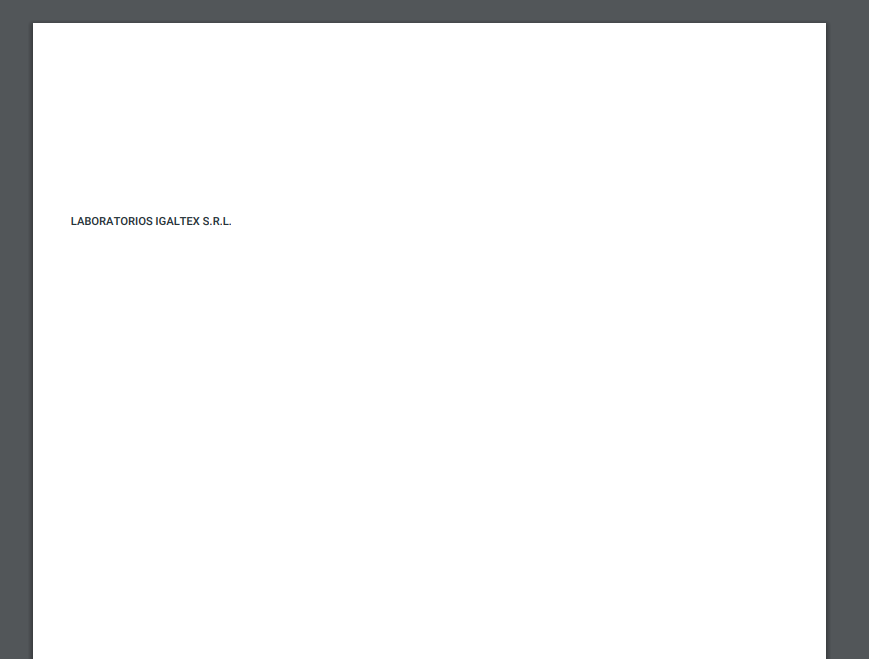
 tommyalvarez
on 1 Aug 2018
tommyalvarez
on 1 Aug 2018
Look at my example of options for render function. Try to set A4 format explicitly, and try to decrease the spacing property of html of header
sintro
on 1 Aug 2018
@sintro Did that, not working. It must be something else, i recall copy pasting this config from another project that did work two year ago. Should the header render when show_as_html: true ? Because when that flag is true, my console log does not process the header, whereas when it's false it does.
tommyalvarez
on 1 Aug 2018
@sintro it was a css issue... DAMN IT. Lost all day. For anyone reaching here: If nothing is working like for me, check your css, the body width and height might be an issue.
tommyalvarez
on 1 Aug 2018
Hint for anyone having problems. Margins are for the main content, not the header/footer. You have to leave enough margin for the header/footer to appear. I had all four margins at 0 and that didn't let the footer to be displayed.
Example:
margin: {
  top: 20,
  right: 0,
  left: 0,
  bottom: 20
}
 victormier
on 26 Feb 2019
victormier
on 26 Feb 2019
Related issues
 supriyas12
·
4Comments
supriyas12
·
4Comments
 chaudard
·
5Comments
chaudard
·
5Comments
 amerritt14
·
4Comments
amerritt14
·
4Comments
 VladFarion
·
4Comments
VladFarion
·
4Comments
 douglasep
·
4Comments
douglasep
·
4Comments
Most helpful comment
Today tried to use headers and footers and faced, probably, every possible problems and bugs which were possible to face with.
<!doctype html>in all the html files, used to compile result pdf. This means, your main body content of pdf should have<!doctype html>, and all theheaderandfootersection must have it also. Sure, this means also thatheaderandfootermust be complete html documents with all head and body tags.<meta http-equiv="Content-Type" content="text/html; charset=utf-8">in your head. Looks like it is not necessary to do for main body of pdf (
encoding: 'UTF-8'option will do its job), but for footer and headerencodingoption is ignored i suppose.pdf_from_string(or other method of pdf rendering). Setting explicit experimental values can solve the problem. For my case, when I have 1 line of text in footer, these values works fine:view = ApplicationController.new view.class.include ApplicationHelper pdf = WickedPdf.new.pdf_from_string( view.render_to_string( template: 'history/index.pdf.slim', layout: 'pdfs.pdf.slim', locals: {:@vars=> @vars} ), footer: { content: view.render_to_string( template: 'layouts/pdf_footer.pdf.slim', layout: false ), spacing: 10 }, margin: {top: 30, bottom: 30, left: 25, right: 30}, page_size: 'A4', encoding: 'UTF-8' )Take a look at what exactly these options mean (spacing, margin, etc).
layoutoptions for all the body and header/footer sections. If you will ignore this parameter, it can be assigned to some default layout you definetely will not be glad to see. If your template file includes all the html tags (does not require to be layouted), setlayout: false(like in my footer example).pdf_from_stringmethod you have to usecontentoption for header and footer (nothtml).assets.rbto precompile.Here is my layout for main body content (
pdfs.pdf.slim):Here is my
footer.pdf.slim:Notice, I hide footer on my first page (some addition code in
number_pages()function). Also, pay attention, you need includenumber_pages()function only to sections which require pagination (I do not havenumber_pages()function in main body).