Whatsapp-web.js: client disconnected internet connection
[08/11/2020 11: 40: 43.770] Internet Device Client Connected
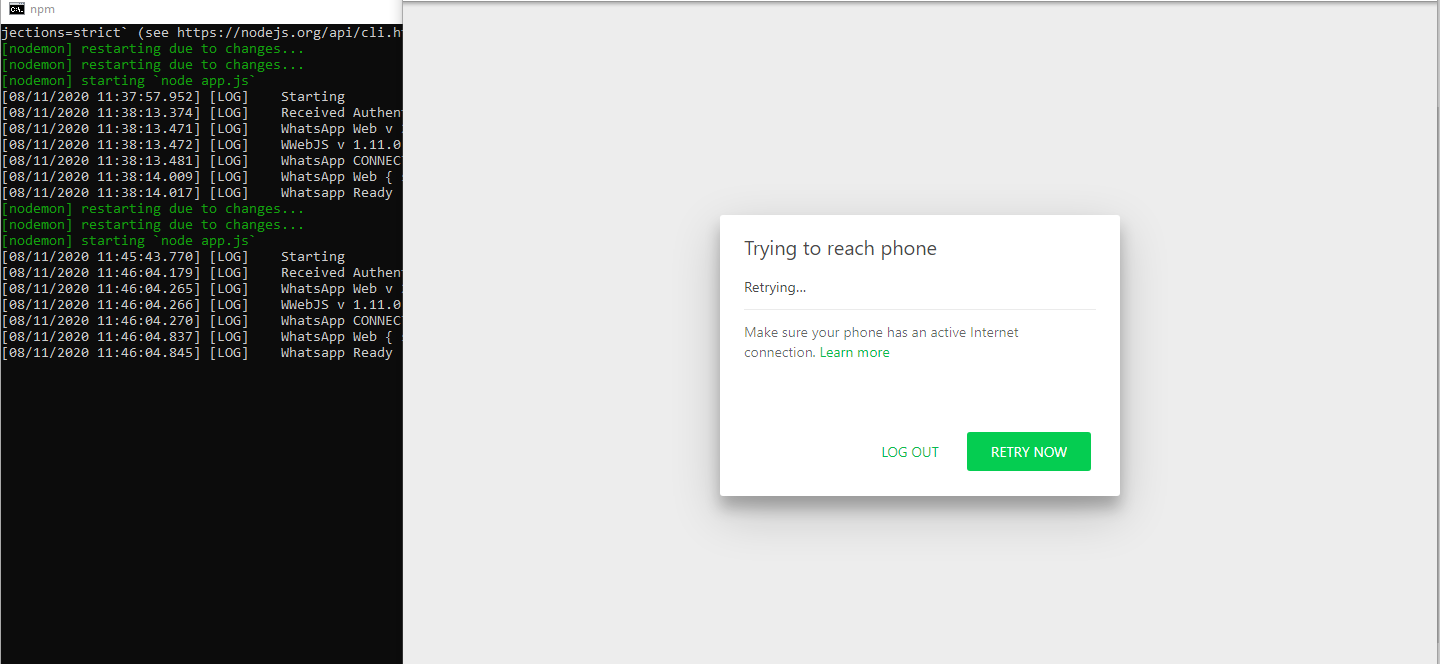
[08/11/2020 11: 45: 43.770] [LOG] Starting
[08/11/2020 11: 46: 04.179] [LOG] Received Authenticated Session
[08/11/2020 11: 46: 04.265] [LOG] WhatsApp Web v 2.2045.15
[08/11/2020 11: 46: 04.266] [LOG] WWebJS v 1.11.0
[08/11/2020 11: 46: 04.270] [LOG] WhatsApp CONNECTED
[08/11/2020 11: 46: 04,837] [LOG] WhatsApp Web {status: 200}
[08/11/2020 11: 46: 04.845] [LOG] Whatsapp Ready
[08/11/2020 11: 50: 04.845] Internet Device Client is Disconnected
Console + Chromium = no response
client.on ('disconnected', async (disconnected) => does not work

when Chromium is reloading manually
 riagie
All 6 comments
you can listen to 'change_state' event.
check 'Contants.js' file to get more info about the states.
 victormga
on 8 Nov 2020
victormga
on 8 Nov 2020
I have the same issue
 rupadana
on 10 Nov 2020
rupadana
on 10 Nov 2020
you can listen to 'change_state' event.
check 'Contants.js' file to get more info about the states.
already tried using
client.on ('change_state', async (change_state) => {
console.log ('WhatsApp: Device', change_state);
});
but still when the device connects and disconnects, the browser remains silent
riagie
on 10 Nov 2020
riagie, in my experience, this has to do with the way whatsapp handle the socket connection with the phone.
the event you are looking for is 'TIMEOUT'.
it will trigger the event at some time, this time is a magic number handled by whatsapp itself.
i've found a way to force this event when sending a message to a chat (with the phone disconnected), and almost certain it will trigger 'TIMEOUT' on change_state.
after the reconnection, the 'CONNECTED' change_state is normally given faster, but i didn't really test this part too much.
TL'DR > probably, this is related with the way whatsapp itself handle the events.
victormga
on 11 Nov 2020
sorry if i'm not helping much, this is the way i handle phone disconnection in my application and it's working just fine.
victormga
on 11 Nov 2020
the part where the browser gets stuck trying to reconnect to the phone after reload, i dont think there's a easy way to detect this, because no connection was made, so, no events fired.
i just use the shipped solution of 45s timeout and reset the session to re-read the qrcode.
anyhow, wouldn't be too hard to implement a selector query to detect this 'trying reach the phone' page if you're willing to.
victormga
on 11 Nov 2020
Related issues
 franciscol99
·
3Comments
franciscol99
·
3Comments
 therevolt
·
4Comments
therevolt
·
4Comments
 makanSukros
·
9Comments
makanSukros
·
9Comments
 tarikhagustia
·
10Comments
tarikhagustia
·
10Comments
 ngekoding
·
5Comments
ngekoding
·
5Comments