Whatsapp-web.js: Error: Cannot read property 'map' of undefined on getChats
Bug description
I already have a very advanced system with a library where many phone numbers have been tested. However, in a specific number (with an average of 300 conversations), when trying to get the conversations (getChats) it returns the reported error. Follow what is happening below step by step:
Reproduction steps
Steps to reproduce the behavior:
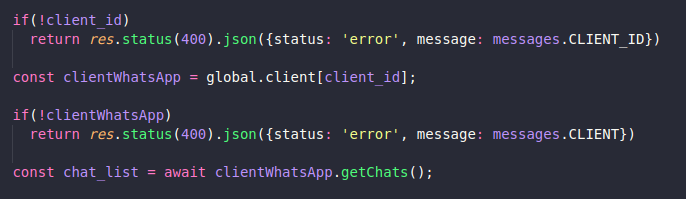
- After authenticating with qrcode and using other methods normally like 'sendMessage' and 'getContacts', I make a request for 'getChats'. Below the request code snippet:
- After the request, the code returns an exception with the following message (it only occurs with that particular phone number):

- As you can see in the message, it is clear that the problem is in line 449 of Client.js. So, I opened node_modules and used 'console_log' on the line before the chats returned to see what happened:

- After making the request again, this was the output in the terminal before giving the error again:

As you can see below the string 'Return of chats on Client.js', the result of 'chats' before using 'map' is undefined, which causes the error.
Expected behavior
Believing that the error can be avoided by checking before 'map' whether 'chats' is valid. However, what I can't understand is why a phone number with more than 300 conversations has the return of 'getChats' undefined.
As I said at other times, several numbers have been tested but so far this behavior has only occurred with that specific one. It is a number used by one person every day.
Additional context
I can't imagine any reason for that particular number to give this problem. As I said, it is used normally on whatsapp very often.
I really appreciate it very much if you can help me because I really have an advanced system with the library, but I need to know why that is, because if not, it will never be possible to know if it will not happen again with other phone numbers.
Thanks and sorry for the English !! @pedroslopez
 Leoalmeida95
All 11 comments
The same with me.. I have two numbers. Only one number don't get chats and i'm get the same error...
 olirock
on 2 Aug 2020
olirock
on 2 Aug 2020
I've seen this reported before, but I haven't been able to reproduce it... My thoughts is that there is an unhandled case with a specific kind of chat, or some properties on that chat. It's really tough for me to fix, since I don't have the issue myself. Like you said, the error can be fixed by checking for undefined, but that still won't return the chats, as it should.
Can you please do these steps?
- Run the library with
headless: falseso you can see the chrome browser - Properly log in
- Once you're in whatsapp web, go to the browser console and type
window.Store.Chat.models. What does this return? - In the console, type
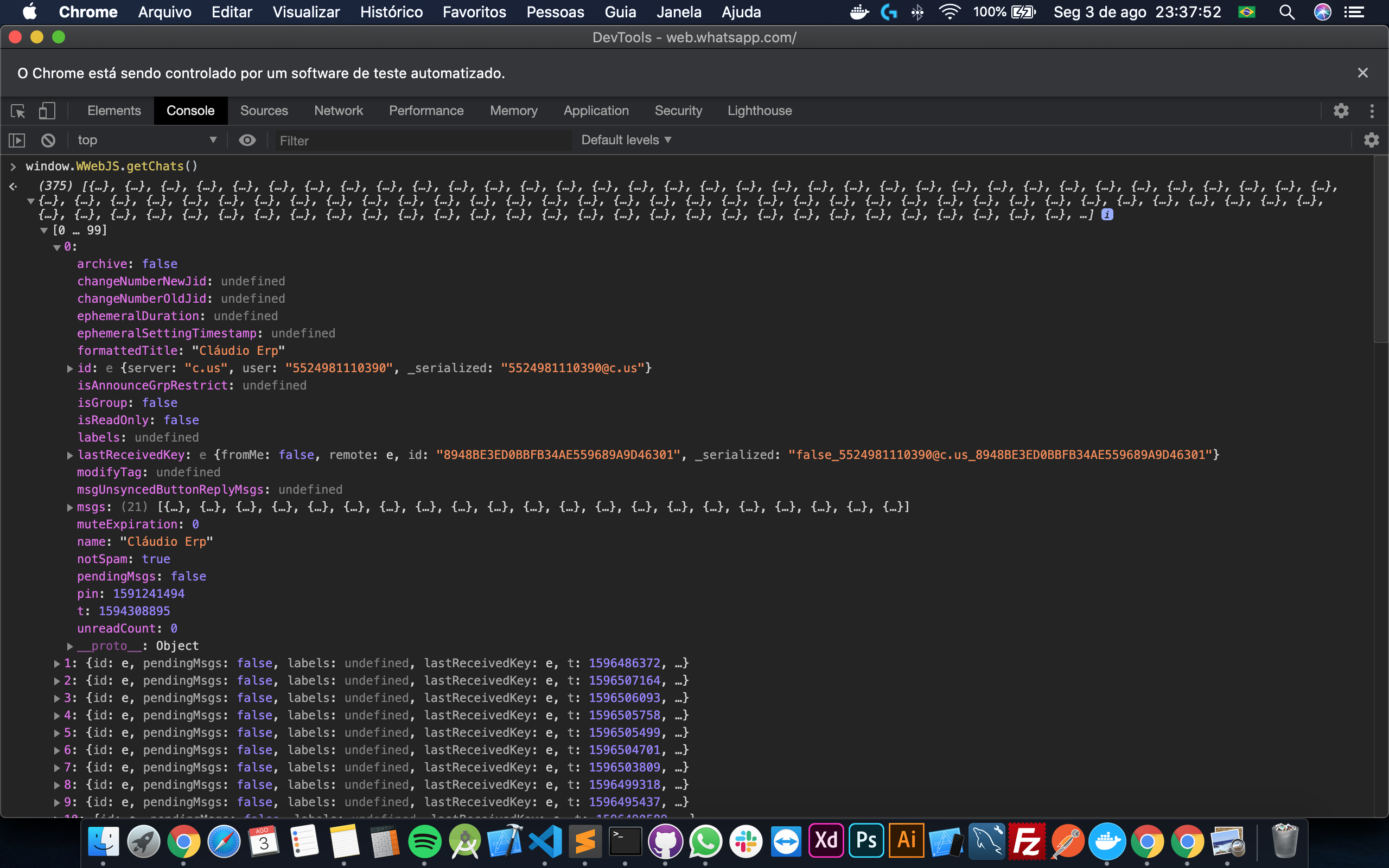
window.WWebJS.getChats(). What does this return?
This would probably give us a better idea of what's going on.
 pedroslopez
on 3 Aug 2020
pedroslopez
on 3 Aug 2020
First method return:

Second method return:
olirock
on 4 Aug 2020
If you have availability we can schedule a conversation via Discord so that I can present you the error.
olirock
on 4 Aug 2020
If you have availability we can schedule a conversation via Discord so that I can present you the error.
Would you be available now?
pedroslopez
on 4 Aug 2020
Yes!
olirock
on 4 Aug 2020
Yes!
Please join the server and shoot me a message so we can talk. I'm @pedro or @nachoon there.
pedroslopez
on 4 Aug 2020
After chatting with @olirock for a while on discord, we were able to find that his problem was with an official business account that had sent him a message with action buttons. I'm wondering if this is also the case for other people that may have this issue, so I'm going to post the code we used to find the problem below:
const chatIds = await client.pupPage.evaluate(() => {
    return window.WWebJS.getChats().map(c => c.id._serialized);
});

let chatCount = 0;
for (let chatId of chatIds) {
    try {
        const chat = await client.getChatById(chatId);
        if (!chat) {
            console.log(`Could not serialize chat ${chatId}`);
        } else {
            chatCount++;
        }
    } catch (e) {
        console.log(`Could not get chat ${chatId}`);
    }
}
console.log(`Correctly got ${chatCount} chats`);
@leoalmeida95 This should give you which chat is having problems. Please check it out and let me know some details about the chat (is it a business account? is it verified? any other interesting facts?)
pedroslopez
on 4 Aug 2020
Hello @pedroslopez , I found a link that offers information about that Ifood message template that caused the error in my number. Follow the link:
https://www.infobip.com/docs/whatsapp/message-templates-guidelines
olirock
on 5 Aug 2020
@pedroslopez , I really appreciate the help! my problem was even a commercial account that had a personalized message, just like the one that @olirock showed up there! Removing the conversation solved the problem! Thank you!
Leoalmeida95
on 5 Aug 2020
Solved according to @pedroslopez answer!
https://github.com/pedroslopez/whatsapp-web.js/issues/297#issuecomment-668377224
Leoalmeida95
on 5 Aug 2020
Related issues
 fdciabdul
·
6Comments
fdciabdul
·
6Comments
 makanSukros
·
9Comments
makanSukros
·
9Comments
 iamshouvikmitra
·
4Comments
iamshouvikmitra
·
4Comments
 ngekoding
·
5Comments
ngekoding
·
5Comments
 parthibd
·
4Comments
parthibd
·
4Comments
Most helpful comment
After chatting with @olirock for a while on discord, we were able to find that his problem was with an official business account that had sent him a message with action buttons. I'm wondering if this is also the case for other people that may have this issue, so I'm going to post the code we used to find the problem below:
@leoalmeida95 This should give you which chat is having problems. Please check it out and let me know some details about the chat (is it a business account? is it verified? any other interesting facts?)