Wet-boew: Why no full screen witdh version of Templates?
I'm just curious why none of the Templates allows us to use all the space available on the monitor/screen?
Is there an something somewhere that indicates what rules/guidelines must be followed if a WET template is not used?
 TimCadieux
All 6 comments
Full screen width has a readability problem with text, as recently discussed in https://github.com/wet-boew/GCWeb/issues/1239.
 RobJohnston
on 2 Aug 2017
RobJohnston
on 2 Aug 2017
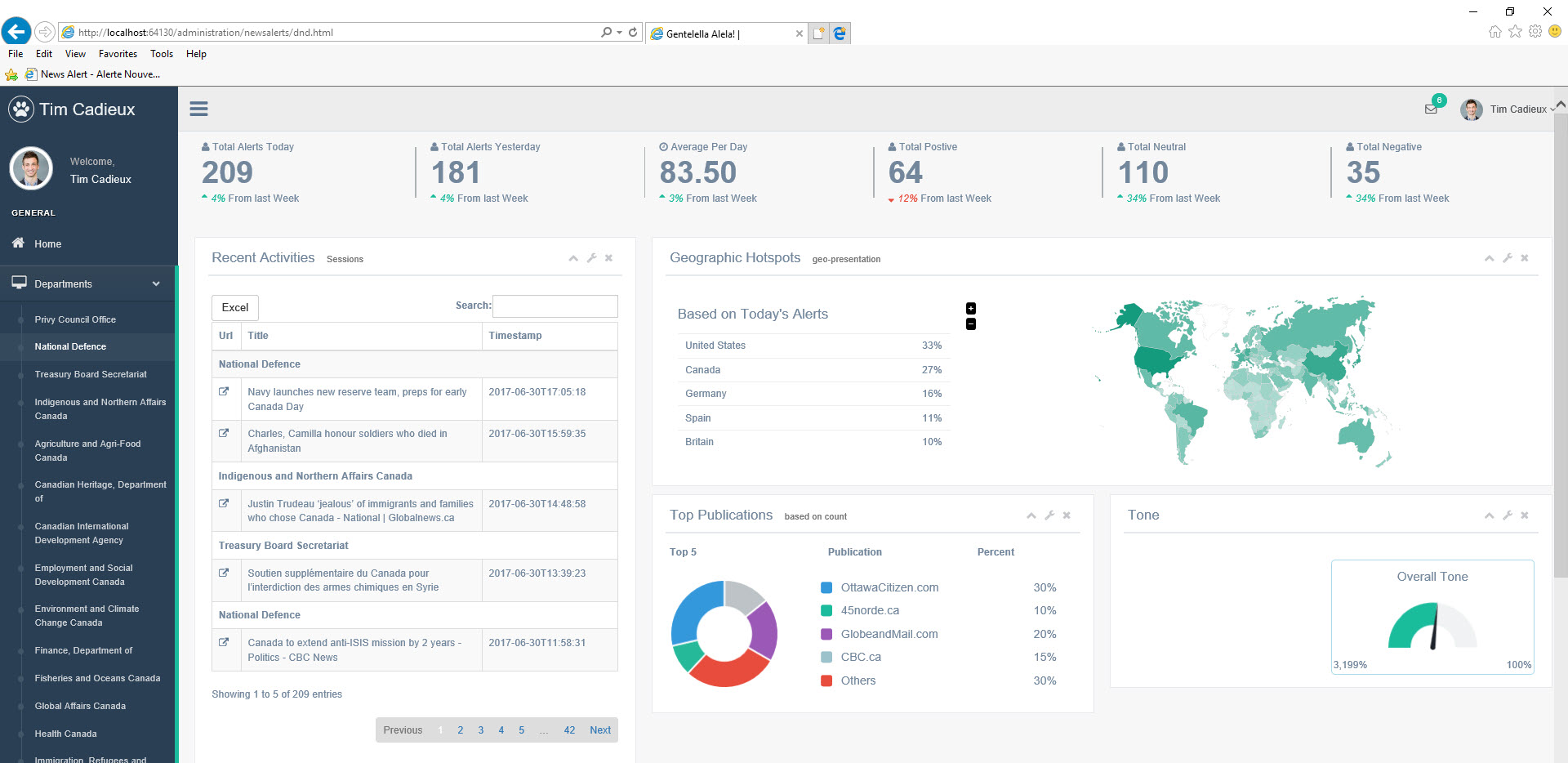
I'm referring to using all the space for navigation AND content though...
There a huge difference between a page like this which is about 50% white space and the screen capture attached
TimCadieux
on 2 Aug 2017
Full width template would be great for full featured web applications. The current templates are optimized mostly for content driven websites.
 johnpalaganas
on 15 Aug 2017
johnpalaganas
on 15 Aug 2017
I agree, it would be very useful.
 ialexca
on 19 Sep 2017
ialexca
on 19 Sep 2017
3 years later, I see a new need for this. 7 years before, somebody else did in https://github.com/wet-boew/wet-boew/issues/3025.
RobJohnston
on 24 Nov 2020
IMO it's kind of strange that WET/GCWeb don't have any "official" full width page templates...
But in practice it's pretty straightforward to switch to full width. Just need to rename the container class to container-fluid. That class was introduced in Bootstrap 3.1.0 and has been supported by WET 4.0.x since #4549 (February 2014). It can even be used in the content areas of Canada.ca (MWS) pages by ticking a "Use fluid width" option in page properties.
WET's CSS also contains a media query for extra-large view (1600px and up)... but it's very barebones.
Here's its main SCSS code:
https://github.com/wet-boew/wet-boew/blob/ae69c1027e1661a6377a29f52e58c3cc1f3476d8/src/base/_wet-boew.scss#L240-L244
- https://github.com/wet-boew/wet-boew/blob/master/src/base/views/_screen-xl-min.scss
- https://github.com/wet-boew/wet-boew/blob/master/src/base/proximity/_screen-xl-min.scss
So it's practically non-existent at this time. It's not in a state where you could expect to use it in the same manner as Bootstrap 3.x's regular view classes (e.g. col-xl-6).
 EricDunsworth
on 25 Nov 2020
EricDunsworth
on 25 Nov 2020
Related issues
 vallieresc
·
7Comments
vallieresc
·
7Comments
 nickmarcil
·
5Comments
nickmarcil
·
5Comments
 jkshapiro
·
6Comments
jkshapiro
·
6Comments
 swapnalithakarpspc
·
5Comments
swapnalithakarpspc
·
5Comments
 shawnthompson
·
4Comments
shawnthompson
·
4Comments
Most helpful comment
I'm referring to using all the space for navigation AND content though...
There a huge difference between a page like this which is about 50% white space and the screen capture attached