Webpacker: `resolved_paths` seems not working for images
I'm trying Webpacker 4 & Rails 6 (both on master branch)
I set resolved_paths: ['app/assets'] in webpacker.yml and put an image app/assets/images/avatar.png
In app/javascript/packs/application.js I adding import "images/avatar.png"
in Rails view <%= image_pack_tag 'images/avatar.png', alt: 'My avatar' %>
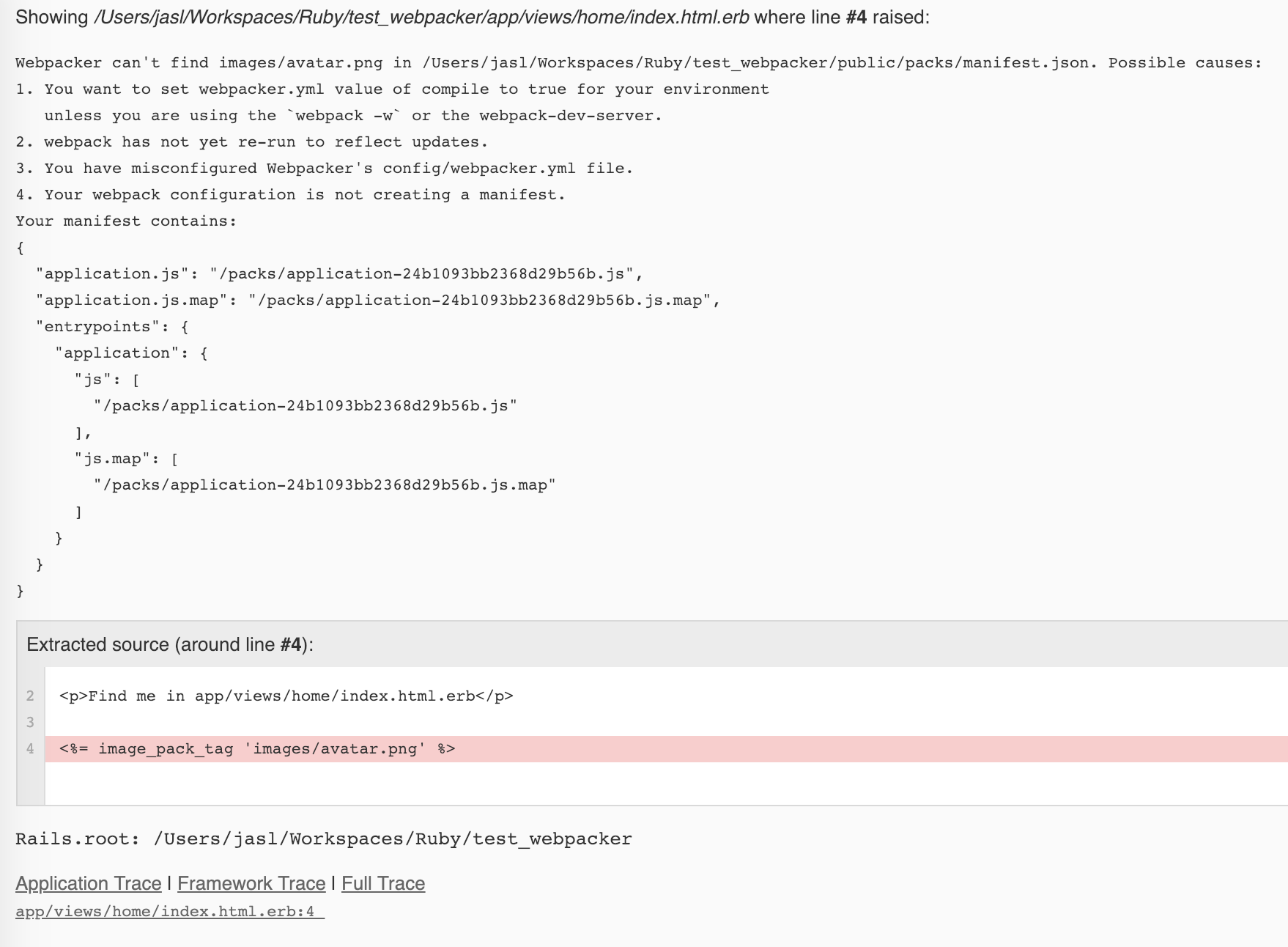
Then I start Rails and browse the page, I got Webpacker::Manifest::MissingEntryError in Home#index
Webpacker can't find images/avatar.png in /home/jasl/Workspaces/Ruby/my_app/public/packs/manifest.json. Possible causes:
1. You want to set webpacker.yml value of compile to true for your environment
   unless you are using the `webpack -w` or the webpack-dev-server.
2. webpack has not yet re-run to reflect updates.
3. You have misconfigured Webpacker's config/webpacker.yml file.
4. Your webpack configuration is not creating a manifest.
Your manifest contains:
{
  "_/assets/images/avatar.png": "/packs/_/assets/images/avatar-057862c747f0fdbeae506bdd0516cad1.png",
  "application.js": "/packs/application-f14777d02f7b6cadd4f6.js",
  "application.js.map": "/packs/application-f14777d02f7b6cadd4f6.js.map",
  "entrypoints": {
    "application": {
      "js": [
        "/packs/application-f14777d02f7b6cadd4f6.js"
      ],
      "js.map": [
        "/packs/application-f14777d02f7b6cadd4f6.js.map"
      ]
    }
  }
}
I think "_/assets/images/avatar.png": "/packs/_/assets/images/avatar-057862c747f0fdbeae506bdd0516cad1.png" look strange.
If I move app/assets/images/avatar.png to app/javascript/images/avatar.png, it would be OK.
But I do another experiment that I have app/assets/stylesheets/application.scss
In app/javascript/packs/application.js I adding import 'stylesheets/application'
In Rails view <%= stylesheet_pack_tag 'application', media: 'all', 'data-turbolinks-track': 'reload' %>
No problem here.
 jasl
jasl
All 19 comments
jasl
on 21 Jan 2019
Hi, I can help with your issue, I think you are doing it wrong, First, I think you should leave your resolved_paths as the default like so: resolved_paths: []
 mayordwells
on 21 Jan 2019
mayordwells
on 21 Jan 2019
Not working,
After removing resolved_paths: [] Webpacker will not search app/assets at all.
jasl
on 21 Jan 2019
I'll try to clone and run your application. Please hold on.
mayordwells
on 21 Jan 2019
I'll try to clone and run your application. Please hold on.
Just clone it and bundle & yarn
jasl
on 21 Jan 2019
Okay so I found a fix to the problem.
mayordwells
on 21 Jan 2019
- In index.html.erb you should not use
image_pack_tagyou should use sprocket helpers there like so<%= image_tag 'avatar.png' %> - To get access to image/assets in your javascript/packs/application.js file do this
import avatar from 'images/avatar.png';

// use in angular or jsx like so <img src={avatar} />
@mayordwells Thanks for the tip!
But I'm still not quite sure it's by design, it's no problem in Webpacker 3...
Could you check this @gauravtiwari ?
jasl
on 21 Jan 2019
I will keep this open until we make a new release.
 gauravtiwari
on 25 Jan 2019
gauravtiwari
on 25 Jan 2019
Try new release, please 👍
gauravtiwari
on 25 Jan 2019
Thank you! I'll try it now
jasl
on 25 Jan 2019
@gauravtiwari after updated to latest release, I found images/avatar.png been compiled to media/avatar.png, does it as expected?
{
  "application.js": "/packs/js/application-3dc1d2f93ffe63b255a8.js",
  "application.js.map": "/packs/js/application-3dc1d2f93ffe63b255a8.js.map",
  "entrypoints": {
    "application": {
      "js": [
        "/packs/js/application-3dc1d2f93ffe63b255a8.js"
      ],
      "js.map": [
        "/packs/js/application-3dc1d2f93ffe63b255a8.js.map"
      ]
    }
  },
  "media/avatar.png": "/packs/media/avatar-057862c7.png"
}
Yes, all images or other static assets would now be written in the media folder.
gauravtiwari
on 25 Jan 2019
Might have to update README, where needed.
gauravtiwari
on 25 Jan 2019
@gauravtiwari Got it, Thank you!
One more question:
- does the
mediacan be configured? packs/images/avatar.pngalso will bemedia/avatar.pngright?- if I have both
assets/images/avatar.pngandpacks/images/avatar.pngwhat behavior is correct?
jasl
on 25 Jan 2019
does the media can be configured?
No, not atm
packs/images/avatar.png also will be media/avatar.png right?
yes
if I have both assets/images/avatar.png and packs/images/avatar.png what behavior is correct?
Just put everything in ->
app/javascript/imagesif you are fully using webpacker and not sprockets.
gauravtiwari
on 26 Jan 2019
Does this mean you can't have nested assets with the same name without reverting to the previous functionality? Trite example, but if I have packs/images/users/default.jpg and packs/images/posts/default.jpg is it expected that only one of those will be available?
From a quick test it looks like both files will actually be copied to public during compilation (with different hashes suffixed) but only one will be referenced in manifest.json. This seems like an odd default to me and could result in confusion for developers not understanding why they are getting the wrong asset.
 dwightwatson
on 28 Jan 2019
dwightwatson
on 28 Jan 2019
Hi there,
I am having the same issue with this message
Webpacker can't find media/pure_control_horizontal_neg.png in /home/vagrant/purecontrol-website/public/packs/manifest.json. Possible causes:
I followed the steps on the docs/v4-upgrade.md to upgrade from 3.5.5 to latest today, and after a bit of fiddling around with babel stuff, I got my ./bin/webpack-dev-serverto compile with no errors.
My images are all in app/javascript/images.
The compiled images are there in the new media folder as explained above, but I cant seem to fix this issue, any thoughts?
 LeoArouca
on 22 Jun 2019
LeoArouca
on 22 Jun 2019
I guess I found a solution here:
https://github.com/rails/webpacker/blob/master/CHANGELOG.md#400rc6---2019-01-25
I added the code to get old behaviour in my environment.js file. This worked.
Then I found this other solution here:
https://github.com/rails/webpacker/issues/2144
I chose to leave the second one as a fix, but although I got it working now, I am still curious as to why I could not make it work in the new way. Thoughts?
LeoArouca
on 23 Jun 2019
Related issues
 Eearslya
·
3Comments
Eearslya
·
3Comments
 ilrock
·
3Comments
ilrock
·
3Comments
 suhomozgy-andrey
·
3Comments
suhomozgy-andrey
·
3Comments
 vtno
·
3Comments
vtno
·
3Comments
 inopinatus
·
3Comments
inopinatus
·
3Comments
Most helpful comment
Does this mean you can't have nested assets with the same name without reverting to the previous functionality? Trite example, but if I have
packs/images/users/default.jpgandpacks/images/posts/default.jpgis it expected that only one of those will be available?From a quick test it looks like both files will actually be copied to public during compilation (with different hashes suffixed) but only one will be referenced in
manifest.json. This seems like an odd default to me and could result in confusion for developers not understanding why they are getting the wrong asset.