Webpacker: Base webpacker.yml Environments on Rails ENV
Hello,
We have a couple of additional environments in our rails application:
- test: Testing environment
- edge: Automatic CI deployments of cutting edge code
- demo: Sales environment for demonstrations
- translate: Special environment for translating our rails app using phrase app
- benchmark: Special environment for jmeter benchmarks
- production: production
We come from the sprockets asset pipe line and we could fine tune it for every environment. For example in CI when in test env we would precompile assets and use production precompiled assets during test (both for speed and to verify that the production assets are actually precompiled correctly).
This brings me to my problem, webpacker also uses NODE_ENV which is used in every package and always should be production when you are running on a server (just grep on NODE_ENV in your node_modules). Since webpacker is so tied in with NODE_ENV configuration wise this only allows me to define two possible configurations: dev and production.
Coming from sprockets where I could have different assets configuration based on the RAILS_ENV, I lose a bunch of configuration. Things like asset syncing to S3 bucket for different environments suddenly becomes impossible, for example: NODE_ENV=production RAILS_ENV=translation but I want those files generated in packs-translate so I can sync packs-translate to S3 bucket translate. Also translate env includes some additional dependencies for the phrase app that should not be on production.
I suggest to use the RAILS_ENV in webpacker configuration and let the NODE_ENV alone. I would even go as far declaring that every webpack js file is based on a RAILS_ENV.
 JanStevens
All 10 comments
@JanStevens I think you can do more or less same thing with webpacker as well although since production adds special meaning to webpacker and npm packages you won't get same benefits - like minification in your custom environment.
What you could do is create a translate.js file inside config/webpack and inherit it from production. That way it will behave like production environment and you can customise paths from webpacker.yml
// webpack/translate.js
const config = require('./production')

module.exports = config
# webpacker.yml

production:
  <<: *default

  # Production depends on precompilation of packs prior to booting for performance.
  compile: false

  # Cache manifest.json for performance
  cache_manifest: true

translate:
  <<: *default
  # Production depends on precompilation of packs prior to booting for performance.

  compile: false

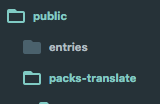
  public_output_path: packs-translate
Is that what you need?
 gauravtiwari
on 11 Dec 2017
gauravtiwari
on 11 Dec 2017
But that means I have to use NODE_ENV=translate which will not optimize any NPM dependency when being build (since they all want NODE_ENV=production), leaving me with large compiled builds and possible different behaviour.
JanStevens
on 11 Dec 2017
Please see second paragraph:
What you could do is create a translate.js file inside config/webpack and inherit it from production. That way it will behave like production environment and you can customise paths from webpacker.yml
explains how to fix that :)
gauravtiwari
on 11 Dec 2017
As an example: https://github.com/facebook/react/search?utf8=%E2%9C%93&q=NODE_ENV&type=
and https://github.com/facebook/react/blob/master/packages/react/README.md
React will use production dependencies when NODE_ENV=production. So using NODE_ENV=translate with inheritance from production will not be the same at all. Since NODE_ENV== translate instead of NODE_ENV == production
Unless inheritance of production will also magically set the NODE_ENV?
JanStevens
on 11 Dec 2017
Oh yes, that's true. I see your point.
gauravtiwari
on 11 Dec 2017
Btw, why can't all these apps use production env. Obviously they are separate apps right?
test: Testing environment
edge: Automatic CI deployments of cutting edge code
demo: Sales environment for demonstrations
translate: Special environment for translating our rails app using phrase app
benchmark: Special environment for jmeter benchmarks
production: production
No they are all different ENVIRONMENTS. For example translate environment loads in the phrase app javavascript for our translators to translate the interface (phrase app is a payed solution that you can hook in your application but we need a seperate env for it since it bypasses some security functionality).
We don't want the translate javascript files in our final production version ofcourse (since we don't need it)
Same goes for benchmarking it adds additional javascript for tracking the benchmark but we don't want that in our production environment.
Hence my proposal to run away from NODE_ENV and embrace the concept of different environments from rails
Edit: Yes we have mono rails here :D
JanStevens
on 11 Dec 2017
I agree here, in the JS world NODE_ENV is not the same as RAILS_ENV in Rails.
Many libraries (including React) use NODE_ENV to enable or disable features, logging and optimisations, where no asusmptions are made (or at least should be made, and this is clear from the Rails guides / doc ) for RAILS_ENV.
I personally use RAILS_ENV in my JS code the same way I use it in the Ruby part, to have different behaviour depending on the high-level environment I am running for this app (dev, production, test, ci-test, staging, ...), and NODE_ENV is set to production for most of the values for RAILS_ENV (production, but also the various staging envs), because I want React (and the other libs) to be compiled with production optimisations and all the dev-specific features/logging disabled.
The 2 variables have a similar name, but a (subtle) different meaning.
When I worked on a server-side Node app with a former team, we did the same and had a separate variable equivalent to RAILS_ENV (APP_ENV in our case) because many libs were full of assumptions about NODE_ENV being development|production.
Le 11 déc. 2017 à 14:05 +0100, Jan Stevens notifications@github.com, a écrit :
No they are all different ENVIRONMENTS. For example translate environment loads in the phrase app javavascript for our translators to translate the interface (phrase app is a payed solution that you can hook in your application but we need a seperate env for it since it bypasses some security functionality).
We don't want the translate javascript files in our final production version ofcourse (since we don't need it)
Same goes for benchmarking it adds additional javascript for tracking the benchmark but we don't want that in our production environment.
Hence my proposal to run away from NODE_ENV and embrace the concept of different environments from rails
—
You are receiving this because you are subscribed to this thread.
Reply to this email directly, view it on GitHub, or mute the thread.
 renchap
on 11 Dec 2017
renchap
on 11 Dec 2017
I think this got solved by: https://github.com/rails/webpacker/pull/1359 so thanks! 🎉
JanStevens
on 26 Mar 2018
Awesome 👍
gauravtiwari
on 26 Mar 2018
Related issues
 itay-grudev
·
3Comments
itay-grudev
·
3Comments
 ankitrg
·
3Comments
ankitrg
·
3Comments
 vtno
·
3Comments
vtno
·
3Comments
 iChip
·
3Comments
iChip
·
3Comments
 eriknygren
·
3Comments
eriknygren
·
3Comments
Most helpful comment
I agree here, in the JS world NODE_ENV is not the same as RAILS_ENV in Rails.
Many libraries (including React) use NODE_ENV to enable or disable features, logging and optimisations, where no asusmptions are made (or at least should be made, and this is clear from the Rails guides / doc ) for RAILS_ENV.
I personally use RAILS_ENV in my JS code the same way I use it in the Ruby part, to have different behaviour depending on the high-level environment I am running for this app (dev, production, test, ci-test, staging, ...), and NODE_ENV is set to production for most of the values for RAILS_ENV (production, but also the various staging envs), because I want React (and the other libs) to be compiled with production optimisations and all the dev-specific features/logging disabled.
The 2 variables have a similar name, but a (subtle) different meaning.
When I worked on a server-side Node app with a former team, we did the same and had a separate variable equivalent to RAILS_ENV (APP_ENV in our case) because many libs were full of assumptions about NODE_ENV being development|production.
Le 11 déc. 2017 à 14:05 +0100, Jan Stevens notifications@github.com, a écrit :