Webpack: npm ERR! Unexpected end of JSON input while parsing near '...nd-index-1.0.2.tgz"
npm ERR! Unexpected end of JSON input while parsing near '...nd-index-1.0.2.tgz" },'
npm ERR! A complete log of this run can be found in:
npm ERR! C:\Users\web-01\AppData\Roaming\npm-cache_logs\2017-10-17T08_41_53 _608Z-debug.log
error log
3693 silly resolveWithNewModule [email protected] checking installable status
3694 http fetch GET 304 https://registry.npm.taobao.org/array-find-index 70ms (from cache)
3695 silly fetchPackageMetaData error for array-find-index@^1.0.1 Unexpected end of JSON input while parsing near '...nd-index-1.0.2.tgz"},'
3696 verbose stack SyntaxError: Unexpected end of JSON input while parsing near '...nd-index-1.0.2.tgz"},'
3696 verbose stack at Object.parse (native)
3696 verbose stack at parseJson (C:\Users\web-01\AppData\Roaming\npm\node_modules\npm\node_modules\pacote\node_modules\make-fetch-happen\node_modules\node-fetch-npm\node_modules\json-parse-better-errors\index.js:7:17)
3696 verbose stack at consumeBody.call.then.buffer (C:\Users\web-01\AppData\Roaming\npm\node_modules\npm\node_modules\pacote\node_modules\make-fetch-happen\node_modules\node-fetch-npm\src\body.js:96:50)
3696 verbose stack at process._tickCallback (internal/process/next_tick.js:109:7)
3697 verbose cwd E:\project\my-app
3698 verbose Windows_NT 6.1.7601
3699 verbose argv "C:\Program Files\nodejs\node.exe" "C:\Users\web-01\AppData\Roaming\npm\node_modules\npm\bin\npm-cli.js" "i"
3700 verbose node v6.11.4
3701 verbose npm v5.5.1
3702 error Unexpected end of JSON input while parsing near '...nd-index-1.0.2.tgz"},'
3703 verbose exit [ 1, true ]
node 6.11.0
npm 5.5.1
 hexyxj
All 192 comments
Seems like there was just a download error. Did you try again?
 LinusBorg
on 17 Oct 2017
LinusBorg
on 17 Oct 2017
I have reinstalled nodejs and vue-cli, and I tried to init a new project. while excuting npm install, above error showed again.
May be my environment matter...
thanks for you reply! 👍
hexyxj
on 17 Oct 2017
I will close this since it seems to be a problem with your npm connection/mirror, not this template.
LinusBorg
on 1 Nov 2017
I reinstalled still it pops ups the same error message
 PeterSamK
on 12 Nov 2017
PeterSamK
on 12 Nov 2017
I can't help you with that, because I can't reproduce the issue.
And the issue seems to be with the npm mirror (taobao) you are using - it's returning incomplete files.
If that's true, they have to fix their files, we can't do anything about this.
LinusBorg
on 12 Nov 2017
I solved the issues, It was due to a cache clear error (but *they auto
repair) had some data corruption which didn't let the JSON files to parse.
Thank you for the response Thorsten : )
Cheers,
Peter Sam K
On 12 November 2017 at 20:21, Thorsten Lünborg notifications@github.com
wrote:
I can't help you with that, because I can't reproduce the issue.
And the issue seems to be with the npm mirror (taobao) you are using -
it's returning incomplete files.If that's true, they have to fix their files, we can't do anything about
this.—
You are receiving this because you commented.
Reply to this email directly, view it on GitHub
https://github.com/vuejs-templates/webpack/issues/990#issuecomment-343736884,
or mute the thread
https://github.com/notifications/unsubscribe-auth/ARH0420FSAdaU-6g-9ieQw5nZiQtjNP6ks5s1vDJgaJpZM4P7yXJ
.
PeterSamK
on 13 Nov 2017
@PeterSamK 你怎么解决的啊,我遇到了同样的问题
 cqgsm
on 13 Nov 2017
cqgsm
on 13 Nov 2017
@cqgsm ni jie jue le ma?
 gentcdq
on 14 Nov 2017
gentcdq
on 14 Nov 2017
I also encountered the same problem, how do you solve?
我也遇到了同样的问题,请问你怎么解决的?
 tudou123xu
on 17 Nov 2017
tudou123xu
on 17 Nov 2017
@cqgsm Just completely uninstall the Node.js from Programs and Features and Re-install it,Make sure that you completely deleted all the node-modules and npm caches in the Npm folder and not present anywhere else
PeterSamK
on 17 Nov 2017
this solved it https://github.com/npm/npm/issues/19072#issuecomment-345555468
 theoomoregbee
on 19 Nov 2017
theoomoregbee
on 19 Nov 2017
I also have the same problem
 timer2
on 10 Jan 2018
timer2
on 10 Jan 2018
@tudou123xu npm cache clean --force
timer2
on 10 Jan 2018
npm cache clean --force
that solved
 kwok7
on 25 Jan 2018
kwok7
on 25 Jan 2018
things done
 congzhaoyang
on 8 Apr 2018
congzhaoyang
on 8 Apr 2018
Yeah
On Sun, Apr 8, 2018, 8:28 AM 旺仔牛奶 notifications@github.com wrote:
things done
—
You are receiving this because you were mentioned.
Reply to this email directly, view it on GitHub
https://github.com/vuejs-templates/webpack/issues/990#issuecomment-379515533,
or mute the thread
https://github.com/notifications/unsubscribe-auth/ARH040JnsmqyoUIXPGTmf9x1fnMAp9gxks5tmXy6gaJpZM4P7yXJ
.
PeterSamK
on 8 Apr 2018
Well I faced a similar issue while doing npm install
npm ERR! Unexpected token < in JSON at position 0 while parsing near '
The problem was with the _internal-npm-registry_. I had to go to the internal jFrog repository to find out the setup up command to use the correct url.
Also there was no need for clearing the npm cache as suggested earlier.
 amith-cv
on 10 Apr 2018
amith-cv
on 10 Apr 2018
thks @kwok7 solve
 Frank14b
on 1 May 2018
Frank14b
on 1 May 2018
why there is still
npm ERR! Unexpected end of JSON input while parsing near '...hasShrinkwrap":false,'
after i run npm cache clean --force
and it just stucks here even without showing
ERR! A complete log of this run can be found in:
npm ERR! /Users/apple/.npm/_logs/2018-05-10T02_39_59_805Z-debug.log
and quitting?
Can someone help me?
 18811376770
on 10 May 2018
18811376770
on 10 May 2018
perfect!
 cauyyl
on 17 May 2018
cauyyl
on 17 May 2018
@18811376770 i had the same issue and when i reinstalled the NPM every error i faced has been solved.
 Un1xMida
on 19 May 2018
Un1xMida
on 19 May 2018
@18811376770 Did yout tried npm cache clean --force? I tried it, but same error occurs.
 thereisnowinter
on 27 May 2018
thereisnowinter
on 27 May 2018
Try clearing the npm cache at C:\Users\PC\AppData\Roaming\npm-cache\
 Nditah
on 27 May 2018
Nditah
on 27 May 2018
npm cache clean --force
this worked for me :+1:
 Shrimant12
on 5 Jun 2018
Shrimant12
on 5 Jun 2018
npm cache clean --force
this worked for me
 yug95
on 7 Jun 2018
yug95
on 7 Jun 2018
"npm cache clean --force" didn't work for me but removing package-lock.json worked.
 anurag-git
on 8 Jun 2018
anurag-git
on 8 Jun 2018
npm cache clean --force
try
if false- delete package.lock.json
try again
if false npm set registry https://registry.npmjs.org/don't use taobao mirror
try again
 ghost
on 8 Jun 2018
ghost
on 8 Jun 2018
@KevinYY Thanks , the last point worked for me!
 bolin-L
on 9 Jun 2018
bolin-L
on 9 Jun 2018
thank you
 Mikearaya
on 9 Jun 2018
Mikearaya
on 9 Jun 2018
I have the same issue like this when i tried to install ”forever“:
npm ERR! Unexpected token < in JSON at position 0 while parsing near '
The version of my node.js is v8.11.2, npm version is 5.6.0, and my host operation system is CentOS 7
and i have tried all the solutions mentioned above but it`s still not worked.
 Skinyi
on 10 Jun 2018
Skinyi
on 10 Jun 2018
Am experiencing same issue with react native app after upgrading expo:
the log does not have any helpful information
 magigedaniel
on 16 Jun 2018
magigedaniel
on 16 Jun 2018
had the same problem and solved it like this:
open a directory and in the url enter this: C:\Users/\%username%\AppData\Roaming
search for npm-cache and rename it to npm-cache.old
 eladonline
on 20 Jun 2018
eladonline
on 20 Jun 2018
What is the solution to this error?
npm install -g create-react-app reactproject
npm ERR! code E404
npm ERR! 404 Not Found: reactproject@latest
npm ERR! A complete log of this run can be found in:
npm ERR! C:\Users\user\AppData\Roaming\npm-cache_logs\2018-07-02T13_07_24_033Z-debug.log
 AdelekeIO
on 2 Jul 2018
AdelekeIO
on 2 Jul 2018
Had the same problem:
npm ERR! Unexpected end of JSON input while parsing near '...compat.2.tgz","fileCo'
    npm ERR! A complete log of this run can be found in:
    npm ERR!     C:\Users\DALTON\AppData\Roaming\npm-cache\_logs\2018-07-20T12_47_18_001Z-debug.log
And the solution was:
npm cache clean --force
 DaltonHarvey
on 20 Jul 2018
DaltonHarvey
on 20 Jul 2018
run npm cache clean --force working fine to me.
 TonyBaiSAP
on 25 Jul 2018
TonyBaiSAP
on 25 Jul 2018
The following step worked for me.
- Clear npm-cache from /users/{username}/AppData/Roaming/npm-cache
- Uninstall node
- Reinstall node.
 gokul-ch-pandey
on 25 Jul 2018
gokul-ch-pandey
on 25 Jul 2018
npm cache clean --force
This worked for me
 hkk2016
on 29 Jul 2018
hkk2016
on 29 Jul 2018
I think it was a network issue while downloading the package
try
npm cache clean --force
 kagaramag
on 2 Aug 2018
kagaramag
on 2 Aug 2018
i had the same error, the best option is uninstall all, node, npm and angular cli, repeat the installation and clean the cache of npm with:
npm cache clean --force
if is necessary for twice you try clean the cache
 victoralonsopacha
on 3 Aug 2018
victoralonsopacha
on 3 Aug 2018
Had the same error, I had slow connection and this problem occurred, can't install it. I was thinking this some kind of problem with cache, Luckily I found the command for it so fast npm cache clean --force. then retry to install it with the following command npm install electron --save-dev and done.
 SeynalKim
on 5 Aug 2018
SeynalKim
on 5 Aug 2018
我之前将npm默认使用淘宝源下载了,试了一下上面大佬的猜测,将npm重新指向了默认源,就好了
 wangyangsea
on 8 Aug 2018
wangyangsea
on 8 Aug 2018
dont use taobao repo, install goes well.
 anguskwan
on 10 Aug 2018
anguskwan
on 10 Aug 2018
thanks, @kwok7 ! It works for me also. :) 👍
 atachev
on 10 Aug 2018
atachev
on 10 Aug 2018
npm cache clean --force
This worked for me. @kwok7 Thanks so much!
 camille-zh
on 21 Aug 2018
camille-zh
on 21 Aug 2018
npm cache clean --force
This should do the trick
Might take time to run depending on the number of packages you have on cache
 RotondwaMudau
on 30 Aug 2018
RotondwaMudau
on 30 Aug 2018
npm cache clean --force really works for me.
I rerun npm install with Taobao registry, and the error goes away. I assume registry is not concerned with the error.
@kwok7 Thanks a lot.
 Higher-Stark
on 2 Sep 2018
Higher-Stark
on 2 Sep 2018
cleaning the cache with force solved the issue for "unexpected JSON parse error" when i tried installing vue cli 3
 EmmyMay
on 3 Sep 2018
EmmyMay
on 3 Sep 2018
Remove the node_module folder from the project repository.
run the npm install -g @vue/cli.
And then run the command npm install.
Its works for me.
 maheshankush02
on 4 Sep 2018
maheshankush02
on 4 Sep 2018
npm cache clean --force worked perfectly
 jhchen6
on 10 Sep 2018
jhchen6
on 10 Sep 2018
this also solved mine
npm cache clean --force
 IamSadiq
on 12 Sep 2018
IamSadiq
on 12 Sep 2018
npm cache clean --force
it's worked for me
 dwqs
on 13 Sep 2018
dwqs
on 13 Sep 2018
try
npm cache clean --force
and then
npm install -g @angular/cli
It works for me.
 Umesh17
on 13 Sep 2018
Umesh17
on 13 Sep 2018
Had the same problem:
npm ERR! Unexpected end of JSON input while parsing near '...compat.2.tgz","fileCo'npm ERR! A complete log of this run can be found in: npm ERR! C:\Users\DALTON\AppData\Roaming\npm-cache\_logs\2018-07-20T12_47_18_001Z-debug.logAnd the solution was:
npm cache clean --force
Thanks
 kimkyeseung
on 16 Sep 2018
kimkyeseung
on 16 Sep 2018
Delete the node_modules and the package-lock.json and then execute the command.
In my case:
npm install nodemailer or npm install
This works for me.
 duprez
on 19 Sep 2018
duprez
on 19 Sep 2018
npm cache clean --force
 itsmaheshkariya
on 20 Sep 2018
itsmaheshkariya
on 20 Sep 2018
please i had the ame problem and did npm cache clean --force but this is what it is showing me now
npm WARN registry Unexpected warning for https://registry.npmjs.org/: Miscellaneous Warning ETIMEDOUT: request to https://registry.npmjs.org/connect failed, reason: connect ETIMEDOUT 104.16.22.35:443
npm WARN registry Using stale package data from https://registry.npmjs.org/ due to a request error during revalidation.
npm ERR! code ETIMEDOUT
npm ERR! errno ETIMEDOUT
npm ERR! network request to https://registry.npmjs.org/websocket-extensions failed, reason: connect ETIMEDOUT 104.16.21.35:443
npm ERR! network This is a problem related to network connectivity.
npm ERR! network In most cases you are behind a proxy or have bad network settings.
npm ERR! network
npm ERR! network If you are behind a proxy, please make sure that the
npm ERR! network 'proxy' config is set properly. See: 'npm help config'
npm ERR! A complete log of this run can be found in:
npm ERR! C:\Users\hp\AppData\Roaming\npm-cache_logs\2018-09-20T19_36_30_757Z-debug.log
PLEASE FOR HELP TO SOLVE THAT
 tchouanga123
on 20 Sep 2018
tchouanga123
on 20 Sep 2018
what does "npm WARN rollback" means please which error is that
tchouanga123
on 20 Sep 2018
My issue was as following:
Unexpected end of JSON input while parsing near '...f2f9b8fd5ca9e429747e3'
My project was not installing and terminated in middle showing the above error, then googled I tried the following two commands:
npm install npm@latest -g
npm install --cache /tmp/empty-cache
when I executed the above two commands one after one. And, then I created the project and then I found no issue coming in middle to terminate, my project was successfully installed or created.
Hope this will be helpful to a few persons atleast.
 gitmoin
on 21 Sep 2018
gitmoin
on 21 Sep 2018
Thanks il would ne very helpful
Le ven. 21 sept. 2018 à 09:58, gitmoin notifications@github.com a écrit :
My issue was as following:
Unexpected end of JSON input while parsing near '...f2f9b8fd5ca9e429747e3'My project was not installing and terminated in middle showing the above
error, then googled I tried the following two commands:
npm install npm@latest -g
npm install --cache /tmp/empty-cache
when I executed the above two commands one after one. And, then I created
the project and then I found no issue coming in middle to terminate, my
project was successfully installed or created.
Hope this will be helpful to a few persons atleast.—
You are receiving this because you commented.
Reply to this email directly, view it on GitHub
https://github.com/vuejs-templates/webpack/issues/990#issuecomment-423464389,
or mute the thread
https://github.com/notifications/unsubscribe-auth/Ao-XILnhTFDG7fGUqIToQRjloMJsUsPxks5udKovgaJpZM4P7yXJ
.
tchouanga123
on 22 Sep 2018
npm cache clean --force
solve this problem
 pradeepsrawat029
on 27 Sep 2018
pradeepsrawat029
on 27 Sep 2018
thanks it worked
Le jeu. 27 sept. 2018 à 12:51, pradeep notifications@github.com a écrit :
npm cache clean --force
solve this problem—
You are receiving this because you commented.
Reply to this email directly, view it on GitHub
https://github.com/vuejs-templates/webpack/issues/990#issuecomment-425061231,
or mute the thread
https://github.com/notifications/unsubscribe-auth/Ao-XILf8T4ykotLIJcA3jdQzrWEHCNrYks5ufLvBgaJpZM4P7yXJ
.
tchouanga123
on 27 Sep 2018
Had the same issue.. Cleaning the cache worked for me.
"npm cache clean"
 RuthenicEye
on 3 Oct 2018
RuthenicEye
on 3 Oct 2018
Ok thanks
Le mer. 3 oct. 2018 à 07:22, Ovais Ali notifications@github.com a écrit :
Had the same issue.. Cleaning the cache worked for me.
"npm cache clean"—
You are receiving this because you commented.
Reply to this email directly, view it on GitHub
https://github.com/vuejs-templates/webpack/issues/990#issuecomment-426524390,
or mute the thread
https://github.com/notifications/unsubscribe-auth/Ao-XII4nl_PZxK4oF4zvEMcb0x_VP9b2ks5uhFeKgaJpZM4P7yXJ
.
tchouanga123
on 3 Oct 2018
Salut a tous debutant dans le dev web j'aimerais bien apprendre le angular js et je voudrais savoir quel interface ou IDE pourrais aller le mieux avec ce framework.
 Ninon01
on 4 Oct 2018
Ninon01
on 4 Oct 2018
npm cache clean --force
 panw3i
on 12 Oct 2018
panw3i
on 12 Oct 2018
Ok thanks
Le ven. 12 oct. 2018 à 04:36, panw3i notifications@github.com a écrit :
npm cache clean --force
—
You are receiving this because you commented.
Reply to this email directly, view it on GitHub
https://github.com/vuejs-templates/webpack/issues/990#issuecomment-429193838,
or mute the thread
https://github.com/notifications/unsubscribe-auth/Ao-XIO22FXXoBF_PKpbyybH912GRU19Tks5ukA5LgaJpZM4P7yXJ
.
tchouanga123
on 12 Oct 2018
I solved the issues, It was due to a cache clear error (but they auto repair) had some data corruption which didn't let the JSON files to parse. Thank you for the response Thorsten : ) Cheers, Peter Sam K
…
On 12 November 2017 at 20:21, Thorsten Lünborg @.**> wrote: I can't help you with that, because I can't reproduce the issue. And the issue seems to be with the npm mirror (taobao) you are using - it's returning incomplete files. If that's true, they have to fix their files, we can't do anything about this. — You are receiving this because you commented. Reply to this email directly, view it on GitHub <#990 (comment)>, or mute the thread https://github.com/notifications/unsubscribe-auth/ARH0420FSAdaU-6g-9ieQw5nZiQtjNP6ks5s1vDJgaJpZM4P7yXJ .
This helped me as well!!!!
 auleki
on 19 Oct 2018
auleki
on 19 Oct 2018
To resolve issue, below command worked for me
npm cache clean --force
npm update
npm install
ng build
ng serve
 rajkiit116
on 21 Oct 2018
rajkiit116
on 21 Oct 2018
npm cache clean --force
it works for me
 yewenjunfighting
on 21 Oct 2018
yewenjunfighting
on 21 Oct 2018
npm cache clean --force
It's solve for me.
 alexgred
on 21 Oct 2018
alexgred
on 21 Oct 2018
@kwok7 Thanks a lot!
 zqq198976
on 25 Oct 2018
zqq198976
on 25 Oct 2018
just a comment, that error sometimes is because you did changes in your packege.json and react cannot read it and when you reinstall npm the package.json works because in building again.
 DolceLemus
on 25 Oct 2018
DolceLemus
on 25 Oct 2018
I am trying to install firebase in my angular project but gotten that same error
 Oredunni1
on 31 Oct 2018
Oredunni1
on 31 Oct 2018
My issue was as following:
Unexpected end of JSON input while parsing near '...f2f9b8fd5ca9e429747e3'My project was not installing and terminated in middle showing the above error, then googled I tried the following two commands:
npm install npm@latest -g
npm install --cache /tmp/empty-cache
when I executed the above two commands one after one. And, then I created the project and then I found no issue coming in middle to terminate, my project was successfully installed or created.
Hope this will be helpful to a few persons atleast.
This "npm install npm@latest -g" worked for me! I really Thankful :)
 MAfzalKhan1997
on 1 Nov 2018
MAfzalKhan1997
on 1 Nov 2018
Thanks I was later able to solve it by using "npm cache clean -- force" and
after it was done I input the command again and it works. Thanks
On Nov 1, 2018 1:53 PM, "Muhammad Afzal Khan" notifications@github.com
wrote:
My issue was as following:
Unexpected end of JSON input while parsing near '...f2f9b8fd5ca9e429747e3'
My project was not installing and terminated in middle showing the above
error, then googled I tried the following two commands:
npm install npm@latest -g
npm install --cache /tmp/empty-cache
when I executed the above two commands one after one. And, then I created
the project and then I found no issue coming in middle to terminate, my
project was successfully installed or created.
Hope this will be helpful to a few persons atleast.
This "npm install npm@latest -g" worked for me! I really Thankful :)
—
You are receiving this because you commented.
Reply to this email directly, view it on GitHub
https://github.com/vuejs-templates/webpack/issues/990#issuecomment-435031481,
or mute the thread
https://github.com/notifications/unsubscribe-auth/ApOBC-bkC_T1EmhHOtW03wTgw8eUI-jgks5uqu64gaJpZM4P7yXJ
.
Oredunni1
on 1 Nov 2018
All data that passes through the cache is fully verified for integrity on both insertion and extraction. Cache corruption will either trigger an error, or signal to pacote that the data must be refetched, which it will do automatically. For this reason, it should never be necessary to clear the cache for any reason other than reclaiming disk space, thus why clean now requires --force to run.
The npm cache is strictly a cache: it should not be relied upon as a persistent and reliable data store for package data. npm makes no guarantee that a previously-cached piece of data will be available later, and will automatically delete corrupted contents. The primary guarantee that the cache makes is that, if it does return data, that data will be exactly the data that was inserted.
But based on several issues (pretty common I guess), npm cache's "corruption-proof" seem to be just assumptions, not reality. :'(
 ceefour
on 14 Nov 2018
ceefour
on 14 Nov 2018
thanks @theo4u it worked for me . :)
 ImCharmainejoy
on 19 Nov 2018
ImCharmainejoy
on 19 Nov 2018
npm cache clean --forceit's worked for me
 iampkmaurya
on 9 Dec 2018
iampkmaurya
on 9 Dec 2018
npm cache clean --force
This work for me..
Thank you
 PriyankaPungaonkar
on 11 Dec 2018
PriyankaPungaonkar
on 11 Dec 2018
 yelloxing
on 12 Dec 2018
yelloxing
on 12 Dec 2018
npm cache clean --force
that solved
That really solves the issue. Thanks @kwok7 :)
 satishdash
on 13 Dec 2018
satishdash
on 13 Dec 2018
I had to downgrade node and npm to 8.11.0 and 5.6.0 respectively and multiple tries with npm cache clean --force, finally it seems to be working now
 deepakjha14
on 14 Dec 2018
deepakjha14
on 14 Dec 2018
@tudou123xu npm cache clean --force. That solved it quite alright. Great help guys
 lil-armstrong
on 23 Dec 2018
lil-armstrong
on 23 Dec 2018
I have to agree with @deepakjha14 :
I had to downgrade node and npm to 8.11.0 and 5.6.0 respectively and multiple tries with npm cache clean --force, finally it seems to be working now
For me even npm cache clean --force "works" intermittently. I needed to do several retries (probably catching different error each time) until everything went correctly. It's quite obvious to me that the way npm cache works is not foolproof, there are some conditions (network?) that can corrupt its state.
ceefour
on 23 Dec 2018
npm cache clean --force
You are right. But I can't understand about bug correctly.
 alivesoftsnowman
on 25 Dec 2018
alivesoftsnowman
on 25 Dec 2018
cleaning cache actually worked 👍
 Mohammed-Usman
on 12 Jan 2019
Mohammed-Usman
on 12 Jan 2019
npm cache clean --force
For window :- got to
C:\Users\username\AppData\Roaming\npm-cache
Delete all file and run
npm install && npm start
 mahendramahi
on 16 Jan 2019
mahendramahi
on 16 Jan 2019
pls help me am having this error when i tried to create new file
npm ERR! code ENOGIT
npm ERR! Error while executing:
npm ERR! undefined ls-remote -h -t ssh://[email protected]/expo/vector-icons.git
npm ERR!
npm ERR! undefined
npm ERR! No git binary found in $PATH
npm ERR!
npm ERR! Failed using git.
npm ERR! Please check if you have git installed and in your PATH.
npm ERR! A complete log of this run can be found in:
npm ERR! C:\Users\USER\AppData\Roaming\npm-cache_logs\2019-01-22T05_17_35_372Z-debug.log
[10:17:35] Process exited with non-zero code: 1
[10:17:35] Set EXPO_DEBUG=true in your env to view the stack trace.
 Remig9
on 22 Jan 2019
Remig9
on 22 Jan 2019
npm cache clean worked for me
 askshinde
on 26 Jan 2019
askshinde
on 26 Jan 2019
Thank you, I was having the same problem.
 luizfonseca830
on 26 Jan 2019
luizfonseca830
on 26 Jan 2019
Debes eliminar el siguiente archivo 'package.lock.json', luego deberas correr npm install y deberia funcionar correctamente.
 eytoo
on 31 Jan 2019
eytoo
on 31 Jan 2019
"npm cache clean --force" didn't work for me but removing package-lock.json worked.
finally I solved it, ty!
 caldaravi
on 10 Feb 2019
caldaravi
on 10 Feb 2019
I also made the same mistake. Finally, I solved the problem by deleting all the contents in the cache folder. I hope I can help you.
 booyoungchen
on 12 Feb 2019
booyoungchen
on 12 Feb 2019
@tudou123xu npm cache clean --force
you saved my life <3
 asufshafee
on 18 Feb 2019
asufshafee
on 18 Feb 2019
this solved it npm/npm#19072 (comment)
god bless you
 nguyenphi0205
on 18 Feb 2019
nguyenphi0205
on 18 Feb 2019
npm cache clean --force
worked for me, thanks
 kjym
on 25 Feb 2019
kjym
on 25 Feb 2019
npm cache clean --force
this worked for me. thanks a million
 ifeanyi-ajimah
on 1 Mar 2019
ifeanyi-ajimah
on 1 Mar 2019
npm cache clean --force
this is my solved
 AdolphKevin
on 3 Mar 2019
AdolphKevin
on 3 Mar 2019
@tudou123xu npm cache clean --force
so good
 nttd2211
on 13 Mar 2019
nttd2211
on 13 Mar 2019
npm cache clean --force
 chenchangyuan
on 14 Mar 2019
chenchangyuan
on 14 Mar 2019
Thank you for solving the problem. Thank you for your interest and
dedicated guidance via mail.
Thank you so muchhhhhhhhhhhhhhh
Vào Th 5, 14 thg 3, 2019 vào lúc 18:52 Jack Chen notifications@github.com
đã viết:
npm cache clean --force
—
You are receiving this because you commented.
Reply to this email directly, view it on GitHub
https://github.com/vuejs-templates/webpack/issues/990#issuecomment-472820415,
or mute the thread
https://github.com/notifications/unsubscribe-auth/AuAvemLyHRQTMMYHqRffekLmT7FQpp-zks5vWjfrgaJpZM4P7yXJ
.
nttd2211
on 14 Mar 2019
Yeah! Thanks.
npm cache clean --force and then do what you are doing it's working
 VimLeSai
on 15 Mar 2019
VimLeSai
on 15 Mar 2019
Yep tks so muchhhh
Vào Thứ Sáu, 15 tháng 3, 2019, Vimal Desai notifications@github.com đã
viết:
Yeah! Thanks.
npm cache clean --force and then do what you are doing it's working—
You are receiving this because you commented.
Reply to this email directly, view it on GitHub
https://github.com/vuejs-templates/webpack/issues/990#issuecomment-473216587,
or mute the thread
https://github.com/notifications/unsubscribe-auth/AuAveptM2T_0EHXpDlcttwvQIwvqZaogks5vW2fsgaJpZM4P7yXJ
.
nttd2211
on 17 Mar 2019
it is npm error, i solve it by running this command : npm cache clean --force
 CHANDRAMOHANnegi
on 17 Mar 2019
CHANDRAMOHANnegi
on 17 Mar 2019
first, npm cache clean --force
if not work, then, delete yarn.lock, package.lock.json
finally, delete node modules folder, and reinstall by npm install or yarn
 cnscorpions
on 1 Apr 2019
cnscorpions
on 1 Apr 2019
seems this issue only appear in China area?
clear cache works, npm cache clean --force or just delete npm-cache/
or add --verbose to install cmd like:
npm i -g @vue/cli --verbose (I don't know why, it just worked)
 wellingfine
on 2 Apr 2019
wellingfine
on 2 Apr 2019
uninstall the node and reinstall it. It works.
 ishwarth
on 7 Apr 2019
ishwarth
on 7 Apr 2019
I use Windows and removed all the files that were listed below and my problem was solved
C:\Users{{your-username}}\AppData\Roaming\npm-cache
 miladk313
on 8 Apr 2019
miladk313
on 8 Apr 2019
Awesome,, npm cache clean --force worked for me.. Thank You
 shaikhreza43
on 11 Apr 2019
shaikhreza43
on 11 Apr 2019
npm cache clean --force
worked for me
 mithun04
on 17 Apr 2019
mithun04
on 17 Apr 2019
npm cache clean --force
worked for me (be grateful)
 Mrwangfan
on 18 Apr 2019
Mrwangfan
on 18 Apr 2019
npm cache clean --force
worked for me
 Navven
on 20 Apr 2019
Navven
on 20 Apr 2019
try _npm cache clean --force_ most of the time it worked.
if it didn't work, delete every node folder and uninstall node. download the latest version, reinstall it. it works!
 LiniEisha
on 28 Apr 2019
LiniEisha
on 28 Apr 2019
npm cache clean --force
solved my problem..
 SamiraWije
on 29 Apr 2019
SamiraWije
on 29 Apr 2019
I don't know why
but downgrading npm version form the last to 4.6.0 all work fine.
"in my case npm tell me to do the downgrade"
npm install -g [email protected]
 Jovisx
on 2 May 2019
Jovisx
on 2 May 2019
For windows
C:\Users\Master\AppData\Roaming\
and delete npm-cache folder
Solved my problem
 sutej-pal
on 8 May 2019
sutej-pal
on 8 May 2019
"npm cache clean --force" didn't work for me but removing package-lock.json worked.
 JYBABY
on 16 May 2019
JYBABY
on 16 May 2019
Go To this folder in you computer C:\Users\PC\AppData\Roaming
and delete the folder with the name of "npm cache"
then run "npm install --save firebase"
 Zubair-Shams
on 16 May 2019
Zubair-Shams
on 16 May 2019
"I hope you know what you are doing"
I mean, it's not me who broke the cache because the slow internet 🤷♂
 franciscop
on 23 May 2019
franciscop
on 23 May 2019
npm cache clean --force AND C:\Users\PC\AppData\Roaming
and delete , and Working!
 fdtaljaard
on 4 Jun 2019
fdtaljaard
on 4 Jun 2019
try installing it by putting the --verbose, I was having a problem installing the angular cli and this solved my problem.
 mkilmerr
on 6 Jun 2019
mkilmerr
on 6 Jun 2019
npm cache clean --force
this worked for me 👍
worked for me as well
 TrishalaPatne
on 25 Jun 2019
TrishalaPatne
on 25 Jun 2019
yeah npm cache clean --force its work for me. thanks dude :+1:
 eksyam
on 3 Jul 2019
eksyam
on 3 Jul 2019
force clean npm cache work great for me thank you
 galih9
on 14 Jul 2019
galih9
on 14 Jul 2019
Try clearing the npm cache at C:\Users\PC\AppData\Roaming\npm-cache\
Thank you. The problems solved.
 kaveh61h
on 16 Jul 2019
kaveh61h
on 16 Jul 2019
npm cache clean --force worked for me
 kfaruque
on 20 Jul 2019
kfaruque
on 20 Jul 2019
things done
Thanks !
i solved this
 iwan743
on 24 Jul 2019
iwan743
on 24 Jul 2019
npm cache clean --force
that solved
solved this👌👌👌
 hasitanilupul
on 26 Jul 2019
hasitanilupul
on 26 Jul 2019
Use the below command to clear cache and then try installing pubnub:
npm cache clear --force
npm install pubnub
 Aditya-Bailey
on 14 Aug 2019
Aditya-Bailey
on 14 Aug 2019
Thanks...!. Awesome.. "npm cache clean --force"
that solved the problem
 jhonatanyachi
on 22 Aug 2019
jhonatanyachi
on 22 Aug 2019
managed to solve my problem by removing the Nodejs file inside the Arquivos de Programas file, later I uninstalled the Node, after that I excluded the file created with the error and launched the following steps shown below:
npm uninstall -g @angular/cli
npm cache verify
npm install -g @angular/cli
This way my problem was solved
 erineia
on 27 Aug 2019
erineia
on 27 Aug 2019
I tried all the solutions proposed here and other pages on stackoverflow with exception of uninstalling and reinstalling the node. But the only one that worked for me was this following command:
npm set registry https://registry.npmjs.org/
and then, the install came back to work again!
 luisFebro
on 2 Sep 2019
luisFebro
on 2 Sep 2019
- npm cache clean --force
2.npm install -g @angular/cli
3.ng new name_project
This solved for me
 RicardoMTT
on 9 Sep 2019
RicardoMTT
on 9 Sep 2019
best solution
npm cache clean --force
 jitendra-Tech
on 11 Sep 2019
jitendra-Tech
on 11 Sep 2019
npm cache clean --force
its work for me. thank you
 Salahudin31
on 19 Oct 2019
Salahudin31
on 19 Oct 2019
*Hello *
*Welcome *
Regards
Jitendra Kumar
React-Native and Android Developer
On Sun, Oct 20, 2019 at 12:38 AM Salahudin31 notifications@github.com
wrote:
npm cache clean --force
its work for me. thank you—
You are receiving this because you commented.
Reply to this email directly, view it on GitHub
https://github.com/vuejs-templates/webpack/issues/990?email_source=notifications&email_token=ANDETVV556ZAZCCNX7MAJQLQPNLJTA5CNFSM4D7PEXE2YY3PNVWWK3TUL52HS4DFVREXG43VMVBW63LNMVXHJKTDN5WW2ZLOORPWSZGOEBX2SJY#issuecomment-544188711,
or unsubscribe
https://github.com/notifications/unsubscribe-auth/ANDETVTHUCBX3W654A5NUW3QPNLJTANCNFSM4D7PEXEQ
.
jitendra-Tech
on 21 Oct 2019
@tudou123xu npm cache clean --force
that worked for me.
 armanbagherim
on 27 Oct 2019
armanbagherim
on 27 Oct 2019
helpfull
ghost
on 27 Oct 2019
npm cache clean --force
this one work
 azizullahsaeidi
on 23 Nov 2019
azizullahsaeidi
on 23 Nov 2019
npm cache clean --force works for me too.
thank you so much
 ekdev0002
on 2 Dec 2019
ekdev0002
on 2 Dec 2019
Clean cache : npm cache clean --force
and then npm install worked
 oussaifi-majdi
on 5 Dec 2019
oussaifi-majdi
on 5 Dec 2019
npm cache clean --force
that solved
Thanks bro
 usamaabutt
on 25 Dec 2019
usamaabutt
on 25 Dec 2019
npm cache clean --force
solve problem
 Heerji-Sodha
on 27 Dec 2019
Heerji-Sodha
on 27 Dec 2019
Thank you , that solved
 Nepturne
on 11 Jan 2020
Nepturne
on 11 Jan 2020
npm cache clean --force
solve my problem:
Thanks
 ArainUsman
on 31 Jan 2020
ArainUsman
on 31 Jan 2020
i cant install nodemon, mongoose but i was able to install mongodb, any other package doesnt work and i get the above error. I've tried all the above solutions but none has worked
 t-tornado
on 12 Feb 2020
t-tornado
on 12 Feb 2020
delete node_modules , delete package.lock.json
then run " npm install "
you can use " nvm " for maintaining node versions
"https://www.sitepoint.com/quick-tip-multiple-versions-node-nvm/"
CHANDRAMOHANnegi
on 12 Feb 2020
Well I faced a similar issue while doing npm install --registry <_internal-npm-registry_> and it returned with the error like
npm ERR! Unexpected token < in JSON at position 0 while parsing near '
The problem was with the _internal-npm-registry_. I had to go to the internal jFrog repository to find out the setup up command to use the correct url.
Also there was no need for clearing the npm cache as suggested earlier.
Same issue. Saved my time. thanks
 Srujankumar99
on 13 Feb 2020
Srujankumar99
on 13 Feb 2020
You need to execute from console:
npm cache clean --force
and then run the installation.
 ralo44
on 29 Feb 2020
ralo44
on 29 Feb 2020
- Remove
node_modulesfolder - Remove
package-lock.json - Remove
yarn.lock - Run
npm cache clean --force - run
npm install
 hamzawaleed0102
on 3 Mar 2020
hamzawaleed0102
on 3 Mar 2020
I tried everything, nothing worked. I finally decided to try the good old "restart your computer trick", and it worked... I assume that it must have made one of the other fixes work.
 icodeforlove
on 5 Mar 2020
icodeforlove
on 5 Mar 2020
npm cache clean --force
this worked
ghost
on 5 Mar 2020
Installing packages...npm WARN deprecated [email protected]: request has been deprecated, see https://github.com/request/request/issues/3142
npm ERR! Unexpected end of JSON input while parsing near '...omise":"^1.0.0"},"dis'
npm ERR! A complete log of this run can be found in:
Nothing is working for me what should i do?
 SufyanCh
on 7 Mar 2020
SufyanCh
on 7 Mar 2020
I had the same error while building a MERN app on Windows 10, I had built the server side, but had the error while trying to create the client side using npm create-react-app
So for whoever faces the same issue as I am, what worked for me is this:
npx create-react-app . _instead of_ npm create-react-app
 akramsoltani
on 10 Mar 2020
akramsoltani
on 10 Mar 2020
npm cache clean --force worked for me
Thank you.
 marvelstardom
on 12 Mar 2020
marvelstardom
on 12 Mar 2020
Tente limpar o cache do npm em C: \ Users \ PC \ AppData \ Roaming \ npm-cache \
funcionou para mim. thanks ♥.
 maxgutierrez
on 28 Mar 2020
maxgutierrez
on 28 Mar 2020
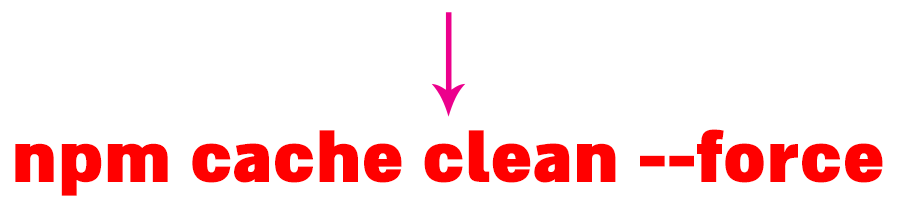
Over 100 comments - why this issue not solved yet? (Or add to the official docs and steps "run" npm cache clean --force).
 Ezra-Siton-UIX
on 29 Mar 2020
Ezra-Siton-UIX
on 29 Mar 2020
npm cache clean --force
This worked. Thankyou!
 bishop7js
on 3 Apr 2020
bishop7js
on 3 Apr 2020
thanks for all your comments this is working
 smartdickson
on 3 Apr 2020
smartdickson
on 3 Apr 2020
npm ERR! A complete log of this run can be found in:
npm ERR! C:\Users\ASUS\AppData\Roaming\npm-cache_logs\2020-04-06T14_25_09_278Z-debug.log
ERROR command failed: npm install --loglevel error
whether this error (npm cache clean --force) is corrected after the code
 shohruh2241759
on 6 Apr 2020
shohruh2241759
on 6 Apr 2020
npm cache clean --force
this run Thank you very much
shohruh2241759
on 6 Apr 2020
npm cache clean --force
That worked!!!
Many thanks!
 Lihination
on 10 Apr 2020
Lihination
on 10 Apr 2020
npm cache clean --force
or if you still face the problem delete the node_modules folder and run the installation command again
 ReubenRahul
on 11 Apr 2020
ReubenRahul
on 11 Apr 2020
I think this will solve it
https://stackabuse.com/npm-error-failed-to-fetch-from-registry-when-installing-module/
 aminefreelancer
on 12 Apr 2020
aminefreelancer
on 12 Apr 2020
It worked for me, thanks
npm cache clean --force
 elvesbd
on 17 Apr 2020
elvesbd
on 17 Apr 2020
npm cache clean --force
that solved
Thanks alot, this worked.
 wayncis
on 19 Apr 2020
wayncis
on 19 Apr 2020
npm cache clean --force
that solved
Big man! you are a life saver :)
 mikkyboy2005
on 23 Apr 2020
mikkyboy2005
on 23 Apr 2020
me funcionó el siguiente comando npm cache clean --force
no me dejaba instalar el nodemon y ahora todo esta normal
 ferchounisangil
on 30 Apr 2020
ferchounisangil
on 30 Apr 2020
npm cache clean --force
that solved
Thanks alot, this worked. :+1: :heart:
 hassanannajjar
on 2 May 2020
hassanannajjar
on 2 May 2020
npm cache clean --force.....this worked..thanks
 castrosteve
on 5 May 2020
castrosteve
on 5 May 2020
👍
On Sun, 19 Apr 2020, 15:12 wayncis, notifications@github.com wrote:
npm cache clean --force
that solved
Thanks alot, this worked.
—
You are receiving this because you commented.
Reply to this email directly, view it on GitHub
https://github.com/vuejs-templates/webpack/issues/990#issuecomment-616088384,
or unsubscribe
https://github.com/notifications/unsubscribe-auth/ANTP2EP44UQZE2WIGOJZAATRNLBQTANCNFSM4D7PEXEQ
.
smartdickson
on 5 May 2020
npm cache clean --force
that solved
Thank you
 barbhuiya34
on 8 May 2020
barbhuiya34
on 8 May 2020
npm cache clean --force
that solved
This solved my issue!
 davidenoma
on 10 May 2020
davidenoma
on 10 May 2020
@PeterSamK 你怎么解决的啊,我遇到了同样的问题
npm cache clean --force
 anouar1991
on 22 May 2020
anouar1991
on 22 May 2020
npm cache clean --force
this will help!!! 👯♂️
 sundaram-pc
on 24 May 2020
sundaram-pc
on 24 May 2020
Can somebody close this issue? As so many people gave the correct solution to clean the cache?
 jopsyvarghese
on 31 May 2020
jopsyvarghese
on 31 May 2020
npm cache clean --force
worked for me!
 hmadhsan
on 3 Jun 2020
hmadhsan
on 3 Jun 2020
npm cache clean --force 👍
 SebasGalvan
on 10 Jun 2020
SebasGalvan
on 10 Jun 2020
I had the same problem but npm cache clean --force didn't work for me. What I did was CLEAN MY PC using my cleaner(CCleaner) and npm install work now. I did it because the problem appears after I uninstall my node.js because I want to install nvm-windows on my PC (https://docs.microsoft.com/en-us/windows/nodejs/setup-on-windows), but after I did it I think some files and folders was leave behind making a conflict after I install node using nvm thus npm install do not work. So I thought cleaning my pc would solve the problem and it did.
These are just my thoughts. Hope to help someone.
 russelsantos19
on 12 Jun 2020
russelsantos19
on 12 Jun 2020
npm cache clean --force
that solved
Could you tell me how to solve? I don't know where to execute this commad. And my OS is windows10.
 wwddd66
on 15 Jun 2020
wwddd66
on 15 Jun 2020
I had the same problem but npm cache clean --force didn't work for me. What I did was CLEAN MY PC using my cleaner(CCleaner) and npm install work now. I did it because the problem appears after I uninstall my node.js because I want to install nvm-windows on my PC (https://docs.microsoft.com/en-us/windows/nodejs/setup-on-windows), but after I did it I think some files and folders was leave behind making a conflict after I install node using nvm thus npm install do not work. So I thought cleaning my pc would solve the problem and it did.
These are just my thoughts. Hope to help someone.
what OS do you use? Linux or Windows. It's an extreme way to do.
wwddd66
on 15 Jun 2020
npm cache clean --force
that solvedCould you tell me how to solve? I don't know where to execute this commad. And my OS is windows10.
Open a command prompt (cli) inside your project folder and type the above command... You can do it inside your project folder
jopsyvarghese
on 15 Jun 2020
Thank you very much, It's work for me!
------------------ 原始邮件 ------------------
发件人: "jopsyvarghese"<[email protected]>;
发送时间: 2020年6月15日(星期一) 晚上11:41
收件人: "vuejs-templates/webpack"<[email protected]>;
抄送: "你还是不明白吗"<[email protected]>;"Comment"<[email protected]>;
主题: Re: [vuejs-templates/webpack] npm ERR! Unexpected end of JSON input while parsing near '...nd-index-1.0.2.tgz" (#990)
npm cache clean --force
that solved
Could you tell me how to solve? I don't know where to execute this commad. And my OS is windows10.
Open a command prompt (cli) inside your project folder and type the above command... You can do it inside your project folder
—
You are receiving this because you commented.
Reply to this email directly, view it on GitHub, or unsubscribe.
wwddd66
on 16 Jun 2020
I had the same problem but npm cache clean --force didn't work for me. What I did was CLEAN MY PC using my cleaner(CCleaner) and npm install work now. I did it because the problem appears after I uninstall my node.js because I want to install nvm-windows on my PC (https://docs.microsoft.com/en-us/windows/nodejs/setup-on-windows), but after I did it I think some files and folders was leave behind making a conflict after I install node using nvm thus npm install do not work. So I thought cleaning my pc would solve the problem and it did.
These are just my thoughts. Hope to help someone.what OS do you use? Linux or Windows. It's an extreme way to do.
Windows
russelsantos19
on 16 Jun 2020
npm cache clean --force
that solved
this works for me. Thanks 👍 💯
 sunny9240
on 18 Jun 2020
sunny9240
on 18 Jun 2020
The command npm cache clean --force worked for me.
 FranciscoImanolSuarez
on 23 Jun 2020
FranciscoImanolSuarez
on 23 Jun 2020
npm cache clear --force .... works for me
 Asawari123-coder
on 26 Jun 2020
Asawari123-coder
on 26 Jun 2020
npm cache clean --force
remove node modules
install again
it works for me
 anupamhaldkar
on 15 Jul 2020
anupamhaldkar
on 15 Jul 2020
So for anyone still getting this problem even after doing npm cache clear --force and npm cache verify then it could be your Antivirus blocking your installation using the command prompt. I checked my antivirus firewall settings and found that it was blocking requests from svchosts. You must unblock this to solve your issue, the process may differ depending on the AV you're using. You can then perform npm cache clear --force to clear any potentially corrupted files in the cache and a restart might also be necessary in some cases.
 MarcVegas
on 28 Jul 2020
MarcVegas
on 28 Jul 2020
thank you guy npm cache clean --force solved my problem.
 Tamabcxyz
on 24 Oct 2020
Tamabcxyz
on 24 Oct 2020
npm cache clean --force It's working
 Monirujjaman27
on 10 Nov 2020
Monirujjaman27
on 10 Nov 2020
npm cache clean --force有用,有时候删除掉package-lock.json文件有效
 Innocentw
on 31 Mar 2021
Innocentw
on 31 Mar 2021
Related issues
 Splode
·
3Comments
Splode
·
3Comments
 SSmale
·
3Comments
SSmale
·
3Comments
 dfdgsdfg
·
4Comments
dfdgsdfg
·
4Comments
 v1ar31
·
3Comments
v1ar31
·
3Comments
 dtsao
·
3Comments
dtsao
·
3Comments
Most helpful comment
npm cache clean --force
that solved