What's your browser and operating system? (Copy/paste the output of https://www.whatismybrowser.com/)
Firefox 81 on Windows 10
What is the problem?
Processing Nodes are being shown as offline even though they are available. Even refresh does not change the status.
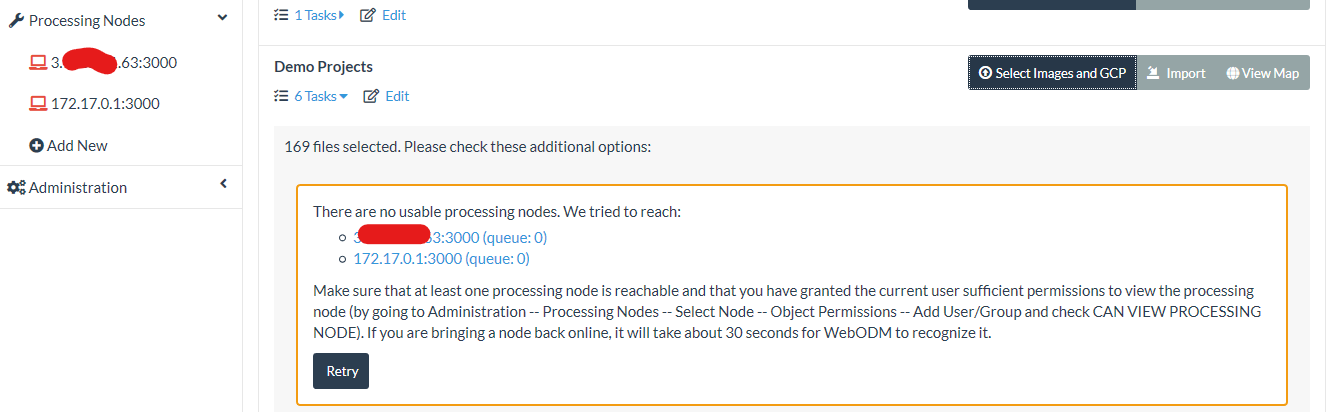
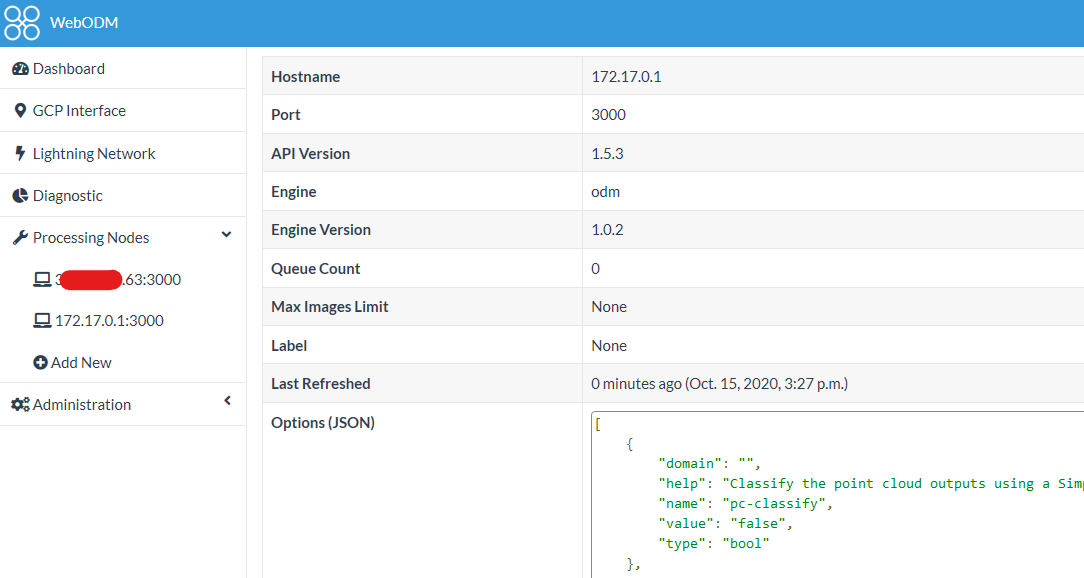
Clicking on each node results in showing the correct status.
What should be the expected behavior?
Nodes should always display correct status.
How can we reproduce this? (What steps did you do to trigger the problem? What parameters are you using for processing? Please include multiple screenshots of the problem! If possible please include a copy of your dataset uploaded on Google Drive or Dropbox. Be detailed)
Not sure how to replicate.
 abrbhat
All 8 comments
The nodes are refreshed every 30 seconds (or as you found out, if you visit the node's page).
Do the nodes come back online after 30 seconds?
If not, you might have run out of memory and the worker process in charge of refreshing the node statuses has been likely terminated, preventing the refresh to happen.
 pierotofy
on 15 Oct 2020
pierotofy
on 15 Oct 2020
How can I observe refreshing of nodes? I think the worker process might have gone down. How to bring it back up?
abrbhat
on 17 Oct 2020
Press the "Retry" button when creating a task (from your screenshot).
pierotofy
on 17 Oct 2020
Shows the same error and the node status is not refreshed.
abrbhat
on 19 Oct 2020
If not, you might have run out of memory and the worker process in charge of refreshing the node statuses has been likely terminated, preventing the refresh to happen.
pierotofy
on 19 Oct 2020
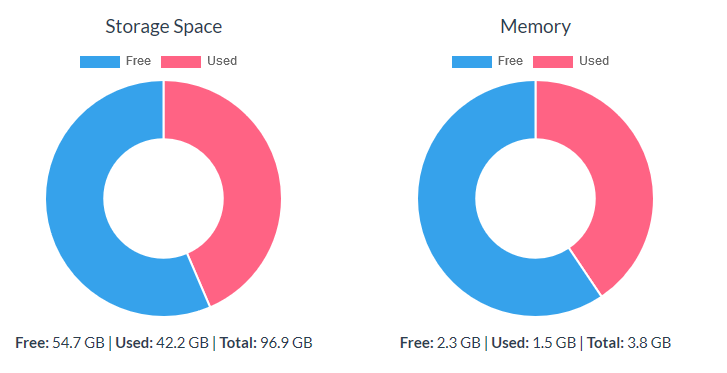
Does not look like I'm low on memory. This is diagnostic for the WebODM instance. I'm running ClusterODM and NodeODM on separate instances.
abrbhat
on 19 Oct 2020
Try:
./webodm.sh restart
?
It's possible that the worker gets killed when you process a task.
pierotofy
on 21 Oct 2020
Tried this, seems good till now
abrbhat
on 23 Oct 2020
Related issues
 tobi-kellner
·
6Comments
tobi-kellner
·
6Comments
 dawonn-haval
·
3Comments
pierotofy
·
3Comments
dawonn-haval
·
3Comments
pierotofy
·
3Comments
 gpsman
·
4Comments
gpsman
·
4Comments
 cwitting
·
3Comments
cwitting
·
3Comments
Most helpful comment
Tried this, seems good till now