Webodm: problem with WebODM node-odm-1 seems to be offline
What's your browser and operating system? (Copy/paste the output of https://www.whatismybrowser.com/)
[whatismybrowser.com/w/EHYMM3S]
What is the problem?
[I have DockerToolbox-19.03.1 on windows 10 x64. He cloned the WebODM repository, saved it in D: and ran ./webodm.sh start Now, I have created an administrator user, it has all permissions but the node does not work. I have read more comments about this problem, but it has not been resolved by restarting docker or reinstalling.
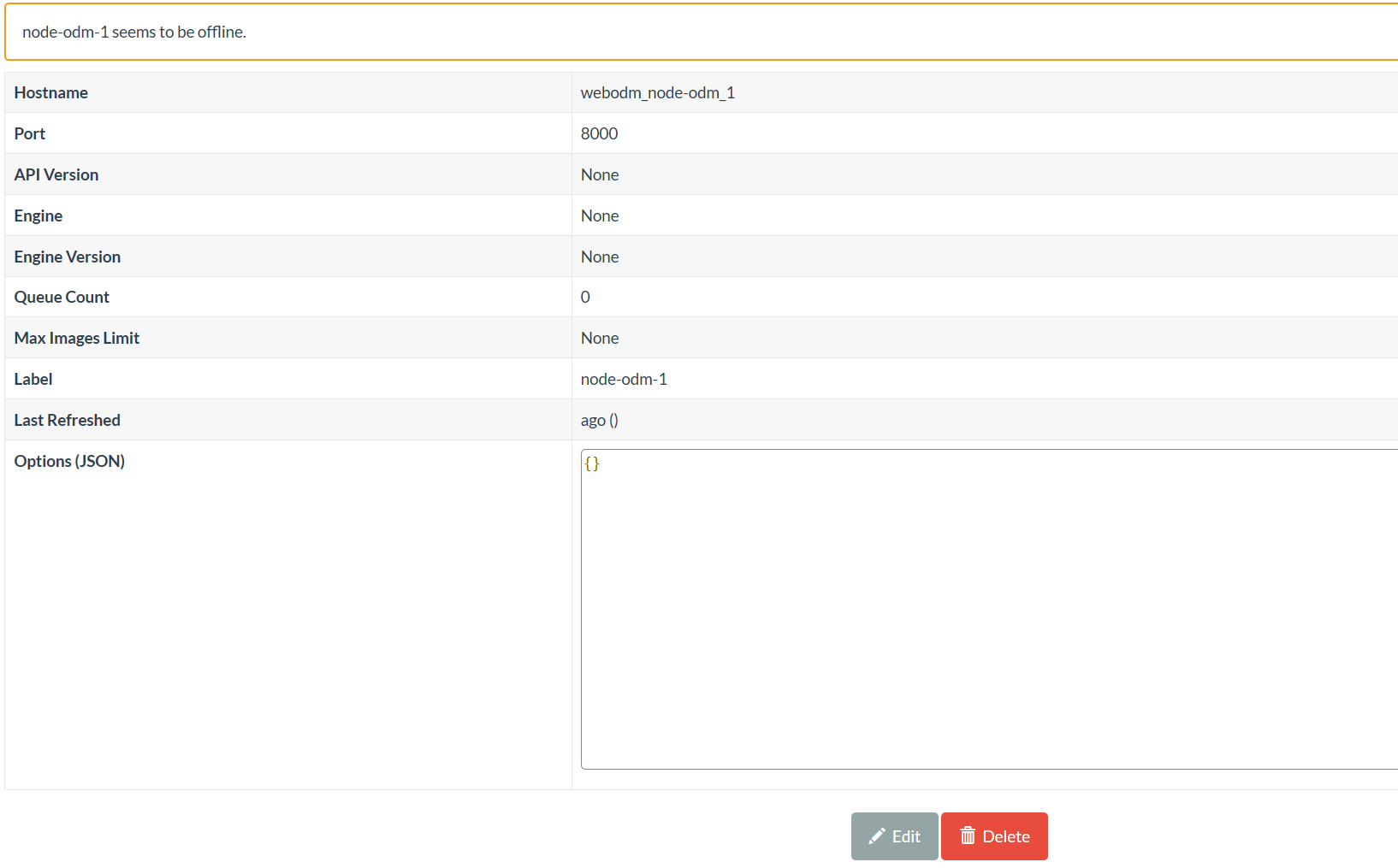
I receive this -> node-odm-1 seems to be offline. I have also created another node, in port 8000 and it doesn't work for me, it always puts the same thing on me, offline node. I need help.]
What should be the expected behavior?
[That the node is not offline]
How can we reproduce this? (What steps did you do to trigger the problem? What parameters are you using for processing? Please include multiple screenshots of the problem! If possible please include a copy of your dataset uploaded on Google Drive or Dropbox. Be detailed)
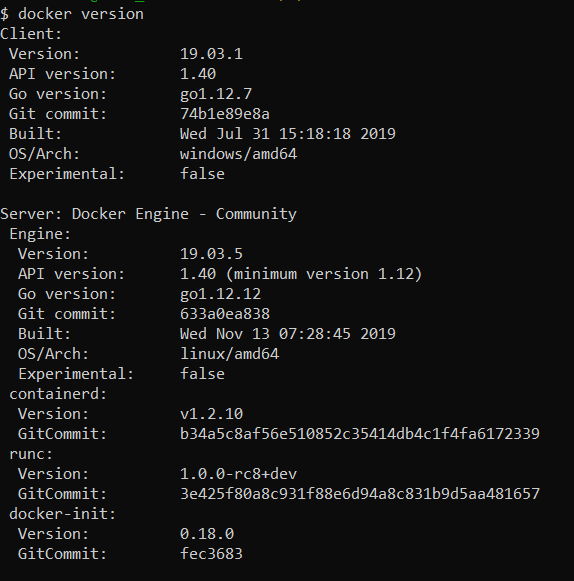
[I still couldn't load data on the page, I just installed the docker toolbox, found the command, and the node error already appears.
]
 ghost
ghost
All 10 comments
Having same issue.
Since this is is my first time using ODM, poked around how that all works.
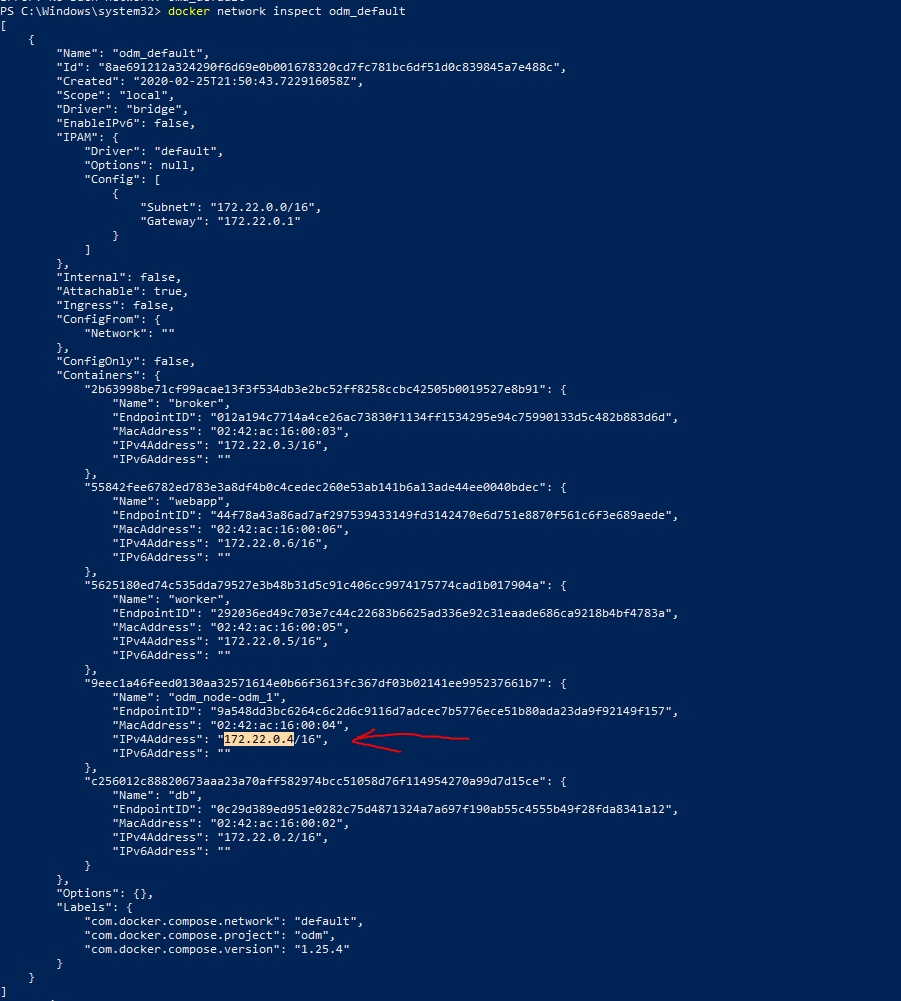
At some point figured out that default hostname inside ODM config is the container name and probably in the internal network that has issues to resolve.
With the following command got internal IP:
Updated ODM config:
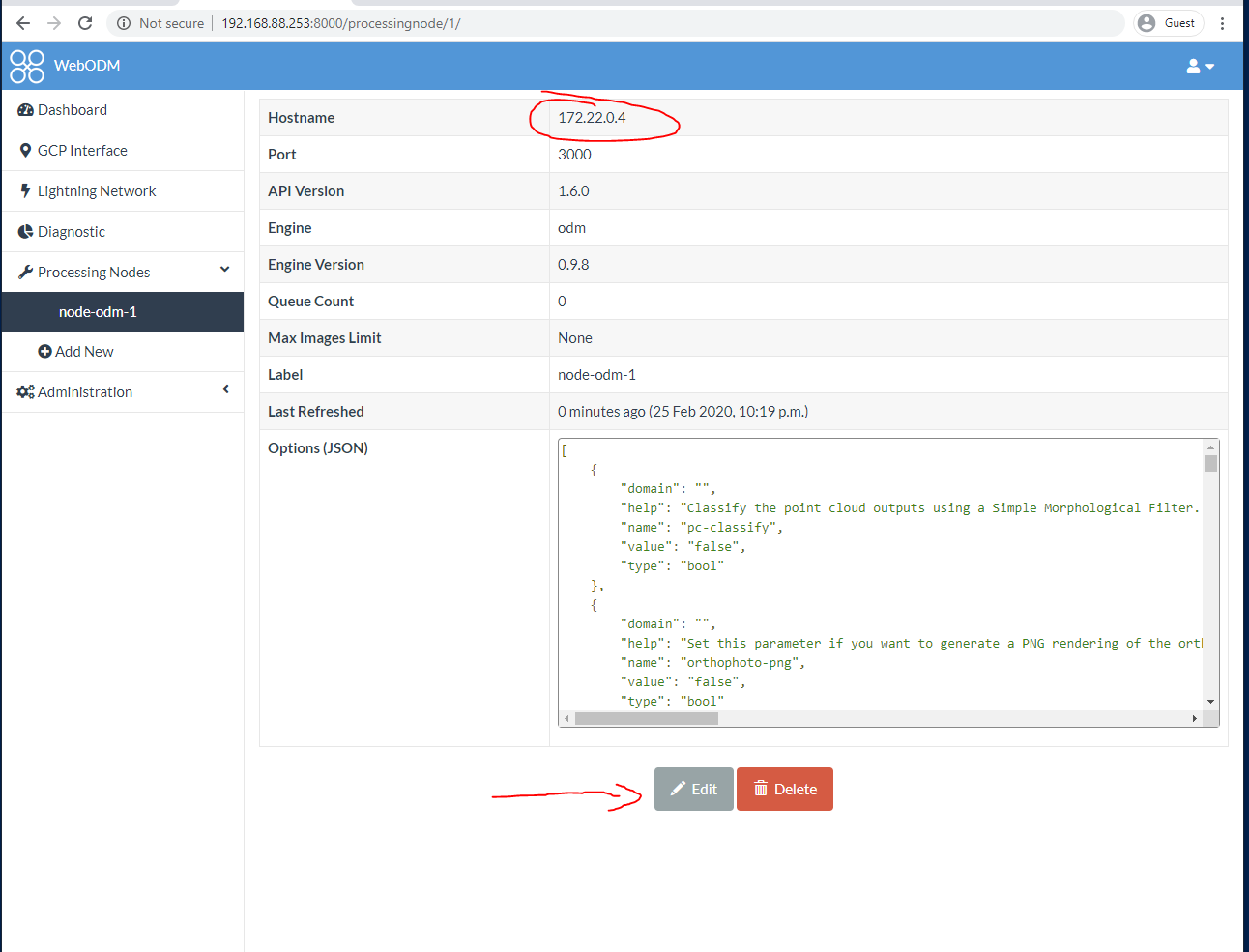
Profit.
 Pilskalns
on 25 Feb 2020
Pilskalns
on 25 Feb 2020
I wonder if something has changed in the latest docker releases (this seems to be an issue also with our automated testing suite, which started failing a few weeks ago). #817
Mind asking which version of docker you are running? @Pilskalns
 pierotofy
on 25 Feb 2020
pierotofy
on 25 Feb 2020
@pierotofy
Docker version 19.03.5, build 633a0ea
Got it from Chocolatey docker-desktop package.
ODM downloaded with the following command:
git clone https://github.com/OpenDroneMap/WebODM.git --recurse-submodules .
Pilskalns
on 25 Feb 2020
Windows Pro, also docker 19.03.5:

Strange.
What's the output of:
docker exec -ti webapp cat /etc/resolv.conf
I get:
# docker exec -ti webapp cat /etc/resolv.conf
nameserver 127.0.0.11
options ndots:0
Also:
# docker exec -ti webapp bash
root@16421257525a:/etc# apt install -y dnsutils
root@16421257525a:/etc# dig webodm_node-odm_1

; <<>> DiG 9.11.5-P4-5.1-Debian <<>> webodm_node-odm_1
;; global options: +cmd
;; Got answer:
;; ->>HEADER<<- opcode: QUERY, status: NOERROR, id: 38670
;; flags: qr rd ra; QUERY: 1, ANSWER: 1, AUTHORITY: 0, ADDITIONAL: 0

;; QUESTION SECTION:
;webodm_node-odm_1.                                IN      A

;; ANSWER SECTION:
webodm_node-odm_1.                 600     IN      A       172.19.0.2

;; Query time: 0 msec
;; SERVER: 127.0.0.11#53(127.0.0.11)
;; WHEN: Tue Feb 25 23:37:55 UTC 2020
;; MSG SIZE  rcvd: 46
Having same issue.
Since this is is my first time using ODM, poked around how that all works.
At some point figured out that default hostname inside ODM config is the container name and probably in the internal network that has issues to resolve.1. With the following command got internal IP:  2. Updated ODM config:  3. Profit.
Having same issue.
Since this is is my first time using ODM, poked around how that all works.
At some point figured out that default hostname inside ODM config is the container name and probably in the internal network that has issues to resolve.1. With the following command got internal IP:  2. Updated ODM config:  3. Profit.
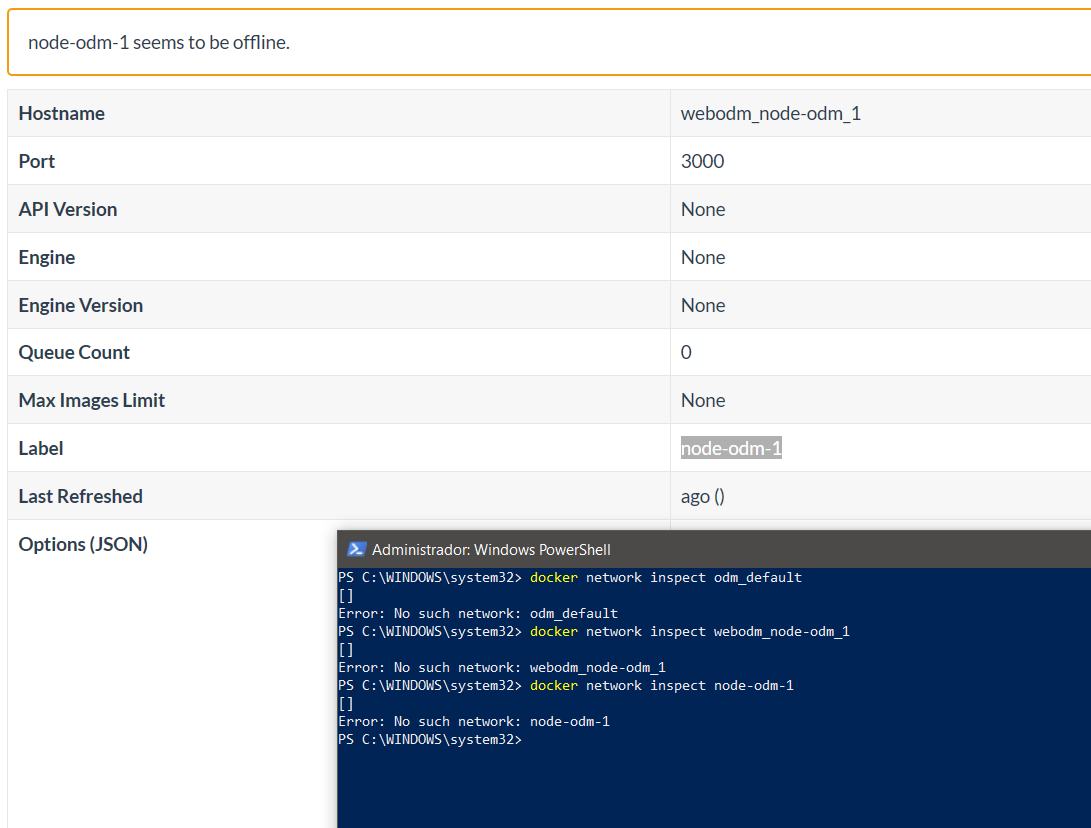
He put the same command as you, and it doesn't work for me, he tried the node name as a parameter, and neither, what are you doing wrong?
What I think I'm doing wrong is to put the name of the node wrong when pinging
ghost
on 26 Feb 2020
Already solved. I put my answer in case someone is worth it. Use docker ps to see the id of the container. Taking the id, which is the first column, docker inspects 'id' and the ip appears to me, then, indeed, as @Pilskalns says, I put the name, the ip and it worked. Thank you all very much, and sorry if my English is bad, I am Spanish.
ghost
on 26 Feb 2020
I'll keep this open since this is a workaround, but not a fix.
pierotofy
on 26 Feb 2020
After performing a ./webodm.sh update, the node is properly linked in the dashboard. Things are looking good.
 swarmdog
on 8 Apr 2020
swarmdog
on 8 Apr 2020
I have tried everything mentioned on this page, nothing solves my problem.
 ibrahimcengiz
on 8 Jul 2020
ibrahimcengiz
on 8 Jul 2020
@ibrahimcengiz -- come on over to https://community.opendronemap.org and let's see if we can help you troubleshoot.
 smathermather
on 8 Jul 2020
smathermather
on 8 Jul 2020
Related issues
pierotofy
·
5Comments
 gpsman
·
4Comments
gpsman
·
4Comments
 ivanmalo
·
4Comments
ivanmalo
·
4Comments
 Pratyush1991
·
3Comments
Pratyush1991
·
3Comments
 KommandorKeen
·
5Comments
KommandorKeen
·
5Comments
Most helpful comment
Having same issue.
Since this is is my first time using ODM, poked around how that all works.
At some point figured out that default hostname inside ODM config is the container name and probably in the internal network that has issues to resolve.
With the following command got internal IP:

Updated ODM config:

Profit.