Webodm: Any limit on maximum number of file uploads or total file size?
I have tested that ~220 images (1.06GB) were the maximum number of files which could be processed by WebODM docker run on my computer (Windows 10 with 16GB memory and 330GB free space on system drive). More than this number, the task status will get stuck at "Uploading images" and never start "running".
For uploading larger image size (~5.5MB), I change the value of "FILE_UPLOAD_MAX_MEMORY_SIZE" in settings of webodm folder. But the "DATA_UPLOAD_MAX_NUMBER_FIELDS = None" seems doesn't work properly. Is this a bug? Have anyone tried processing more than 1,000 images in a task?
# File Uploads
FILE_UPLOAD_MAX_MEMORY_SIZE = 8388608 # 8 MB
DATA_UPLOAD_MAX_NUMBER_FIELDS = None
 ecoinfo
All 13 comments
I have successfully loaded up to 2000 images on a laptop with 24GB RAM on WebODM before.
You shouldn't need to modify FILE_UPLOAD_MAX_MEMORY_SIZE, that's a setting specifying how big an upload should be streamed to the file system instead of being kept in memory, it doesn't limit file upload size.
While WebODM is running, and after an upload has failed, what's the output of:
docker exec -ti $(docker ps -q --filter "name=webapp") cat /tmp/nginx.*
?
 pierotofy
on 17 Sep 2017
pierotofy
on 17 Sep 2017
Thanks for your help.
I followed your docker commands and it showed:
cat: /tmp/nginx.*: No such file or directory
ecoinfo
on 18 Sep 2017
Could you give us more info about how are you running WebODM? If you are running it via ./webodm.sh start there should be logs in the docker container's tmp directory (nginx.error.log and nginx.access.log).
pierotofy
on 18 Sep 2017
Many thanks for your prompt response.
I attached two log files:
nginx_access.txt
nginx_error.txt
ecoinfo
on 18 Sep 2017
How are you running WebODM? Did you change any of the default settings while setting it up? The error:
2017/09/18 11:39:51 [error] 42#42: *160 upstream prematurely closed connection while reading response header from upstream, client: 172.18.0.1, server: webodm.localhost, request: "GET /api/projects/1/tasks/1/ HTTP/1.1", upstream: "http://unix:/tmp/gunicorn.sock:/api/projects/1/tasks/1/", host: "localhost:8000", referrer: "http://localhost:8000/dashboard/"
Typically appears when you have setup gunicorn/nginx without increasing the timeout parameters, but the default configuration already should have those parameters set. See https://stackoverflow.com/questions/6816215/gunicorn-nginx-timeout-problem
pierotofy
on 18 Sep 2017
Hi,
I did not change any default setting when installing and running WebODM. But the task was set to generate DSM+DTM.
When I uploaded 220 images to run the task I encountered an issue as the screen capture:
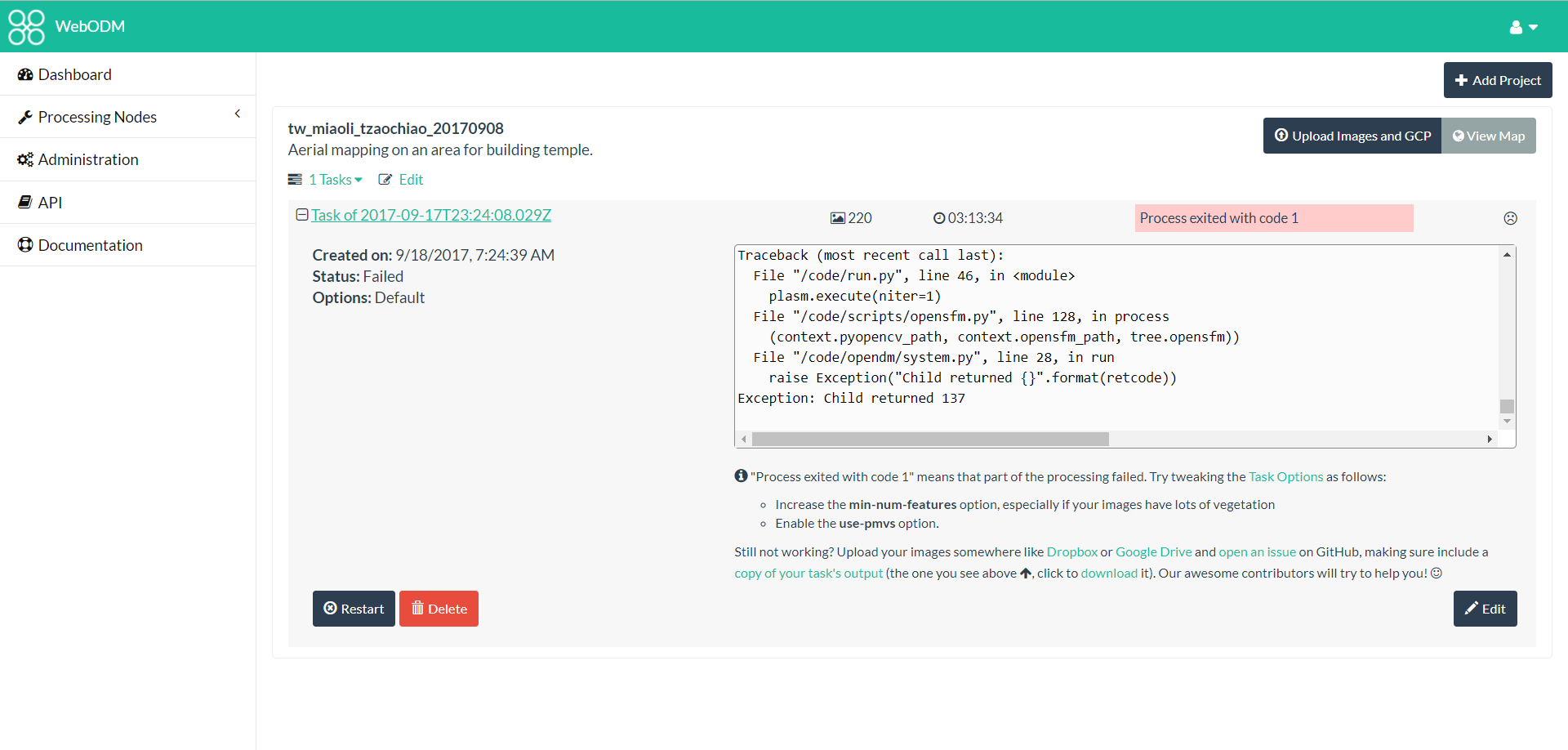
When uploading 225 or more images the task get stuck at uploading images.
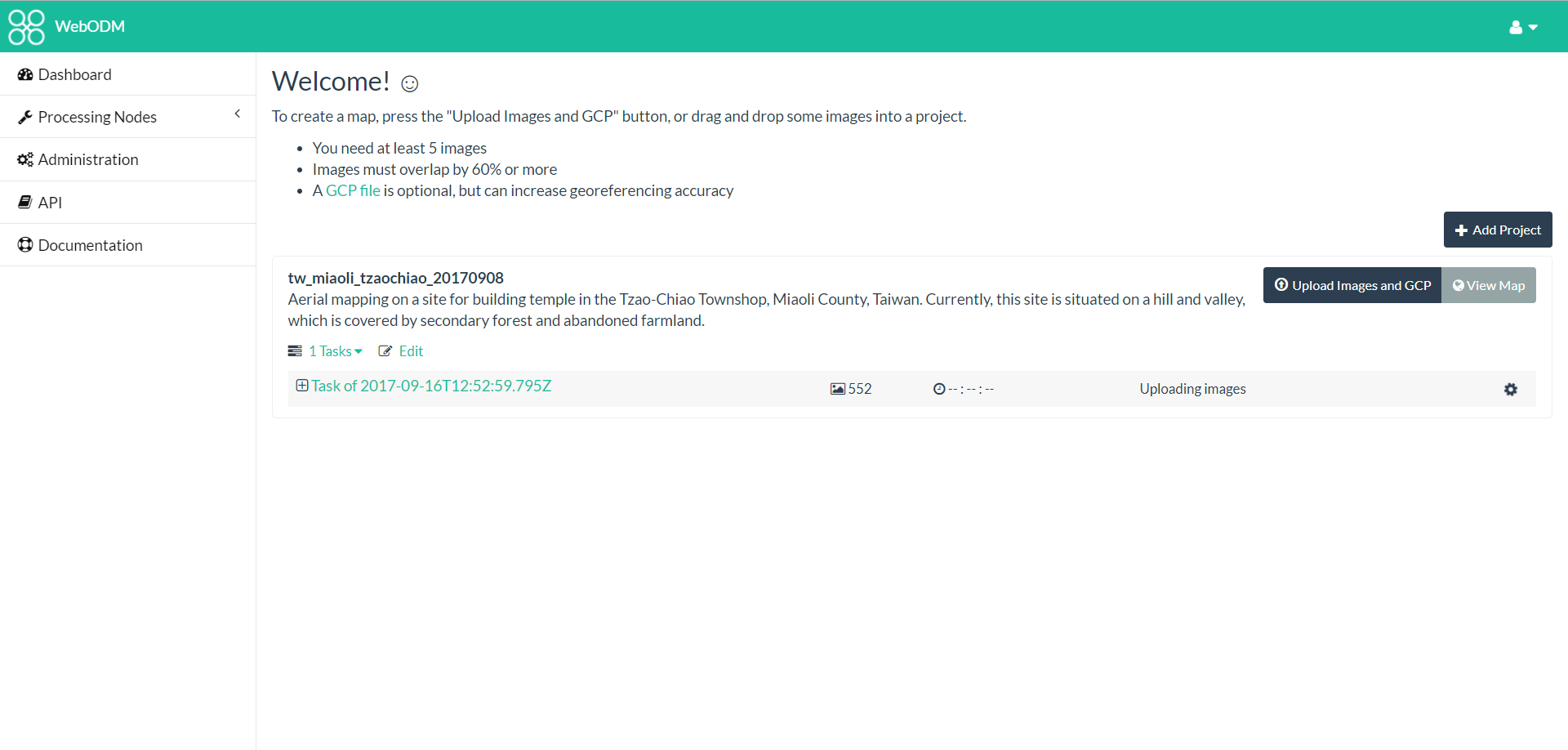
Many thanks.
ecoinfo
on 19 Sep 2017
How long does it take to upload 220 images? If WebODM is loaded on a slow network and it takes more than 360 seconds (6 minutes) to load the images, then the timeout will happen. Can you confirm this is the case?
pierotofy
on 19 Sep 2017
Hi,
For processing 221 images, after I press "Start Processing" it took about 22.5 seconds on uploading images.
The partial logs as the attached file:
webodm_log.txt
Thanks.
ecoinfo
on 20 Sep 2017
Maybe this is a memory issue; how much memory have you allocated to the docker virtual machine? You might have to increase the amount of RAM allocated, see https://docs.docker.com/docker-for-windows/#advanced and make sure at least 6GB are allocated.
pierotofy
on 20 Sep 2017
Hi,
Thanks for your suggestion. I will allocate more CPU and memories resources for Docker and report the outcome.
ecoinfo
on 20 Sep 2017
I allocated 6 vCPU and 12GB memory for Docker for processing 552 images of forest and farmland on hill and valley.
It was failed to generate DSM+DTM when applying default setting.
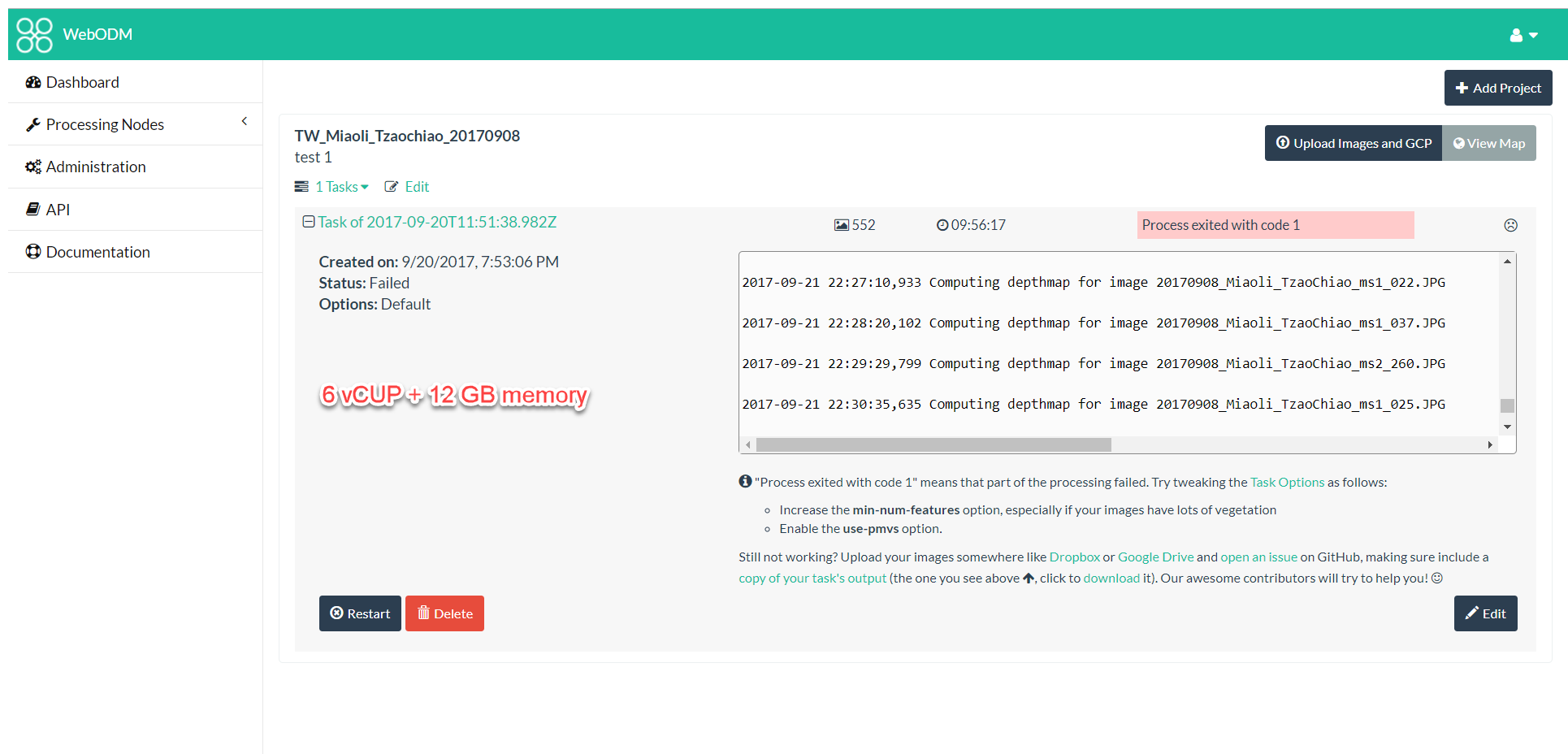
It ran out of memory when I increased mim-num-features to 6,000 and enabled use-pmvs.

ecoinfo
on 23 Sep 2017
Could you copy/paste the processing log (from the console) of trying to generate the DSM+DTM?
pierotofy
on 28 Sep 2017
This issue was moved to http://community.opendronemap.org/t/any-limit-on-maximum-number-of-file-uploads-or-total-file-size/48
pierotofy
on 19 Oct 2017
Related issues
 Pratyush1991
·
3Comments
pierotofy
·
4Comments
pierotofy
·
4Comments
pierotofy
·
5Comments
Pratyush1991
·
3Comments
pierotofy
·
4Comments
pierotofy
·
4Comments
pierotofy
·
5Comments
 keum
·
3Comments
keum
·
3Comments