Weblate: Setup New Weblate to latest version 4.5
Dear Team,
We have recently setup new Weblate version-4.5 with PostgreSQL db.
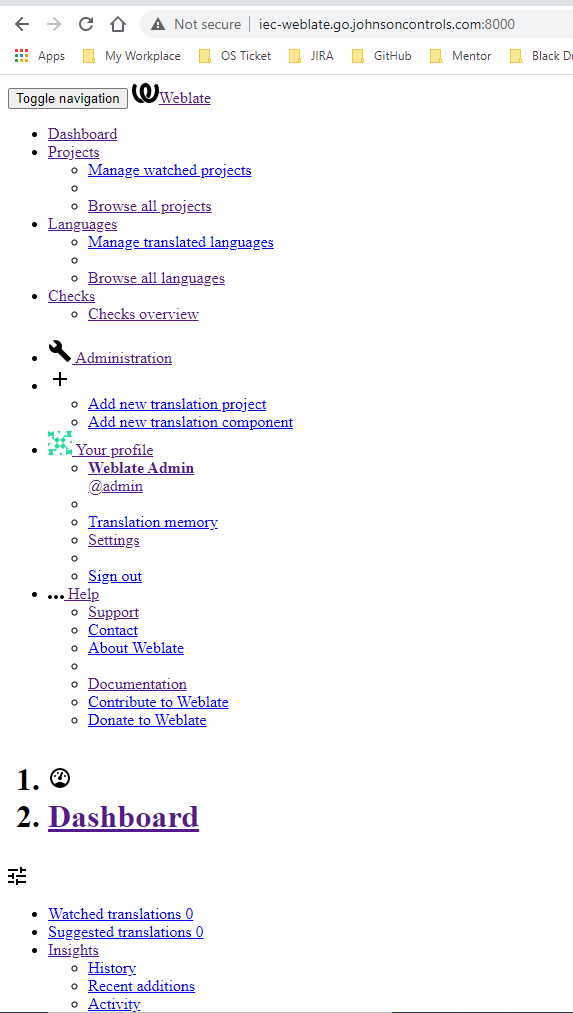
But after configuration of almost everything landing page layout is still not coming proper.
Please find attached layout coming.
Can you suggest what could be the issue?
Thank You.
Sameer Manake.
 jmanaks1
All 9 comments
This issue looks more like a support question than an issue. We strive to answer these reasonably fast, but purchasing the support subscription is not only more responsible and faster for your business but also makes Weblate stronger. In case your question is already answered, making a donation is the right way to say thank you!
![github-actions[bot] picture](https://avatars.githubusercontent.com/in/15368?v=4&s=40) github-actions[bot]
on 25 Feb 2021
github-actions[bot]
on 25 Feb 2021
Most likely your serving of static files is misconfigured, see https://docs.weblate.org/en/latest/admin/install.html#static-files
I also want to mention that we offer this support thanks to many customers that pay for it. You can become a proud member of this lovely group and enjoy all the perks; check https://weblate.org/support/ to do it!
 nijel
on 25 Feb 2021
nijel
on 25 Feb 2021
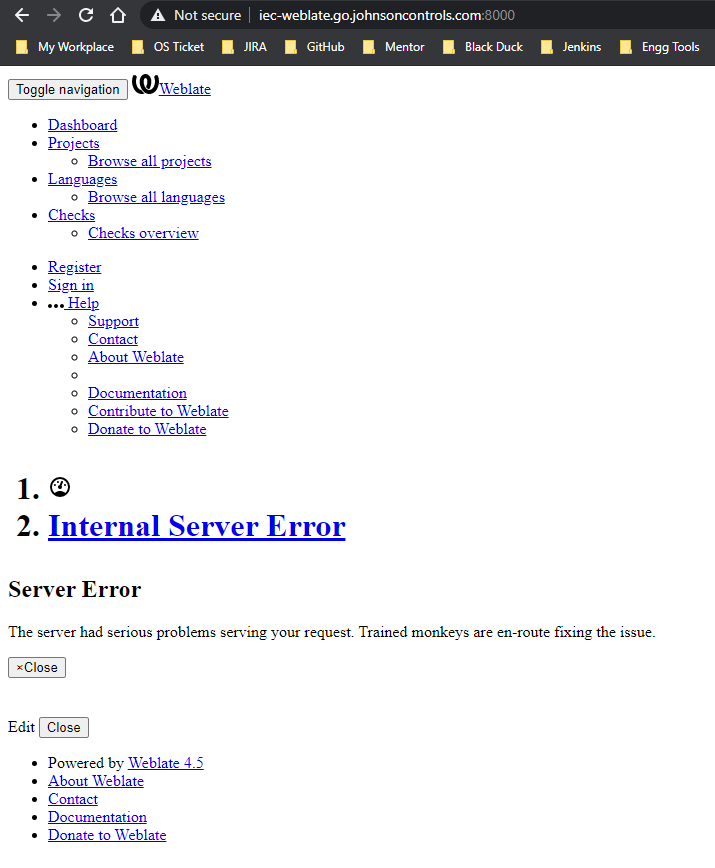
I have tried all static root setting but still same issue....and now getting another error "internal server error".
Please find attached screenshot of error.
Thank you
jmanaks1
on 25 Feb 2021
nijel
on 27 Feb 2021
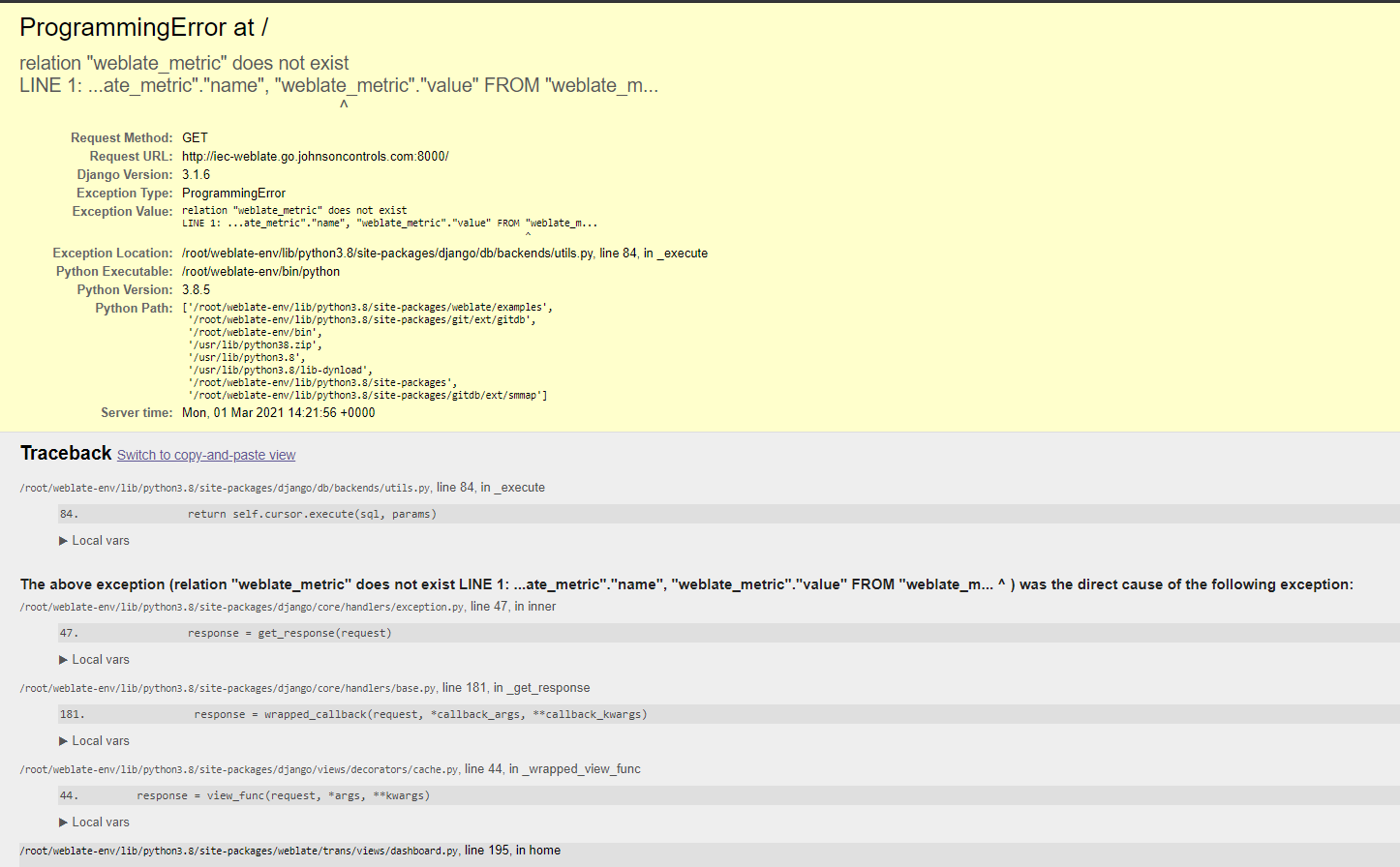
By keeping "DEBUG = True " in settings.py file, I am able to access UI but with "http://iec-weblate.go.johnsoncontrols.com:8000/admin" (with admin suffix).
If I try to connect with http://iec-weblate.go.johnsoncontrols.com:8000/ only (without admin suffix)...shows following error.
ProgrammingError at /
relation "weblate_metric" does not exist
LINE 1: ...ate_metric"."name", "weblate_metric"."value" FROM "weblate_m...
^
Request Method: GET
Request URL: http://iec-weblate.go.johnsoncontrols.com:8000/
Django Version: 3.1.6
Exception Type: ProgrammingError
Exception Value:
relation "weblate_metric" does not exist
LINE 1: ...ate_metric"."name", "weblate_metric"."value" FROM "weblate_m...
^
Exception Location: /root/weblate-env/lib/python3.8/site-packages/django/db/backends/utils.py, line 84, in _execute
Python Executable: /root/weblate-env/bin/python
Python Version: 3.8.5
Python Path:
['/root/weblate-env/lib/python3.8/site-packages/weblate/examples',
'/root/weblate-env/lib/python3.8/site-packages/git/ext/gitdb',
'/root/weblate-env/bin',
'/usr/lib/python38.zip',
'/usr/lib/python3.8',
'/usr/lib/python3.8/lib-dynload',
'/root/weblate-env/lib/python3.8/site-packages',
'/root/weblate-env/lib/python3.8/site-packages/gitdb/ext/smmap']
Server time: Mon, 01 Mar 2021 15:10:23 +0000
jmanaks1
on 1 Mar 2021
See https://docs.weblate.org/en/latest/admin/upgrade.html#upgrade-from-4-4-to-4-5
nijel
on 1 Mar 2021
Thank you for all your support till now, we are able to see proper UI now.
Is there any way to keep weblate server continuously ON, even if we disconnect Shell access?
Currently weblate server getting stopped if I disconnected shell access and to start it again we have to run "weblate runserver" command.
Thank you!
jmanaks1
on 2 Mar 2021
Sure, just don't use runsever (which is suitable for development only) and choose one of the production setups: https://docs.weblate.org/en/latest/admin/install.html#running-server ... or use a Docker image, which does include all needed parts.
nijel
on 2 Mar 2021
This issue has been automatically marked as stale because it has not had any recent activity.
It will be closed soon if no further action occurs.
Thank you for your contributions!
github-actions[bot]
on 13 Mar 2021
Related issues
 BhaaLseN
·
5Comments
BhaaLseN
·
5Comments
 BoFFire
·
4Comments
BoFFire
·
4Comments
 nblock
·
3Comments
nblock
·
3Comments
 tariver
·
4Comments
tariver
·
4Comments
 reloxx13
·
3Comments
reloxx13
·
3Comments
Most helpful comment
Most likely your serving of static files is misconfigured, see https://docs.weblate.org/en/latest/admin/install.html#static-files
I also want to mention that we offer this support thanks to many customers that pay for it. You can become a proud member of this lovely group and enjoy all the perks; check https://weblate.org/support/ to do it!