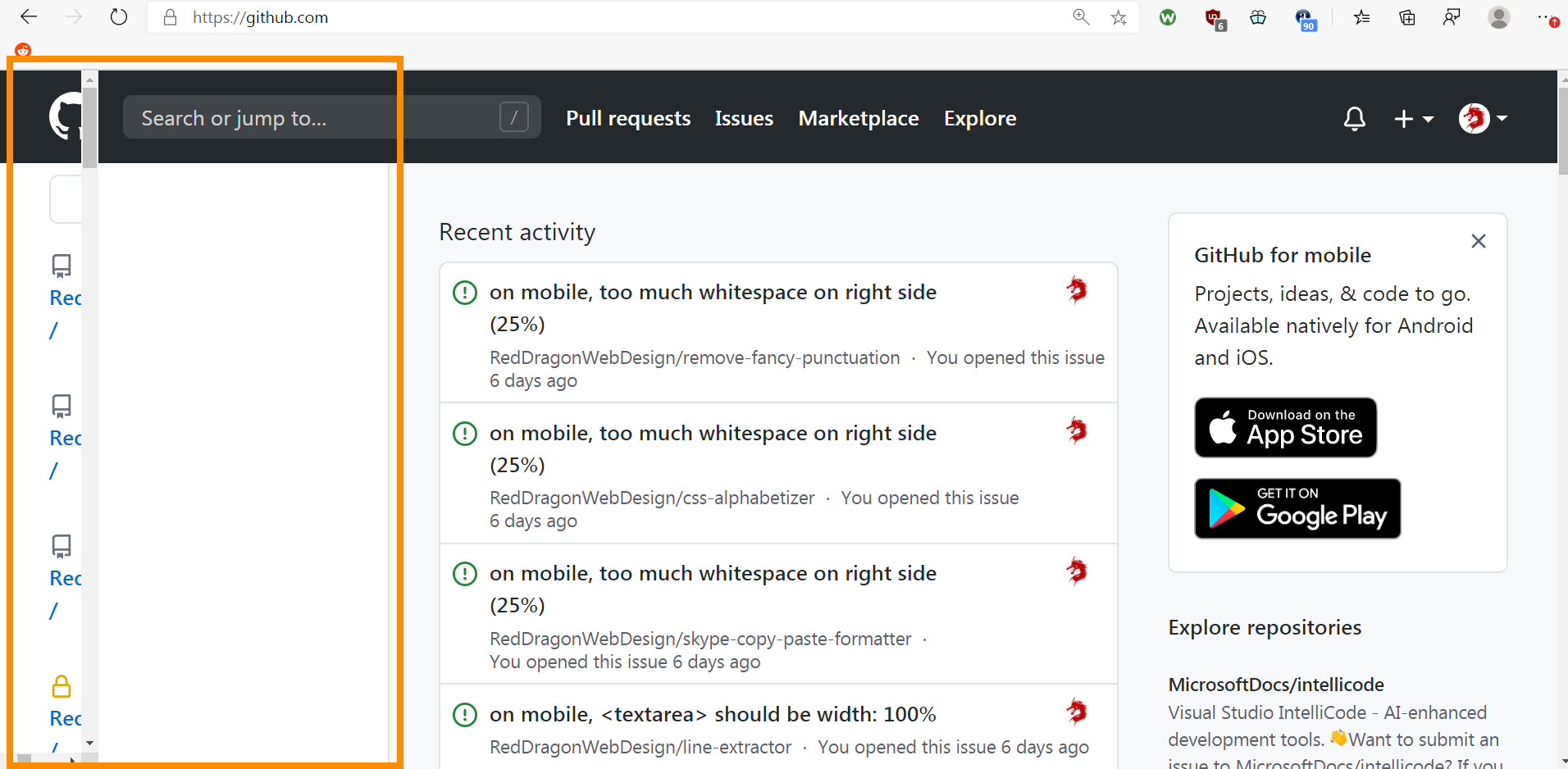
Webannoyances: github.com logged in homepage - scrolling down messes up left aside
URL(s) where the issue occurs
https://www.github.com/ - must be logged in
Describe the issue
Steps to reproduce
1) Log into github
2) Go to https://www.github.com/
3) Scroll down a little bit. Screen may look like screenshot
Screenshot(s)
Versions
- Browser & Version: Chrome 85
- Adblocker (uBlock Origin, Adguard, Nano Adblocker, etc.) & Version: ubo dev 1.29.3b6
...
- Browser & Version: Edge 84
- Adblocker (uBlock Origin, Adguard, Nano Adblocker, etc.) & Version: ubo 1.29.2
Settings
- all annoyances lists
- web annoyances ultralist
- block everything
 RedDragonWebDesign
👍1
All 2 comments
@RedDragonWebDesign I can't recreate, can you confirm you are still having this issue after updating your filter list to include the change from https://github.com/yourduskquibbles/webannoyances/commit/5d05895f68a1a76102b461ee975ecb2b0da2b5e8 ?
I noticed that and thought I fixed that with https://github.com/yourduskquibbles/webannoyances/commit/5d05895f68a1a76102b461ee975ecb2b0da2b5e8 but maybe it is still happening under certain viewport settings
 yourduskquibbles
on 25 Sep 2020
yourduskquibbles
on 25 Sep 2020
👍1
It's fixed for me now in both browsers. Maybe that commit fixed it.
Thanks for your help. Closing for now.
RedDragonWebDesign
on 25 Sep 2020
👍2
Was this page helpful?
0 / 5 - 0 ratings
Related issues
 prodan1234
·
12Comments
prodan1234
·
12Comments
 Alex-302
·
6Comments
Alex-302
·
6Comments
 rd-su
·
12Comments
rd-su
·
12Comments
 KonoromiHimaries
·
3Comments
rd-su
·
5Comments
KonoromiHimaries
·
3Comments
rd-su
·
5Comments
Most helpful comment
It's fixed for me now in both browsers. Maybe that commit fixed it.
Thanks for your help. Closing for now.