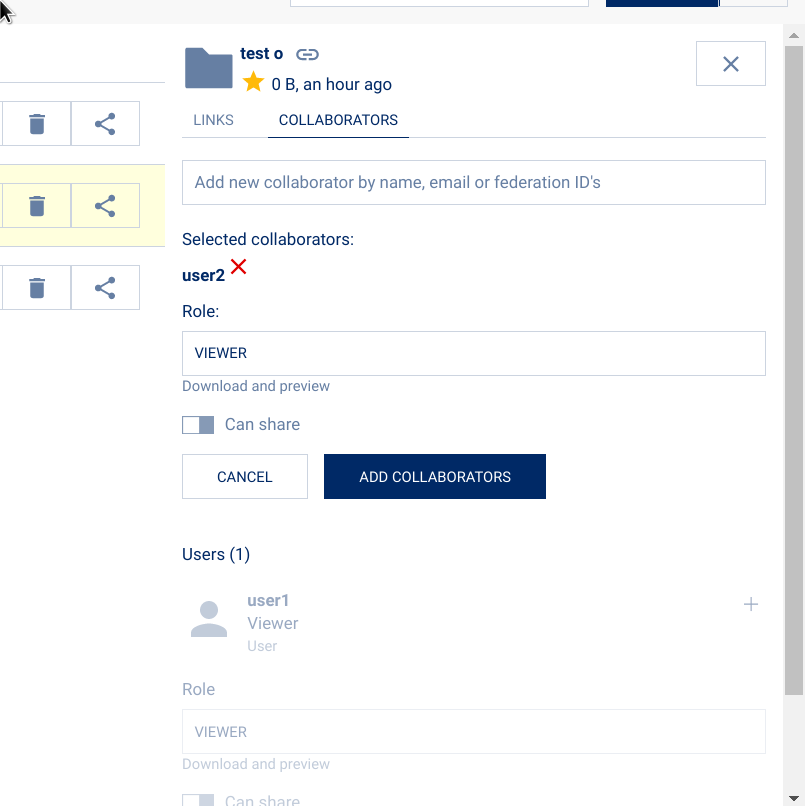
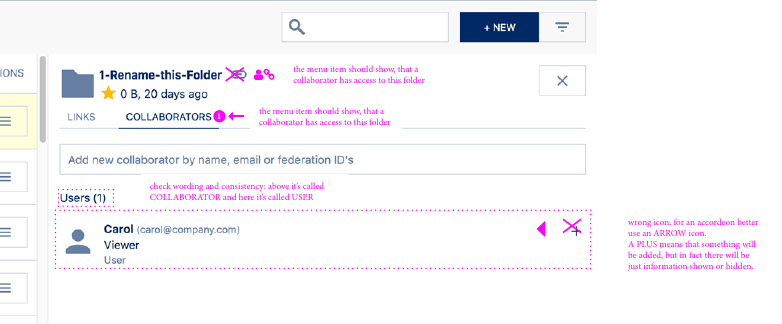
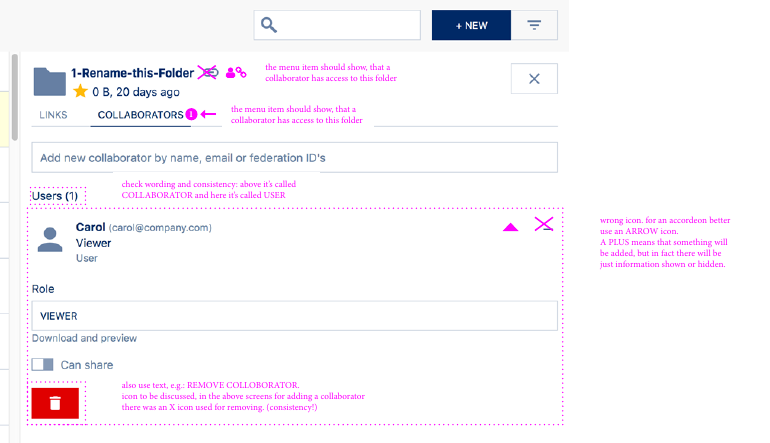
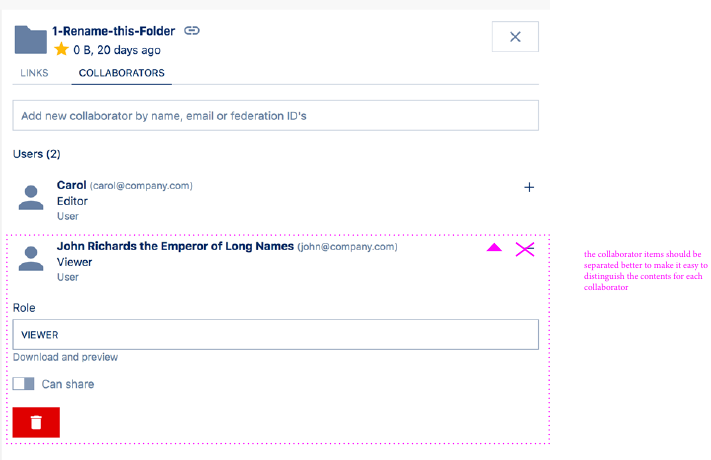
I think we should only ever expand a single collaborator.
Whenever an interaction is not finished, for example the user forgot to save, we should remind and ask "save or cancel" and then collapse that one and open whichever other panel the user just clicked.
An alternative or addition would be a better visual separation, not sure if a divider would do, or putting each panel into cards.
Version
Phoenix master 2f7b3d781175e63a45291127bb3d2dfc3cfa5153
 PVince81
All 27 comments
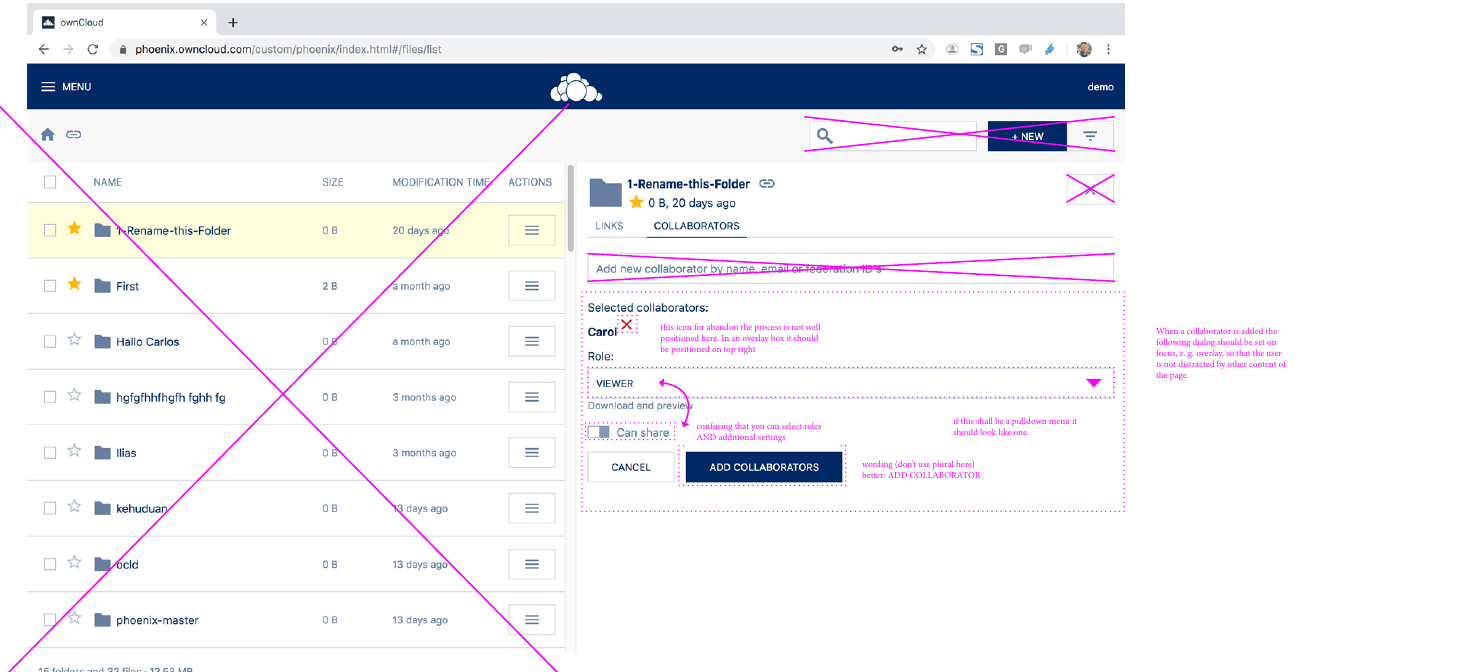
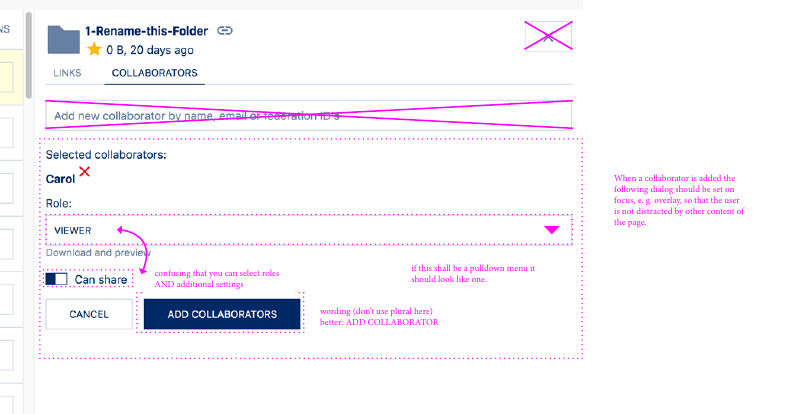
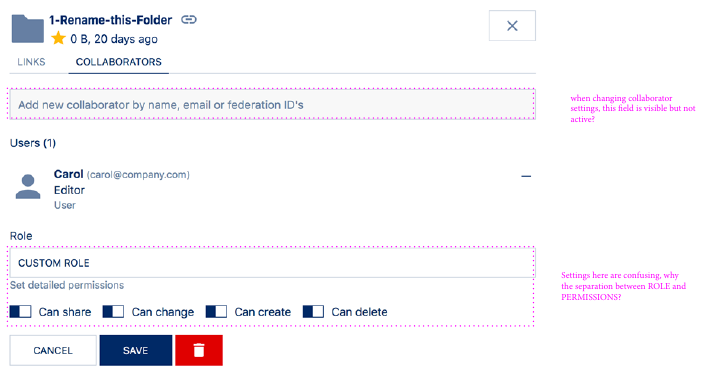
I think we need to reconsider the flow when creating link shares and collaborator shares as a lot of the UI is distracting and confusing.
PVince81
on 15 Oct 2019
PVince81
on 15 Oct 2019
PVince81
on 15 Oct 2019
PVince81
on 15 Oct 2019
PVince81
on 15 Oct 2019
PVince81
on 15 Oct 2019
PVince81
on 15 Oct 2019
Second collaborator
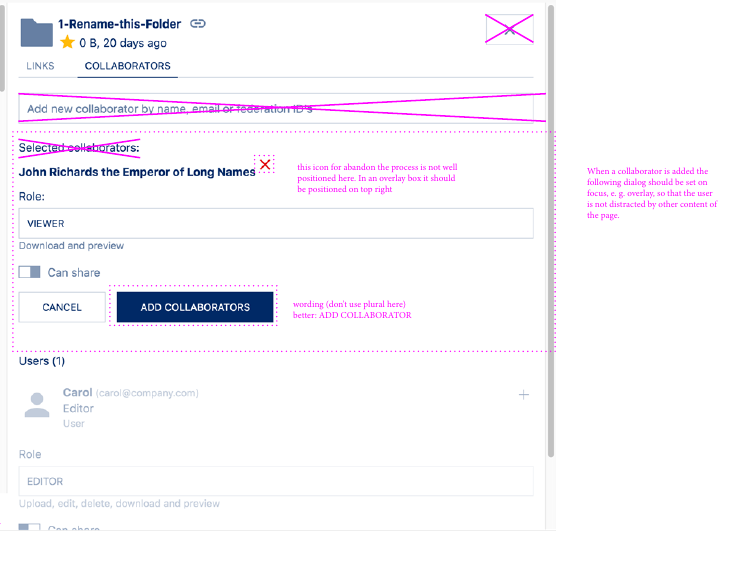
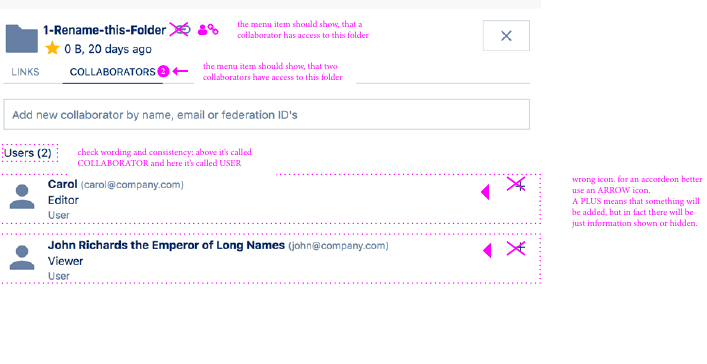
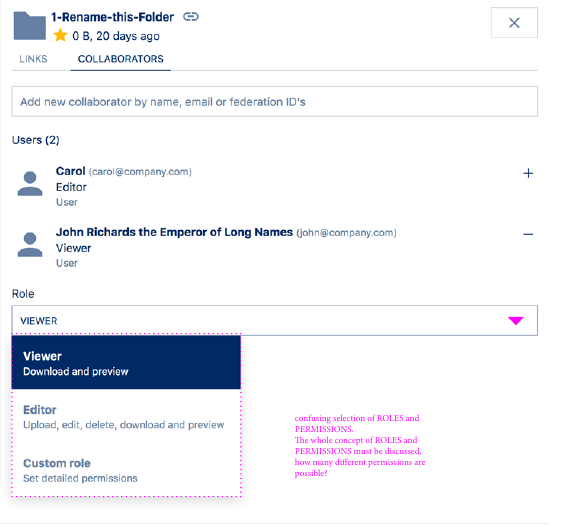
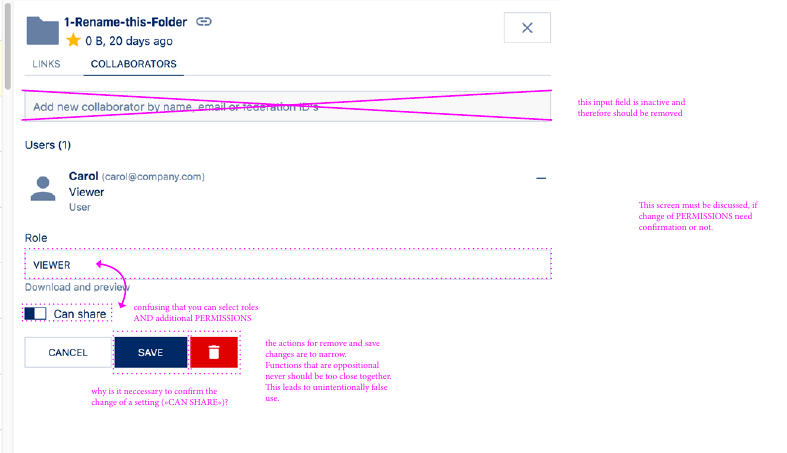
- [ ] need confirmation when changing permissions ?
PVince81
on 15 Oct 2019
Removing collaborator
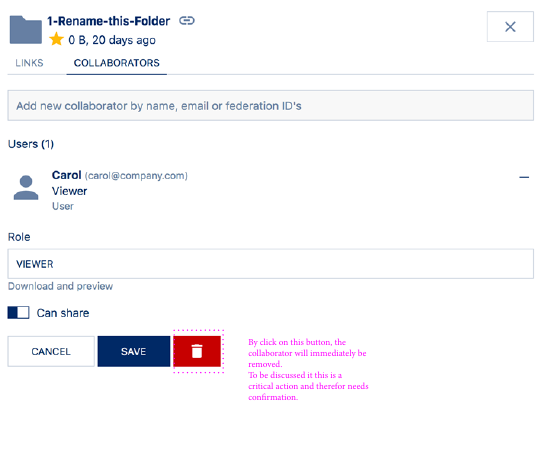
PVince81
on 15 Oct 2019
- [ ] BUG: autocomplete field disabled even after removing last collaborator
PVince81
on 15 Oct 2019
- [ ] when navigating away with pending changes, need warning
PVince81
on 15 Oct 2019
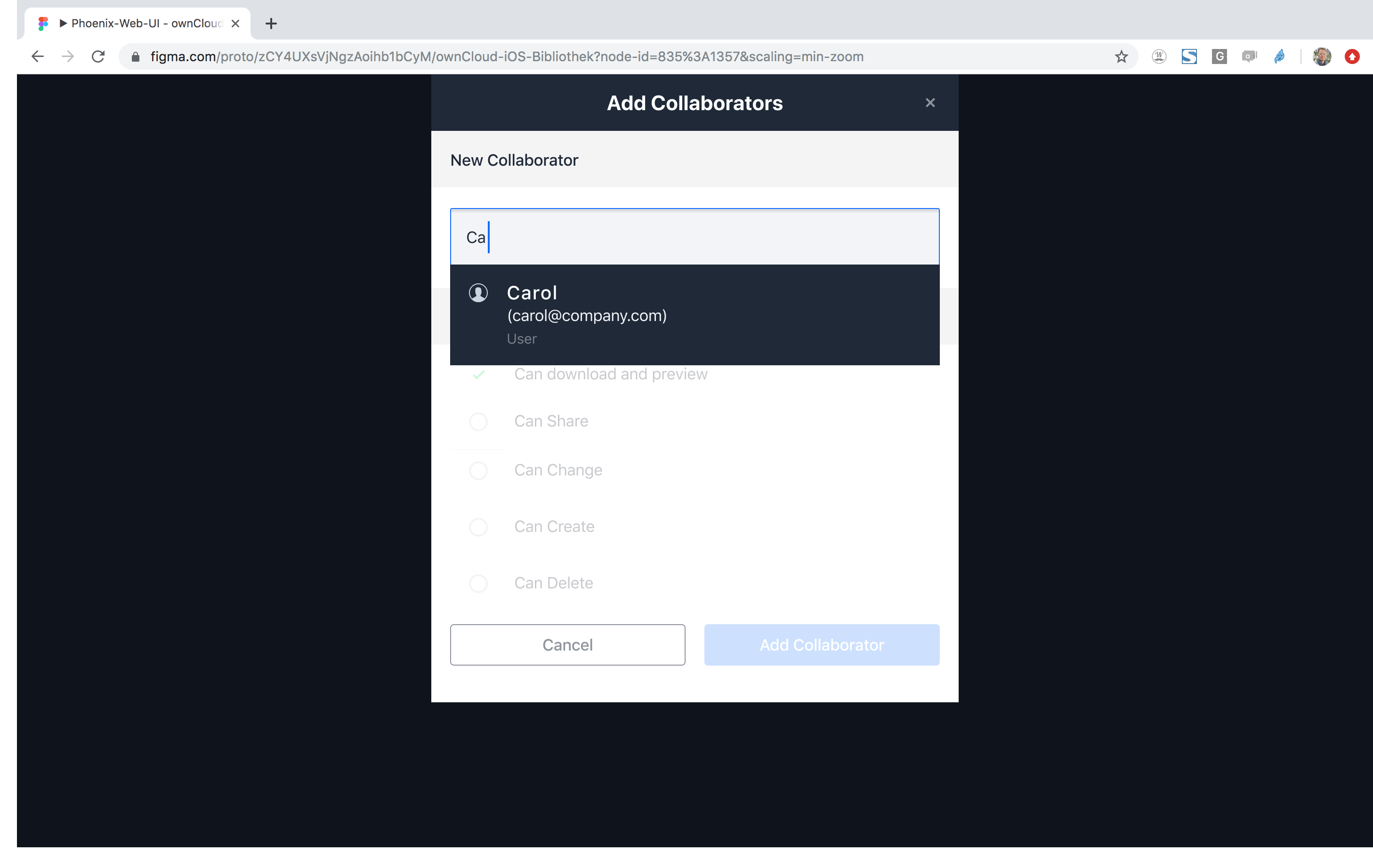
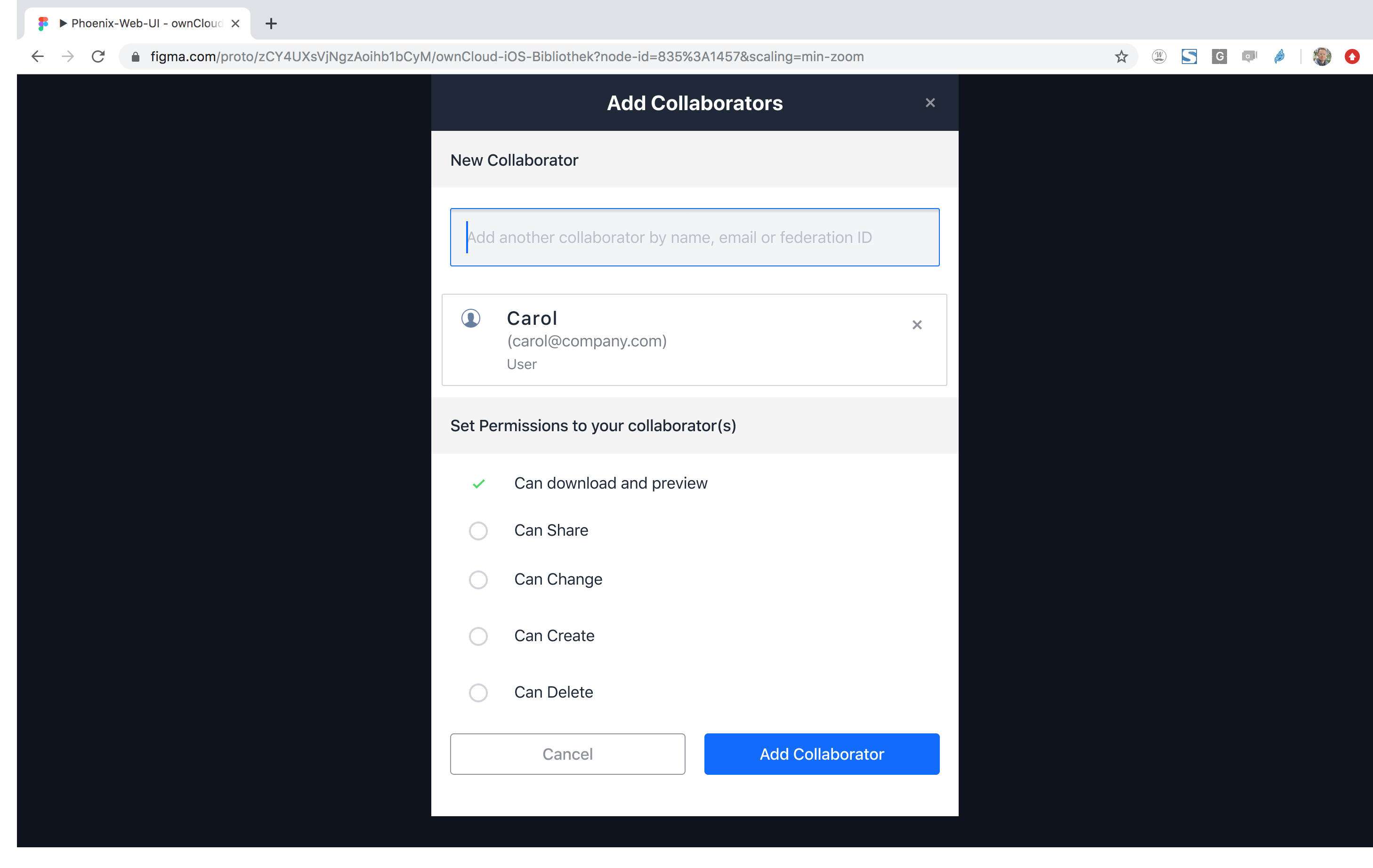
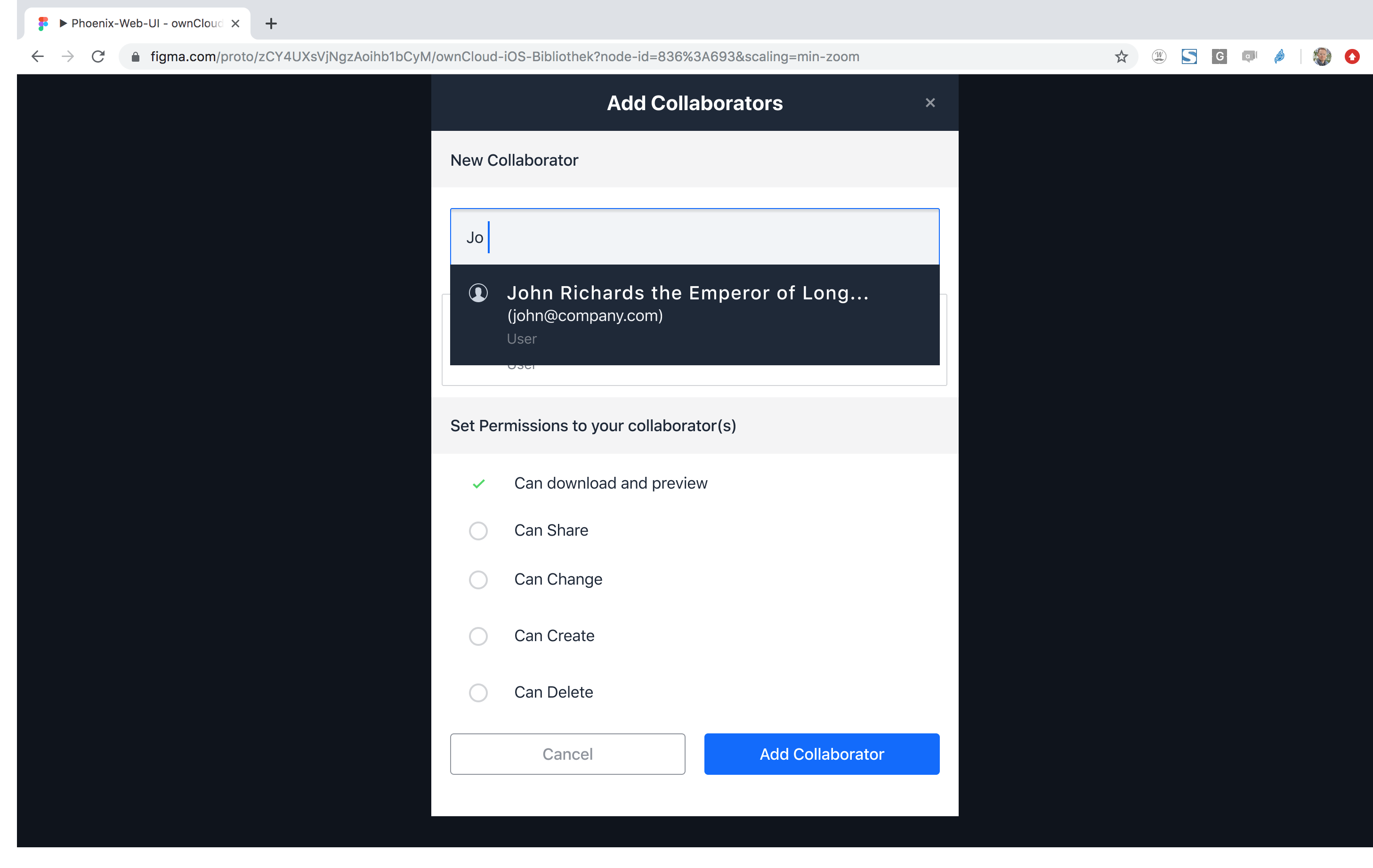
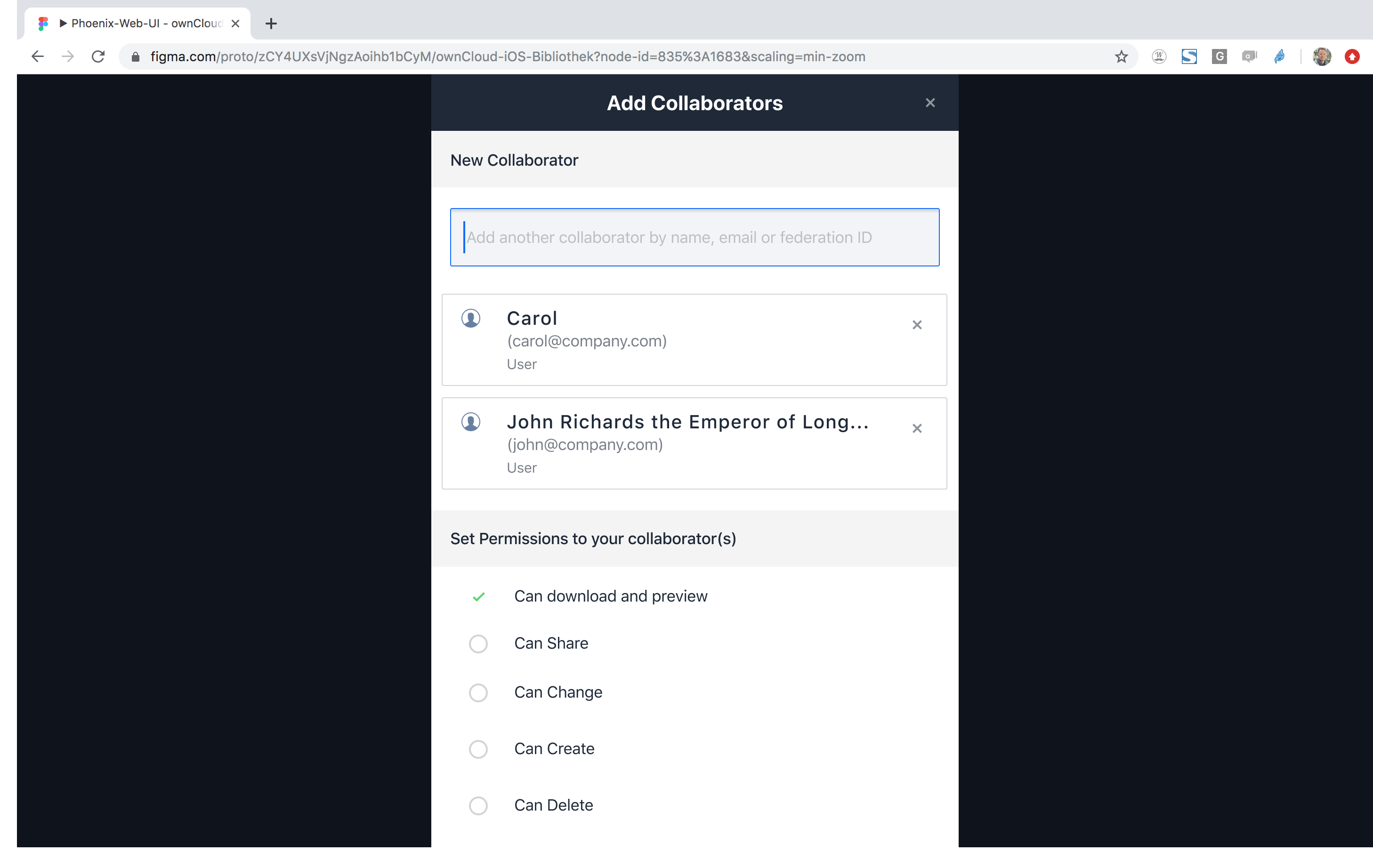
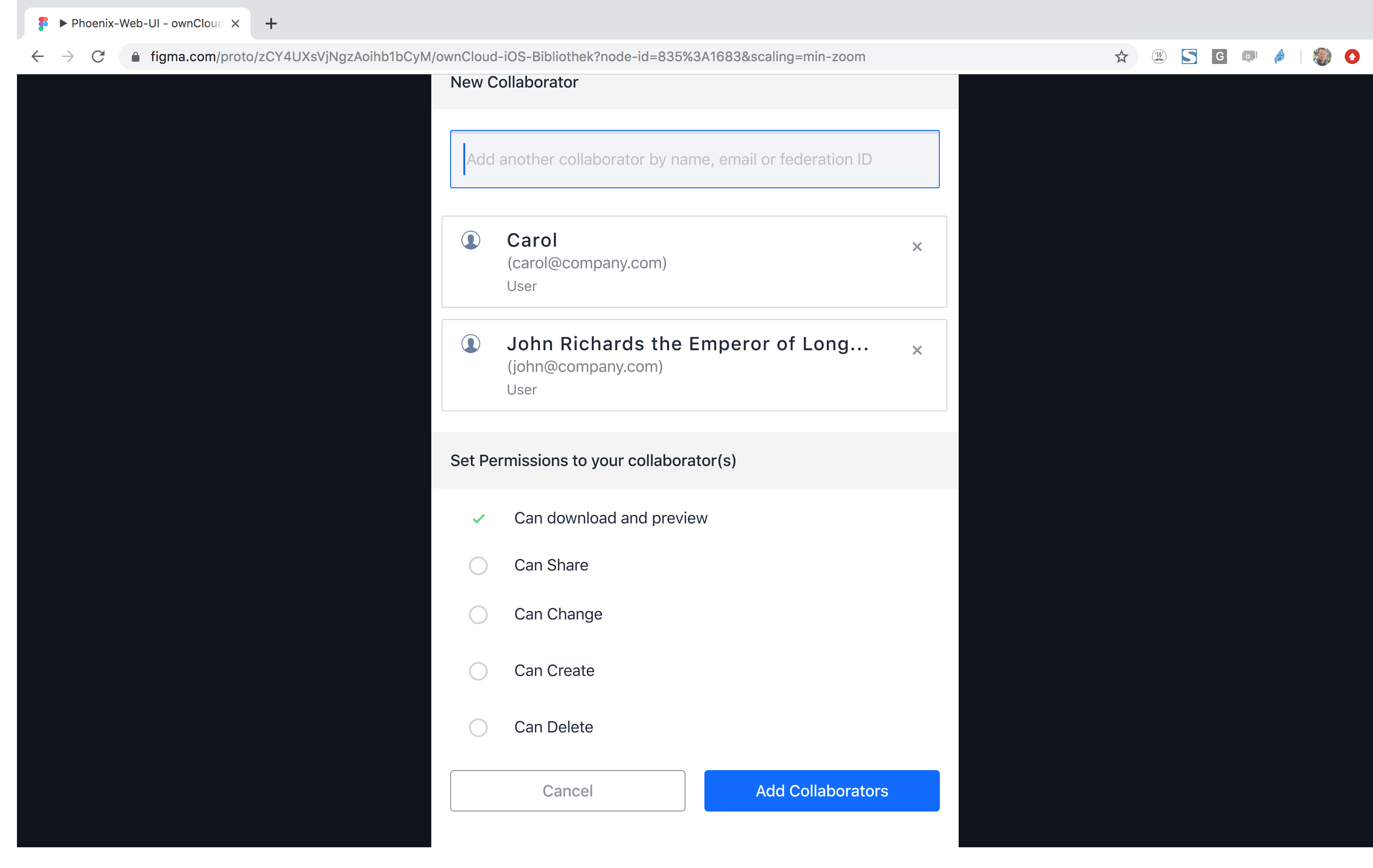
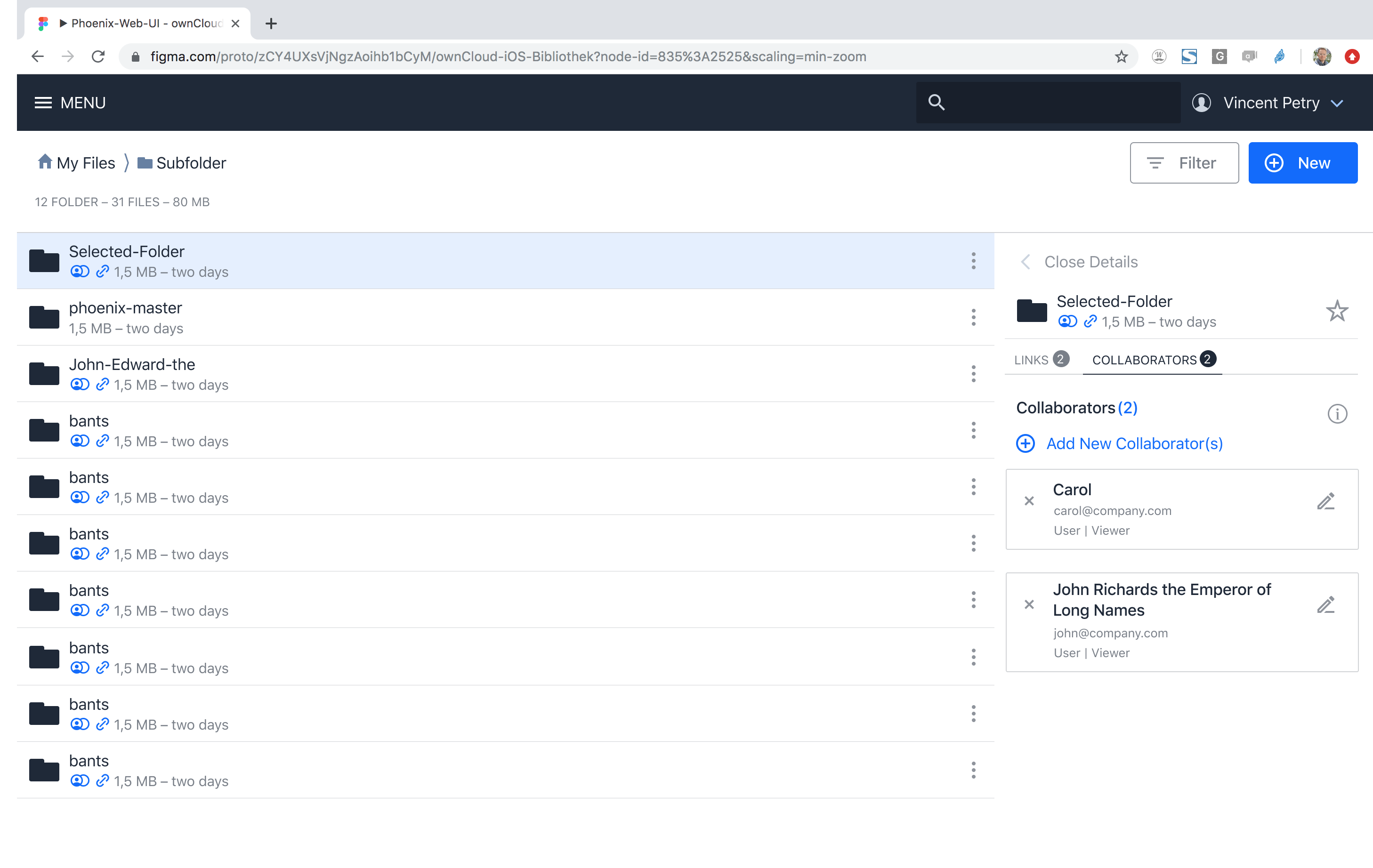
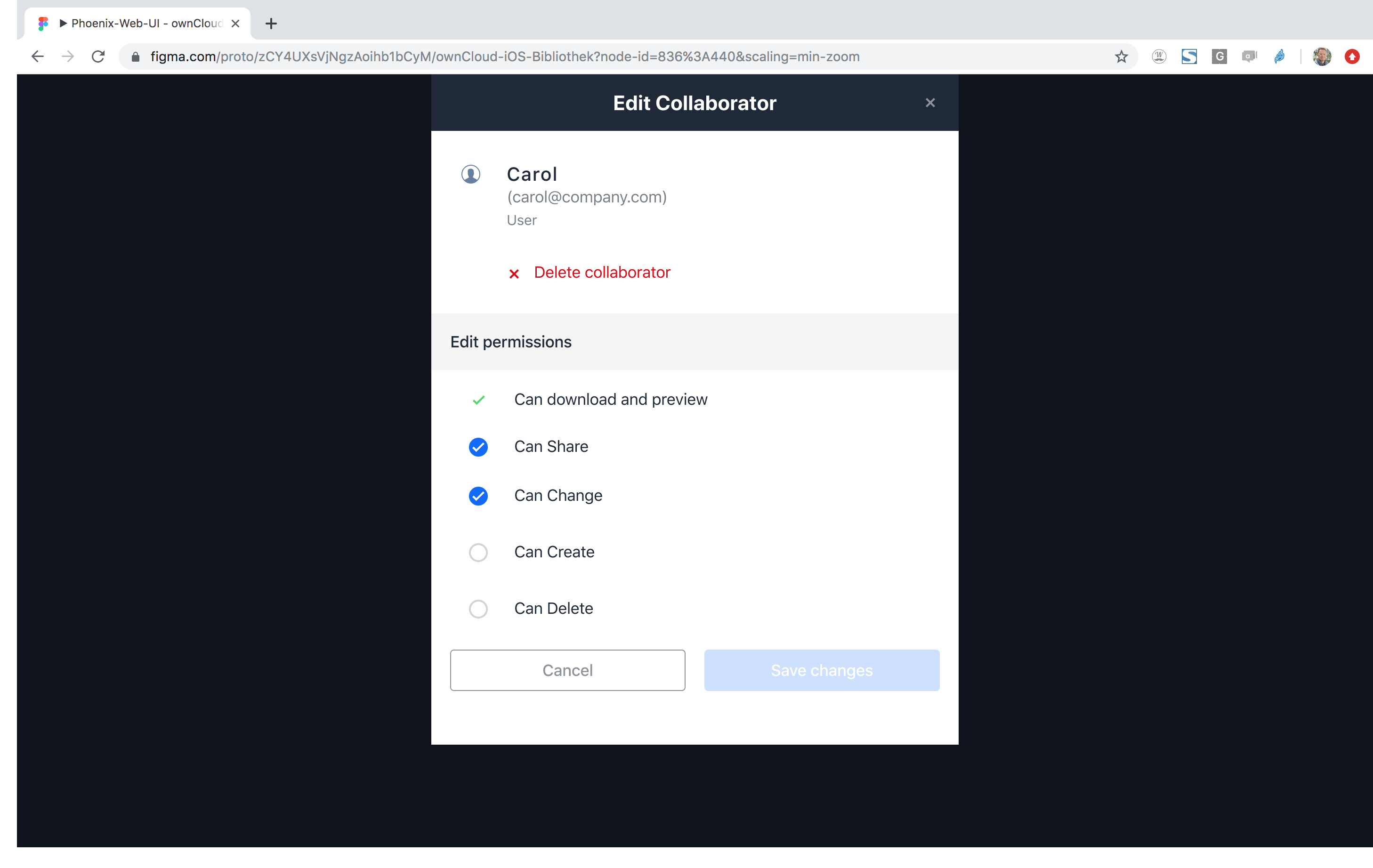
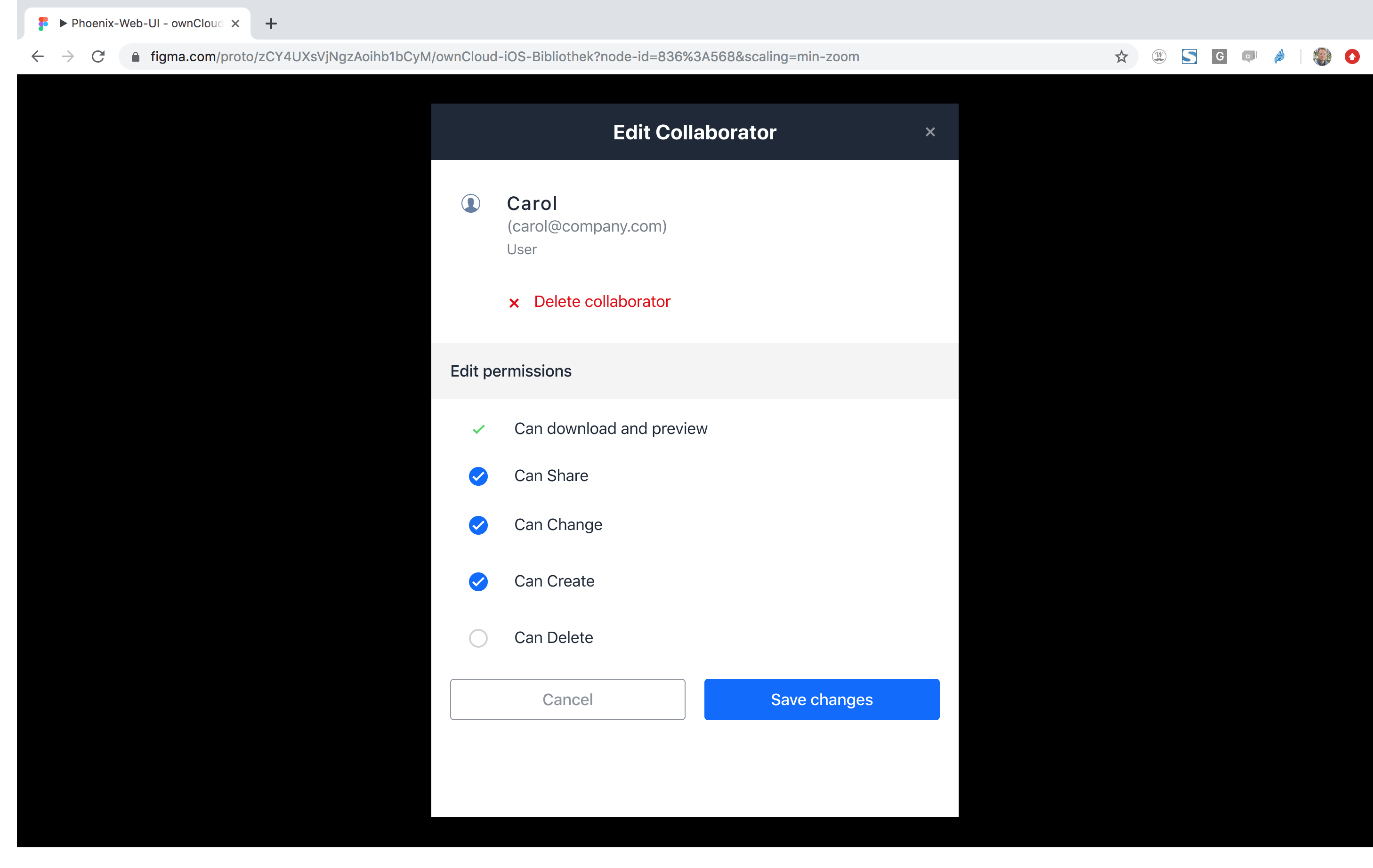
 wuenschedesign
on 22 Oct 2019
wuenschedesign
on 22 Oct 2019
wuenschedesign
on 22 Oct 2019
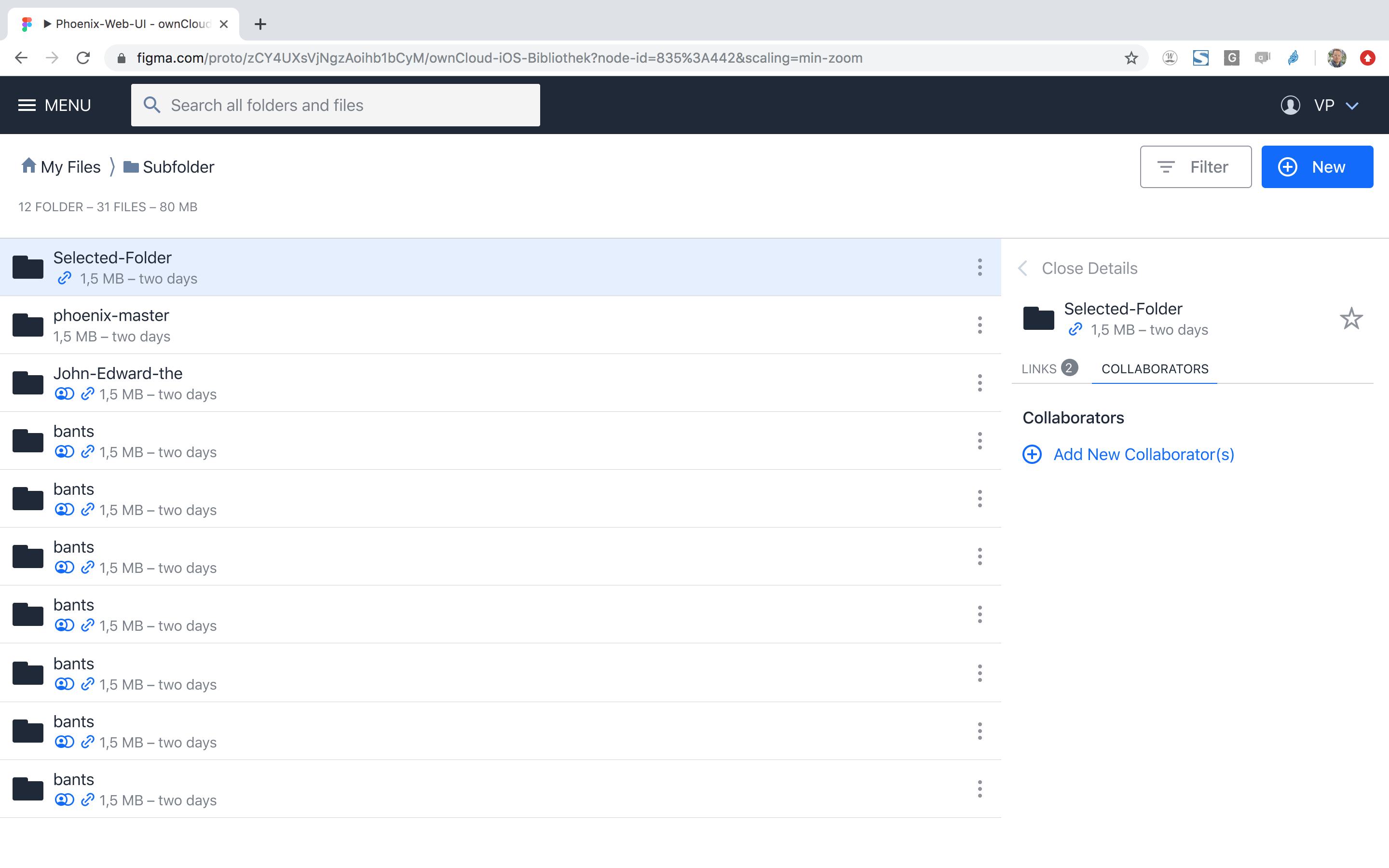
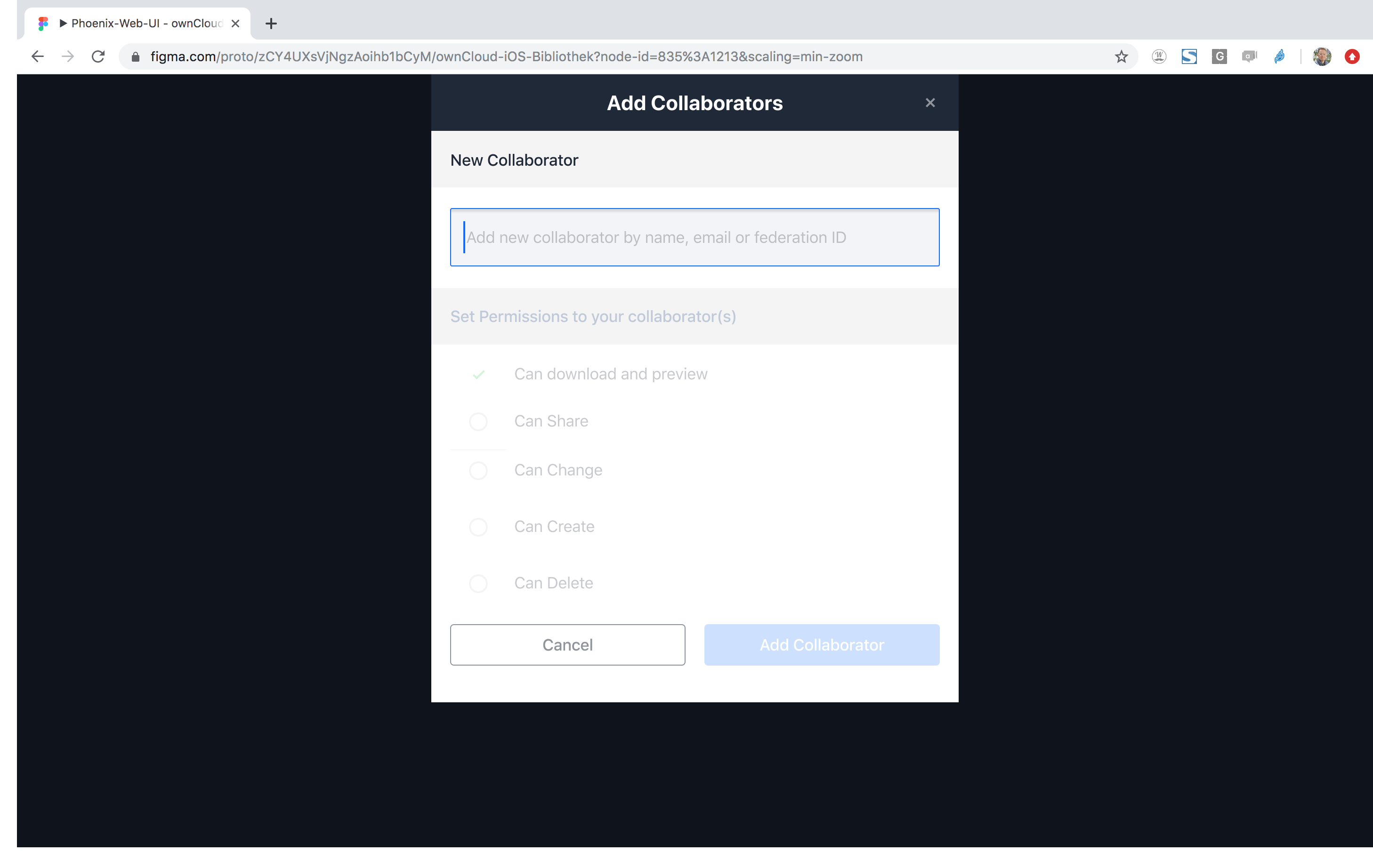
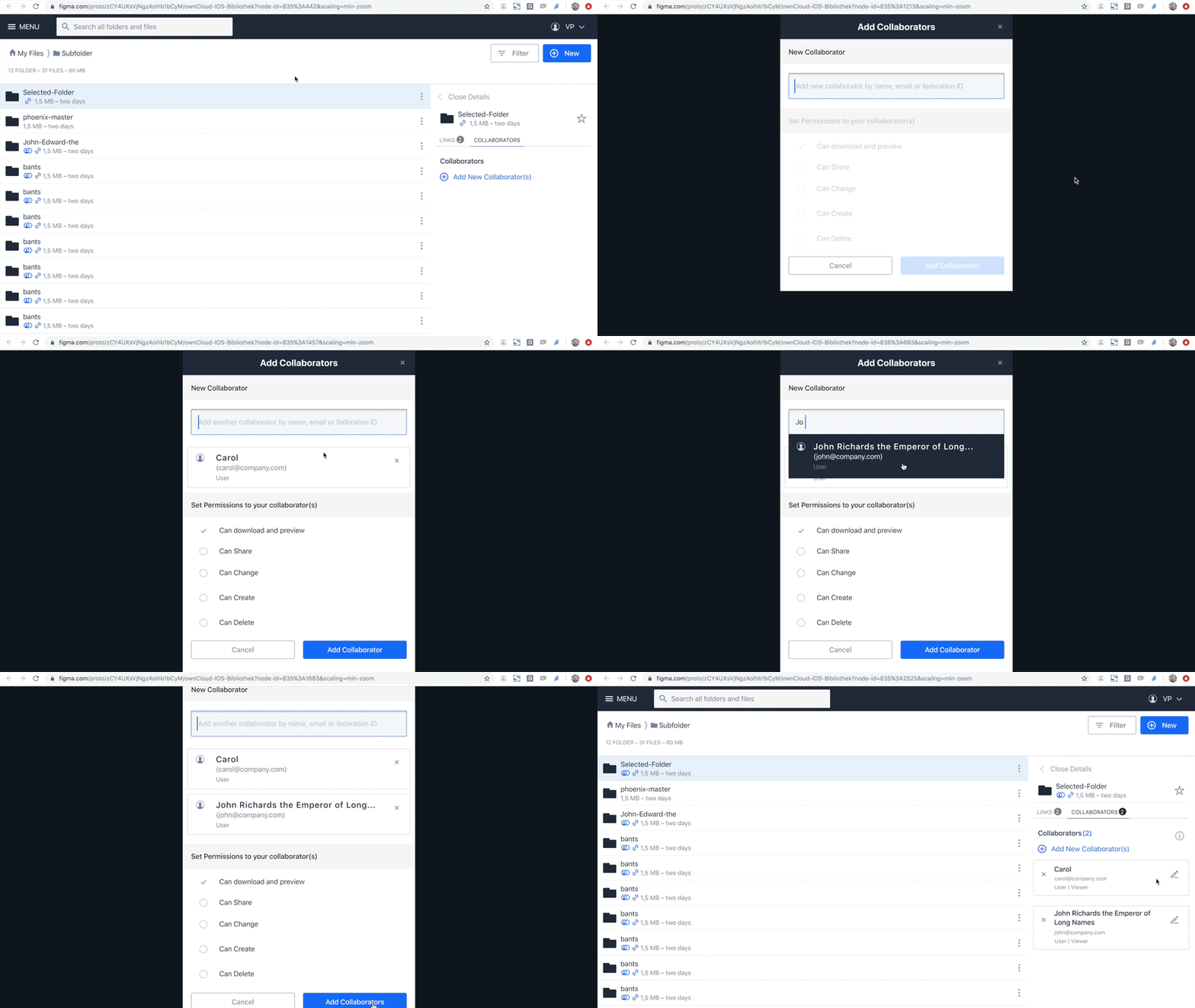
With @pmaier1 @wuenschedesign and @LukasHirt we reviewed the above proposal.
Discussion result:
- modal looks fine here for everyone (we got the confirmation that accessibility can be made to work with modals)
- also happy that the accordion is gone
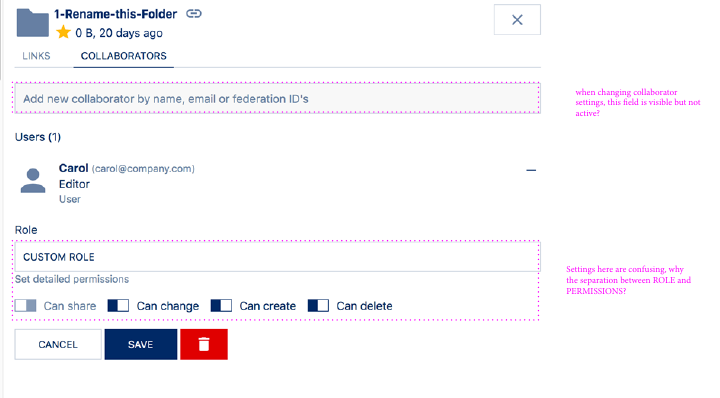
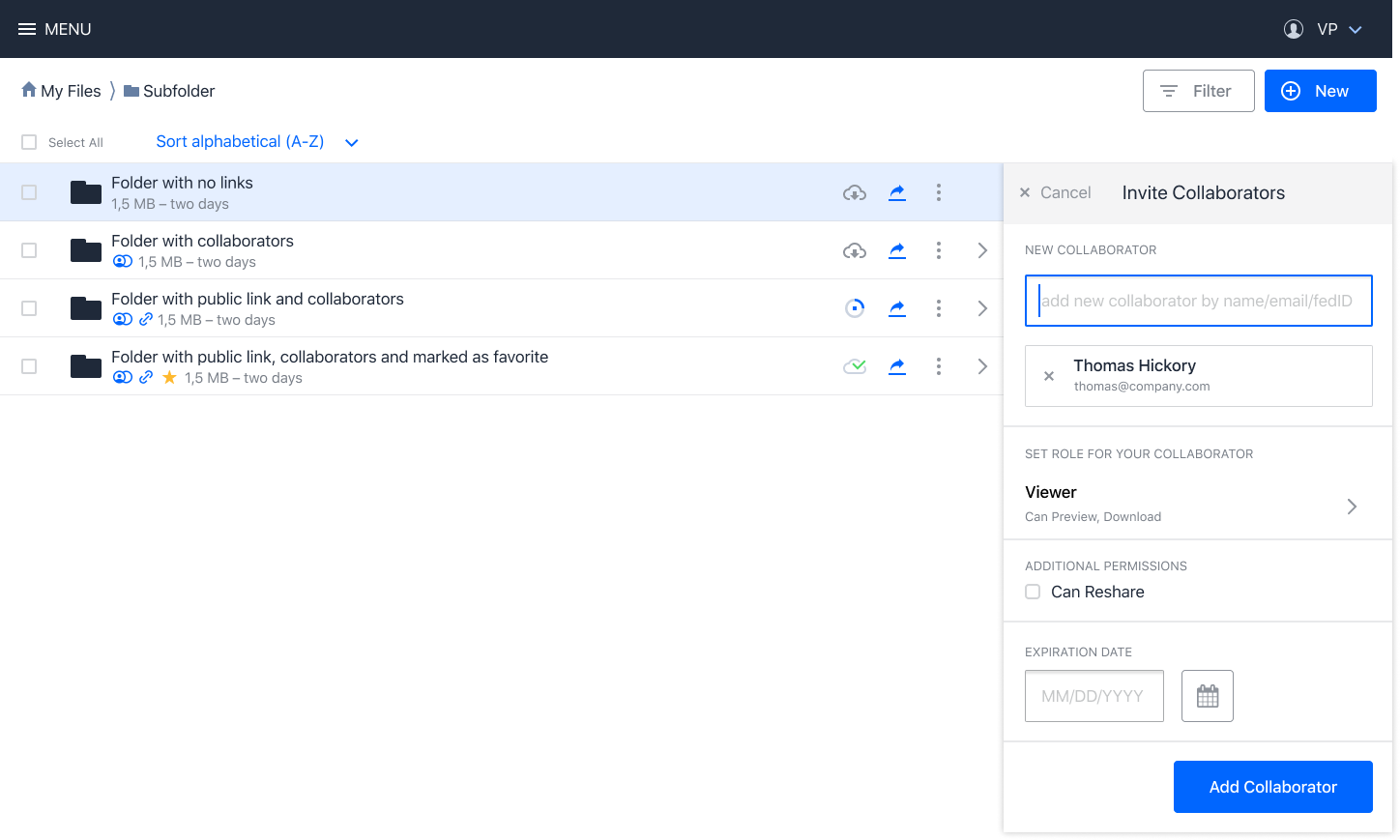
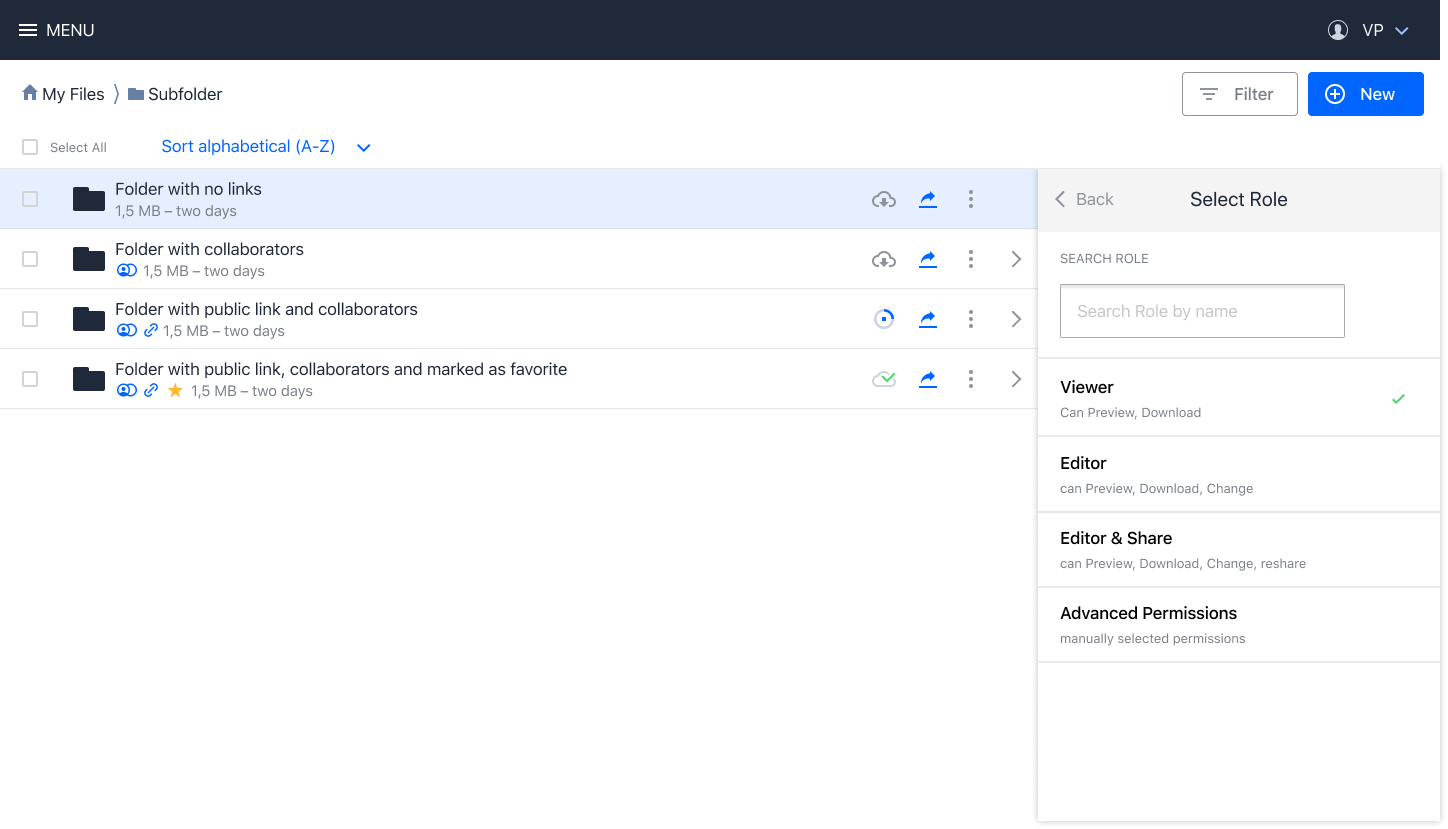
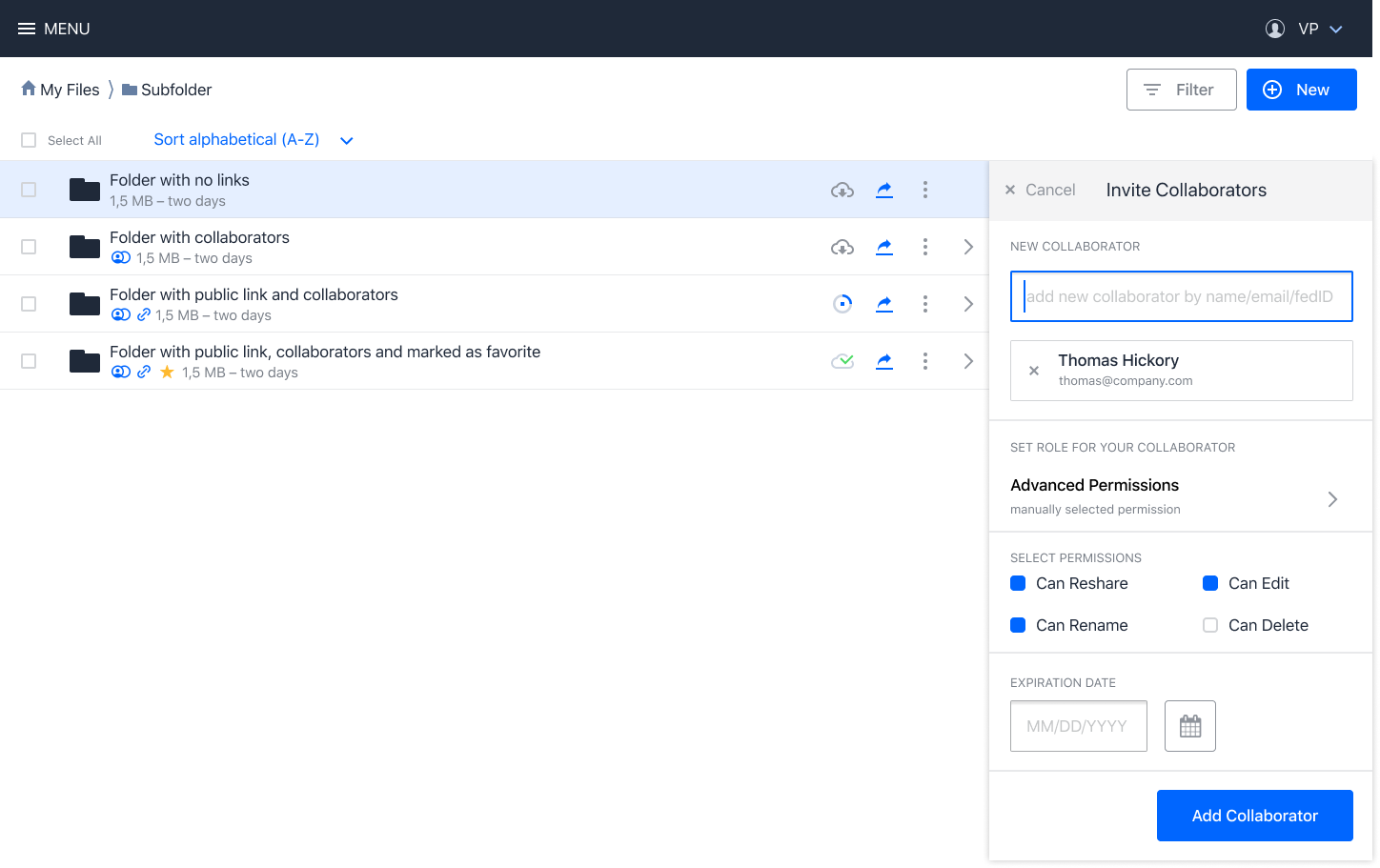
- we need to work on the roles because @wuenschedesign had troubles understanding the mix between selecting a role and additionally picking "can share": @pmaier1 to look into providing additional roles that also include the "can share" permission to get rid of the extra checkbox
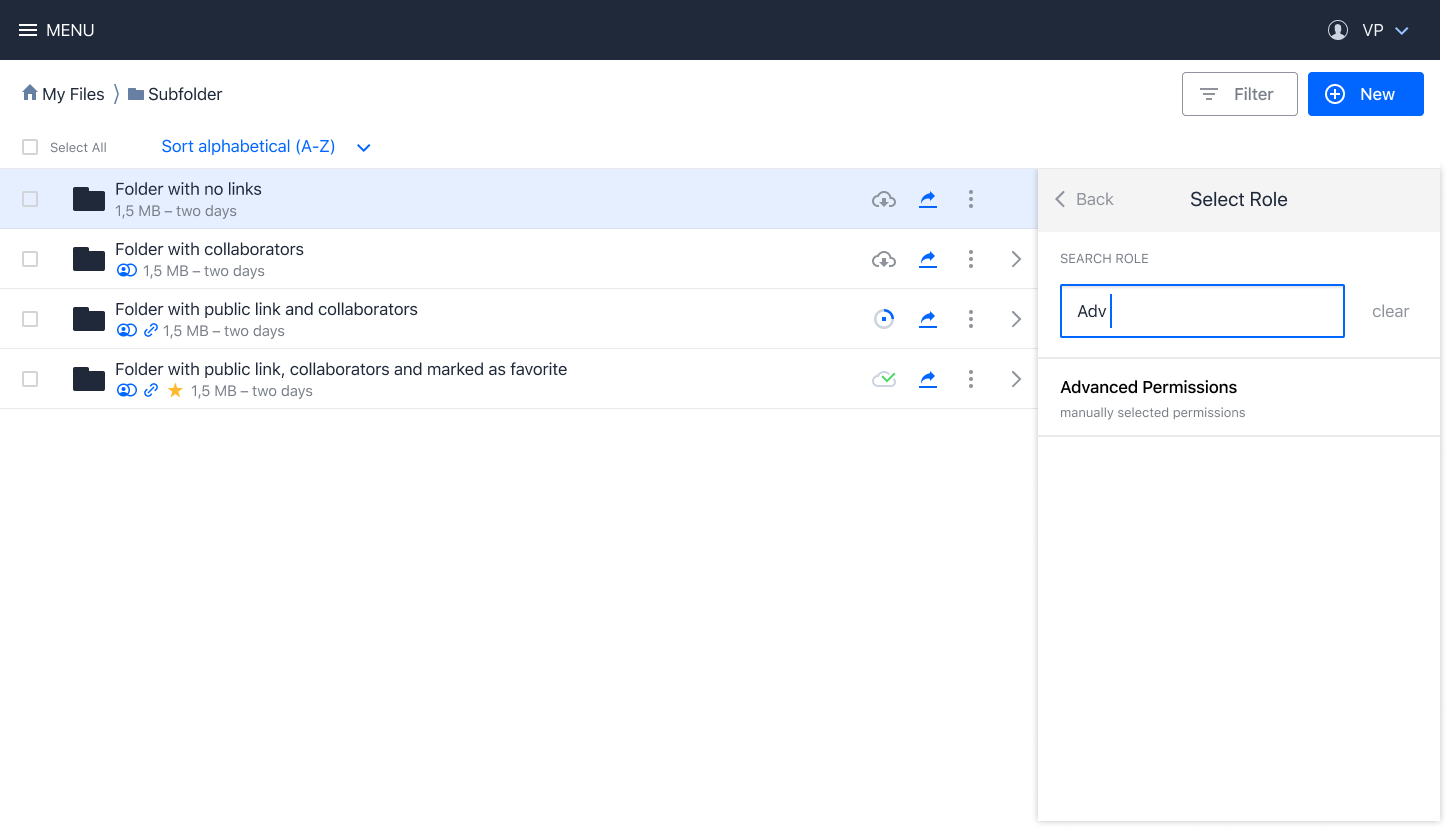
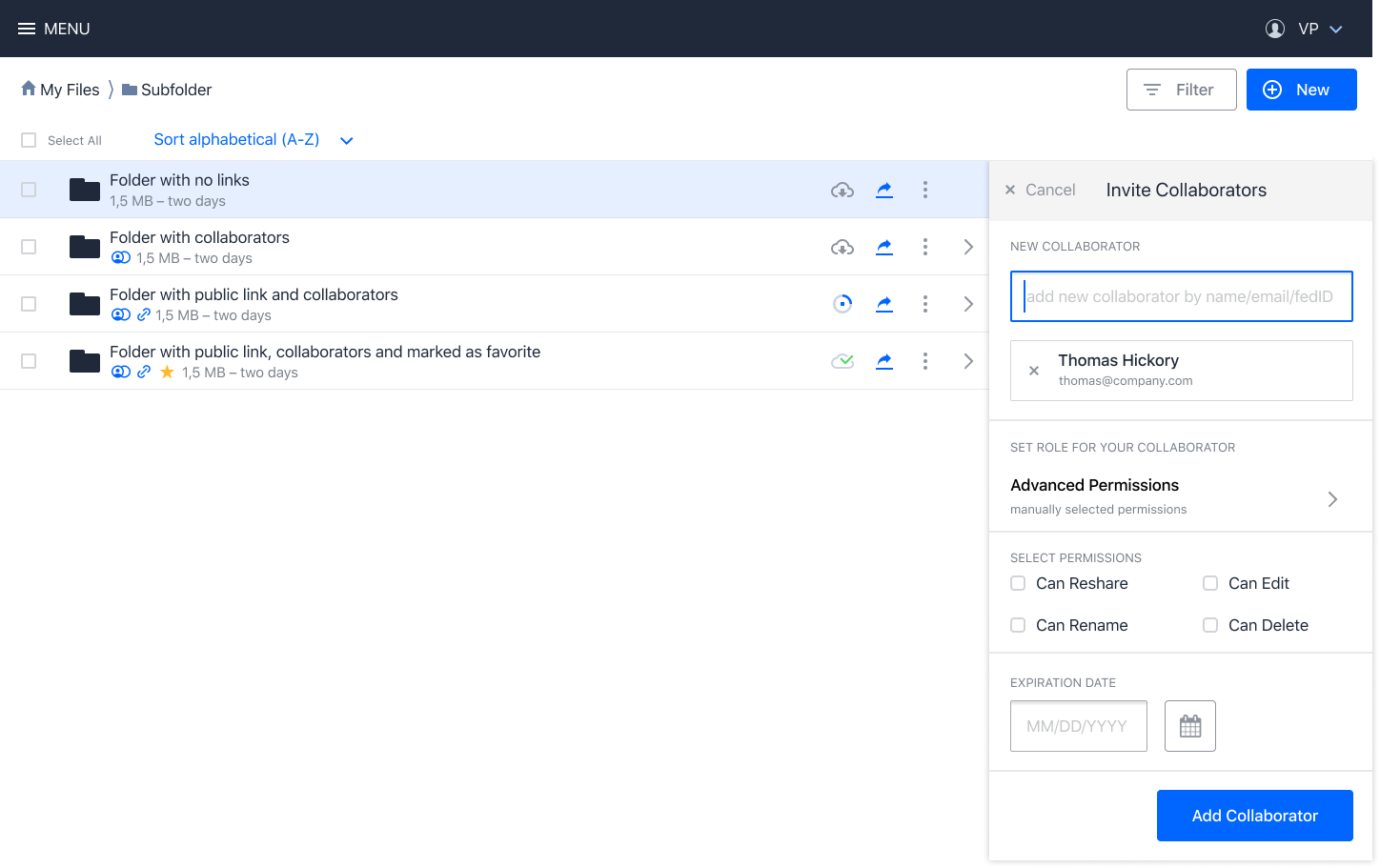
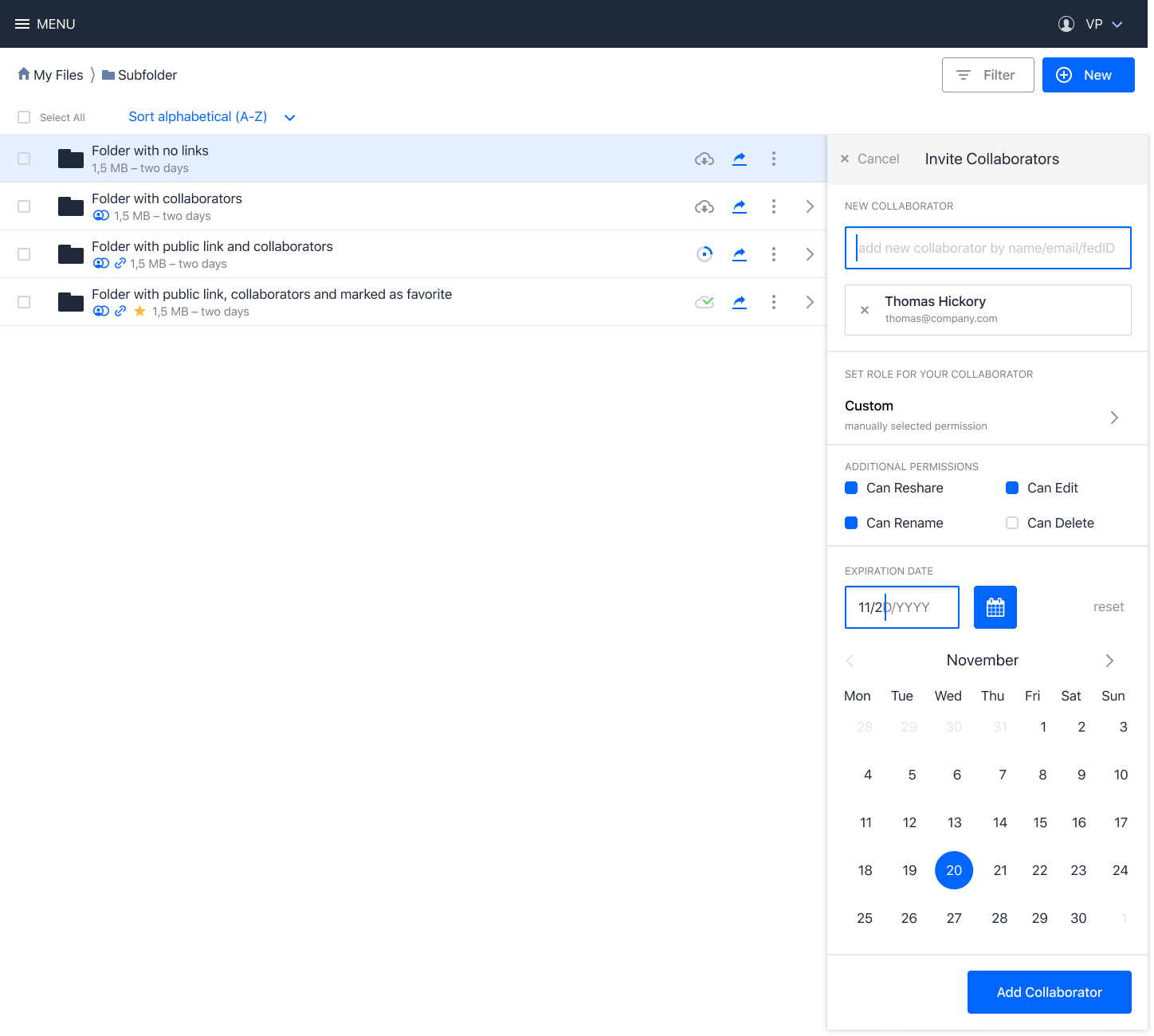
- "custom role" confusing for @LukasHirt as it sounds like we are creating a new role: let's rename it to "advanced permissions" or something alike to make it clear that it's not a standard action
- next up @wuenschedesign will provide mock ups for the public link dialogs as a similar modal for next week for review
- we'll need to work on including the roles dropdown into the above design
- also discussed: the concept of unified links and also having a single edit field for creating public links and direct shares => to be deferred for a later point as the goal is to iterate first and have a UI that is one iteration better instead of doing a whole overhaul of the concepts.
I also think that once we have this design in place we should do some usability testing to validate the idea and refine it.
PVince81
on 22 Oct 2019
- [ ] another approach to explore:
- ability to create shares directly in the panel, but in a simplified form with default role
- then on the row of the collaborators the user can edit the role if they want something different
- additionally there could be a way to select a role to pick for the collaborators to add
- expiration date could then also be in the dialog and not in the default view
the above is to be considered because the proposal with the modal introduces an additional click for users to share, which might not be good for something we'd consider a common action
PVince81
on 22 Oct 2019
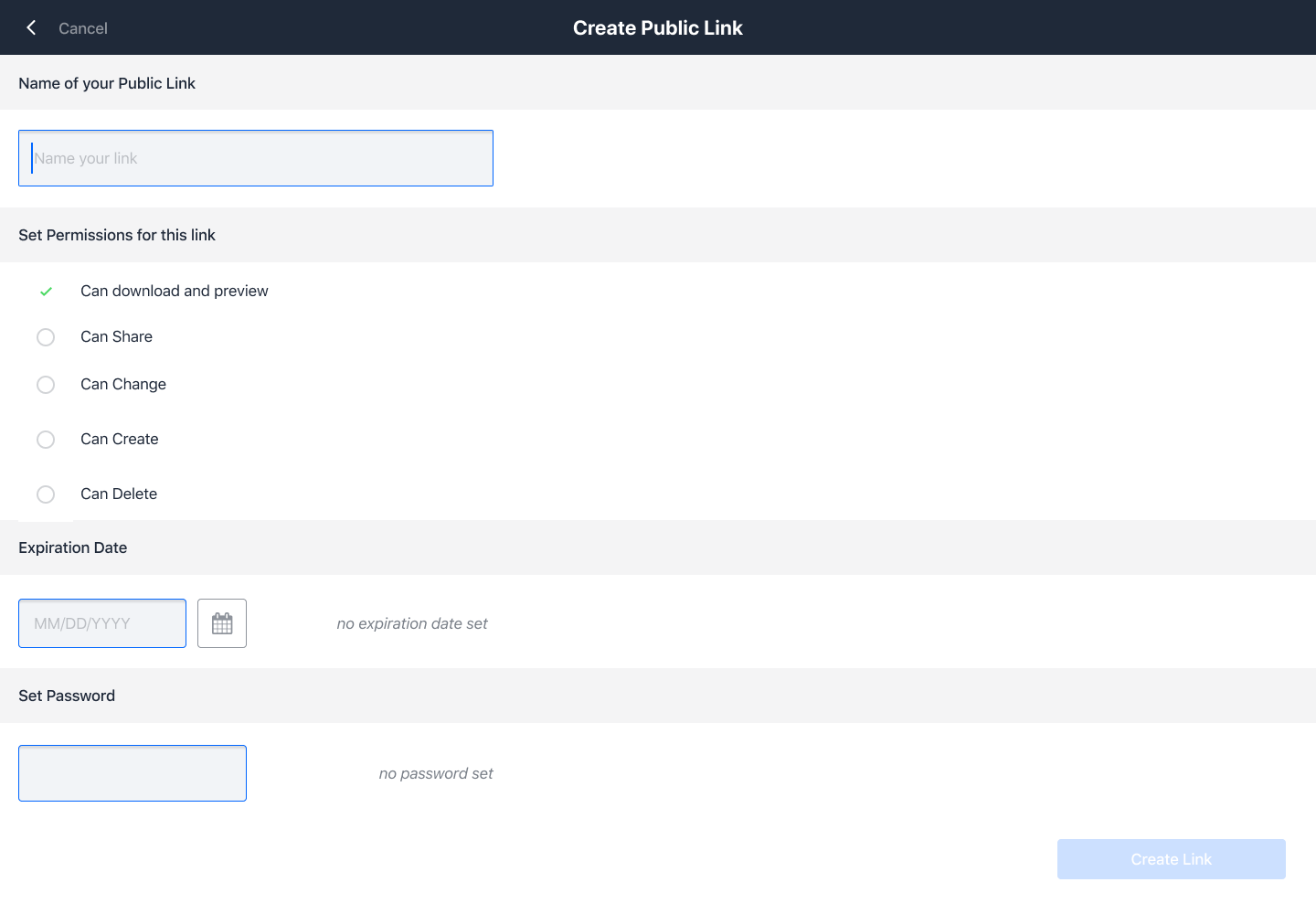
@wuenschedesign please make another proposal for both "public links" and "collaborators" in a full page.
Modals are no go according to @felixboehm due to mobile experience and the fact that the contents of the dialog might be extended by apps with more roles and permissions which might blow up the size of the component. So putting this in a separate page should work better.
Might need to think about the route, header, footer, etc for said page.
PVince81
on 22 Oct 2019
Futher notes:
- full page would have more space to add more description for every role
- we must keep the flexibility of permissions for users
- in the future we will likely add the possibility for admins (or even users) to manage the list of roles that are displayed
PVince81
on 22 Oct 2019
the following screen shows a quick approach to a full page design:
wuenschedesign
on 22 Oct 2019
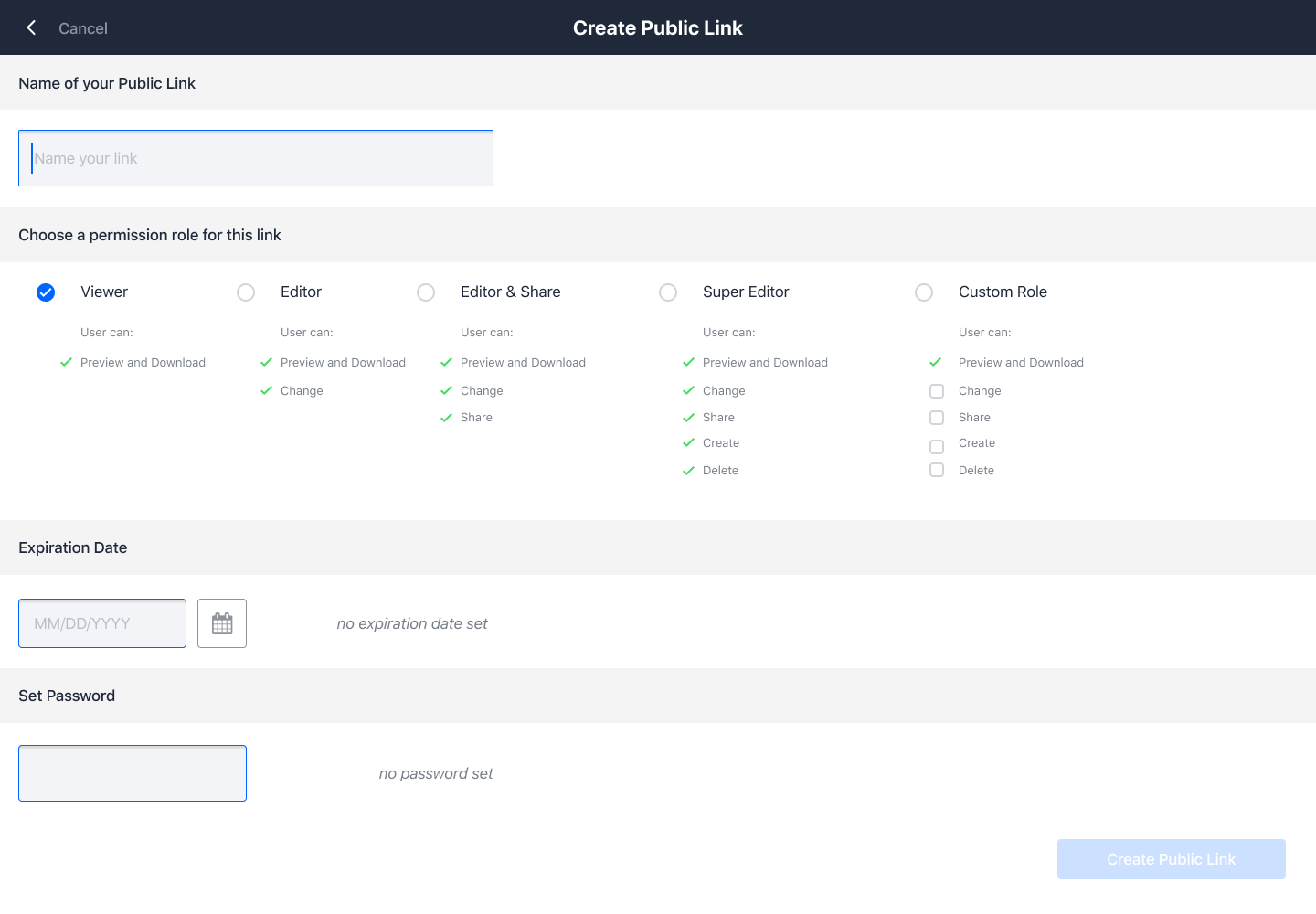
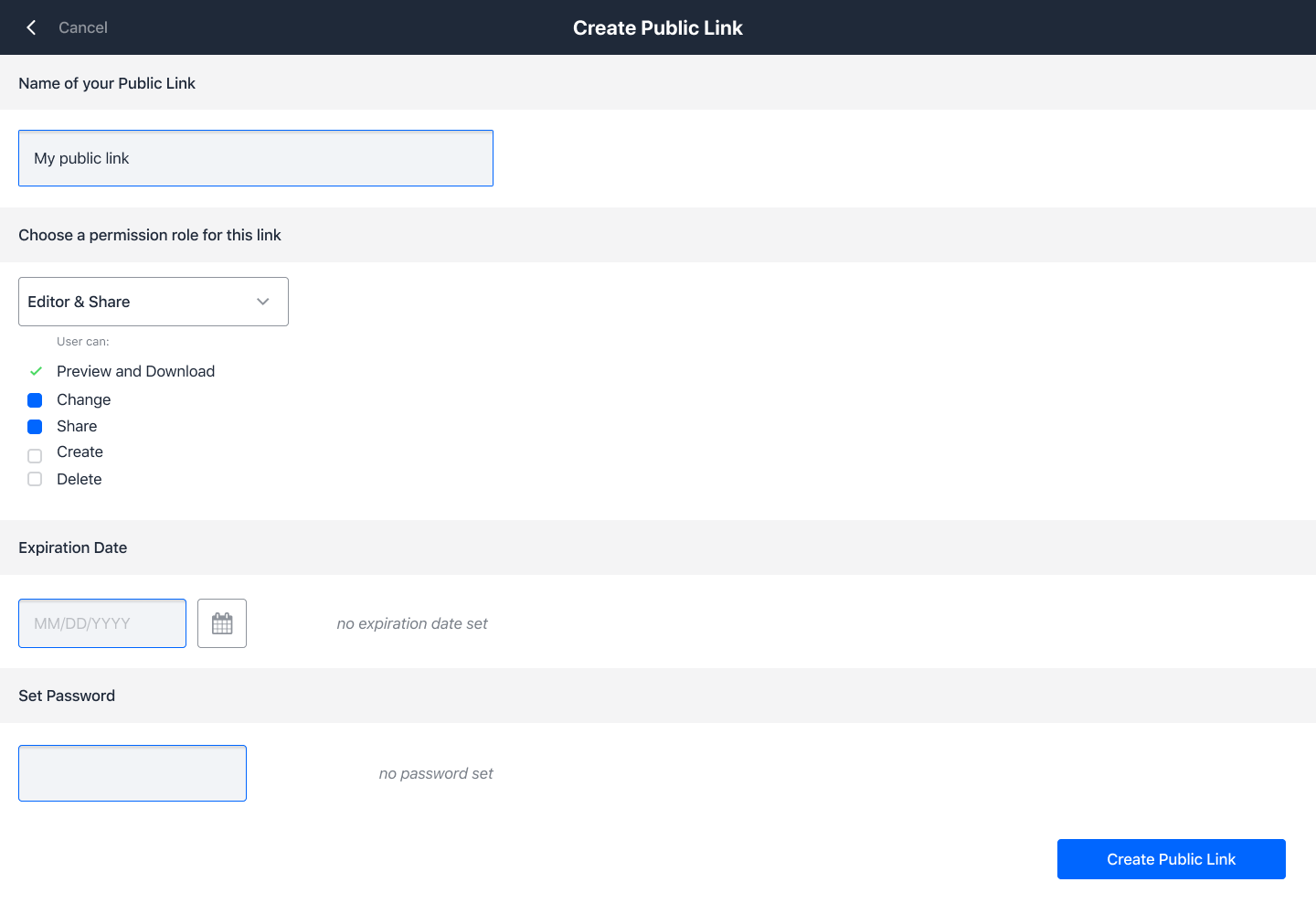
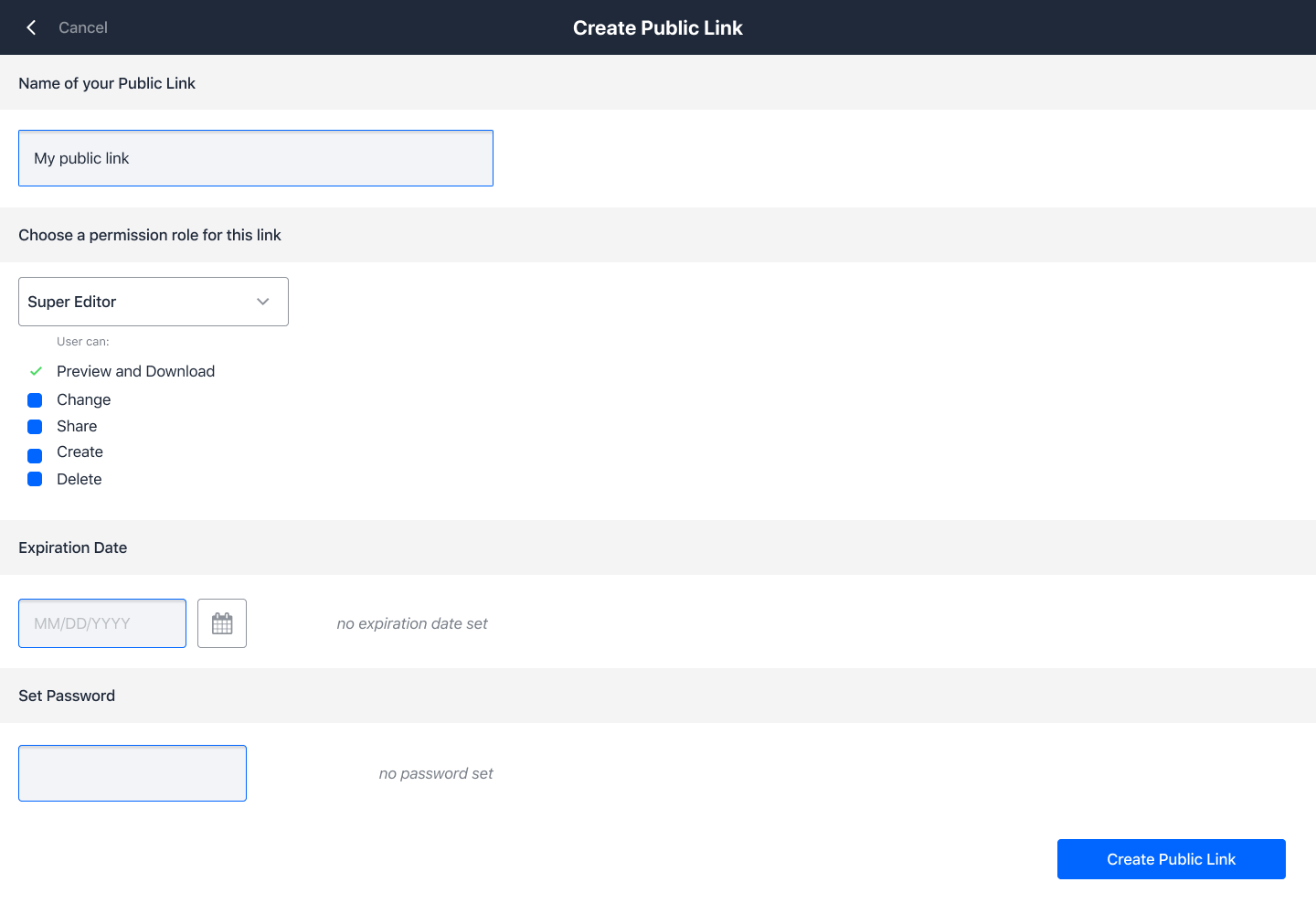
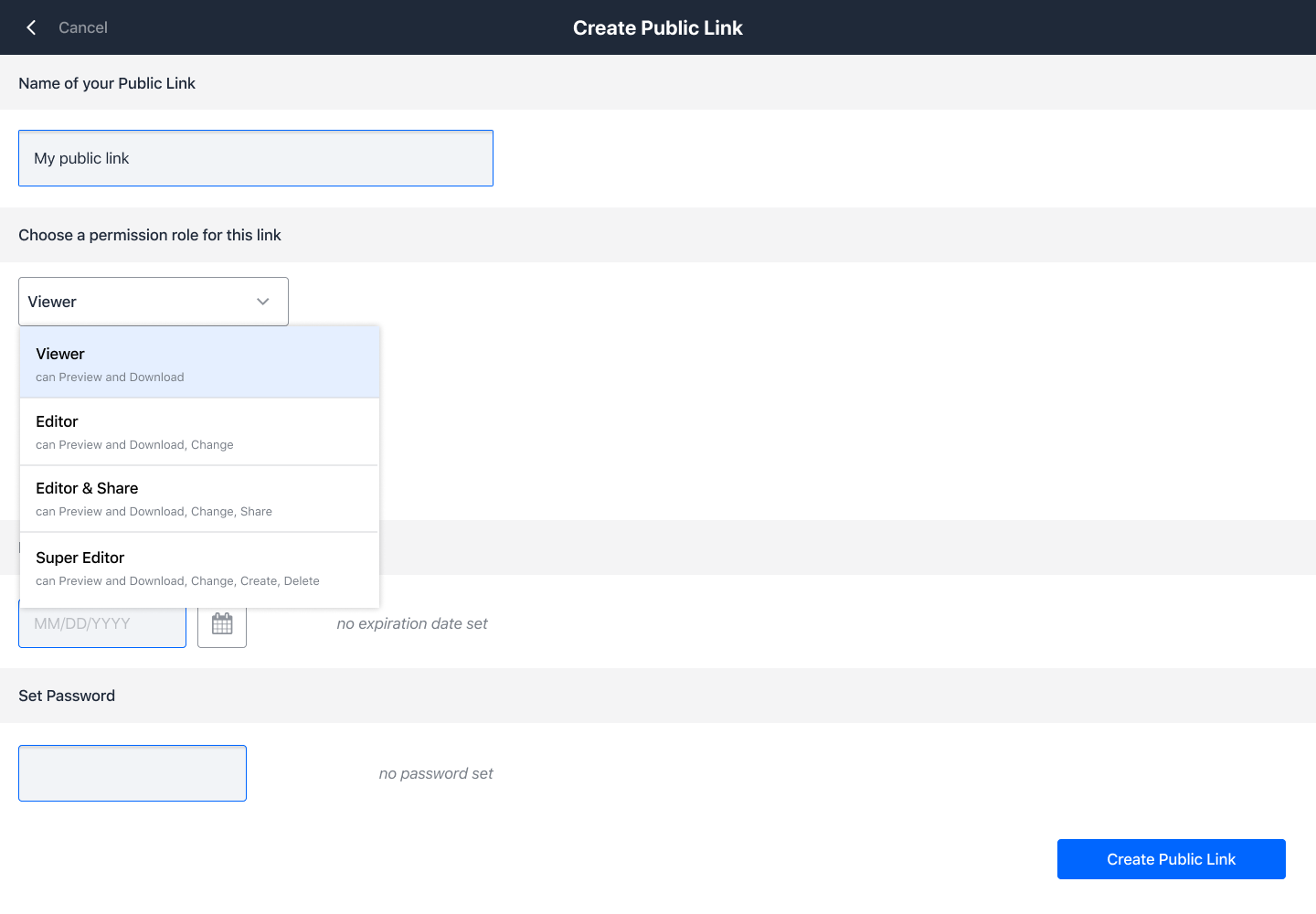
This screen shows an attempt to implement role and custom permission setting
wuenschedesign
on 22 Oct 2019
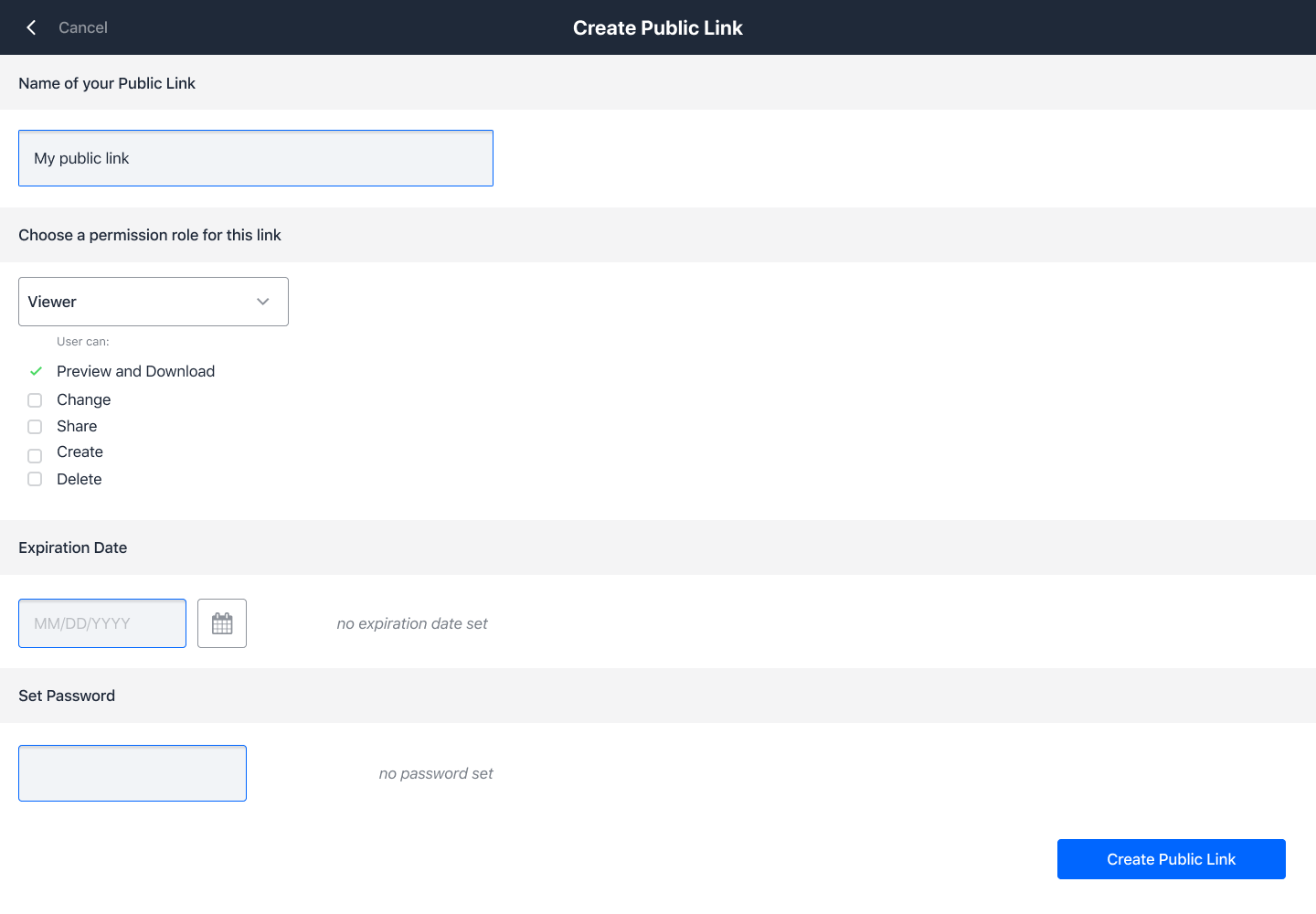
Advanced UI for role and permission setting. The user selects a predefined role via pulldown (as implemented right now) and sees a checkbox list with the correspondent permissions ticked:
wuenschedesign
on 22 Oct 2019
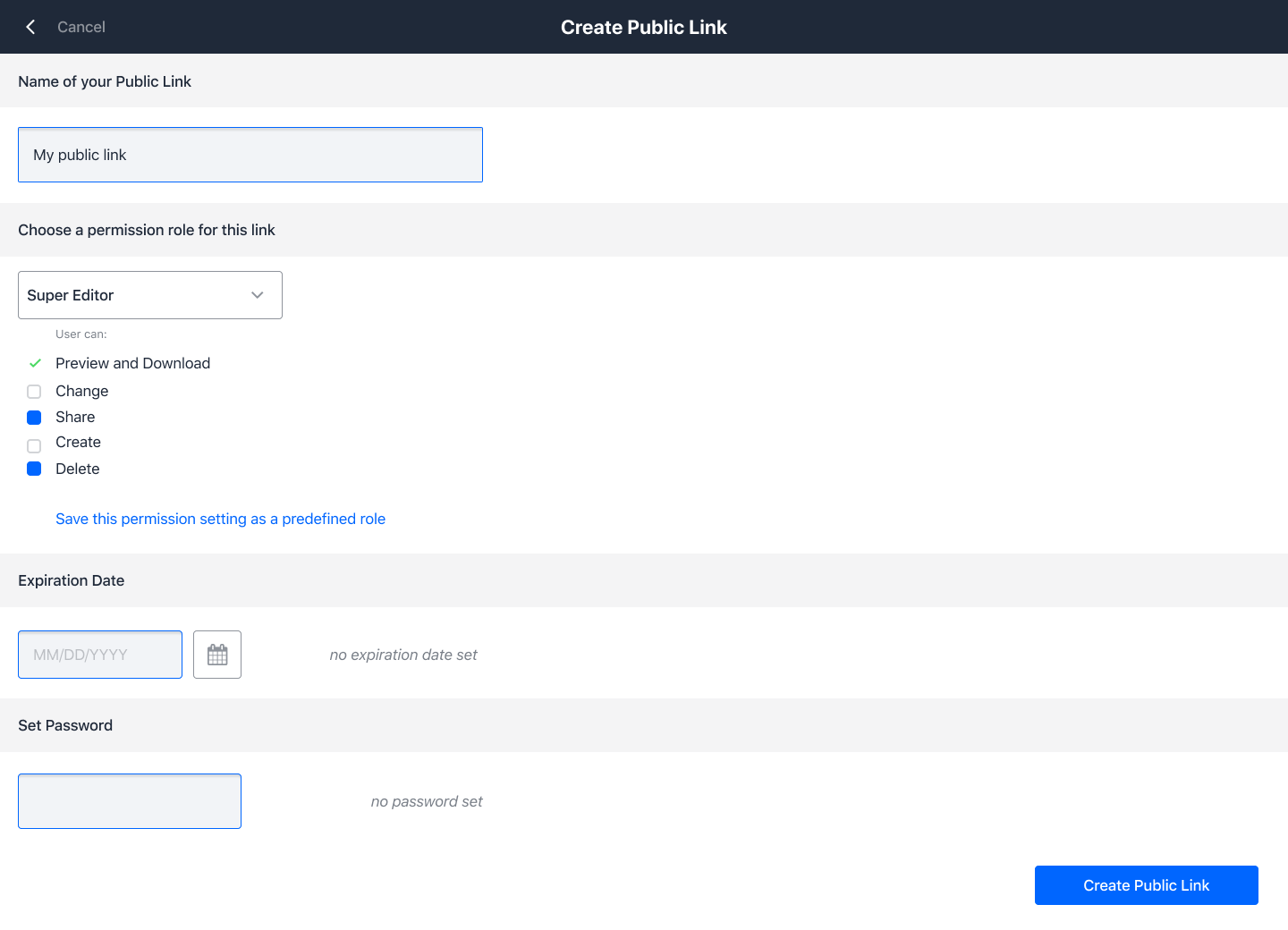
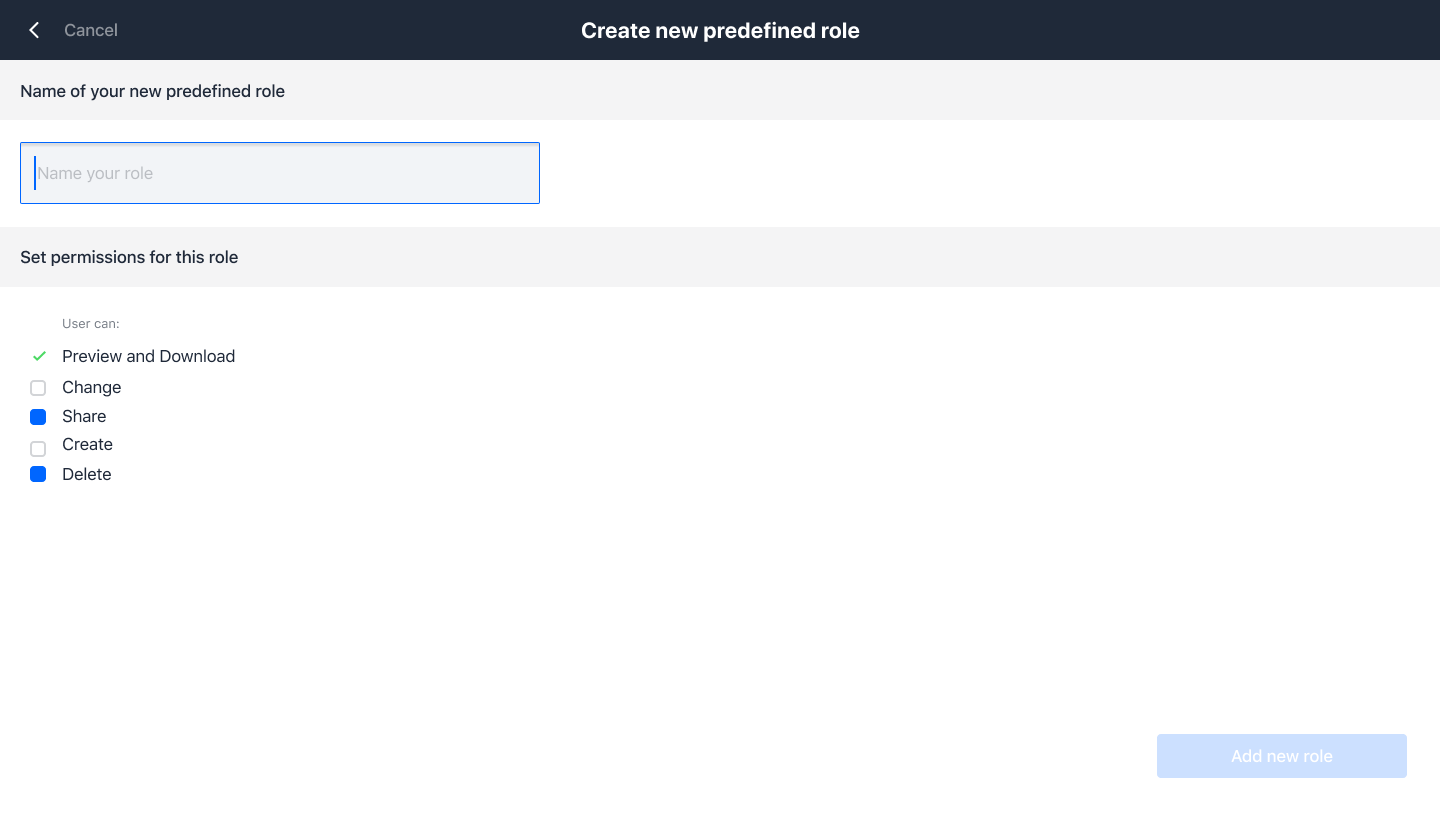
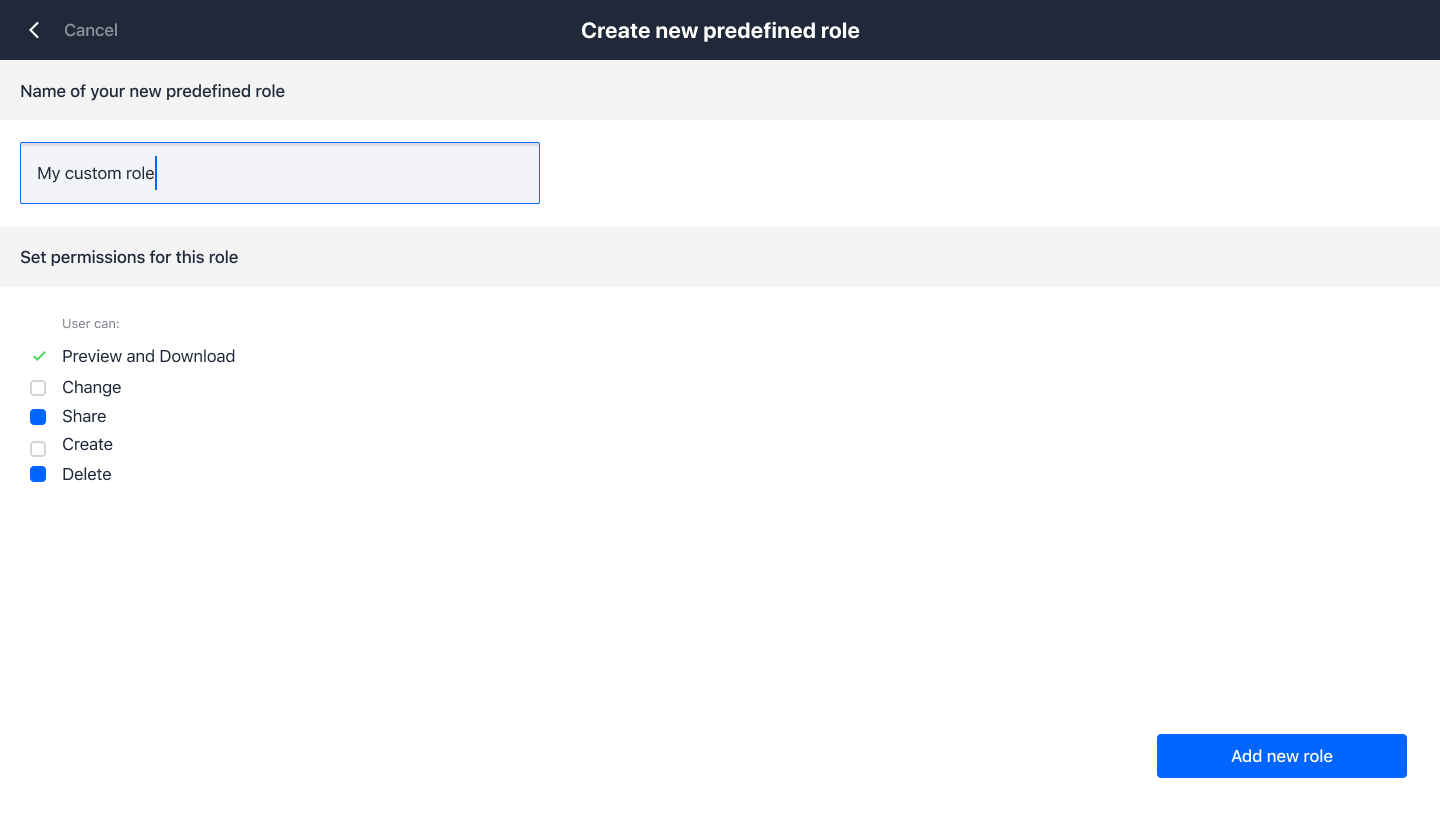
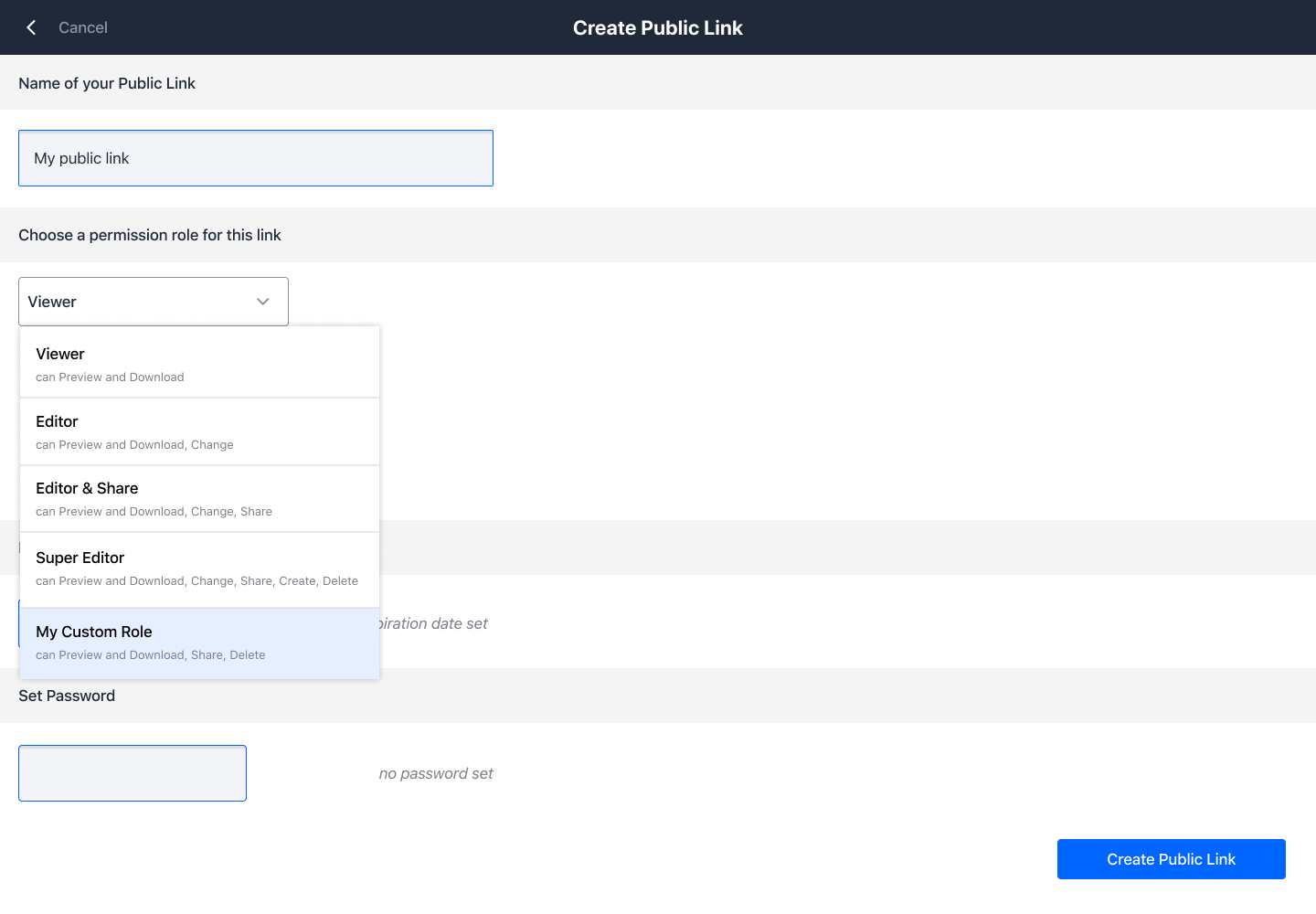
This UI flow shows how a defined role can be created on the go. 1) The user selected one of the roles in the pulldown. 2) user ticks or unticks additional checkboxes 3) user gets a link for saving the permission setting as a new role 4) Pulldown List contains the new role.
wuenschedesign
on 22 Oct 2019
Roles should not be defined on-the-fly while creating a share, as this needs very specific permissions. And Roles are defined system wide, not per user.
There will be a dedicated page to manage roles (later)
 felixboehm
on 22 Oct 2019
felixboehm
on 22 Oct 2019
Agreed, this is a misunderstanding with @wuenschedesign.
@wuenschedesign maybe for it to be clearer to you, please completely remove any checkboxes you added for roles in the UI. No custom role or anything, just an indication about what permissions are covered by the selected role, like a description text. This might remove some confusion. Then when we're there we can discuss the OC 10 compatibility scenario in the next iteration.
PVince81
on 22 Oct 2019
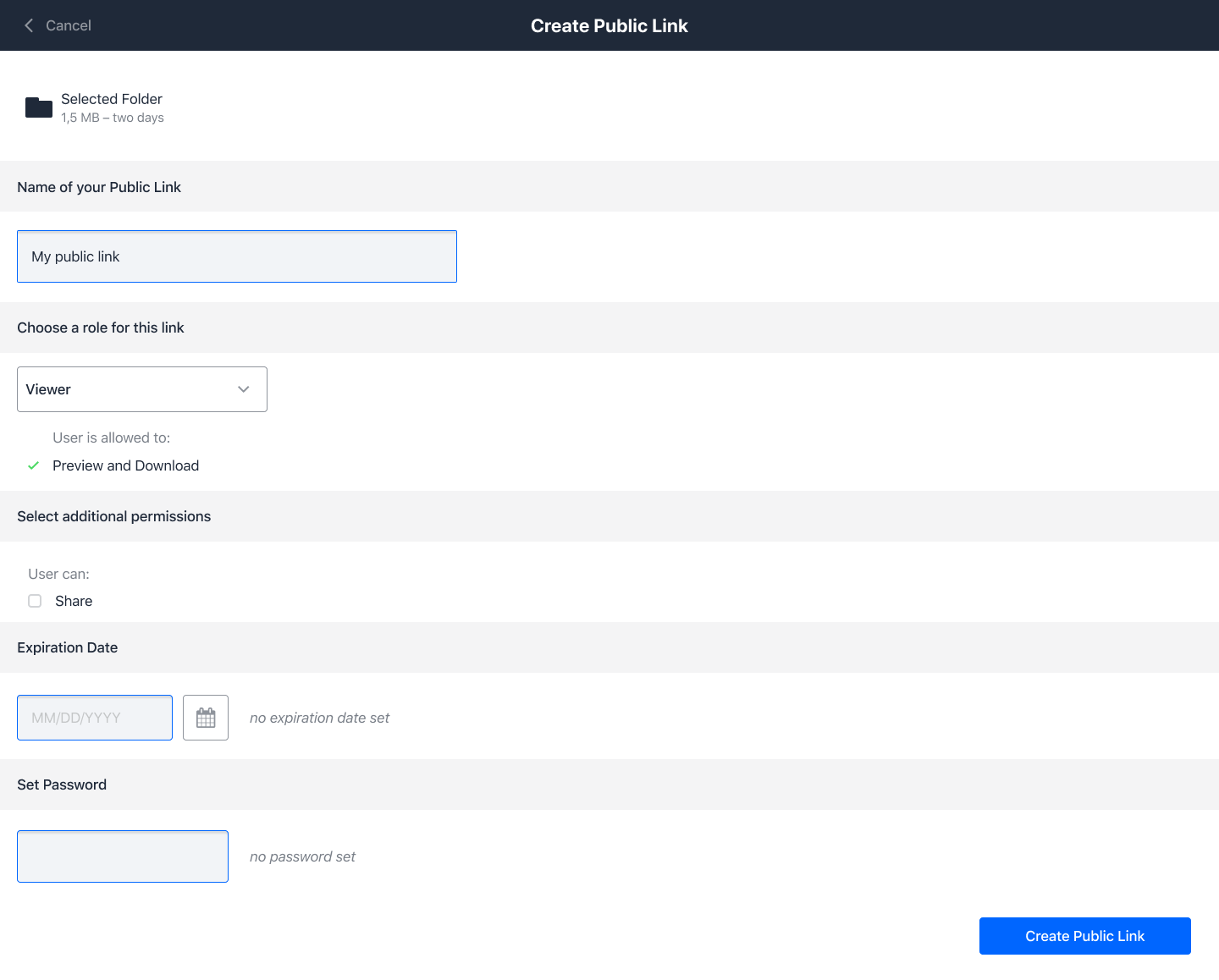
also missing: the name/path of the file/folder for which we are creating the share. Since this is full page the user might not remember what they selected.
PVince81
on 22 Oct 2019
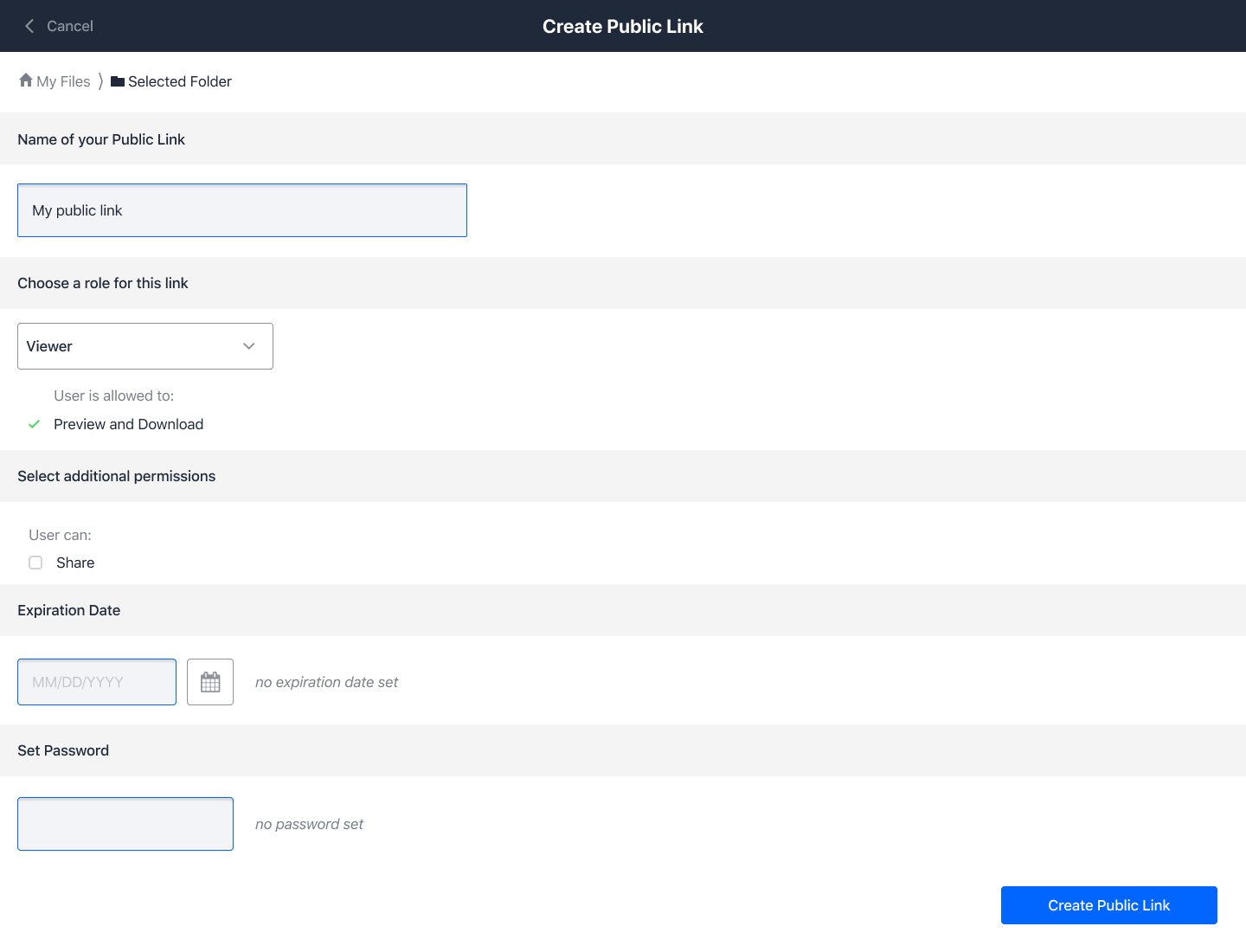
The following screens showing, which folder the public link will be created. I am still keeping the additional checkboxes for permissions (like talked about at ownCloud HQ). If not neccessary, they can just be left.
wuenschedesign
on 27 Oct 2019
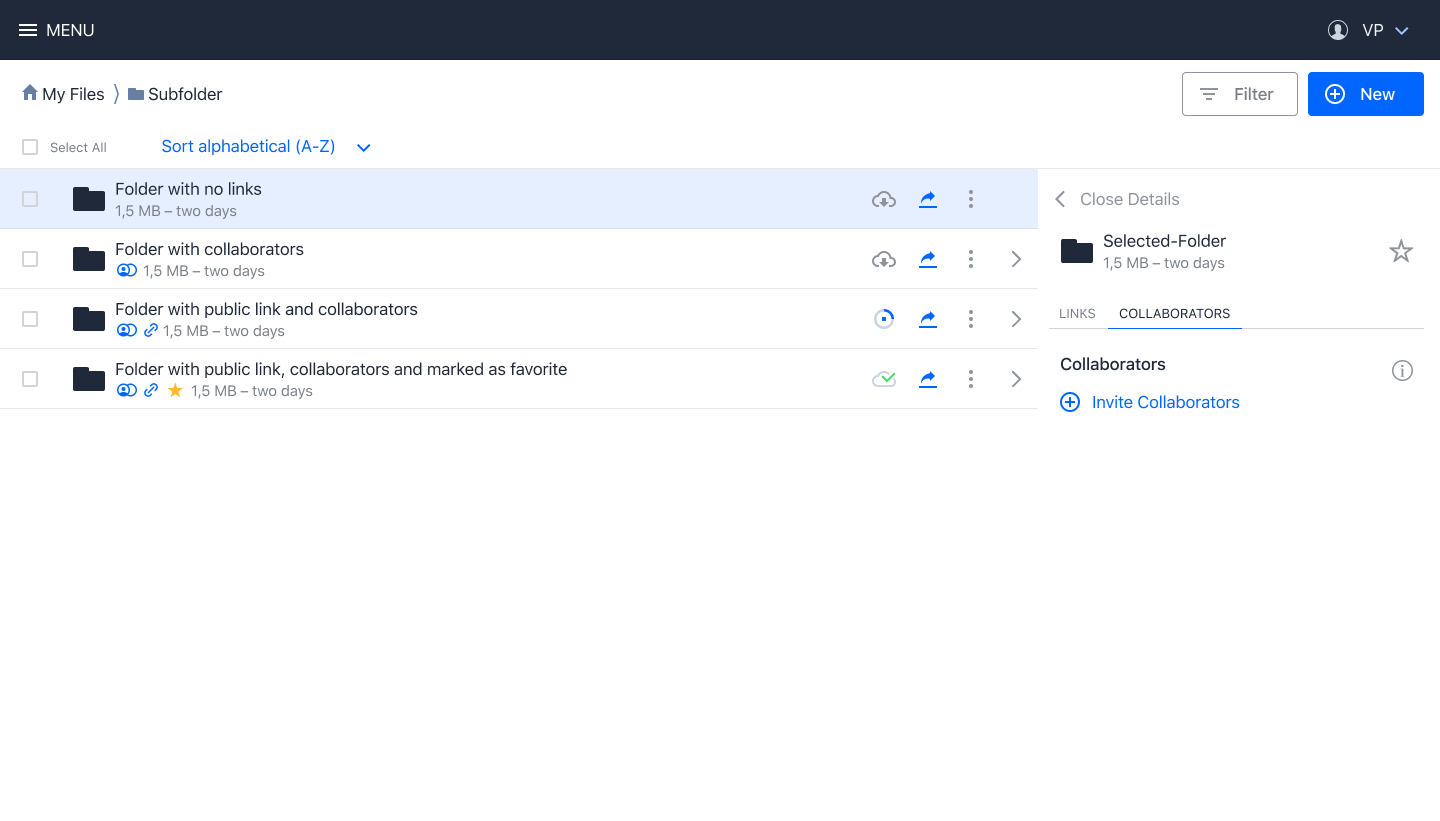
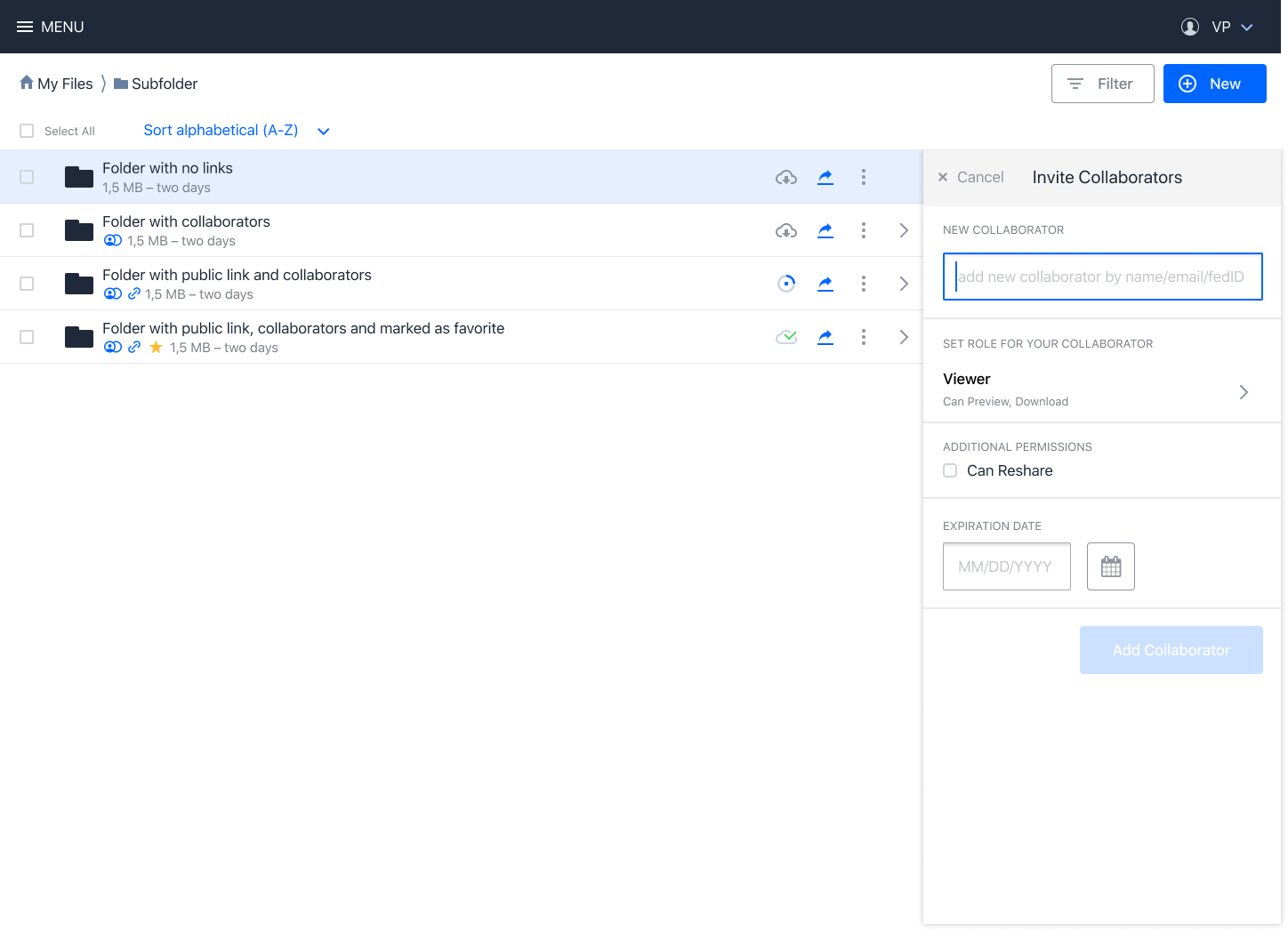
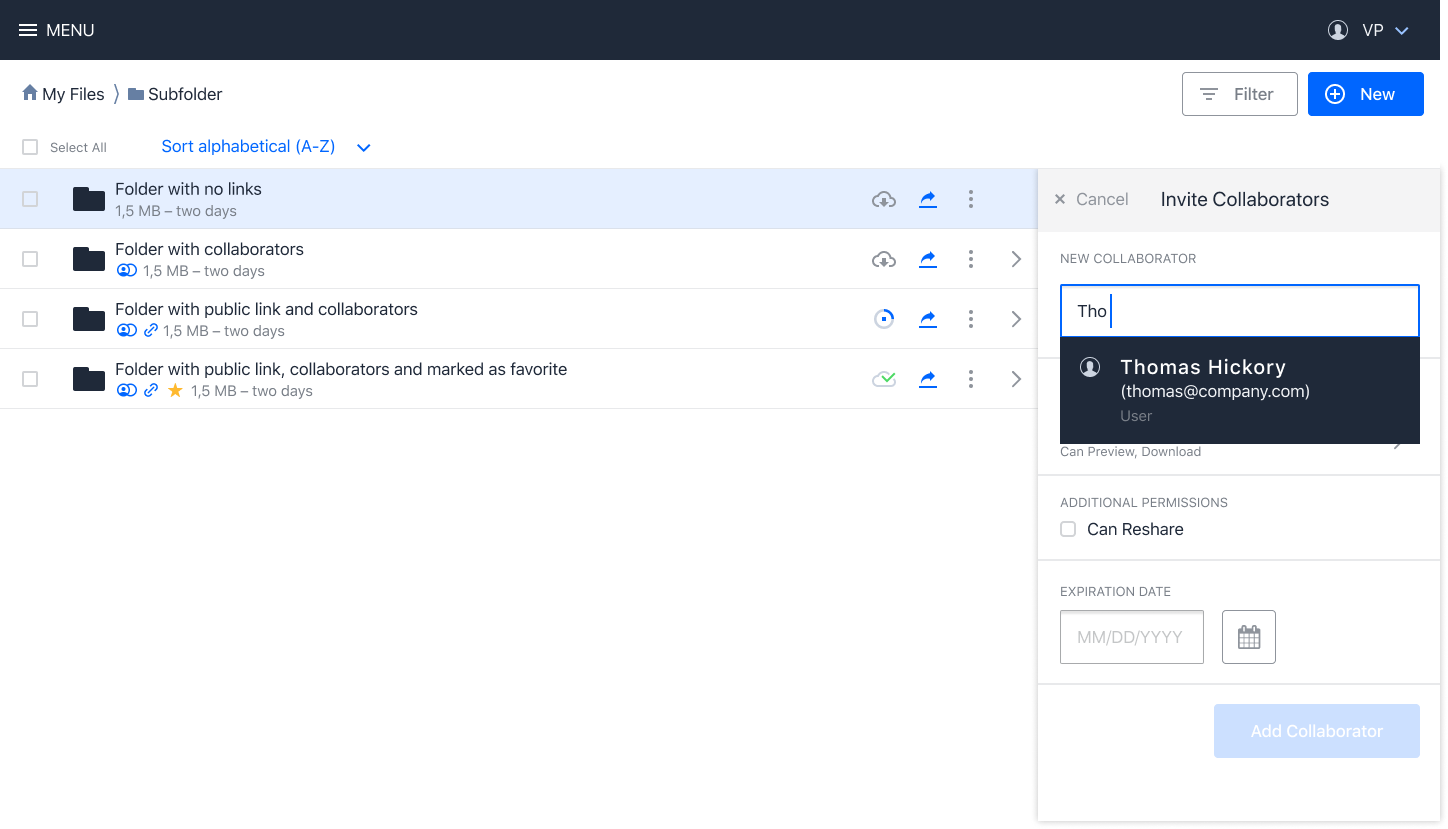
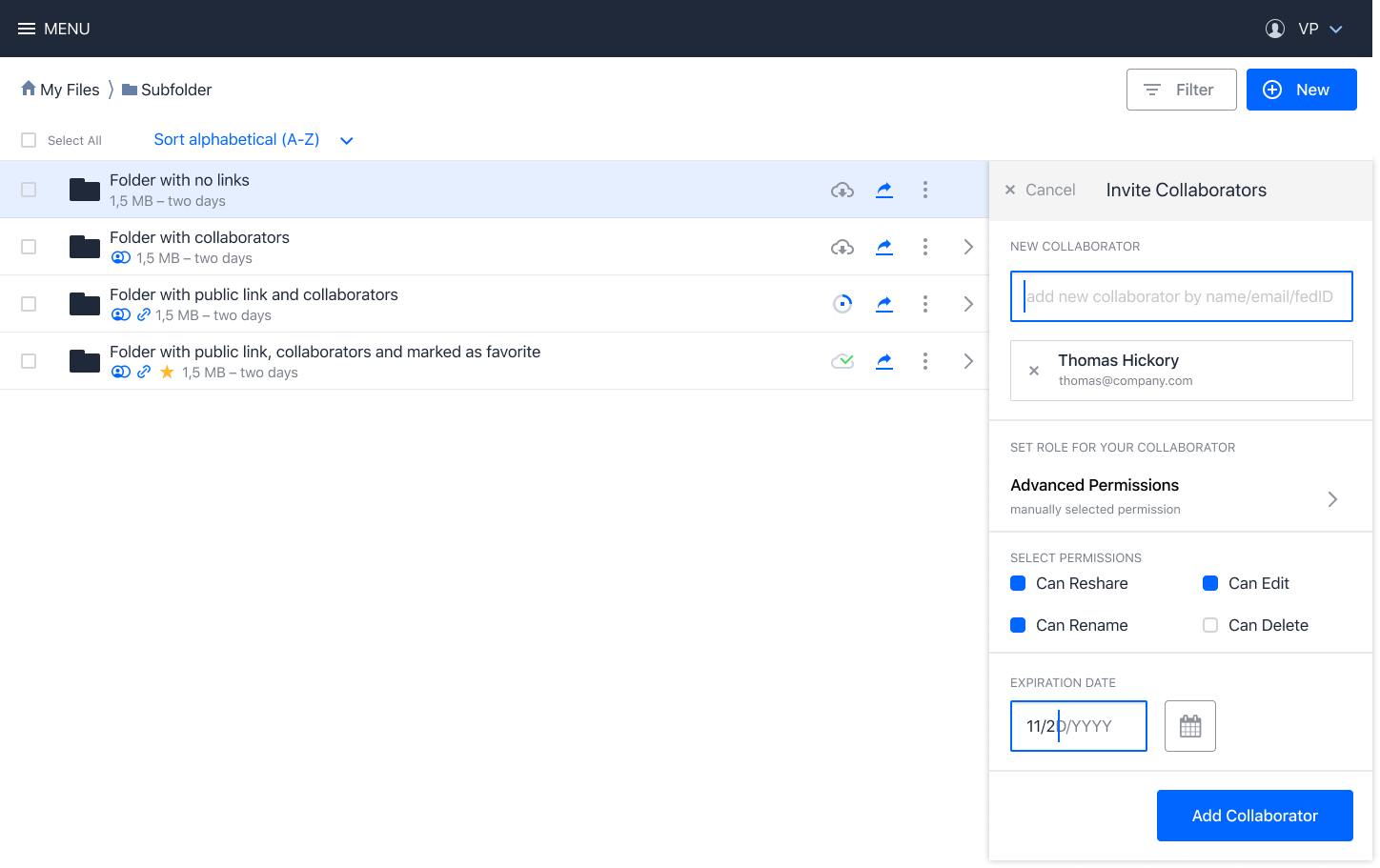
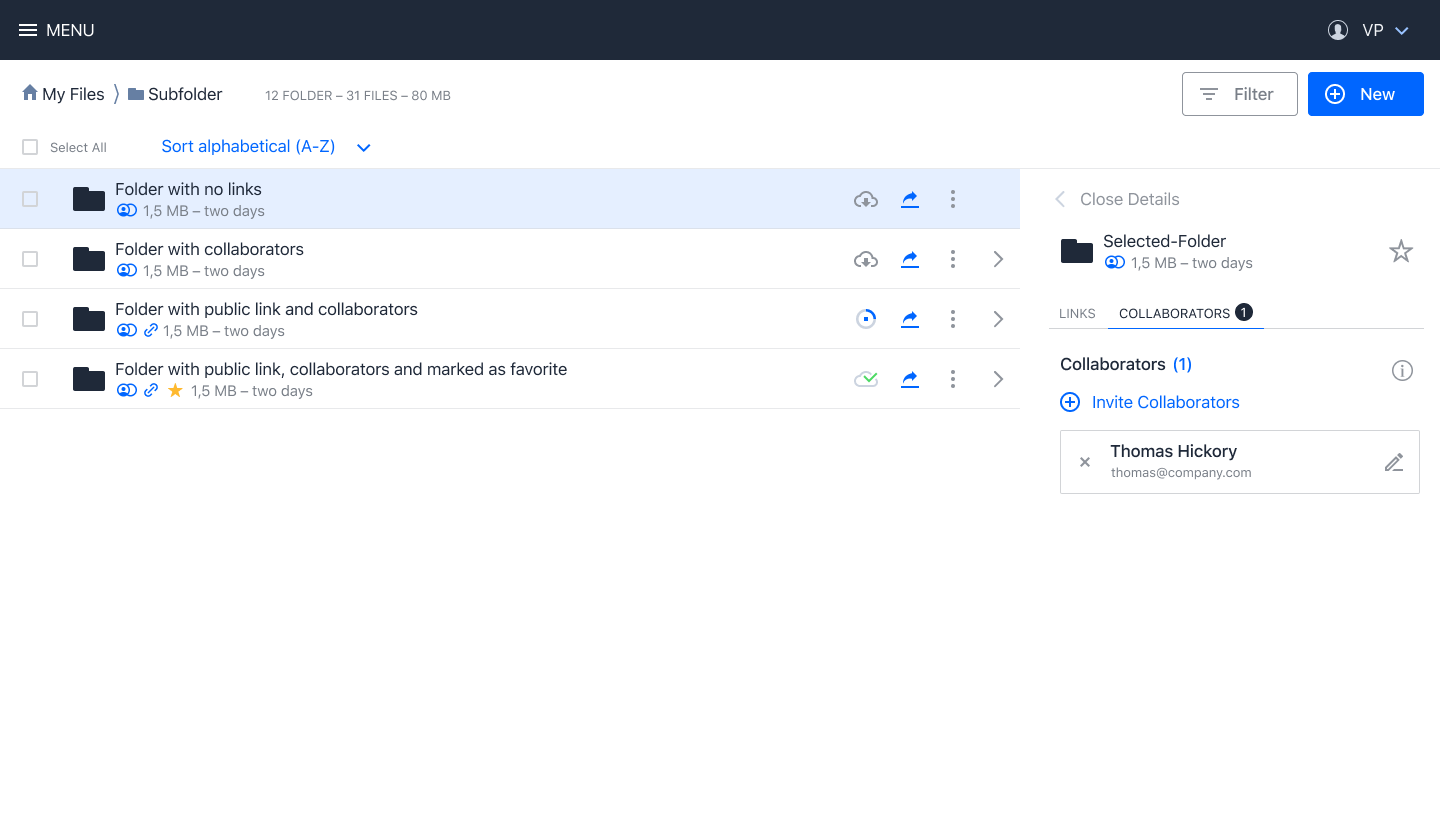
New drafts for the collaborators invite:
wuenschedesign
on 7 Nov 2019
draft PR for the new flow: https://github.com/owncloud/phoenix/pull/2450
PVince81
on 12 Nov 2019
Related issues
 butonic
·
8Comments
butonic
·
8Comments
 kulmann
·
4Comments
kulmann
·
4Comments
 ishank011
·
8Comments
ishank011
·
8Comments
 DeepDiver1975
·
6Comments
DeepDiver1975
·
6Comments
 labkode
·
8Comments
labkode
·
8Comments
Most helpful comment
With @pmaier1 @wuenschedesign and @LukasHirt we reviewed the above proposal.
Discussion result:
I also think that once we have this design in place we should do some usability testing to validate the idea and refine it.