Web: Build - Sync with Blockchain button on the Issue Details page
User Story
As a user, I want a way to manually sync with the blockchain so I can get the latest bounty activities on the Issue Details page
Why Is this Needed
Summary: Sometimes transactions are submitted but Gitcoin doesn't properly sync with the blockchain, causing the latest bounty activities to not show up.
Description
Type: Feature
Current Behavior
There is no 'Sync with Blockchain' button.
Expected Behavior
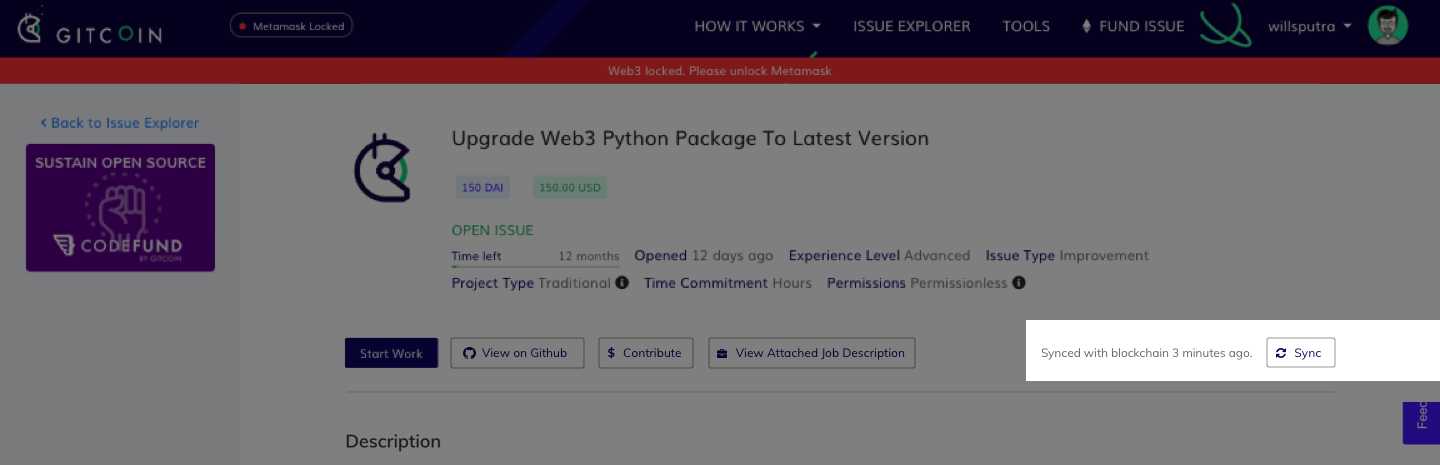
There should be a 'Sync' button at the top of Issue Details, next to the rest of the buttons (see design below)
Definition of Done
- [ ] A 'Sync' button is displayed at the top of Issue Details.
- [ ] Clicking on the 'Sync' button should sync Gitcoin with the blockchain and update the Issue Details page with the latest bounty activities (especially the All Activity section)
- [ ] 'Synced with blockchain X minutes ago' should be displayed at the top of Issue Details, showing when the last time Gitcoin was synced with the blockchain.
- [ ] It should be obvious when syncing is in progress:
• hide the button
• change the 'Synced with blockchain X minutes ago' text to 'Syncing...' with a simple animated loading spinner
Additional Information
Related issues: #2388 #2403
Same button on the Issue Explorer: #2884
 willsputra
All 14 comments
concern with allowing user to force sync : refer here
 thelostone-mc
on 19 Nov 2018
thelostone-mc
on 19 Nov 2018
Same concerns exist on https://github.com/gitcoinco/web/issues/2884.
However, I believe this is not "syncing with the blockchain", but with Github, since if the user is already on the issue details page, the activity is updated from Github.
I can check on my end that that is the correct assumption / correct setup.
 frankchen07
on 20 Nov 2018
frankchen07
on 20 Nov 2018
@frankchen07 Ah you mean like what we've got over at gitcoin/new ?
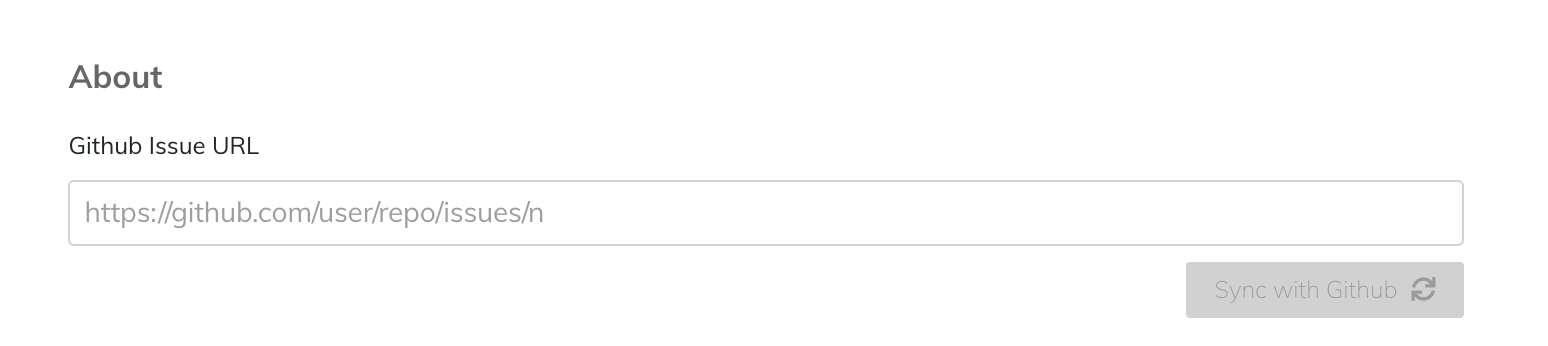
@willsputra should I go ahead and update the button styling on gitcoin/new to match the button design here ?
thelostone-mc
on 20 Nov 2018
@thelostone-mc - yes, kind of like what we've got over at gitcoin/new.
Although, it seems that @willsputra has written the build ticket for a sync button to update the "All Activity" section of the issue details page. We already have a "sync with Github" button up top.
Similarly, I feel that both should be abstracted away, and simply refreshing the page should refresh both:
- the Github details
- the "All Activity" details section of the Gitcoin Issue Details page.
I would think that having two sync buttons is asking too much of the user. I would like engineering discussion / opinion on how feasible it is to have browser refresh set off a Github sync as well as an "All Activity" update.
frankchen07
on 20 Nov 2018
I believe the sync blockchain and sync github issue details should be separated too but also I believe that any of that 2 actions shouldn't be hunters actions maybe the funder have a button inside edit to sync the issue data here:
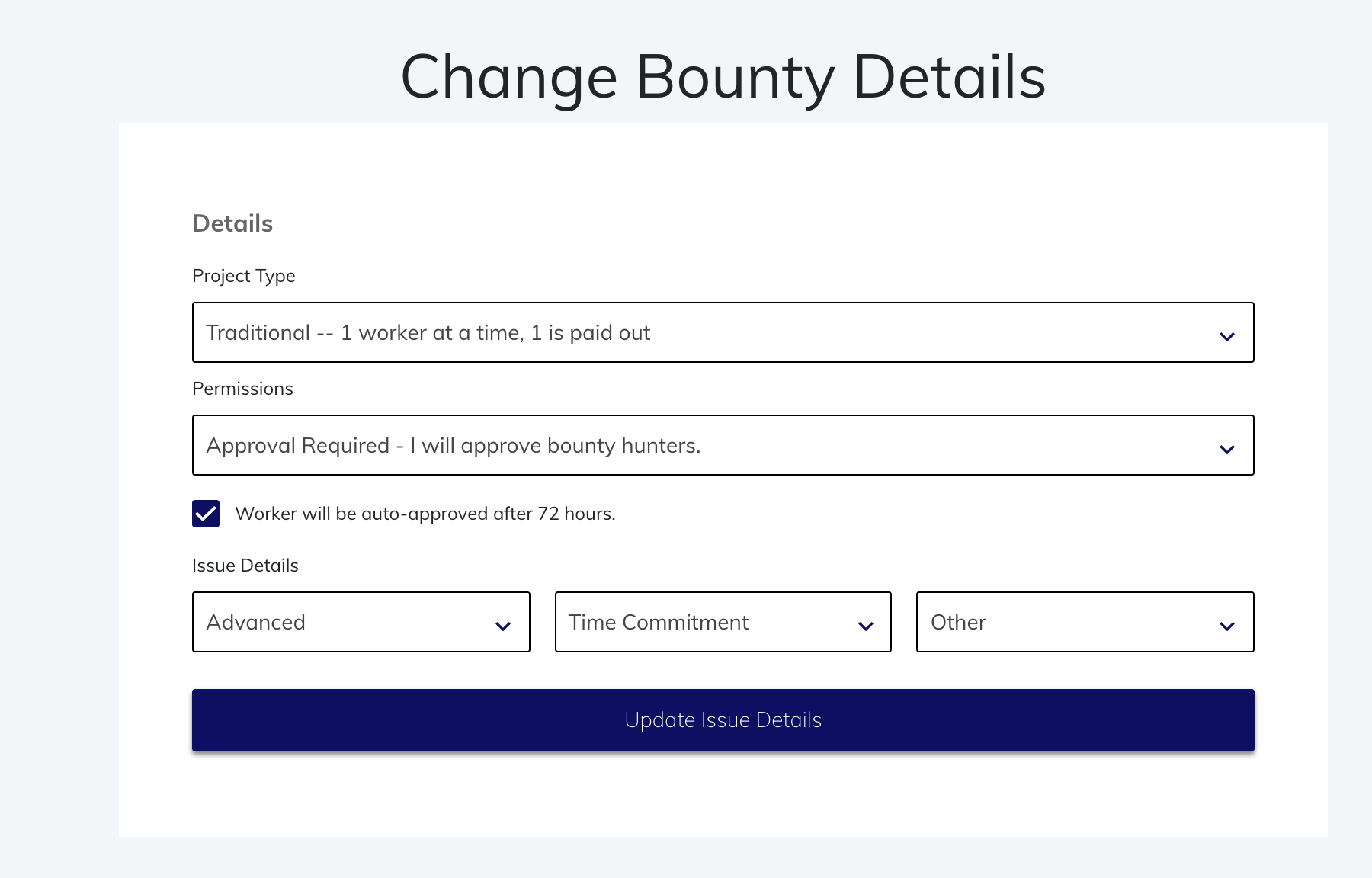
But if every user have access to that button that will became a flow process, get into the issue > press sync > go read. Because is not a real need but if is present in the UI becomes a question "so the issue is already updated?" In any case I will end as always going to the github issue to read to be sure.
 octavioamu
on 22 Nov 2018
octavioamu
on 22 Nov 2018
dev note: you'll want to call the backend route /sync/web3with the url and network GET param passed in
 owocki
on 26 Nov 2018
owocki
on 26 Nov 2018
Another reason why this is needed.

 PixelantDesign
on 27 Nov 2018
PixelantDesign
on 27 Nov 2018
@octavioamu are we keeping these as 2 separate buttons / single button ?
thelostone-mc
on 28 Nov 2018
What are the tradeoffs between 2 separate buttons vs. single button performance wise? @octavioamu @thelostone-mc
PixelantDesign
on 28 Nov 2018
Well it depends on what you want to do. Gitcoin<->Github sync (internally) is pretty much querying the API of Github (and run into a maximum call limit), Gitcoin<->gETH sync is a pretty heavy task since you need to grass the blockchain for changes in that bounty. (StandardBounty Contract for example)
Gitcoin<->Github: Easy on the system, but only syncs with descriptions and other "github" stuff (tags)
Gitcoin<->gETH: Hard on system, syncs bounty status
 kuhnchris
on 28 Nov 2018
kuhnchris
on 28 Nov 2018
So the last call we said the button will be sync in web3 + sync the description. I think also if in the answer we don't have it will be nice to have "Last use date" so if < than 2 hours or something the button is disabled or something like that.
octavioamu
on 28 Nov 2018
Thanks @kuhnchris!
PixelantDesign
on 28 Nov 2018
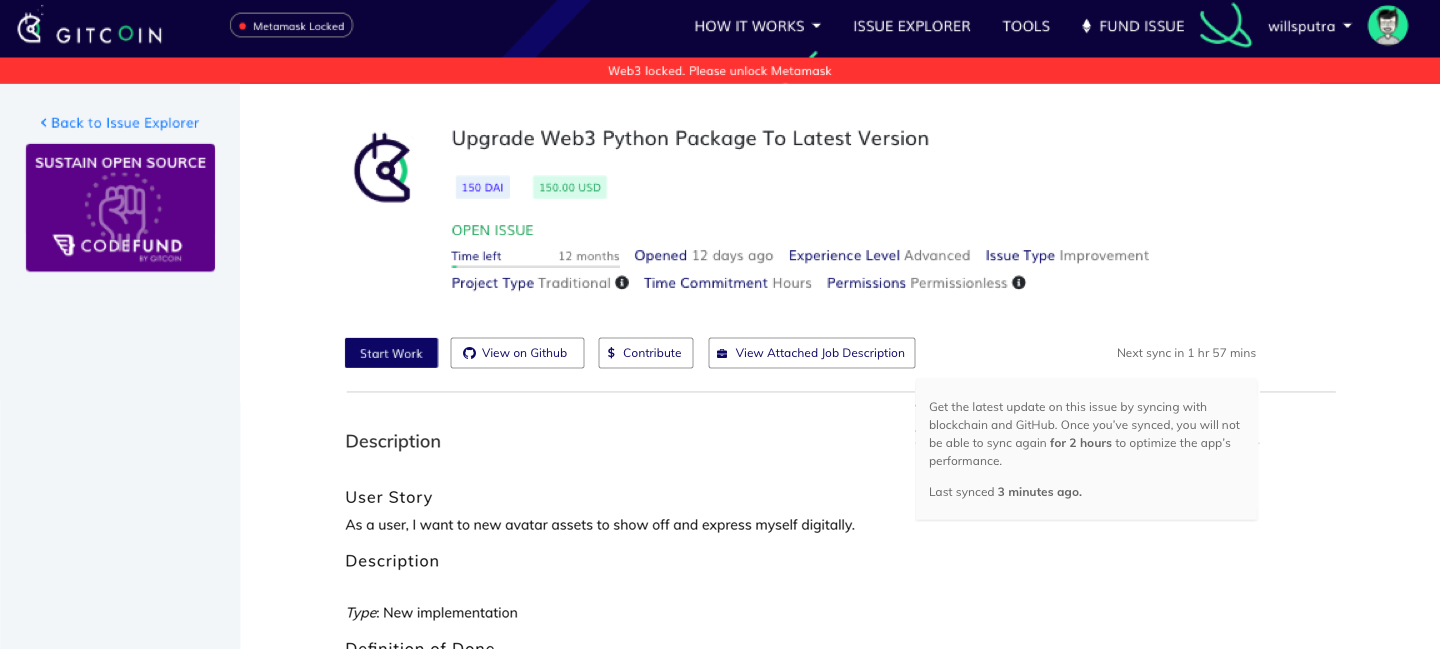
@octavioamu @PixelantDesign maybe we can put the info in a tooltip? and when the sync button is disabled, we let the users know time remaining until next sync. thoughts?
willsputra
on 3 Dec 2018
latest update:
got feedback from users on two options below
- manual sync button
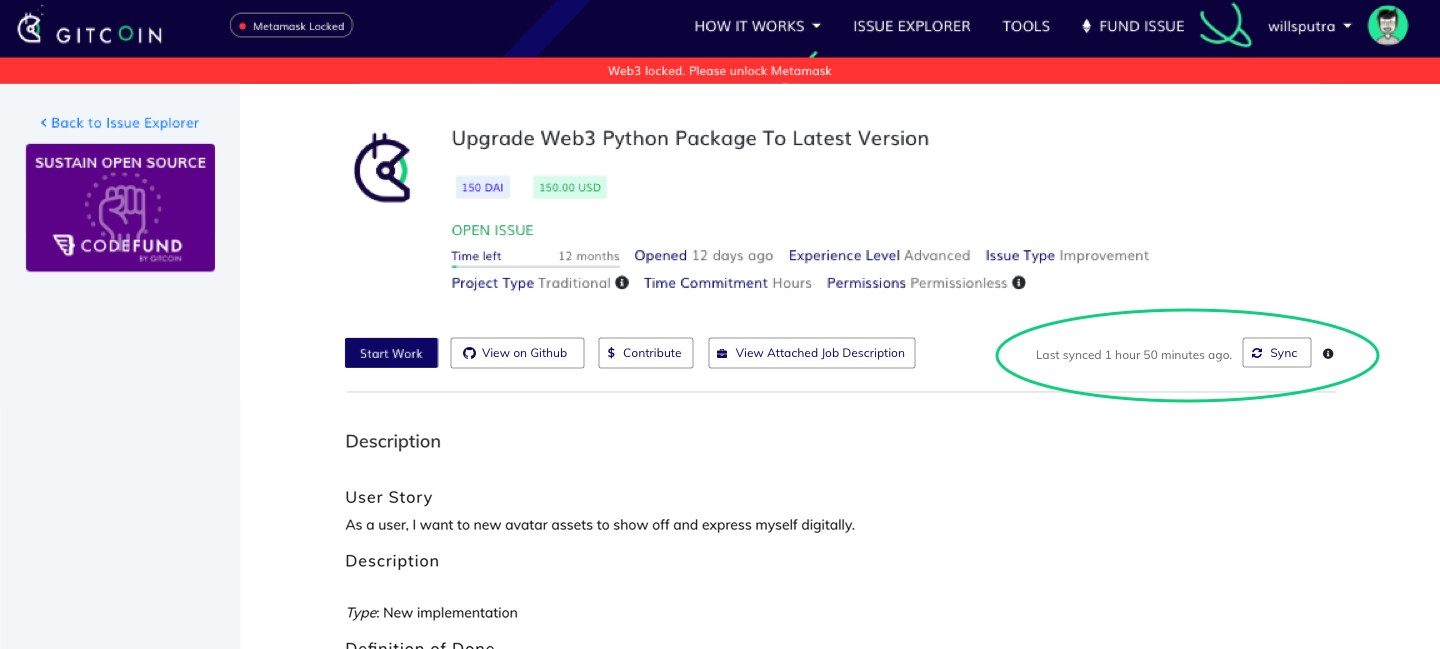
- auto sync with timestamp
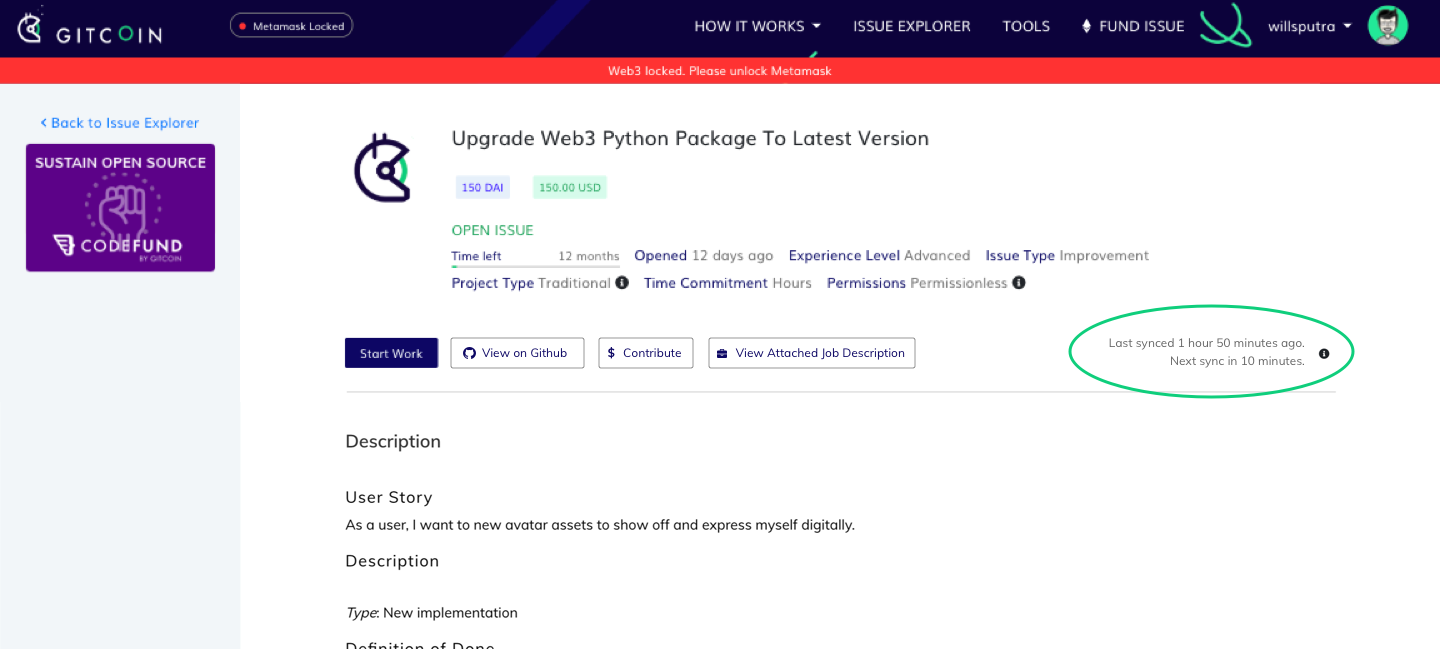
• people understood that the circled part was to sync the latest state of the issue.
• most people thought a combination would be good (“Auto sync is great but I also like having the button so I can sync manually _anytime_“)
The manual sync button would be great to have if it can be pressed _anytime_ and _overrides the auto sync cycle_, but it's not recommended due to system load.
Discussed with @frankchen07, and I think we will proceed with option 2 so that users are informed when the sync is happening, but doesn’t allow them to just spam the sync button.
willsputra
on 26 Dec 2018
Related issues
 Makondor2
·
3Comments
Makondor2
·
3Comments
 NukeManDan
·
3Comments
NukeManDan
·
3Comments
 mbeacom
·
4Comments
mbeacom
·
4Comments
 kziemianek
·
3Comments
kziemianek
·
3Comments
 abitrolly
·
4Comments
abitrolly
·
4Comments