Web-bugs: console.aws.amazon.com - Attempting to upload a CloudFormation template fails with an "ajax error 401" message
URL: https://console.aws.amazon.com/cloudformation
Browser / Version: Firefox 76.0
Operating System: Windows 10
Tested Another Browser: Yes Chrome
Problem type: Something else
Description: Attempting to upload a CloudFormation template fails with an "ajax error 401" message
Steps to Reproduce:
When I select the template to upload in CloudFormation and click "Next" to proceed, I get a red banner at the top of the page with a "ajax error 401" message and it returns me to the upload screen I just came from. This doesn't occur on other browsers.
View the screenshot
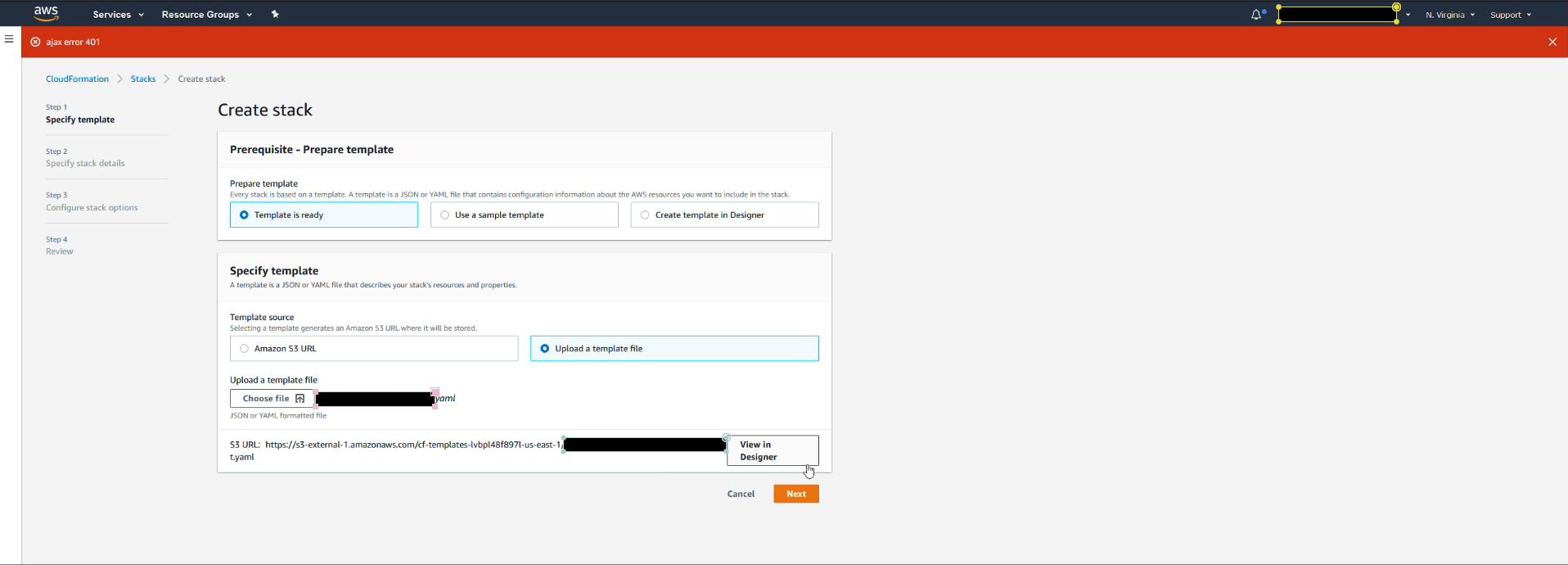
Browser Configuration
- None
_From webcompat.com with ❤️_
 squawkingVFR
All 8 comments
Thanks for the reported issue!
@denschub is it possible for you to take a look at this one?
We don't have an account here...
 softvision-sergiulogigan
on 3 Apr 2020
softvision-sergiulogigan
on 3 Apr 2020
@squawkingVFR could you also provide console error?
 softvision-oana-arbuzov
on 4 May 2020
softvision-oana-arbuzov
on 4 May 2020
@softvision-oana-arbuzov here you go. Let me know what else you might need. Thanks for looking into this!

squawkingVFR
on 4 May 2020
Thanks @squawkingVFR , let's see if @karlcow or @denschub can use this and investigate further.
Moving to Needsdiagnosis.
softvision-oana-arbuzov
on 4 May 2020
@squawkingVFR What happens if you enter in a new tab.
about:config
then accept the risk.
then go to network.cookie.sameSite.laxByDefault and set it to false instead of true.
then try again what you were trying.
If it is now working, it would look like it would be a duplicate of https://bugzilla.mozilla.org/show_bug.cgi?id=1618610
 karlcow
on 5 May 2020
karlcow
on 5 May 2020
@karlcow It is indeed working with that value changed. I had added this webcompat issue to the Bugzilla item.
squawkingVFR
on 5 May 2020
Close as duplicate of https://bugzilla.mozilla.org/show_bug.cgi?id=1618610
karlcow
on 6 May 2020
Thanks super helpful. If you want to understand a bit more of the context about this in nightly.
karlcow
on 6 May 2020
Related issues
 bvanrijn
·
4Comments
bvanrijn
·
4Comments
 vickychin
·
4Comments
vickychin
·
4Comments
 lolrepeatlol
·
4Comments
lolrepeatlol
·
4Comments
 Gravydigger
·
4Comments
karlcow
·
5Comments
Gravydigger
·
4Comments
karlcow
·
5Comments