Web-bugs: www.hbogo.com.br - Unable to login
URL: https://www.hbogo.com.br/authentication/login/frame
Browser / Version: Firefox 75.0
Operating System: Windows 10
Tested Another Browser: Yes
Problem type: Site is not usable
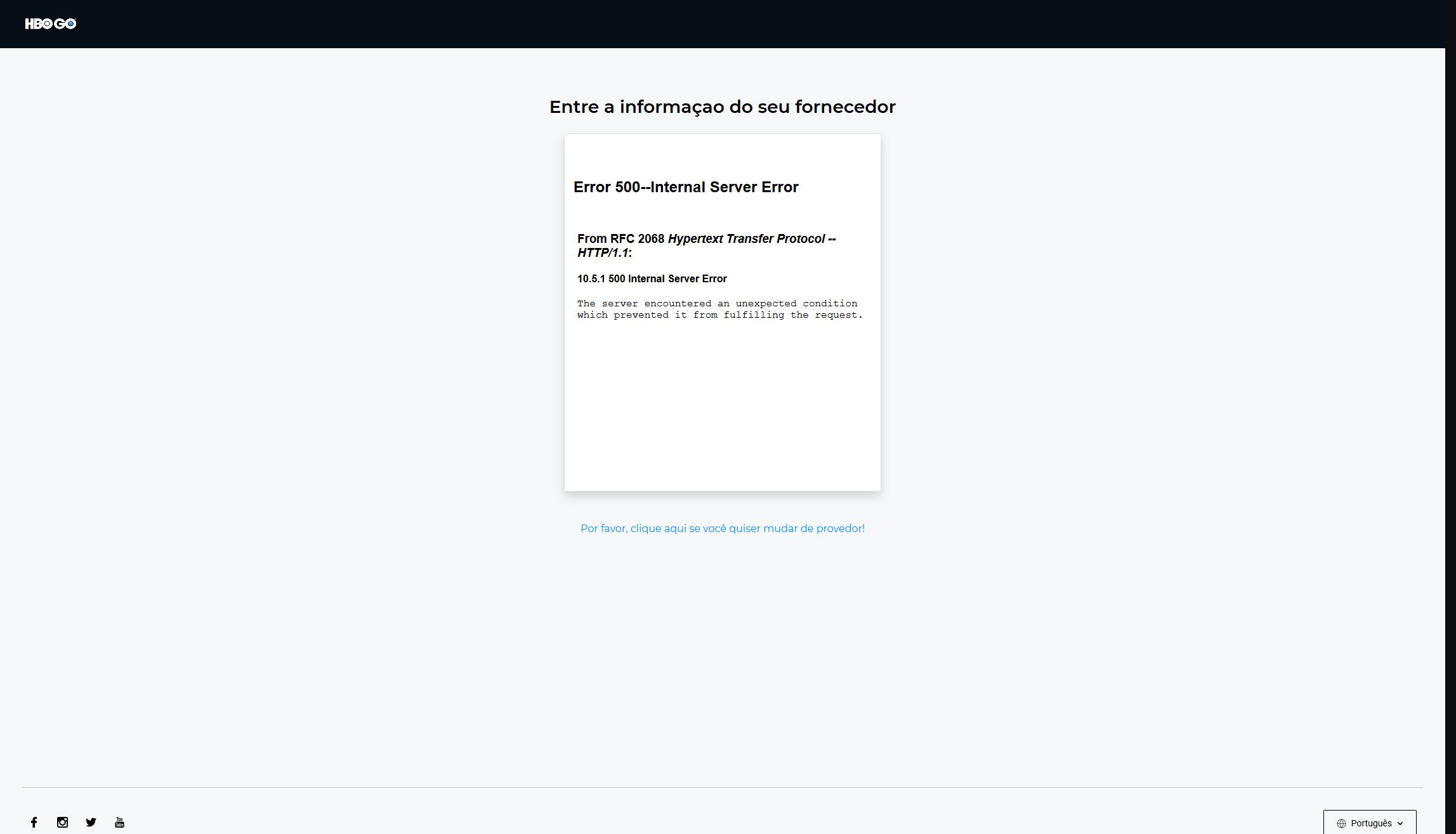
Description: Can´t Login with my ISP TV credencials
Steps to Reproduce:
Since Saturday, I´ve tested on others browser (various sites that uses my ISP TV credencials) and all is good, but on FF Nightly all sites is not login. Already spoken with HBO, nothing wrong with Account, just spoken with my ISP and no problem as also. Since tested on Microsoft Edge and Canary and it worked, the problem is really only by FF Nightly side.
View the screenshot
Browser Configuration
- None
_From webcompat.com with ❤️_
 MarcusCorbacho
All 25 comments
Thanks for the report @MarcusCorbacho, but this is not a compatibility issue since you receive a server-side error.
For this project, we try to focus our effort on website layouts, features or content that works as expected in one browser but not in another.
Closing the issue as non-compat.
 cipriansv
on 5 Mar 2020
cipriansv
on 5 Mar 2020
I can verify that version 75 Nightly gives this error. 74 Dev Edition and older versions of FF sites works. @cipriansv
MarcusCorbacho
on 5 Mar 2020
@wellington1993, could you help us with testing this issue on Firefox Nightly 75.0 if you own an HBO GO account?
cipriansv
on 6 Mar 2020
@cipriansv Now on Nightly 75 whem tring to login, it´s says "User not Autorized"

MarcusCorbacho
on 6 Mar 2020
@cipriansv and for as on Dev 74 like said before... all good

MarcusCorbacho
on 6 Mar 2020
But it´s important to me say, that, any of web sites you imagine that have "TO GO" offered my ISP TV on Nightly 75 are having this issues. Since to login I use credentials they are not having authorization success on sign in. @cipriansv
MarcusCorbacho
on 6 Mar 2020
@wellington1993, could you help us with testing this issue on Firefox Nightly 75.0 if you own an HBO GO account?
Sure, I will try!
 wellington1993
on 9 Mar 2020
wellington1993
on 9 Mar 2020
@wellington1993, could you help us with testing this issue on Firefox Nightly 75.0 if you own an HBO GO account?
Sure, I will try!
Waiting a confirmation Email...

wellington1993
on 9 Mar 2020
Working on Nightly + Linux @cipriansv

75.0a1 (2020-03-09) (64-bit)
wellington1993
on 9 Mar 2020
@MarcusCorbacho Can you share a print the warnings or errors from "Browser console" or "Developer Tools" console?
The problem still occurs in the Private mode or with clean profile?
And without addons, the problem still the same?
Thanks!
wellington1993
on 9 Mar 2020
@cipriansv and for as on Dev 74 like said before... all good
I can see addons, can you try without them?
Thanks!
wellington1993
on 9 Mar 2020
@MarcusCorbacho Can you share a print the warnings or errors from "Browser console" or "Developer Tools" console?
The problem still occurs in the Private mode or with clean profile?
And without addons, the problem still the same?Thanks!
No problem, let me arrive on Home and I'll do that @wellington1993
MarcusCorbacho
on 9 Mar 2020
So @wellington1993 @cipriansv I tried first, restore Nightly 75 with fresh profile, no extensions, to enter on site with my ISP TV credentials (VIVO) and no solution.
Second tried with Private mode, no success either.
For last, here goes screen capture on Nightly 75 using Dev tools on Console below.

I really don´t know more what to do. Please forgive me for all the disturb I made. I´ll be pleased if any solution be possible, otherwise I may be forced to leave up for good FF Nightly 75 and stay on FF Developer Edition 74 that I don´t have any of that problems.
MarcusCorbacho
on 9 Mar 2020

Now on Nightly 76 is showing some other kind of error.
MarcusCorbacho
on 10 Mar 2020
Moving the issue to needsdiagnosis.
cipriansv
on 12 Mar 2020
so @wellington1993 can not reproduce
The screenshot of @MarcusCorbacho shows that he is using UBlock.
@MarcusCorbacho should first test with Restart with add-ons disabled to avoid the ads blockers and if it's working it's local. I don't think this is a webcompat issue.
closing for now as worksforme per @wellington1993 tests.
 karlcow
on 17 Mar 2020
karlcow
on 17 Mar 2020
Thanks to all. But ublock is not the cause of that, anyway I resolve the issue, switching to Edge Canary for good (with same extensions enable, so as ublock) and happy to use HBOGO once again.
MarcusCorbacho
on 17 Mar 2020
@MarcusCorbacho maybe you could open Bugzilla issue.
https://bugzilla.mozilla.org/
wellington1993
on 17 Mar 2020

Even with a couple of nasty warnings on Microsoft Edge Canary, With Ublock and everything else enabled, I can log in with VIVO and use with no problem. Unfortunately this lucky on FF Nightly I don´t have. @wellington1993
MarcusCorbacho
on 17 Mar 2020

God Damm, I Solved ! @wellington1993 @karlcow
Thanks to Microsoft Edge Canary Dev Console
I´ve followed this site :
https://www.chromestatus.com/feature/5088147346030592
then;
https://groups.google.com/forum/#!msg/mozilla.dev.platform/nx2uP0CzA9k/BNVPWDHsAQAJ
Just entered on about:config
change to false this: network.cookie.sameSite.laxByDefault
- chaged to false this: network.cookie.sameSite.noneRequiresSecure
I really don´t know if I put my self on risk altered this options, but finally made success on Login on HBO GO with VIVO on FF Nightly...
Now can say issue closed.
MarcusCorbacho
on 17 Mar 2020
Read more here: https://web.dev/samesite-cookies-explained/
Bugzilla issue: https://bugzilla.mozilla.org/show_bug.cgi?id=1618610
karlcow
on 18 Mar 2020
Close as duplicate of https://bugzilla.mozilla.org/show_bug.cgi?id=1618610
karlcow
on 18 Mar 2020
@MarcusCorbacho Nice work!
@karlcow Thanks for the bugzilla links.
wellington1993
on 18 Mar 2020
I reported this problem with HBOGo three weeks ago. As been noted already the problem lies with https://bugzilla.mozilla.org/show_bug.cgi?id=1604212. Setting the pref mentioned to false is a workaround.
 streetwolf
on 18 Mar 2020
streetwolf
on 18 Mar 2020
This issue has been automatically locked since there has not been any recent activity after it was closed. Please open a new issue at https://webcompat.com/issues/new if you are experiencing a similar problem.
![lock[bot] picture](https://avatars1.githubusercontent.com/in/6672?v=4&s=40) lock[bot]
on 27 Mar 2020
lock[bot]
on 27 Mar 2020
Related issues
 bvanrijn
·
4Comments
bvanrijn
·
4Comments
 halwane050
·
5Comments
halwane050
·
5Comments
 Gravydigger
·
4Comments
Gravydigger
·
4Comments
 oksas
·
5Comments
karlcow
·
5Comments
oksas
·
5Comments
karlcow
·
5Comments