Waybar: Using FontAwesome OTFs results in a bunch of missing icons in the default config
I've tried waybar with both the Font Awesome packaged under Ubuntu/Debian (confusingly called 5.0.10+really4.7.0) as well as 5.8.2 downloaded from the website as well as current git master from here:
https://github.com/FortAwesome/Font-Awesome/tree/master/otfs
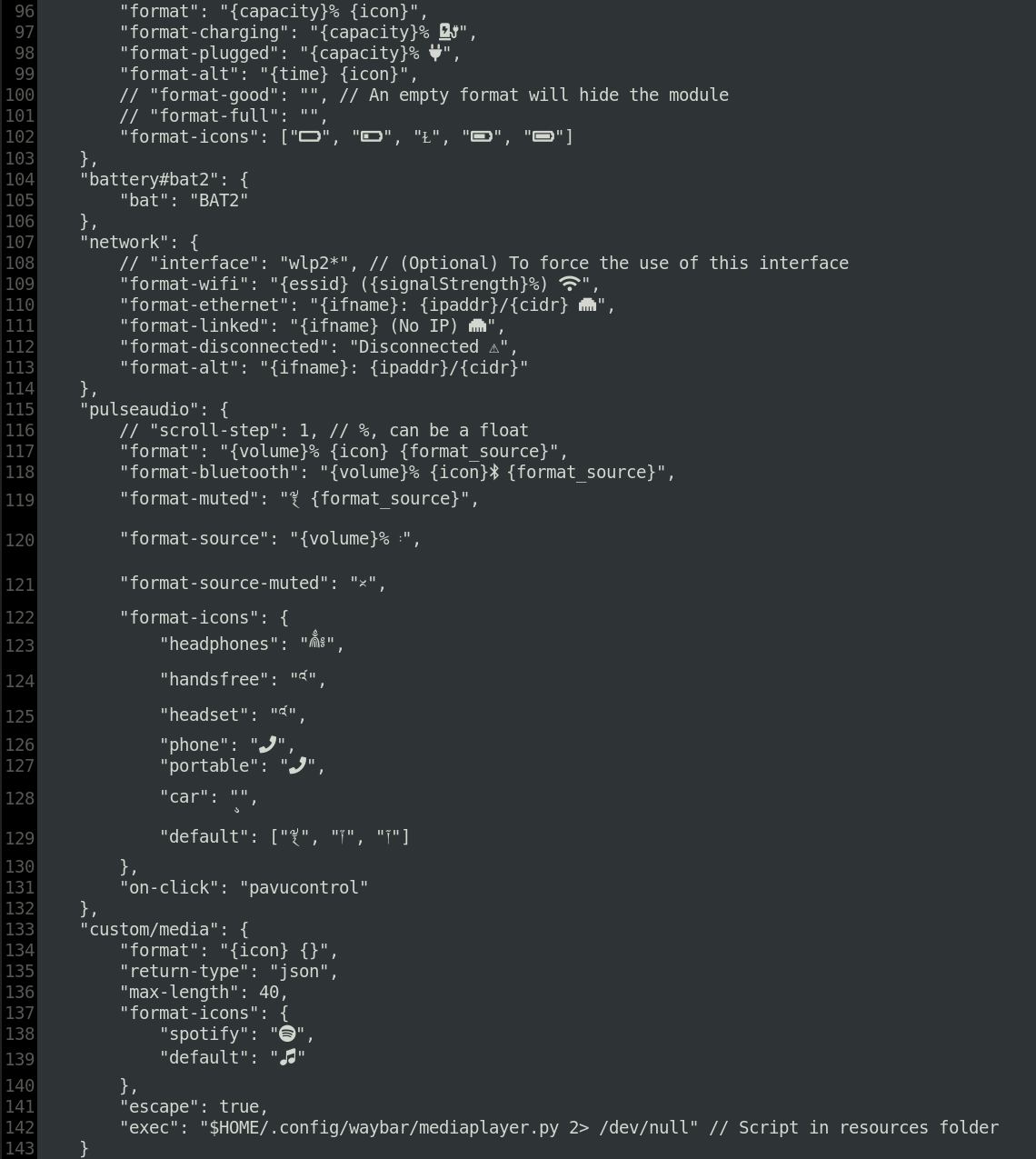
All of them result in missing icons replaced by weird accented letters. Here's an example of how the config file renders with FontAwesome as downloaded from the website (version 5.8.2):
 pedrocr
All 3 comments
Thanks for posting your solution. Putting the FontAwesome font at the end works better for me, though; when it's at the front, all text is displayed using FontAwesome.
 ethanmad
on 30 Jan 2020
ethanmad
on 30 Jan 2020
Got this, too. Is there another solution?
 georgkrause
on 28 Jul 2020
georgkrause
on 28 Jul 2020
I don't know if this applies to all distributions, but you can also add the fix in /etc/xdg/waybar/style.css (saving the need to modify the source).
 aqxa1
on 28 Oct 2020
aqxa1
on 28 Oct 2020
Related issues
 Kakashiiiiy
·
4Comments
Kakashiiiiy
·
4Comments
 cinghiopinghio
·
4Comments
cinghiopinghio
·
4Comments
 cmacrae
·
4Comments
cmacrae
·
4Comments
 Sqvid
·
5Comments
Sqvid
·
5Comments
 spjz
·
4Comments
spjz
·
4Comments
Most helpful comment
Thanks for posting your solution. Putting the FontAwesome font at the end works better for me, though; when it's at the front, all text is displayed using FontAwesome.