wavesurfer.js with Ionic/Cordova
Hello there,
can someone point me to some sample with a successfully implemented wavesurfer.js inside of an Ionic/Cordova project?
I can't get it to work. The Wave control does not show up. I can hook up a play button and play the audio, though. But I seem to be missing something.
Any help is greatly appreciated!
Thanks in advance,
Jens
 JensWinter
All 18 comments
We are experiencing the same issue. Rending the waveform is nearly impossible. And yes, the audio does play, but doesn't really look pretty without the waveform, though.
 pentool
on 26 Aug 2016
pentool
on 26 Aug 2016
@JensWinter is it ionic 1 or 2 and do any errors come up in console?
 entonbiba
on 11 Jan 2017
entonbiba
on 11 Jan 2017
@entonbiba It's Ionic 1.
JensWinter
on 11 Jan 2017
@JensWinter do you have the code that you are using? I'm using the latest versions for ionic 1, angular and wavesurfer. Just tested the following below and it renders correctly.
in www/index.html add within
      <div id="waveform"></div>

      <button class="btn btn-primary" ng-click="play()">
        <i class="glyphicon glyphicon-play"></i>
        Play
      </button>
in www/js/app.js add:
  angular.module('ionicApp', ['ionic']).controller('MyCtrl', function ($scope) {
      var wavesurfer = WaveSurfer.create({
          container: '#waveform',
          waveColor: 'red',
          progressColor: 'purple'
      });
      wavesurfer.load('https://ia902606.us.archive.org/35/items/shortpoetry_047_librivox/song_cjrg_teasdale_64kb.mp3');
      $scope.play = function () {
          wavesurfer.play();
      };
  });
I'm guessing it's Cordova and not ionic or angular. We are using it with React/Cordova app and it doesn't work in react either neither on iOS nor on Android. Only the audio. But no waveform. In a browser, yes. It does work. But as soon as you use it in a mobile project (like with cordova) it doesn't.
pentool
on 11 Jan 2017
Any luck getting this to work with Ionic 3?
 andrewex
on 22 May 2017
andrewex
on 22 May 2017
Anyone have any luck? I have it working in the browser but no mobile
 lukewduncan
on 15 Jun 2017
lukewduncan
on 15 Jun 2017
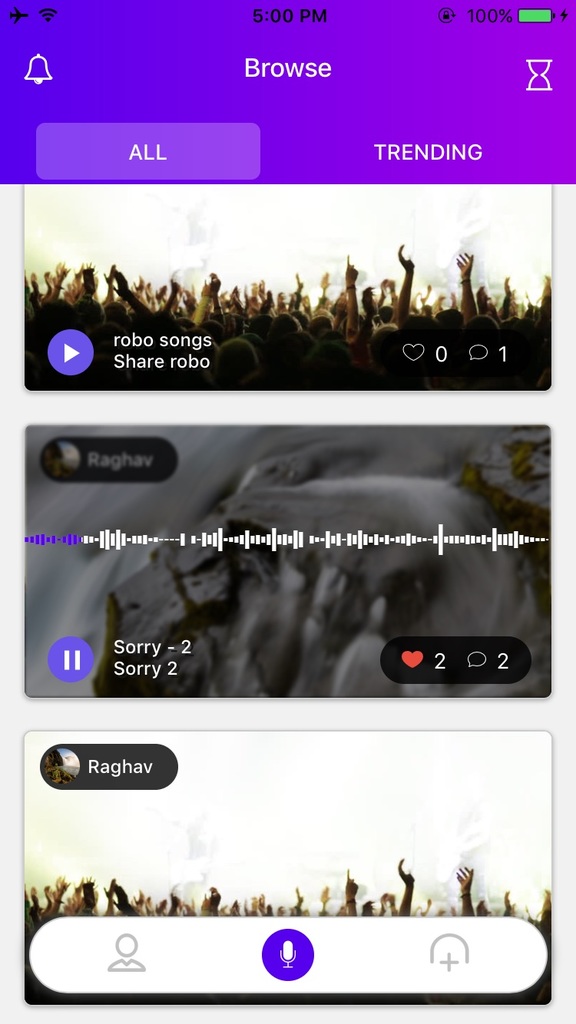
@lukewduncan I was able to use Wavesurfer successfully with Cordova 7.0.1.
<div class="audio_card card">
  <div id="waveform" class="waveform"></div>
</div>
In Controller,
var wavesurfer = WaveSurfer.create({
                    container: '#waveform',
                    waveColor: 'white',
                    progressColor: '#5600ed',
                    cursorColor: 'transparent',
                    barWidth : 2.5,
                    height   : 100
                });

   wavesurfer.load(file);
   wavesurfer.on('ready', function () {
        wavesurfer.play();
   });
 Graghav
on 18 Jun 2017
Graghav
on 18 Jun 2017
@Graghav have you done anything special to the div your attaching Wavesurfer too? (maybe specific css or using something other than a div).
It's so weird that I can see it on the browser (chrome) but when I run the application on a device, no show. But thanks for providing the example, I'll just copy the exact Wavesurfer class you have and load everything that way.
lukewduncan
on 18 Jun 2017
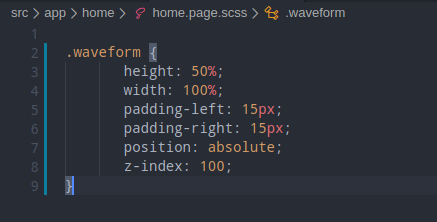
@lukewduncan I have made the waveform element as absolute with the parent card being relative and gave a z-index of 100 to the waveform element,
.waveform {
       height: 50%;
       width: 100%;
       padding-left: 15px;
       padding-right: 15px;
       position: absolute;
       z-index: 100;
}
@Graghav have you tried on android, or only on iOS?
lukewduncan
on 19 Jun 2017
@lukewduncan I am using it on iOS. Let me try on Android and update you.
Graghav
on 19 Jun 2017
@lukewduncan Tried on Android and it works fine

Graghav
on 20 Jun 2017
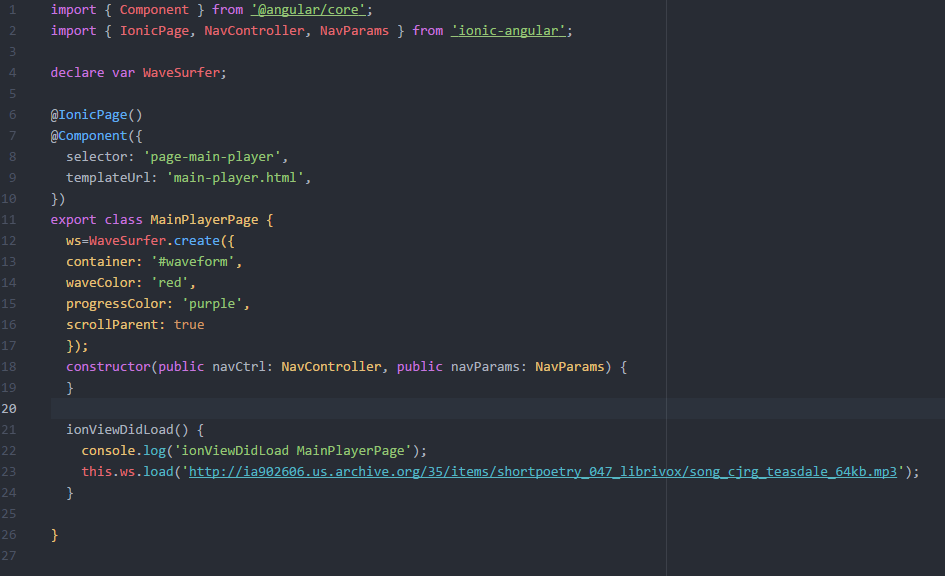
Thanks to @Graghav for show us that is possible and he has reason. I had error: 'Container element not found' beacuse I had a 'global variable' but it was fixed it when i wrote my code inside a method. If sombody can explain me why or which is the difference I will appreciate it :) :+1:
Correct:

Doesn't work:
 Darkensses
on 13 Jul 2017
Darkensses
on 13 Jul 2017
@lukewduncan have you try to add permissons? if you are trying with the example you need to add 'whitelist plugin' because you are accessing to mp3 file from a http request. If your are loading file from local storage you need to add other plugins also, like 'cordova-plugin-file'. I'm not tesiting my app yet so i hope my answer be helpful.
https://github.com/apache/cordova-plugin-whitelist
https://github.com/apache/cordova-plugin-file/blob/master/doc/es/index.md
Darkensses
on 13 Jul 2017
hey @Graghav its not working in ionic 4 it still show the white screen
 shaktis110
on 21 Dec 2019
shaktis110
on 21 Dec 2019
@Graghav how are you? Fine? I hope so.
Well i'm trying to use your example in my application to but i have the same issue as @shaktis110. In ionic 5 show the white screen when a start my app.
Ionic version: 5.4.13
Cordova version 9.0.1
My HomePage.TS

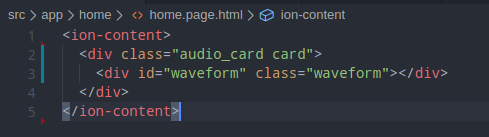
My HomePage.html
My HomePage.scss
My App (white screen)

Well, if any could help! Thanks :D
 FabianoB2ML
on 6 Jan 2020
FabianoB2ML
on 6 Jan 2020
Have you guys made it working on ionic 5? I also having a problem - the audio and play/pause button is working but the waveform is not showing up.
I'm using ionic-react + capacitor
 kenjoegolo
on 12 Oct 2020
kenjoegolo
on 12 Oct 2020
Related issues
 joshsmith
·
3Comments
joshsmith
·
3Comments
 frumbert
·
4Comments
frumbert
·
4Comments
 matixmatix
·
5Comments
matixmatix
·
5Comments
 itamaker
·
4Comments
itamaker
·
4Comments
 CramericaIndustries
·
4Comments
CramericaIndustries
·
4Comments
Most helpful comment
Any luck getting this to work with Ionic 3?