Waveboxapp: Muted Whatsapp chats show as notification
- Wavebox Version: [4.8]
- Operating System & Version: [Win 10]
- Account type (if applicable): [Whatsapp]
Expected & actual behavior
Expect muted chats in whatsapp to not show as a notification in whatsapp
Actual behavior is they are shown
Steps to reproduce
Use whatsapp with a muted chat
Is the bug persistent or intermittent?
Always
 zbhoy
zbhoy
All 6 comments
Can you provide the settings you are using for the notifications on both wavebox and whatsapp?
 nmat
on 21 Mar 2019
nmat
on 21 Mar 2019
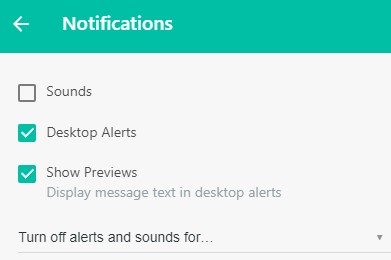
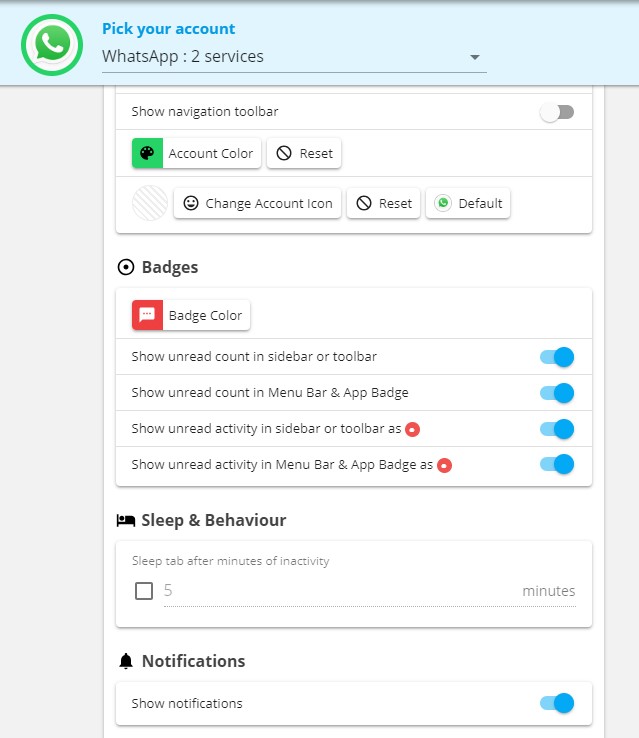
zbhoy
on 21 Mar 2019
I think I have an idea on how to fix this 👍
 Thomas101
on 21 Mar 2019
Thomas101
on 21 Mar 2019
Ref: https://github.com/wavebox/wavebox-service-api/commit/ab957060f772ed46f6174669b003bde6e42e551c
I've put a fix out for this. Your client will grab it automatically, but if you want to force it to grab the update, quitting the app and starting it again should work.
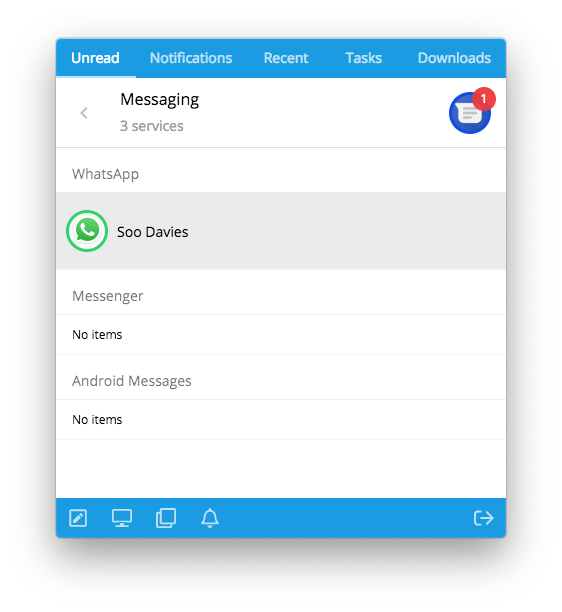
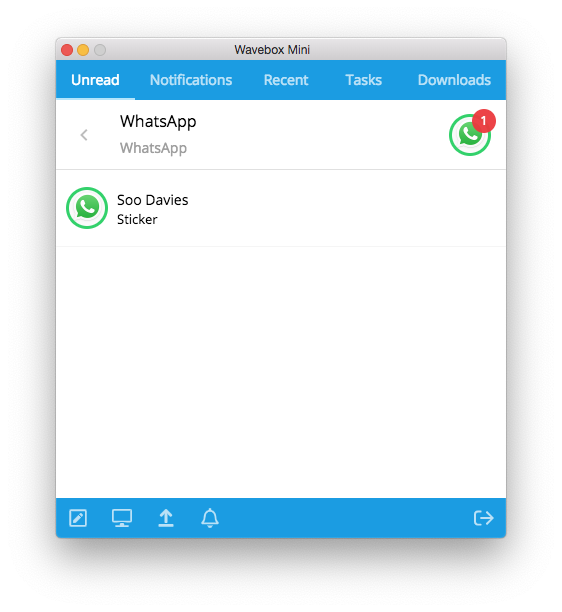
I've also added in the unread message info into Wavebox Mini. The current version of Wavebox just shows the sender, the next beta will have support for the message content too.
Current
4.8.5 when released
Thomas101
on 22 Mar 2019
Hi, we’ve just released this to the beta channel of Wavebox in version 4.8.5. If you want to give it a try there are some instructions on how to use the beta channel here. Thanks
Thomas101
on 25 Mar 2019
Hi, this has just been released in the latest version of Wavebox. You can get the update by using the Application/File menu and clicking Check for Update or by downloading the latest version from our download page. Thanks!
Thomas101
on 28 Mar 2019
Related issues
 lots0logs
·
3Comments
lots0logs
·
3Comments
 Tahini-123
·
4Comments
Tahini-123
·
4Comments
 mgresko
·
4Comments
mgresko
·
4Comments
 yermulnik
·
3Comments
yermulnik
·
3Comments
 phcyso
·
4Comments
phcyso
·
4Comments
Most helpful comment
I think I have an idea on how to fix this 👍