Waveboxapp: App Copy/Paste functionality not working
- Wavebox Version: [e.g. 4.5.0]
- Operating System & Version: [MacOS 10.14.1]
Expected & actual behavior
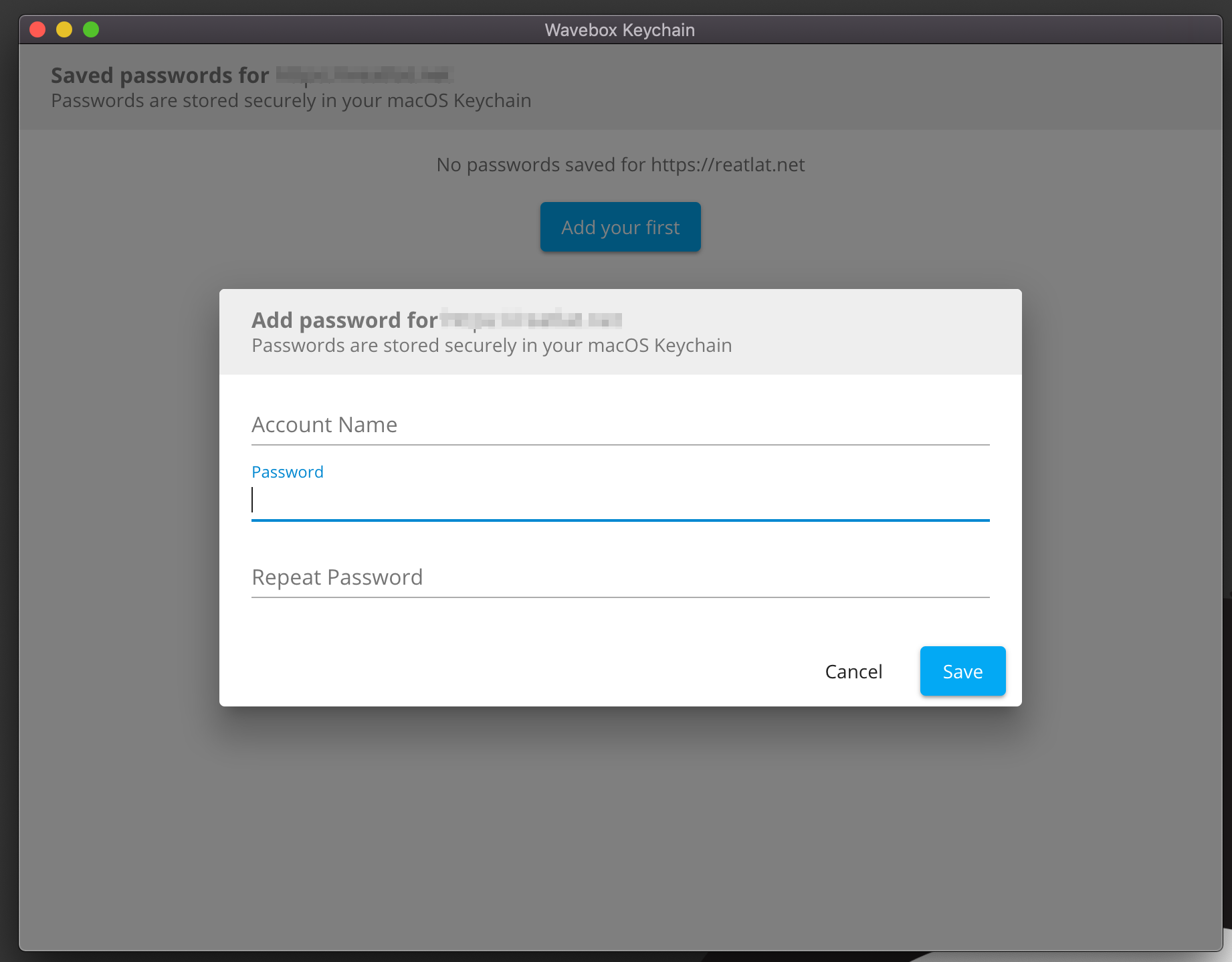
Key chain copy/paste function not working
Steps to reproduce
Open Kaychain > Add new password > try to paste password
Screenshots
 reatlat
All 8 comments
Just found... all Copy/Paste functionality (in App) not working.
Looks like App no have access to the clipboard. (MacOSX Mojave)
reatlat
on 5 Dec 2018
👍 I'm seeing the same behaviour in the keychain window - I'll get a fix in for that.
It seems to be working everywhere else for me though. I must be doing something differently...
- How are you trying to toggle copy/paste - keyboard shortcut, right click, or top edit menu?
- Do you just have the main Wavebox window open, or are there other Wavebox windows (e.g. keychain) in the background?
- What have you tested copy/paste with? I tried a gmail compose and a form field on wavebox support
- Sounds daft, but does a restart make it work?
 Thomas101
on 5 Dec 2018
Thomas101
on 5 Dec 2018
How are you trying to toggle copy/paste - keyboard shortcut, right-click, or top edit menu?
- shortcuts (cmd + C / cmd + V)
- right-click (context menu not working)
- App menu (Edit > Paste)
Do you just have the main Wavebox window open, or are there other Wavebox windows (e.g. keychain) in the background?
- only WaveBox App(Settings, account css/js, any app frames.
the web apps copy paste works correct
What have you tested copy/paste with? I tried a Gmail compose and a form field on wavebox support
- logins, emails, passwords, any text,
for example, if I want to add custom CSS to accountTab, I can't paste my CSS, and have to type it manually.
Sounds daft, but does a restart make it work?
- Haha 😂 yes, tried many times
reatlat
on 5 Dec 2018
Awesome that's a great help! Should be a fresh release with a few bug fixes over the next couple of days :)
Thomas101
on 5 Dec 2018
Same issue here as well. For now I'm just typing something like "test" in the Wavebox Keychain window and then using Mac's Keychain Access app to replace it with the longer and more complex passwords.
 bessonette
on 5 Dec 2018
bessonette
on 5 Dec 2018
Hi, this has just been released in the latest version of Wavebox (4.5.3). You can get the update by using the Application/File menu and clicking Check for Update or by downloading the latest version from our download page. Thanks!
Thomas101
on 7 Dec 2018
@Thomas101 TY
release 4.5.3 shortcuts works
But the right click for open context menu still not working
reatlat
on 7 Dec 2018
@reatlat I've added that into 4.5.4 :)
Thomas101
on 10 Dec 2018
Related issues
 mgresko
·
4Comments
mgresko
·
4Comments
 dctucker
·
4Comments
dctucker
·
4Comments
 texelate
·
3Comments
texelate
·
3Comments
 MichaelTunnell
·
4Comments
MichaelTunnell
·
4Comments
 dzg
·
4Comments
dzg
·
4Comments
Most helpful comment
Awesome that's a great help! Should be a fresh release with a few bug fixes over the next couple of days :)