Waterfox: No updates visible on Waterfox Current 2020.07.2.1 (64-bit)
Waterfox Current 2020.07.2.1 (64-bit)
PC, Windows 7 64-bit
Already two new version got released by now, according to the blog, but still if I open Help>About Waterfox it says that it's up to date.
So now I'll have to only update manually?
 InvisibleManX
All 11 comments
Issue-Label Bot is automatically applying the label bug to this issue, with a confidence of 0.84. Please mark this comment with :thumbsup: or :thumbsdown: to give our bot feedback!
Links: app homepage, dashboard and code for this bot.
![issue-label-bot[bot] picture](https://avatars2.githubusercontent.com/in/27079?v=4&s=40) issue-label-bot[bot]
on 23 Sep 2020
issue-label-bot[bot]
on 23 Sep 2020
Hmm very strange, the update URL points to the newest release.
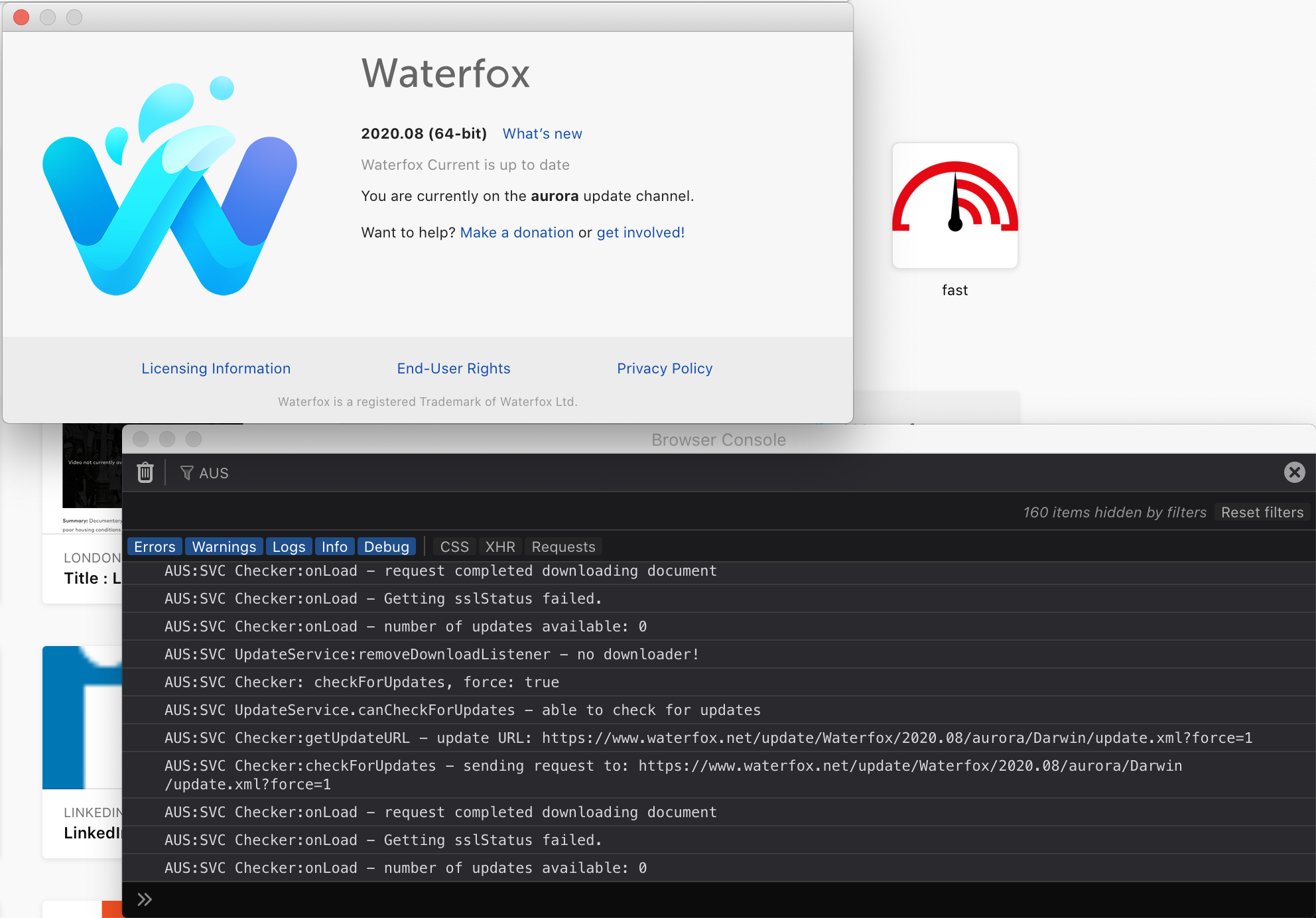
Could you do me a favour? Before going to Help > About Waterfox, launch the browser console (Ctrl+Shift+J). Then open Help > About Waterfox. After, in the search bar of the console type AUS. Then right click > select all and paste the output here. Should look similar to this:
 MrAlex94
on 23 Sep 2020
MrAlex94
on 23 Sep 2020
Hmm very strange, the update URL points to the newest release.
Could you do me a favour? Before going to
Help > About Waterfox, launch the browser console(Ctrl+Shift+J). Then openHelp > About Waterfox. After, in the search bar of the console typeAUS. Then right click > select all and paste the output here.
I did better. I just cleared the console before doing these tests.
And I found out some weird errors appearing there the moment I opened this github page we're currently on.
So you might wanna look into that as well.
And here is the screenshot with all those erros, including AUS ones:

InvisibleManX
on 23 Sep 2020
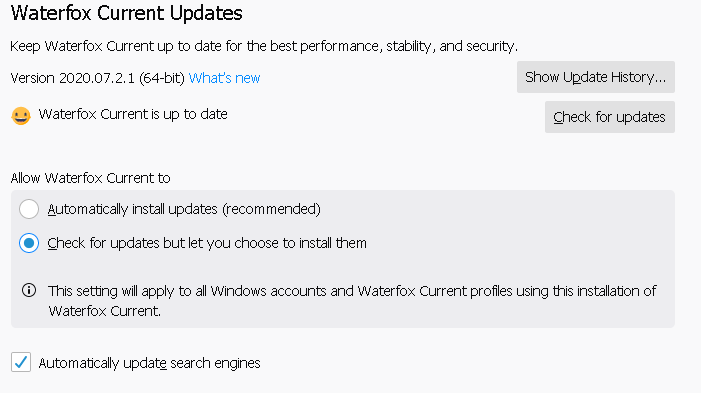
Oh, and this is also my update settings:
InvisibleManX
on 23 Sep 2020
@MrAlex94
Ah, I just noticed, in my screenshot above, my update variables are pointing to the same version I have currently, instead of pointing to the newest ones.
Maybe that's because I had to manually install version 2020.07.2.1 after having issues with 2020.07.2 ?
InvisibleManX
on 23 Sep 2020
Ah that was the problem - I misread the version number. Have added the update XML to that version now :-)
MrAlex94
on 23 Sep 2020
Ah that was the problem - I misread the version number. Have added the update XML to that version now :-)
Alright :)
Here's that link: https://www.waterfox.net/update/Waterfox/2020.07.2.1/aurora/WINNT/update.xml
For now it has no proper code though.
InvisibleManX
on 23 Sep 2020
@MrAlex94
So... I'm not sure what you meant by saying that you "added the update XML to that version now".
Because it still says for me that my browser is up to date, and the link for my version 2020.07.2.1 has no content.
Is it planned to be fixed, or my only chance to update is to go for manual downloading and installing of the new version?
InvisibleManX
on 25 Sep 2020
It'll be there with the new update today :-)
MrAlex94
on 25 Sep 2020
Should be available now
MrAlex94
on 25 Sep 2020
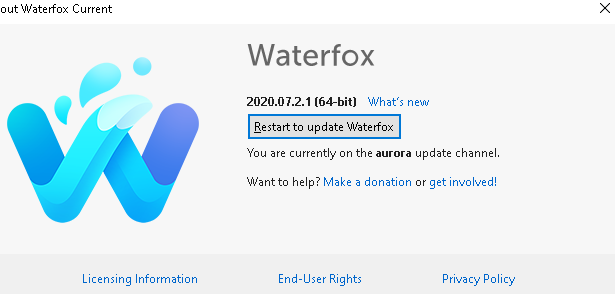
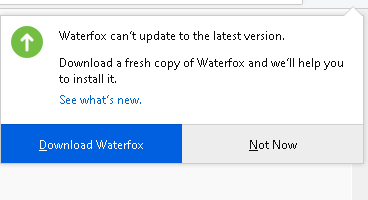
Hi, how come every update needs download manually?
after click help and shows Restart to update Waterfox.
BUT actually can not update automatically. it happens more than one time when need an update.
 Callmebyourname
on 29 Sep 2020
Callmebyourname
on 29 Sep 2020
Related issues
 GitCurious
·
3Comments
GitCurious
·
3Comments
 514guy
·
3Comments
514guy
·
3Comments
 RaitaroH
·
3Comments
RaitaroH
·
3Comments
 empimp
·
4Comments
empimp
·
4Comments
 zakius
·
4Comments
zakius
·
4Comments