Waterfox: Issues with Fox.com and other Sites....
When I go to Foxnews.com the Post Comments are no longer Showing but work in Chrome........ This is with Both Versions of Current Build of Waterfox. 2nd Issues is many form boxes on website are not visible have to keep clicking around to find them because the Boxes are not visible in both Current Versions of Waterfox and yet show in Chrome....
To Reproduce
no error just does not load or show the Discussion Post options....
Expected behavior
on various sites fill out fields or boxes are invisible on my sites or the cursor is not aligned with the area to enter information
Not using any Add-Ons........
Screenshots
My configuration
- Device: PC
- OS: Windows 10 Professional and on my Windows 7 Enterprise Laptop
- Version: Classic 2020.08.1 (64-bit) and 2020.07.2.1 (64-bit) Regular 64 Waterfox
Additional context
 A0R-R0CKS
All 28 comments
Issue-Label Bot is automatically applying the label bug to this issue, with a confidence of 0.86. Please mark this comment with :thumbsup: or :thumbsdown: to give our bot feedback!
Links: app homepage, dashboard and code for this bot.
![issue-label-bot[bot] picture](https://avatars2.githubusercontent.com/in/27079?v=4&s=40) issue-label-bot[bot]
on 14 Sep 2020
issue-label-bot[bot]
on 14 Sep 2020
Where comments should be? I didn't see them on https://www.foxnews.com/us/hurricane-sally-warning-gulf-coast-louisiana-mississippi-new-orleans-mandatory-evacuation-storm-surge, but same is on Vivaldi and Chromium, so it maybe something wrong with site.
 hawkeye116477
on 14 Sep 2020
hawkeye116477
on 14 Sep 2020
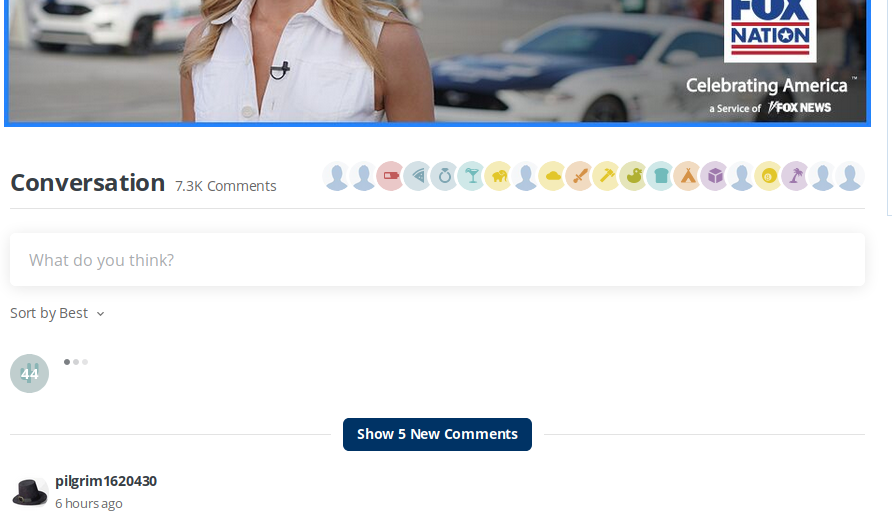
Here is what I am talking About with Waterfox you dont see the comment area on the page ...

With Chrome

you will notice it does show in Chrome ....
It use to work with Waterfox but now now the Comment area is invisible...............
A0R-R0CKS
on 14 Sep 2020
you will notice it does show in Chrome ....
It use to work with Waterfox but now now the Comment area is invisible...............
Comments are also not visible on Firefox and Chromium-based browsers. I guess that you are using cached version and probably if you'll cleanup cookies and cache then will be same situation as on Waterfox. Looks like that's problem with site/server, so webmaster should fix that.
hawkeye116477
on 14 Sep 2020
It is Cleaned I am a former I.T. Tech Cleaning the Cache and Cookie / History does not fix it .... I am not gonna report it if i was not cleaning everything................................
A0R-R0CKS
on 14 Sep 2020
Cleaning the Cache and Cookie / History does not fix it
Seems that you didn't read properly or we didn't understand each other, I didn't told you that will fix that problem. I only told that when you clean browsing data on Chrome, then comments probably also will disappear on Chrome.
The other possibility is that comments are geo-locked, so I didn't see them, but that would be really weird and as I see errors on console on Chromium, then I suspect that's rather problem on website itself. Maybe they are doing some A/B testing, so it's possible also that on some browsers sometimes will be fine.
hawkeye116477
on 14 Sep 2020
I am seeing something similar. However, my view is a bit different. It is like the comment section is starting to load, but never does. It happened maybe two weeks ago, but then stopped. It is back again, but this time comment section is not loading anymore.

 tcreek
on 22 Sep 2020
tcreek
on 22 Sep 2020
Yep it wont load anymore on Water Fox Classic or Regular

A0R-R0CKS
on 22 Sep 2020
I just tried with Firefox 68.12.0 ESR
It appears to be a Waterfox issue
tcreek
on 22 Sep 2020
So looks like that comments may be geolocked. Why they did that?
Did you have some error on browsers console (ctrl+shift+i and console tab)?
hawkeye116477
on 22 Sep 2020
So looks like that comments may be geolocked. Why they did that?
It is for sure not geolocked. Comments appear also in the Amazon Silk browser which is a fork of Chromium. I also have access to IP addresses in Mexico. Comments still appear in Firefox, and Silk
tcreek
on 22 Sep 2020
The site is not Geo Locked it is an issue with Waterfox you can open it in Edge, Firefox, and Google Chrome.... It use to work till a few weeks ago Waterfox nearly 3 weeks ago it stopped. The section of the page no longer will open with Waterfox it tries to open it but it keeps showing a Loading Box when you move your Mouse over the area of the page as shown in Screen Shot. In any other Browser it opens immediately as the page is loaded.
A0R-R0CKS
on 22 Sep 2020
@tcreek Ok, very weird, I tried to check now even with proxy and didn't see that comments on Waterfox and other browsers.
it is an issue with Waterfox you can open it in Edge, Firefox, and Google Chrome
Maybe it looks that from your case, but I'll tell you again, I didn't see that comments even on other browsers than Waterfox, like Edge or Firefox, so some another problem maybe also on server side.
Anyway, did you have some error on browsers console (ctrl+shift+i and console tab)?
hawkeye116477
on 22 Sep 2020
As you can see it shows that just fine in Chrome!!! Here is a Screen Shot taken just seconds ago in Chrome..... It loads in Firefox and Edge as well just fine...

A0R-R0CKS
on 22 Sep 2020
@A0R-R0CKS I already saw that, but that doesn't change that unfortunately I don't have that on Waterfox and other browsers like Edge, so in my case it could be problem on server side. That could be also related with your problem, cuz maybe there are few versions of same page and maybe you got bad one only on Waterfox or problem is different than mine.

Anyway more important is rather answer for question - are you or @tcreek have some error now on browsers console (ctrl+shift+i and console tab) on Waterfox? Without much details I could only guess that's probably same issue as #1712.
hawkeye116477
on 22 Sep 2020
I now have the answer as to why Waterfox no longer functions on those sites
file:///home/trent/Pictures/Screenshot%20from%202020-10-19%2010-52-07.png
tcreek
on 19 Oct 2020
Yep...Waterfox Classic is officially dead..I cannot even add images to here, nor even edit the previous message
tcreek
on 19 Oct 2020
I am uploading this with GNOME's Web. Waterfox has serious issues now

tcreek
on 19 Oct 2020
I still didn't see that and don't have even that banner „celebrating America". I can only guess, maybe toggling dom.webcomponents.enabled or https://github.com/zakius/Polly/releases with chosen webcomponents-bundle.js will help. User-agent change probably will be also required.
Anyway what's error on console (ctrl+shift+i, then console tab)?
hawkeye116477
on 19 Oct 2020
I just tried Waterfox (not classic) 202.09 and the comment section is now appearing. It is just on Classic we are now seeing the need to update browser. I guess Classic is about dead now.
tcreek
on 21 Oct 2020
@tcreek You still didn't reply about what I asked. What error you see on console? Is that workaround which I gave you works?
I guess Classic is about dead now.
If problem is with webcomponents, then that might appear some time in Classic. Anyway unfortunately I don't know what's the problem with fox site, cuz seems they are somehow blocking comments section for me, cuz I didn't see that on all browsers (I see comments icon on top only).
hawkeye116477
on 21 Oct 2020
Errors from where?
From this page?
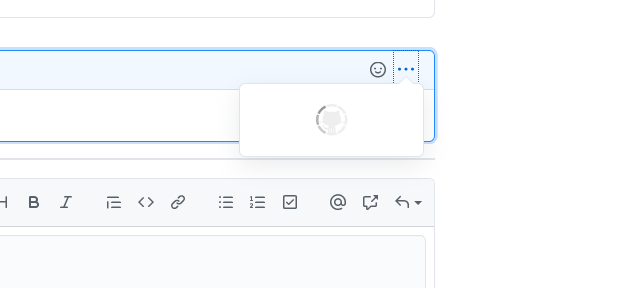
There are NONE. The above image is from Waterfox Classic trying to access that menu item. Console shows no error.
You can thumbs down all you want, but don't change the fact Waterfox Classic is about dead as all the other people are starting to report now with problems it is having, including the examples I have posted here recently
tcreek
on 21 Oct 2020
@tcreek Errors from fox site.
starting to report now with problems it is having
It always had some problems with websites, it's nothing new. Same is in case of Pale Moon/Basilisk, but some problems are solved in future updates. Unfortunately it's not Firefox.
hawkeye116477
on 21 Oct 2020
There are no more errors on the Fox site. It clearly states they do not support the version of the browser we are using from the image I posted
tcreek
on 21 Oct 2020
There are no more errors on the Fox site.
@tcreek Ok, I'll specify more, change user-agent to Mozilla/5.0 (Windows NT 10.0; Win64; x64; rv:82.0) Gecko/20100101 Firefox/82.0, then Ctrl+shift+i and console tab and go to fox site and see what will show.
Alternatively after user-agent change you can also try:
Install https://github.com/zakius/Polly/releases and choose webcomponents-bundle.js and see if it helps.
I already wrote that few posts ago, but seems you just ignored that and instead wrote not very helpful information...
Sorry, but unfortunately, my glass ball broke.
It clearly states they do not support the version of the browser we are using from the image I posted
It's not clear, nothing says why this is so. Probably something can be done to fix that, but I need more helpful information :smile:. Does user-agent changing and using Polly helps?
hawkeye116477
on 21 Oct 2020
To clarify things and so people dont get agitated Originally Firefox Classic worked fine on Foxnews.... When I posted the issue it just stopped and was not loading the Discussion Forum area. Then about a week ago it all of a sudden was working fine once again. Then a few days ago they just started showing the Your Browser is out dated if your using WaterFox Classic.... So perhaps that now makes things clearer to everyone.
I use Classic as my preferred over the Regular Waterfox 64 because some classic plugins I use don't seem to work too well with the Regular version of Waterfox.
My Cable TV / Internet Provider has an issue with Waterfox Classic as well when I am watching my Cable TV stations online on Via Com owned channels the stations in HD wont load and says a unsupported Firefox as well... They filtered that to only on the Via Com Stations, VHI, MTV, CMT, Paramont, and a few others. With that all other Stations play perfectly....
A0R-R0CKS
on 22 Oct 2020
There are no more errors on the Fox site.
@tcreek Ok, I'll specify more, change user-agent to
Mozilla/5.0 (Windows NT 10.0; Win64; x64; rv:82.0) Gecko/20100101 Firefox/82.0, then Ctrl+shift+i and console tab and go to fox site and see what will show.Alternatively after user-agent change you can also try:
Install https://github.com/zakius/Polly/releases and choose webcomponents-bundle.js and see if it helps.
I already wrote that few posts ago, but seems you just ignored that and instead wrote not very helpful information...
Sorry, but unfortunately, my glass ball broke.
It clearly states they do not support the version of the browser we are using from the image I posted
It's not clear, nothing says why this is so. Probably something can be done to fix that, but I need more helpful information 😄. Does user-agent changing and using Polly helps?
It is VERY clear why as it even states YOUR BROWSER VERSION IS NO LONGER SUPPORTED.
Also that Polly does not even display correctly in Classic Waterfox

Also, how do we change user agent? Everything I find is for the newer Firefox
tcreek
on 29 Oct 2020
Add another site:
kaggle.com no longer functions. It just keeps reloading without displaying anything. I am not seeing any errors in the console, though it keeps reloading
tcreek
on 1 Dec 2020
Related issues
 grahamperrin
·
3Comments
grahamperrin
·
3Comments
 empimp
·
4Comments
empimp
·
4Comments
 aquaspy
·
3Comments
aquaspy
·
3Comments
 fghsgh
·
4Comments
grahamperrin
·
4Comments
fghsgh
·
4Comments
grahamperrin
·
4Comments