Waterfox: Red banner on icon appears to be a Notification badge on macOS
On macOS, applications can signal that they need attention by sending notifications, including alerts, or badges on the application's icon in the Dock.
The new Waterfox Classic icon has a red badge saying "classic" that is difficult to distinguish from a Notifications badge. It is especially so if there are many icons in the dock and they have a small size. This interferes with the normal operation of the user interface by giving a false signal that the application requires attention, causing distraction to the user.
Could you please use a different method than a red badge to distinguish the Waterfox Classic icon? Thanks.
Screenshots

Thunderbird showing a Notifications badge needing attention; Waterfox also appears to need attention.
Note: on the Mac, an application's icon can be replaced by copy/paste in the "Get Info" box. This could be a work-around, except that with Waterfox/Firefox, whenever you download a file the custom icon gets removed due to the download progress animation until you restart the application.
My configuration
- Device: MacBook
- OS: macOS 10.14
- Version: Classic 2020.03
 ElhemEnohpi
All 23 comments
Maybe old icons were better, blue for Classic, white for Current, was easier to distinguish.
 hawkeye116477
on 12 Mar 2020
hawkeye116477
on 12 Mar 2020
FWIW: Colours of branding/icons/logos for Waterfox Classic and Waterfox Current – an invitation to discuss … hopefully not ad nauseam ;-)
 grahamperrin
on 14 Mar 2020
grahamperrin
on 14 Mar 2020
In taskbar in Windows, on tab and on titlebar it has the same effect. It constantly takes my attention and make me think there's a notification or something wrong with Waterfox. Very annoying, my eyes are uncomfortable.
 maxoku
on 14 Mar 2020
maxoku
on 14 Mar 2020
Please get rid of the "Classic" red bar on the icon altogether. If anything stick it on the newer/less capable builds of Waterfox so people know extensions (and therefore the browser) won't work. I seriously thought I was having some sort of video or Explorer corruption at the end of my day. I really like the latest icon for Waterfox in general and it works well with Notepad++, Advanced Find and Replace, Hoo WinTail, HeidiSQL and FileZilla icons. Just get rid of that red bar please. It feels like we're being "warned" like when nubs say, "O-M-G don't disable the page file!" Thank you in advance.
 jabcreations
on 15 Mar 2020
jabcreations
on 15 Mar 2020
Yes, please remove the badge, it looks very odd among other taskbar icons. IMHO, just a different color scheme would look more professional. I'm a Windows user, BTW.
 RaviOnline
on 15 Mar 2020
RaviOnline
on 15 Mar 2020
With respect,
… If anything stick it on the newer …
– please, let's not. As the icon for Waterfox Classic should be free from visual annoyance, so the icon for Waterfox Current should be pleasing.
I should encourage use of https://redd.it/fihtdz for discussion
grahamperrin
on 15 Mar 2020
Something red hovering over an icon is paradigmatic for a pending notification on every platform. It's not particular to apple.
 nuenuewei
on 15 Mar 2020
nuenuewei
on 15 Mar 2020
… every platform. …
grahamperrin
on 15 Mar 2020
I said every platform, not every program on every platform.
nuenuewei
on 16 Mar 2020
I suggest it's better to use colors as flavors.
There WAS such a addon called Firefox-on-OS-X Label which is really really useful (though discontinued on MAO it's still usable in Waterfox Classic and is still available in various places or I can also send you an .xpi). I prefer to leave the Notification Badge of macOS to such addons, and we can use different colors for Waterfox flavors with cross-platform unity and formality.
 GJRobert
on 23 Mar 2020
GJRobert
on 23 Mar 2020
@GJRobert thanks, and (for browser compatibility) here's an earlier capture of the page, from before the redesign of AMO: https://web.archive.org/web/20171101022334/https://addons.mozilla.org/en-US/firefox/addon/fosx-label/
grahamperrin
on 24 Mar 2020
I suggest it's better to use colors as flavors.
There WAS such a addon called Firefox-on-OS-X Label which is really really useful (though discontinued on MAO it's still usable in Waterfox Classic and is still available in various places or I can also send you an .xpi). I prefer to leave the Notification Badge of macOS to such addons, and we can use different colors for Waterfox flavors with cross-platform unity and formality.
Thanks for that link! This is actually a good idea - will investigate if it can be done cross-platform, and only have the badge show up if both browsers are installed.
 MrAlex94
on 24 Mar 2020
MrAlex94
on 24 Mar 2020
@MrAlex94
Don't use red color, it's bad for eyes. And if you can make it show up in certain situations like both versions installed than you can make it also optional to be turned off. I have Current installed too, but only for testing and I never would mistake one for another even if they'd have the same icon.
maxoku
on 24 Mar 2020
I think that changing color of icon like Pale Moon did for unstable would be even better.
hawkeye116477
on 24 Mar 2020
True, but Current isn't unstable anymore.
MrAlex94
on 24 Mar 2020
maxoku
Don't use red color, it's bad for eyes.
No, blue has shorter wave-lengths, it is _scientifically_ worse for people's eyes.
Just use the more Firefox-like older Waterfox icon for the Waterfox Current for blatantly obvious reasons. Gets rid of badges and anyone who actually uses both will be able to easily tell which is which.
jabcreations
on 24 Mar 2020
I've found a better work-around for the current issue in macOS, which overcomes the problem of the custom icon being lost after downloading a file:
- In the Finder, select the Waterfox Classic application and choose Make Alias from the File menu.
- Select the alias and Choose Get Info from the File menu.
- Select an older version of Waterfox and Choose Get Info from the File menu.
- In the "Get Info" windows, select, copy, and paste the icon to the alias.
- Remove the Waterfox application from the Dock, and drag the alias there instead.
There is a small black arrow indicating that it's an alias, but it's much better than the distracting red badge. [Edit: I spoke too soon, it doesn't actually work. When downloading, it changes the icon in the dock to show the progress bar even for the alias, and doesn't change it back. Nevermind. I'm back to restarting Waterfox after every download.]
See also this StackExchange question, and this blog, for examples of how annoying a permanent red badge is to users, and the lengths that people will go to in order to get rid of it.
@MrAlex94 commented on Mar 24, 2020, 4:17 PM GMT+1:
@GJRobert commented:
I suggest it's better to use colors as flavors.
There WAS such a addon called Firefox-on-OS-X Label which is really really useful (though discontinued on MAO it's still usable in Waterfox Classic and is still available in various places or I can also send you an .xpi). I prefer to leave the Notification Badge of macOS to such addons, and we can use different colors for Waterfox flavors with cross-platform unity and formality.
Thanks for that link! This is actually a good idea - will investigate if it can be done cross-platform, and only have the badge show up if both browsers are installed.
Please don't do that. It's a misuse of the OS's notifications system. Badges are to inform the user of a transitory state that requires their attention. Please find some method other than a red badge to differentiate the versions.
It really is distracting, because people have been conditioned to respond to it as an alert, through years of use. Literally everyone who has commented has said that a red badge is not a good idea. GJRobert's comment was not suggesting a badge, but using different coloured icons, and leaving badges up to any users who like the idea, through an addon.
ElhemEnohpi
on 24 Mar 2020
@ElhemEnohpi I have searched for a way to customize shortcuts on Mac OS X though never found the directory. Could you please post a link to whatever tutorial you've used to create the alias? I would like to be able to create custom shortcuts to launch Waterfox/Firefox with specific profiles. Also that was a fantastic post, thank you for sharing.
jabcreations
on 24 Mar 2020
@jabcreations , I updated the instructions to be more specific. It's not possible to customize an alias as you describe. You need some sort of scripting, like an Applescript application with "do shell script". That's out of the scope of this issue, try looking on Reddit, Stack Exhange, etc.
PS, I don't believe it's possible for Waterfox to use the more Firefox-like older Waterfox icon due to trademark issues.
ElhemEnohpi
on 25 Mar 2020
I don't believe it's possible for Waterfox to use the more Firefox-like older Waterfox icon
True, to the best of my knowledge. From the opening post at https://redd.it/fihtdz:
… understand that it can not be reused. Need to accept this and move on.
– there's further discussion.
grahamperrin
on 25 Mar 2020
… only have the badge show up if …
Whilst I like the theory of conditionally altering icons, I strongly suspect that real-life reactions to variation will be less pleasing. Here I draw upon my (limited) experience with AppleSeed, before the flood gates were opened by Apple :-)
grahamperrin
on 25 Mar 2020
Please don't do that. It's a misuse of the OS's notifications system. Badges are to inform the user of a transitory state that requires their attention. Please find some method other than a red badge to differentiate the versions.
I should have clarified - I meant it is a good idea to differentiate the icons only if both are installed, not necessarily having a notification icon.
MrAlex94
on 25 Mar 2020
Incidentally:
- no archived version of any Waterfox logo at https://github.com/alrra/browser-logos/tree/master/src/archive
- files at https://github.com/alrra/browser-logos/tree/8b2a49d6a8f4feb60f323c0d4f1de9b7d67c5801/waterfox are from 2015
– eventually, it'll be neat to have logos for Waterfox Classic and Waterfox Current at https://github.com/alrra/browser-logos/blob/master/src/README.md#readme
Context
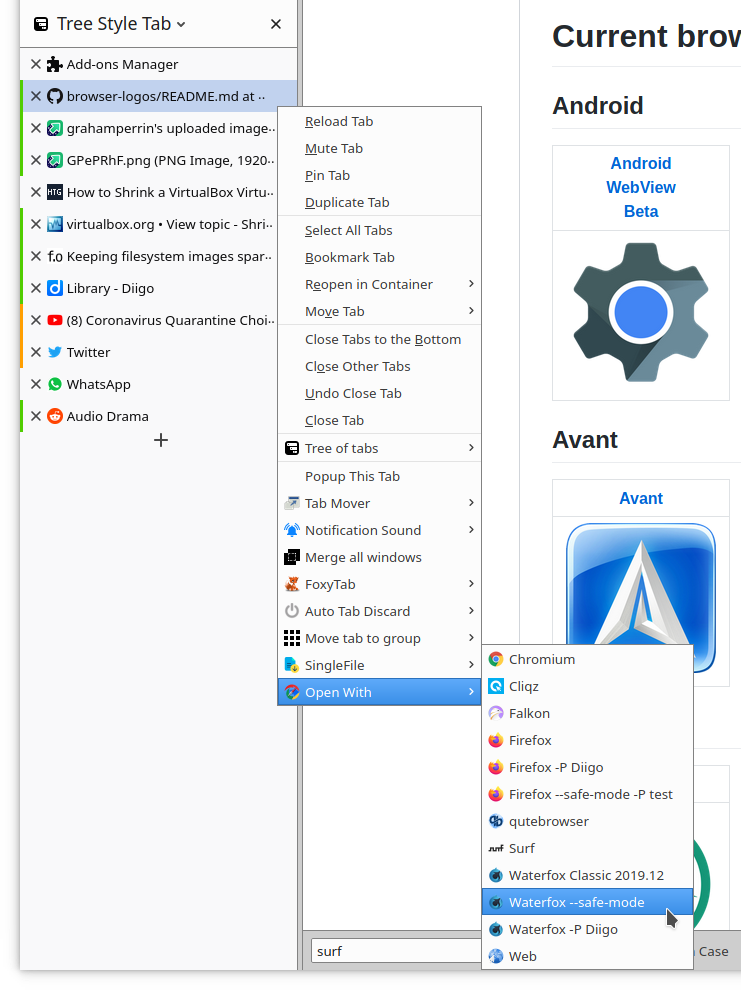
Extensions such as Open With –
grahamperrin
on 29 Mar 2020
Related issues
 laniakea64
·
3Comments
laniakea64
·
3Comments
 Kallinteris-Andreas
·
3Comments
Kallinteris-Andreas
·
3Comments
 9jkh
·
4Comments
9jkh
·
4Comments
 ATRescue
·
3Comments
ATRescue
·
3Comments
 GitCurious
·
3Comments
GitCurious
·
3Comments
Most helpful comment
Please get rid of the "Classic" red bar on the icon altogether. If anything stick it on the newer/less capable builds of Waterfox so people know extensions (and therefore the browser) won't work. I seriously thought I was having some sort of video or Explorer corruption at the end of my day. I really like the latest icon for Waterfox in general and it works well with Notepad++, Advanced Find and Replace, Hoo WinTail, HeidiSQL and FileZilla icons. Just get rid of that red bar please. It feels like we're being "warned" like when nubs say, "O-M-G don't disable the page file!" Thank you in advance.