Waterfox: ipon.hu website completely broken under Waterfox Classic
Describe the bug
Blank tab is shown.
To Reproduce
Steps to reproduce the behavior:
Expected behavior
Functioning website
My configuration
- Device: PC
- OS: Windows 8.1
- Version: Classic 2020.02
Additional context
Adding a bogus user agent helps somewhat, though the website will lack some content.
Additionally in my main profile the website keeps refreshing constantly. I couldn't figure out why.
 mzso
mzso
All 21 comments
Please try 2020.02.1
 grahamperrin
on 1 Mar 2020
grahamperrin
on 1 Mar 2020
@grahamperrin So you haven't that problem?
 hawkeye116477
on 1 Mar 2020
hawkeye116477
on 1 Mar 2020
Installing now. In the meantime it seems reasonable to not continue with an outdated installation.
grahamperrin
on 1 Mar 2020
mzso
on 1 Mar 2020
My virtual machine just froze, before the freeze I got the site working with a Linux-specific UA override for Firefox 60.
Whilst I restart the VM here, please try this terse string for the site:
Firefox/60.0
grahamperrin
on 1 Mar 2020
Seems that works only if you make override for all sites, doesn't work only for ipon.hu.
hawkeye116477
on 1 Mar 2020
I have this at (for example) https://ipon.hu/shop/csoport/notebook-szamitogep/notebook with the terse string for https://ipon.hu/:
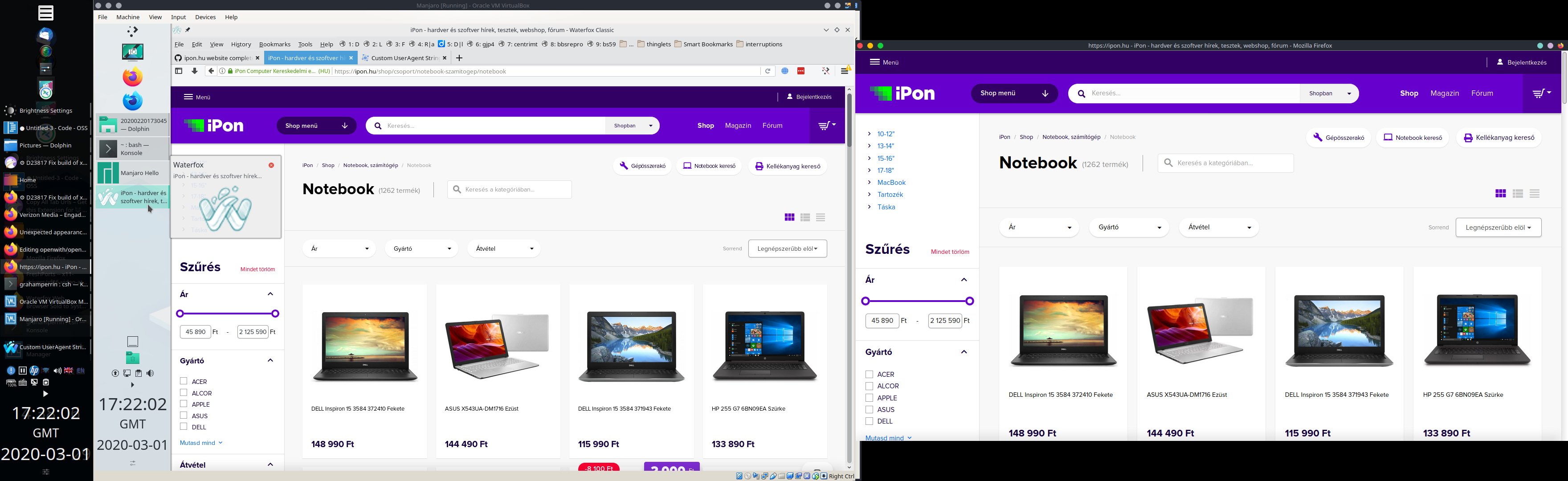
- Firefox on the screen to the right
2020.02.1onKubuntuManjaro Linux.
At a glance, window content appears the same on both screens. (Please, am I missing something?)
grahamperrin
on 1 Mar 2020
@grahamperrin commented on 2020. márc. 1. 18:09 CET:
My virtual machine just froze, before the freeze I got the site working with a Linux-specific UA override for Firefox 60.
Whilst I restart the VM here, please try this terse string for the site:
Firefox/60.0
Same result as with a random string for ipon.
@grahamperrin commented on 2020. márc. 1. 18:24 CET:
- Firefox on the screen to the right
2020.02.1on Kubuntu.At a glance, window content appears the same on both screens. (Please, am I missing something?)
Try the URL I shared. It has a blank recommened section and missing comments:
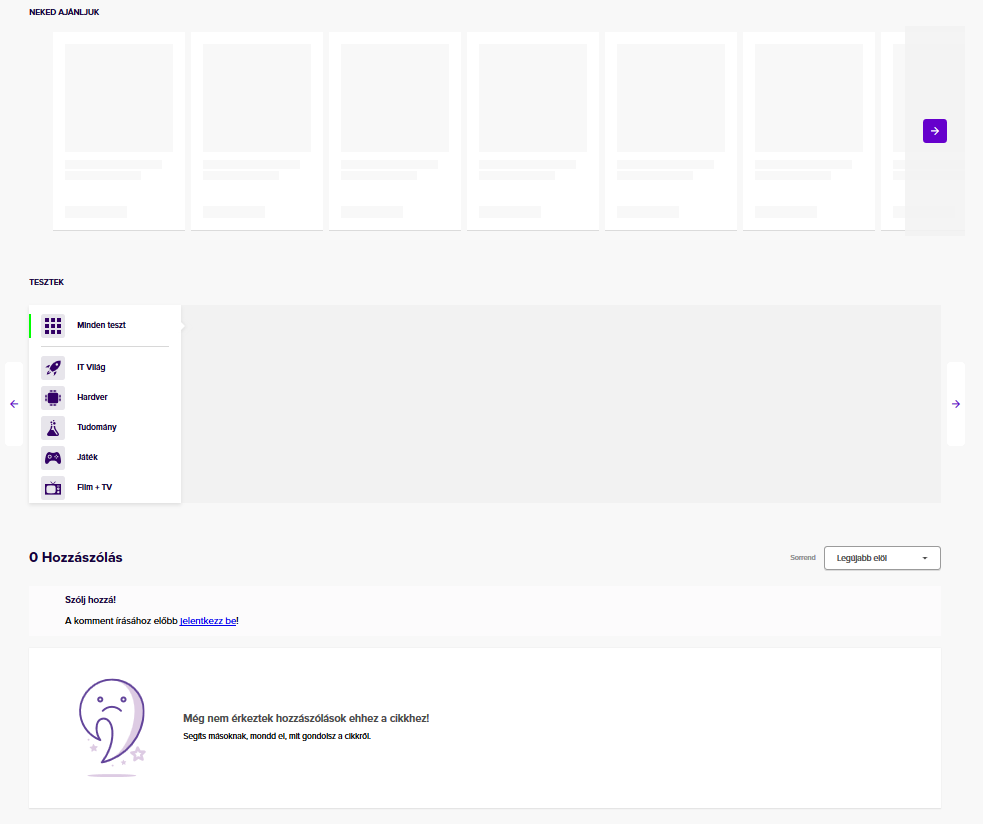 (Actually there are two comments)
mzso
on 1 Mar 2020
Thanks,
Try the URL I shared.
– that's where I began.
Seeing no difference there (at a glance), I clicked through to a different area of the site.
grahamperrin
on 1 Mar 2020
I have this at (for example) https://ipon.hu/shop/csoport/notebook-szamitogep/notebook with the terse string for https://ipon.hu/:
For me general.useragent.override.ipon.hu doesn't works, page looks broken, this only works if I use general.useragent.override .
hawkeye116477
on 1 Mar 2020
(Actually there are two comments)

Please visit:
Is the value false?
grahamperrin
on 1 Mar 2020
@hawkeye116477 a long shot (maybe irrelevant) … do you (also) have a CAPTCHA before the site can be visited?
grahamperrin
on 1 Mar 2020
@grahamperrin Yes, I have captcha.
hawkeye116477
on 1 Mar 2020
@grahamperrin commented on 2020. márc. 1. 18:46 CET:
(Actually there are two comments)
https://user-images.githubusercontent.com/192271/75630612-41a19100-5be4-11ea-9950-8f990026f9de.png
Please visit:
Is the value
false?
Yes. Should I change it to true? It seems to work on my test profile but I can hardly check with the main because the website still keeps reloading like crazy, and I can't figure out why.
(I get no captcha, maybe that's done for foreign IP-s.)
mzso
on 1 Mar 2020
Thanks,
Should I change it to true?
No, false is the default – is what I have here with the working views of the pages.
At this point I might normally suggest testing with a new profile (with the given UA override), however it's remarkable that _neither_ of you has a working view of the site.
grahamperrin
on 1 Mar 2020
Thanks,
Should I change it to true?
No,
falseis the default – is what I have here with the working views of the pages.At this point I might normally suggest testing with a new profile (with the given UA override), however it's remarkable that _neither_ of you has a working view of the site.
I was testing with a new profile. And setting it to true amusingly fixed the page. (Even for the main profile considering appearance. It just keeps crazily reloading, which I'm starting to suspect is a separate issue.)
mzso
on 1 Mar 2020
OK, maybe the site requires a different (more specific) override on Windows 8.1.
I just installed on Windows 10 …
grahamperrin
on 1 Mar 2020
Firefox/60.0 appears to work for me with Windows 10:
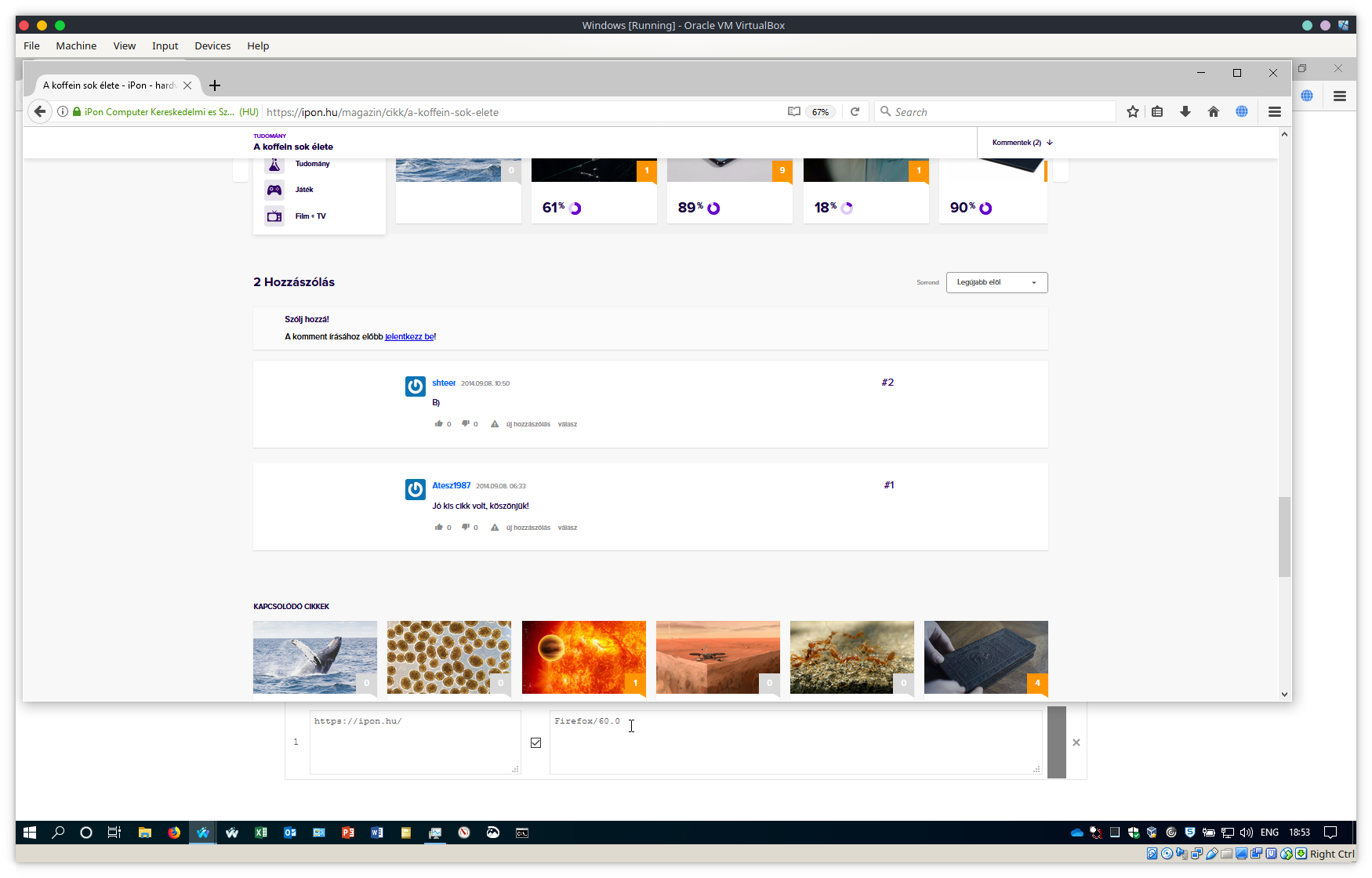
I'm vaguely reminded of an issue from a few months ago, I'll do some digging …
grahamperrin
on 1 Mar 2020
Towards an explanation for the _sense_ of randomness (inconsistent test results) …
Networking
IPv4 here at home.
Do either of you have IPv6 enabled?
(Waterfox aside: from maybe three or four years ago I have a vague memory of an issue that involved IPv6 and a content delivery network …)
grahamperrin
on 1 Mar 2020
@grahamperrin commented on 2020. márc. 1. 20:30 CET:
Towards an explanation for the _sense_ of randomness (inconsistent test results) …
Networking
IPv4 here at home.
Do either of you have IPv6 enabled?
(Waterfox aside: from maybe three or four years ago I have a vague memory of an issue that involved IPv6 and a content delivery network …)
I don't know. I don't think so. I don't think my ONT even supports ipv6
mzso
on 1 Mar 2020
I have IPv4.
Firefox/60.0 appears to work for me with Windows 10:
Seems that you used some extension, in case of browser's built-in settings, override for specific site doesn't works (https://github.com/MrAlex94/Waterfox/issues/1471#issuecomment-593124163).
Update: Now I get message that website owner banned me based on browser's signature....
hawkeye116477
on 1 Mar 2020
Related issues
 iGlitch
·
3Comments
iGlitch
·
3Comments
 empimp
·
4Comments
empimp
·
4Comments
 9jkh
·
4Comments
9jkh
·
4Comments
 Kallinteris-Andreas
·
3Comments
Kallinteris-Andreas
·
3Comments
 aquaspy
·
3Comments
aquaspy
·
3Comments
Most helpful comment
@grahamperrin commented on 2020. márc. 1. 17:42 CET:
No difference.