Waterfox: When logged in, Youtube homescreen does not load.
Describe the bug
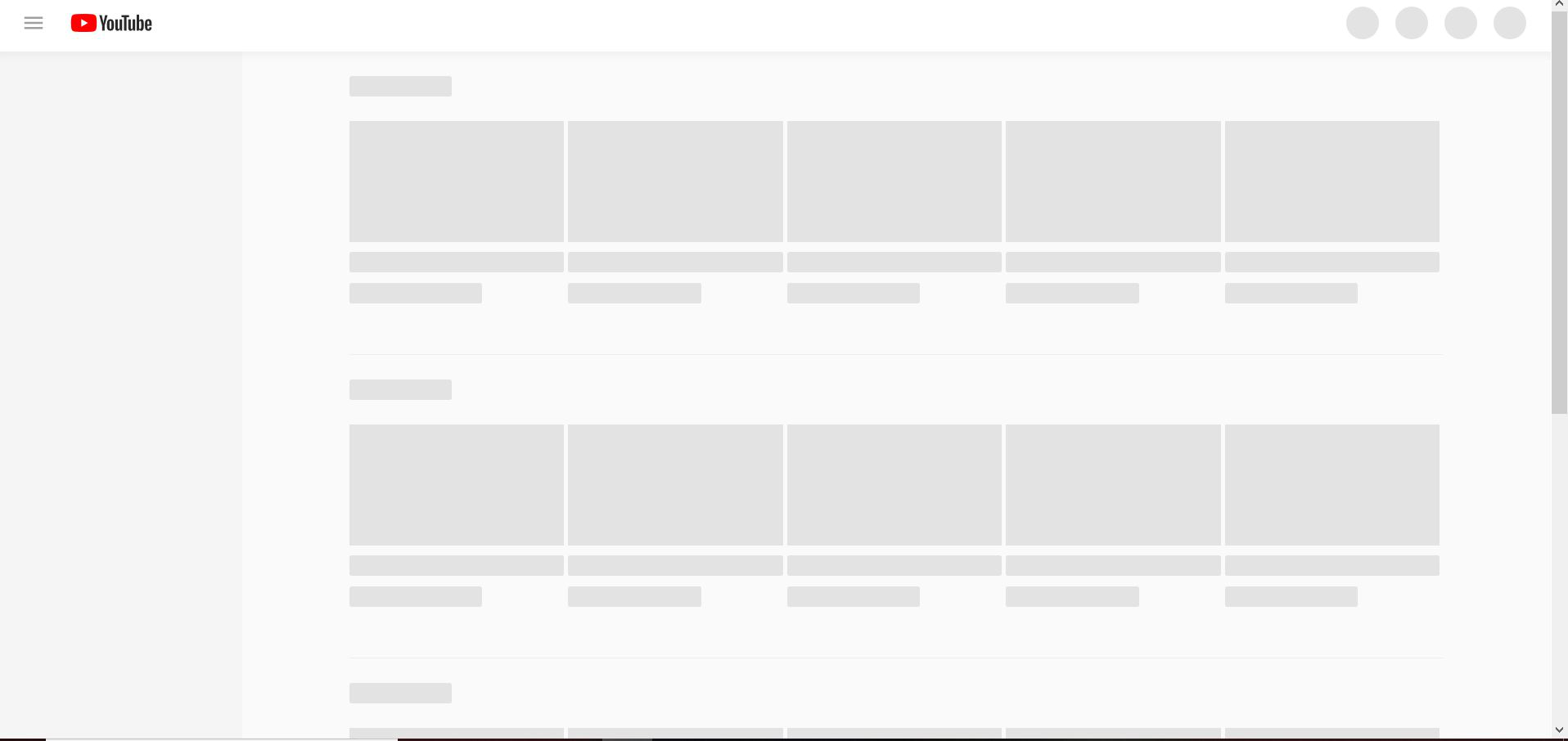
Youtube homescreen does not load. Loading placeholders are present but not intractable. Menu is also not intractable. Directly visiting a video lets you watch the video but the rest of the page is still not intractable. Web console gives TypeError: window.customElements is undefined and no other errors. This happens on both Windows 10 and OSX Mojave.
To Reproduce
Steps to reproduce the behavior:
- Go to youtube.com
- Log in with a Youtube account (not sure if it breaks for both types of accounts or just brand accounts)
- You should now not be able to interact with anything on the page or see any videos.
Expected behavior
The scripts on the page should load without incident and the page should be usable. This does not happen in Firefox. This is likely due to a change in google's scripts.
Screenshots
_uninteractable youtube_

Desktop (please complete the following information):
- OS: Windows 10, OSX Mojave
- Version: 56.2.7.1 (64-bit)
Additional context
Works in latest version of Firefox.
 cjfreeze
All 18 comments
Try this -
go to about:config
right-click > New > String
name: general.useragent.override
value: Mozilla/5.0 (Windows NT 10.0; Win64; x64; rv:60.0) Gecko/20100101 Firefox/60.0
Does the issue still persist?
 laniakea64
on 11 Mar 2019
laniakea64
on 11 Mar 2019
NB the unanswered question about feedback to YouTube:
Hint: before masking the problem, please consider sending feedback.
 grahamperrin
on 11 Mar 2019
grahamperrin
on 11 Mar 2019
@grahamperrin Thanks for the link.
@MrAlex94 I've seen two causes for the issue with Youtube.
One is UA sniffing. If Youtube sees UA string of Firefox 64 or above, it will sometimes serve a version of the page that requires Shadow DOM and Custom Elements API support. Waterfox doesn't have such support, and Firefox didn't have it until version 63.
The other cause is (I think) overzealous adblock filters that don't apply the same to all versions of the Youtube video page, but I thought that one was unique to my setup.
Based on console message mentioned by @cjfreeze, it looks like the UA sniffing one is what this issue is about.
laniakea64
on 11 Mar 2019
… adblock filters …
:+1:
https://www.reddit.com/comments/amsugb/-/ehv2qe4/ ▶ https://support.mozilla.org/questions/1236839
There, the chosen solution for YouTube bugged in Firefox was to disable:
the YouTube Adblock 2.2.2 extension
The topic continued with another user of Firefox reporting:
My adblock is off on Youtube - still the blank space instead of video
grahamperrin
on 11 Mar 2019
(In my case, I'm not using a dedicated Youtube adblock extension. I have a number of custom filters that tend to break some sites in this type way. Whereas Waterfox's _default_ UA says Firefox 65.0. Thus if my experience is something to go by here, people who have the issue with Youtube should check if they're affected by UA sniffing before messing with their (non-Youtube-specific) adblock type extensions.)
laniakea64
on 11 Mar 2019
https://www.reddit.com/comments/aztdus/-/eib71rl/:
This problem started over a year ago when youtube switched to polymer, and it is present in firefox as well. You can either change user agent (at least for youtube) to something other than firefox 38-6X or use modifier below https://www.youtube.com/?disable_polymer=true (you have to add
&disable_polymer=trueto subsites as well).
https://www.reddit.com/comments/ayjop0/-/ei43ry2/ includes some Polymer-related links …
… re: https://github.com/MrAlex94/Waterfox/issues/880#issuecomment-471753622 above I reckon, the Firefox parts of UA strings should be less expansive (should not infer 65). I'll add this to the checklist at #882
grahamperrin
on 12 Mar 2019
As of this morning with no changes to my setups Youtube now works on both Windows 10 and Mojave, I'll leave the issue open just in case but I no longer have the problem so feel free to close it if it is truly resolved.
cjfreeze
on 12 Mar 2019
I should mention in my case when Youtube was not working I tested it with all extensions disabled, so adblock was not the issue (though this may be a moot point now)
cjfreeze
on 12 Mar 2019
https://www.reddit.com/comments/amsugb/-/eftbujc/ (2019-02-05):
… not reproducible with Waterfox 56.2.7.1 on Windows 7 Enterprise. …
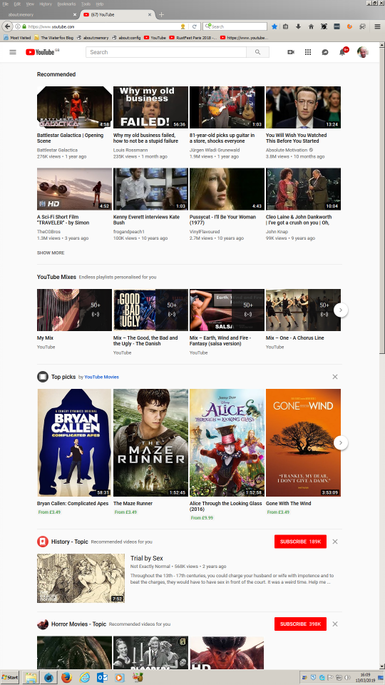
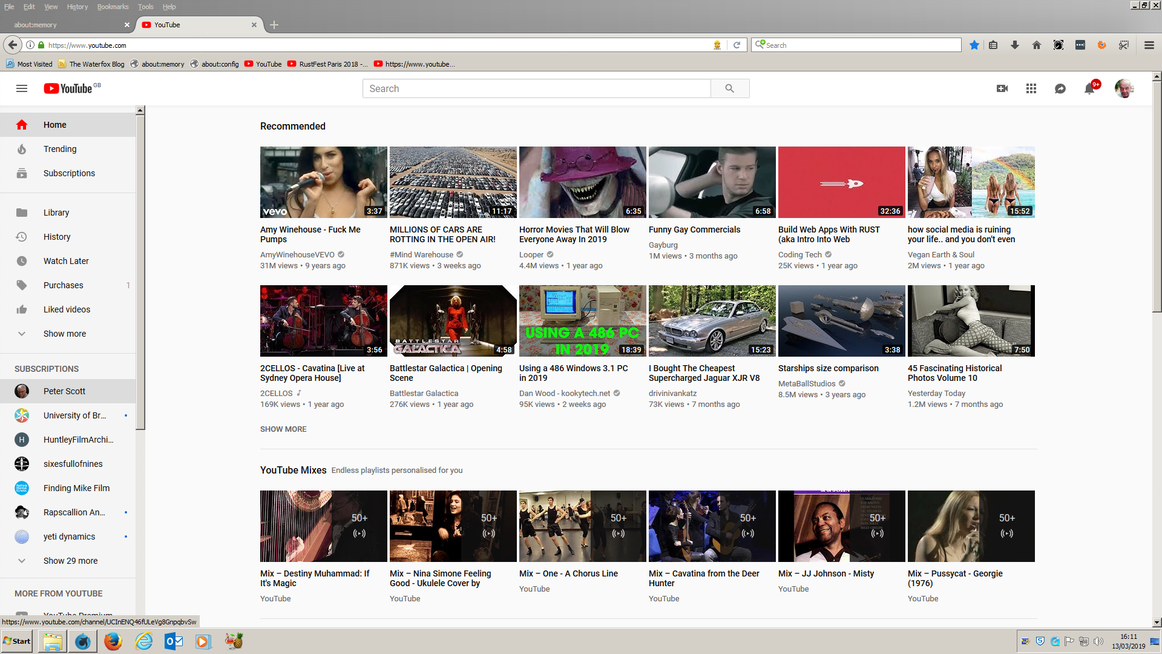
I re-tested today, whilst signed in to YouTube.
Still not reproducible for me:
grahamperrin
on 13 Mar 2019
@all : I was experiencing this issue with only ONE of my 3 YT accounts when logged in (macOS High Sierra 10.13.6, and macOS Mojave 10.14.3)!! I even created a new virgin account via Profile Manager with NO add-ons and verified that indeed only 1 account when logged in triggered this "skeleton masking", which is what it's called officially. Even when looking into the YT page's source code I was seeing "skeleton" and "mask" all over the place.
Solved or rather worked-around with the awesome add-on User-Agent Switcher and Manager (by Ray):
Mozilla/5.0 (Macintosh; Intel Mac OS X 10.13; rv:57.0) Gecko/20100101 Firefox/57.0
I wanted to stay as close as possible to Waterfoxe's v.56.x
However then there was a new issue: I could not edit my Github comments anymore (no kidding)!
Same with Firefox 59 as UA (there is no 58 in the list).
When picking a higher 60.x version of Firefox as global setting, both was working (YT, Github), but for now across Waterfox I simply want to stay with how MrAlex94 chooses to identify it, which as of 56.2.7.1 is
Mozilla/5.0 (Macintosh; Intel Mac OS X 10.13; rv:65.0) Gecko/20100101 Firefox/65.0 Waterfox/56.2.7
So via Ray's User-Agent Switcher and Manager Options: White-list Mode: youtube.com
--> both work, YT and Github editing my comments :)
I don't have time right now for narrowing down which segment of the UA string YT depreciates, but maybe one of you folks do and can share, so for the next WF release, MrAlex94 can use a YT AND Github comment editing friendly US string.
Also I have not tested if an older version of WF - which would need to use a different UA - is fully YT AND Github compatible.
 LeeBinder
on 13 Mar 2019
LeeBinder
on 13 Mar 2019
Github
Best to keep the requirements for GitHub separate from the requirements for YouTube.
grahamperrin
on 13 Mar 2019
YouTube with Waterfox 56.2.8
@cjfreeze please:
- install (or update to) 56.2.8
- if you previously set a user agent string for YouTube, cease the override
- tell whether things are better with 56.2.8
– thanks.
If you do find a problem, please state:
- the version of Waterfox
- the operating system
- the version of the OS
- the address where the problem occurred.
grahamperrin
on 15 Mar 2019
@grahamperrin @MrAlex94 YEEHAAH, with 56.2.8 (installed manually because in Waterfox 56.2.7.1 Mac/ About, it still read "Waterfox is up to date") and UA-Switcher disabled: YouTube working again when logged in, and Github comment editing still working, too 👍
Verified via https://google.com/search?q=display+user+agent:
Mozilla/5.0 (Macintosh; Intel Mac OS X 10.13; rv:60.0) Gecko/20100101 Firefox/60.0
Also: wow what an AWESOME new logo!! the W as a blue watery wave with depth and perspective, the fox face worked in smoothly and beautifully, lively colors and even a slight green tint on the left. That graphics designer (who is it ?) deserves a gold🥇 !
LeeBinder
on 15 Mar 2019
Thanks for the follow up 👍
Re: the logo, I quoted you at https://www.reddit.com/comments/asb7hg/-/eime65l/
@cjfreeze if you, too, find that things are OK now with YouTube, you can close this issue (the button below).
grahamperrin
on 15 Mar 2019
@mzso I can't post links to Disqus so in response to your https://disqus.com/home/discussion/waterfox/waterfox_680a1_release_waterfox_web_browser/#comment-4467552164 please ▲ see above and ▶ comments such as https://www.reddit.com/comments/ayjop0/-/ei1i6pm/ re: A/B testing.
grahamperrin
on 18 May 2019
@mzso I can't post links to Disqus so in response to your https://disqus.com/home/discussion/waterfox/waterfox_680a1_release_waterfox_web_browser/#comment-4467552164 please ▲ see above and ▶ comments such as https://www.reddit.com/comments/ayjop0/-/ei1i6pm/ re: A/B testing.
Thanks.
 mzso
on 18 May 2019
mzso
on 18 May 2019
@cjfreeze can you confirm that Waterfox 56.2.10 fixes this issue for you?
Thanks
Postscript
For reference only, from Waterfox 56.2.10 Release | Waterfox Web Browser:
… Waterfox has now updated its user agent … should also fix issues with Google doing A/B testing on YouTube …
grahamperrin
on 18 May 2019
Resolved, thanks!
cjfreeze
on 20 May 2019
Related issues
 iGlitch
·
3Comments
iGlitch
·
3Comments
 9jkh
·
4Comments
9jkh
·
4Comments
 empimp
·
4Comments
empimp
·
4Comments
 GitCurious
·
3Comments
grahamperrin
·
3Comments
GitCurious
·
3Comments
grahamperrin
·
3Comments
Most helpful comment
@grahamperrin @MrAlex94 YEEHAAH, with 56.2.8 (installed manually because in Waterfox 56.2.7.1 Mac/ About, it still read "Waterfox is up to date") and UA-Switcher disabled: YouTube working again when logged in, and Github comment editing still working, too 👍
Verified via https://google.com/search?q=display+user+agent:
Mozilla/5.0 (Macintosh; Intel Mac OS X 10.13; rv:60.0) Gecko/20100101 Firefox/60.0Also: wow what an AWESOME new logo!! the W as a blue watery wave with depth and perspective, the fox face worked in smoothly and beautifully, lively colors and even a slight green tint on the left. That graphics designer (who is it ?) deserves a gold🥇 !