Waterfox: Devtools dark theme makes scrollbars invisible
Waterfox 56.0.4.1, new profile
Xubuntu 16.04 64-bit
Greybird GTK theme
Steps to reproduce:
1) on the Waterfox blog page that opens at startup, open the devtools
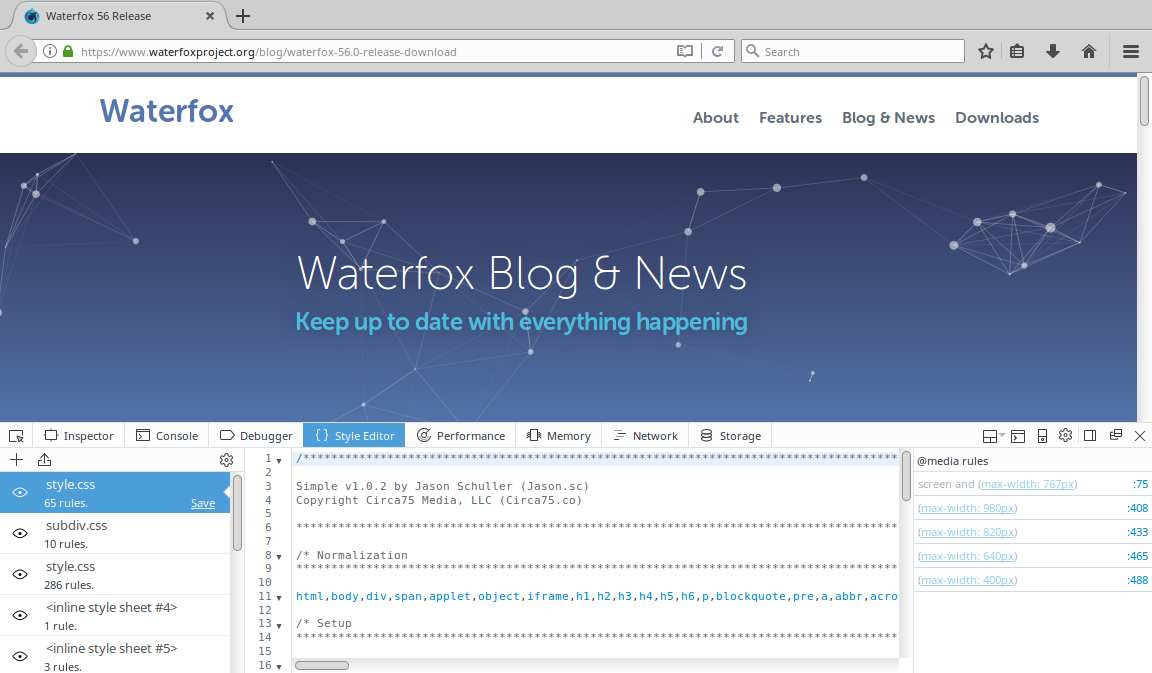
2) open the Style Editor. Notice there are vertical and horizontal scrollbars.
3) Open devtools settings and change the devtools theme to Dark
4) Go back to the Style Editor
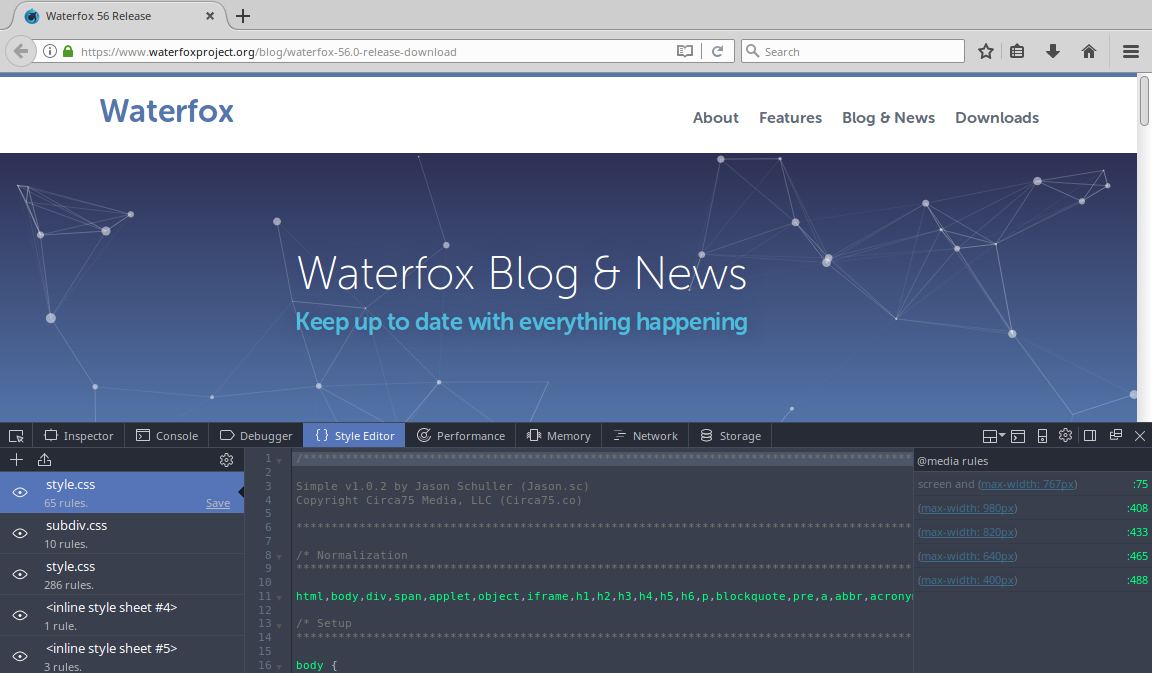
Expected results: vertical and horizontal scrollbars visible in the Style Editor
Actual results: Style Editor's vertical and horizontal scrollbars are invisible. They are still there though - clicking/dragging the mouse where the scrollbars should be, does produce expected scrollbar behavior.
 laniakea64
All 7 comments
… Waterfox blog page …
Can you reproduce the issue elsewhere?
There may be something unusual about that page, it features in a bug that involves an experimental legacy extension:
- Scrollmap 0.9 disappears after loading www.waterfoxproject.org/blog/ · Issue #15 · vovcacik/scrollmap
– as far as I can tell, not an issue with any Waterfox blog page at the staging site.
 grahamperrin
on 4 Mar 2018
grahamperrin
on 4 Mar 2018
Yes, I can reproduce it no matter what page I'm on when I open devtools.
In case it wasn't clear, this affects all scrollbars in the devtools, and only the scrollbars within devtools. Other scrollbars are not affected.
laniakea64
on 4 Mar 2018
Sorry! I misread. You were clear. I thumbed down my own comment :-)
grahamperrin
on 4 Mar 2018
Can you attach a screenshot? Maybe you didn't look hard enough.
 jbeich
on 4 Mar 2018
jbeich
on 4 Mar 2018
Screen shot of light theme -
Screen shot of dark theme -
laniakea64
on 4 Mar 2018
It's GTK theme dependent. With Adwaita GTK theme the scrollbars are visible, although hard to see.
laniakea64
on 5 Mar 2018
In Xubuntu 18.04 with Greybird GTK theme, the devtools dark theme scrollbars are visible.
I think this may not be a Waterfox issue. Sorry about this.
laniakea64
on 1 Apr 2018
Related issues
 GitCurious
·
3Comments
GitCurious
·
3Comments
 hook321
·
4Comments
hook321
·
4Comments
 foreachthing
·
3Comments
foreachthing
·
3Comments
 ATRescue
·
3Comments
GitCurious
·
3Comments
ATRescue
·
3Comments
GitCurious
·
3Comments