Walletwasabi: Lurking Wife Mode not hiding sensible data
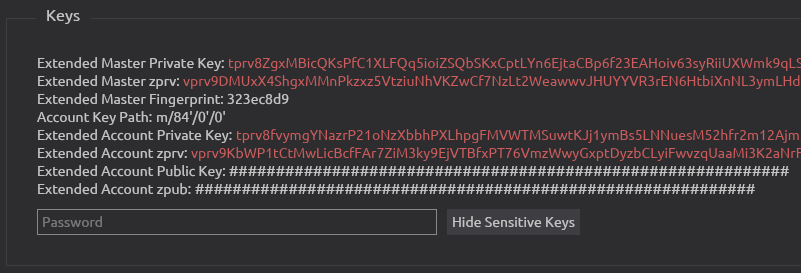
All 11 comments
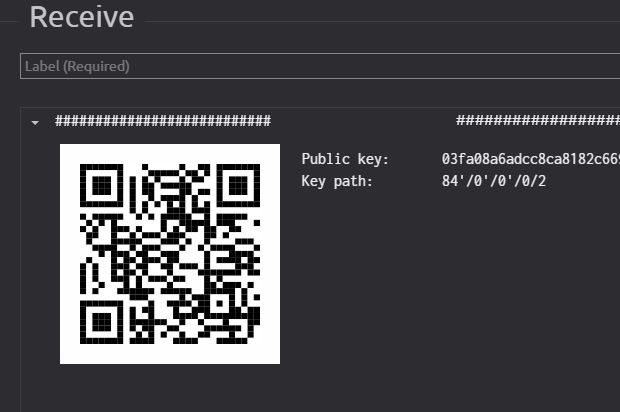
Receive tab: we should hide the QRCode of the address and the public key.
 yahiheb
on 11 Sep 2019
yahiheb
on 11 Sep 2019
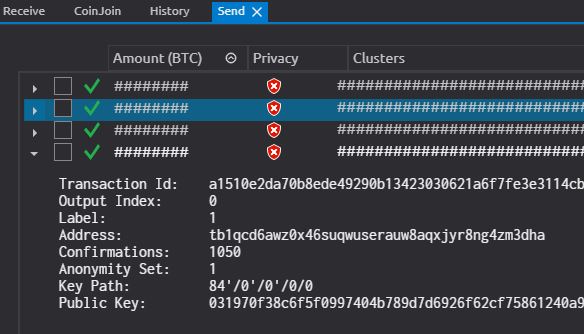
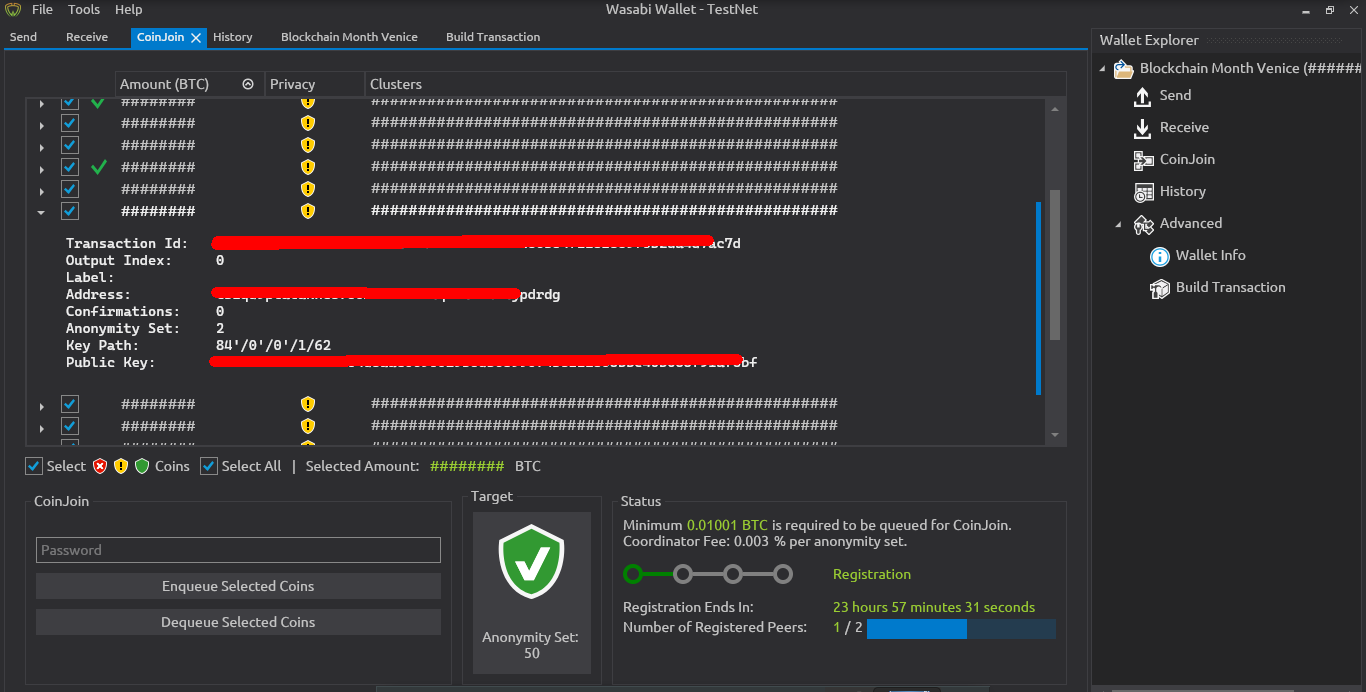
Send tab and CoinJoin tab: we should hide the info when we expand the coin's details.
yahiheb
on 11 Sep 2019
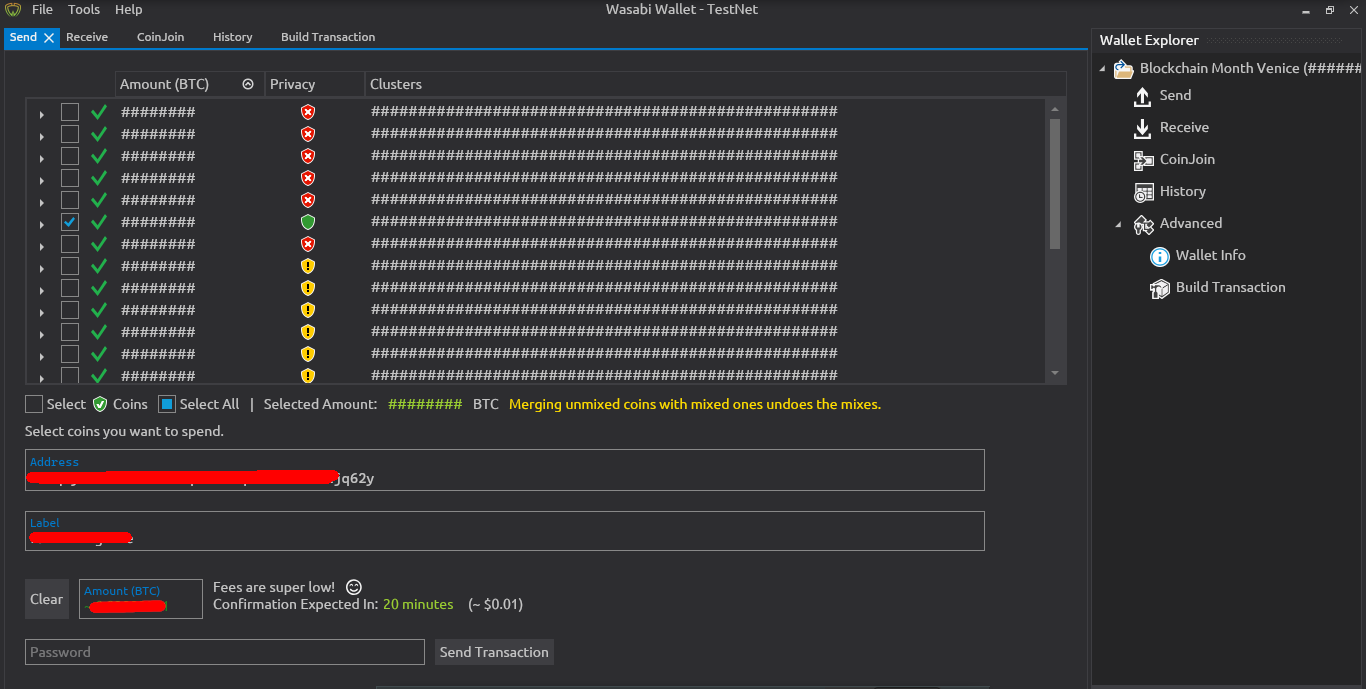
Send tab: When sending a transaction the selected amount is hidden but when you type the amount to be sent or you click max the amount is not hidden.

yahiheb
on 11 Sep 2019
Send tab: Also when typing an address or a label it should be hidden.

yahiheb
on 11 Sep 2019
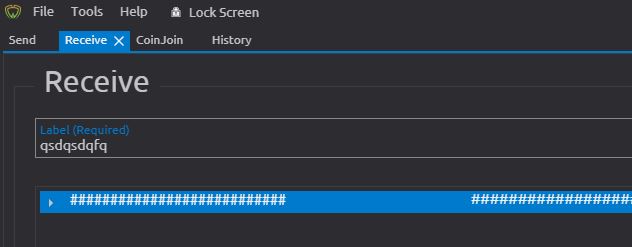
Receive tab: when typing a label it should be hidden.
yahiheb
on 11 Sep 2019
Everything has been discussed extensively previously.
As reported by @lontivero here the most critical info is not hidden.
Receive tab: we should hide the QRCode of the address and the public key.
Send tab and CoinJoin tab: we should hide the info when we expand the coin's details.
The user specifically requested these informations to be seen. This overrides the the Lurking Wife Mode hiding.
Send tab: When sending a transaction the selected amount is hidden but when you type the amount to be sent or you click max the amount is not hidden.
Send tab: Also when typing an address or a label it should be hidden.
Receive tab: when typing a label it should be hidden.
In Lurking Wife Mode the wallet should still be usable.
 nopara73
on 11 Sep 2019
nopara73
on 11 Sep 2019
In Lurking Wife Mode the wallet should still be usable.
I am not sure how can one really use the wallet to send transactions if Lurking Wife Mode is enabled.
For example if I want to send bitcoin how can I determine which coin to select if the label is hidden?
yahiheb
on 11 Sep 2019
It is intended to use it in public areas like coffee places. Run CoinJoin in the background without compromising any information but you can still do some operation. For example, you can see the status of the CoinJoin or the shield next to your coin. Also, it is possible to enqueue.
About Send Tab: I agree with you it is hard to send in lurking wife mode but it is possible by turn off the LWM for a second and select the coin then turn it back. All other fields are small and hard to see by others and partial information leak.
The best in LWM is to hide the permanent information on the screen which is un-hideable by the user without minimizing Wasabi - like the CoinList and the Total Amount.
 molnard
on 12 Sep 2019
molnard
on 12 Sep 2019
I thought I had found a bug for 1.1.10, but apparently it has already been reported here. I add myself by sharing my thoughts:
Lurking Wife Mode does not cover important infos during the detailed view of a UTXO (we should hide labels that are marked with red
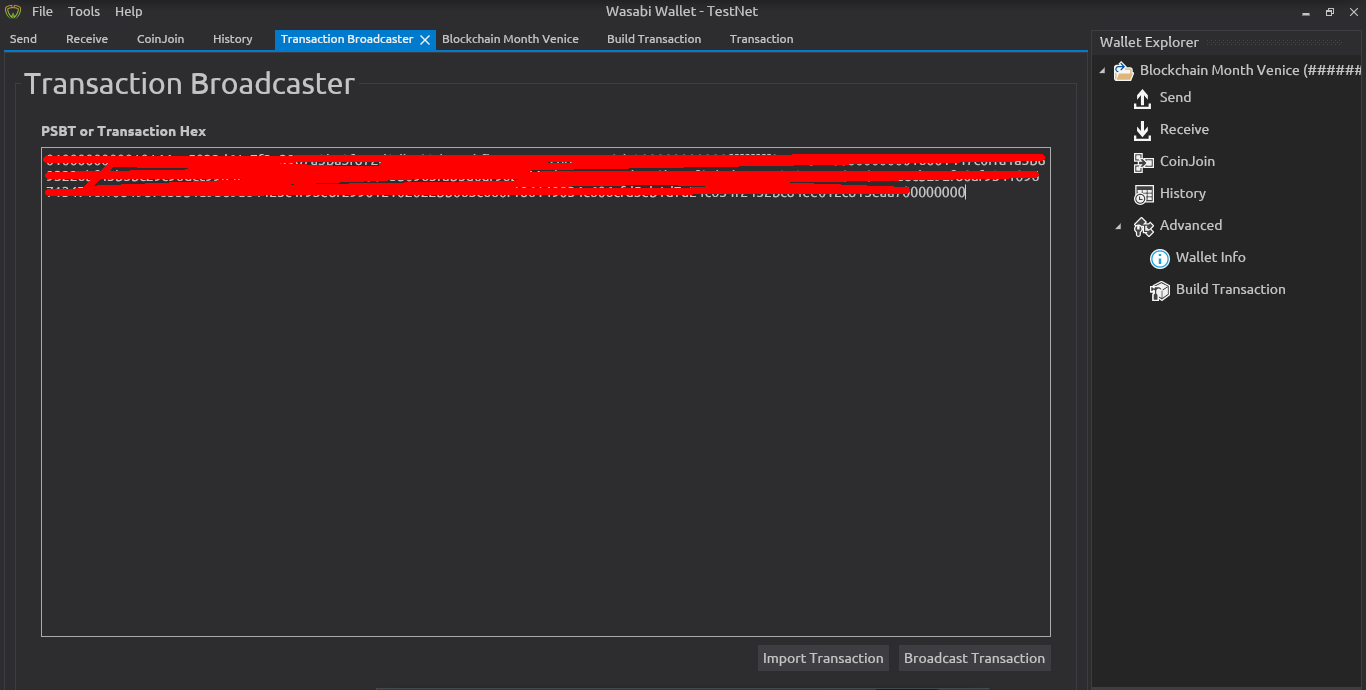
Same for Broadcast Transaction tab:
 RiccardoMasutti
on 6 Dec 2019
RiccardoMasutti
on 6 Dec 2019
I agree with @yahiheb and @RiccardoMasutti that LVM should be more inclusive and cover for example also the QR or dropdown menu.
Both get 1 point.
 MaxHillebrand
on 8 Dec 2019
MaxHillebrand
on 8 Dec 2019
@MaxHillebrand For the record, this is an issue from September, in fact this is an issue from much earlier. So I'd suggest not to rehash old arguments.
nopara73
on 8 Dec 2019
Related issues
MaxHillebrand
·
3Comments
 gabridome
·
3Comments
gabridome
·
3Comments
 2pac1
·
3Comments
2pac1
·
3Comments
 UkolovaOlga
·
3Comments
yahiheb
·
3Comments
UkolovaOlga
·
3Comments
yahiheb
·
3Comments
Most helpful comment
It is intended to use it in public areas like coffee places. Run CoinJoin in the background without compromising any information but you can still do some operation. For example, you can see the status of the CoinJoin or the shield next to your coin. Also, it is possible to enqueue.
About Send Tab: I agree with you it is hard to send in lurking wife mode but it is possible by turn off the LWM for a second and select the coin then turn it back. All other fields are small and hard to see by others and partial information leak.
The best in LWM is to hide the permanent information on the screen which is un-hideable by the user without minimizing Wasabi - like the CoinList and the Total Amount.