Wails: Command Fails in windows OS for folders with space in their name
Description
Hi, when try to build when with wails it fails with message of "'C:UsersOmar' is not recognized as an internal or external command" , operable program or batch file.
since my home folder is 'C:UsersOmar Junaibi' i assumed it is related to space.
To Reproduce
Steps to reproduce the behaviour:
Run 'wails build' within directory structure with folder name that has space
Expected behaviour
Build Application
Screenshots
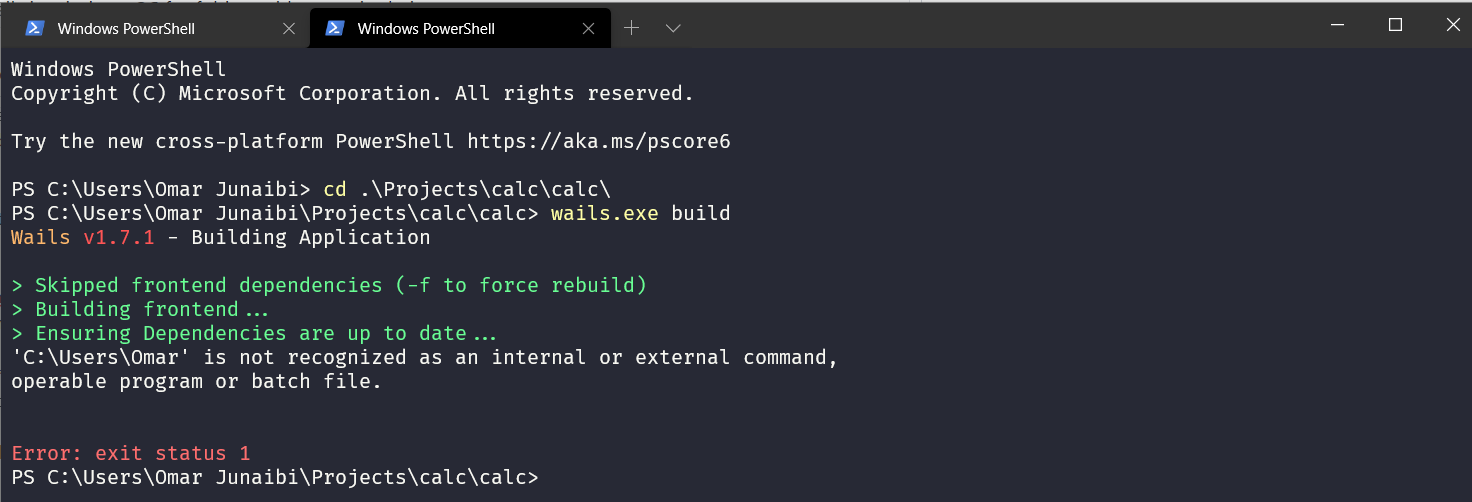
System Details
| Name | Value |
| ----- | ----- |
| Wails Version | v1.7.1 |
| Go Version | go1.14.3 |
| Platform | windows |
| Arch | amd64 |
| GO111MODULE | (Not Set) |
| GCC | 9.2.0 |
| Npm | 6.14.5 |
| Node | v14.3.0|
 omajDev
All 7 comments
Yeah interesting. The paths we get are from using exec.LookPath, however those shouldn't be installed in your profile path. I will check today or tomorrow. I have a feeling this may be related to this code:
func (p *ProgramHelper) RunCommand(command string) error {
    args := strings.Split(command, " ")
    return p.RunCommandArray(args)
}
 leaanthony
on 5 Sep 2020
leaanthony
on 5 Sep 2020
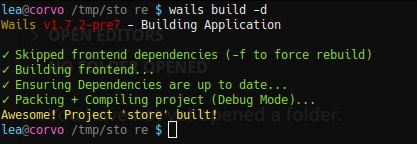
Can confirm this doesn't occur on Linux:
leaanthony
on 6 Sep 2020
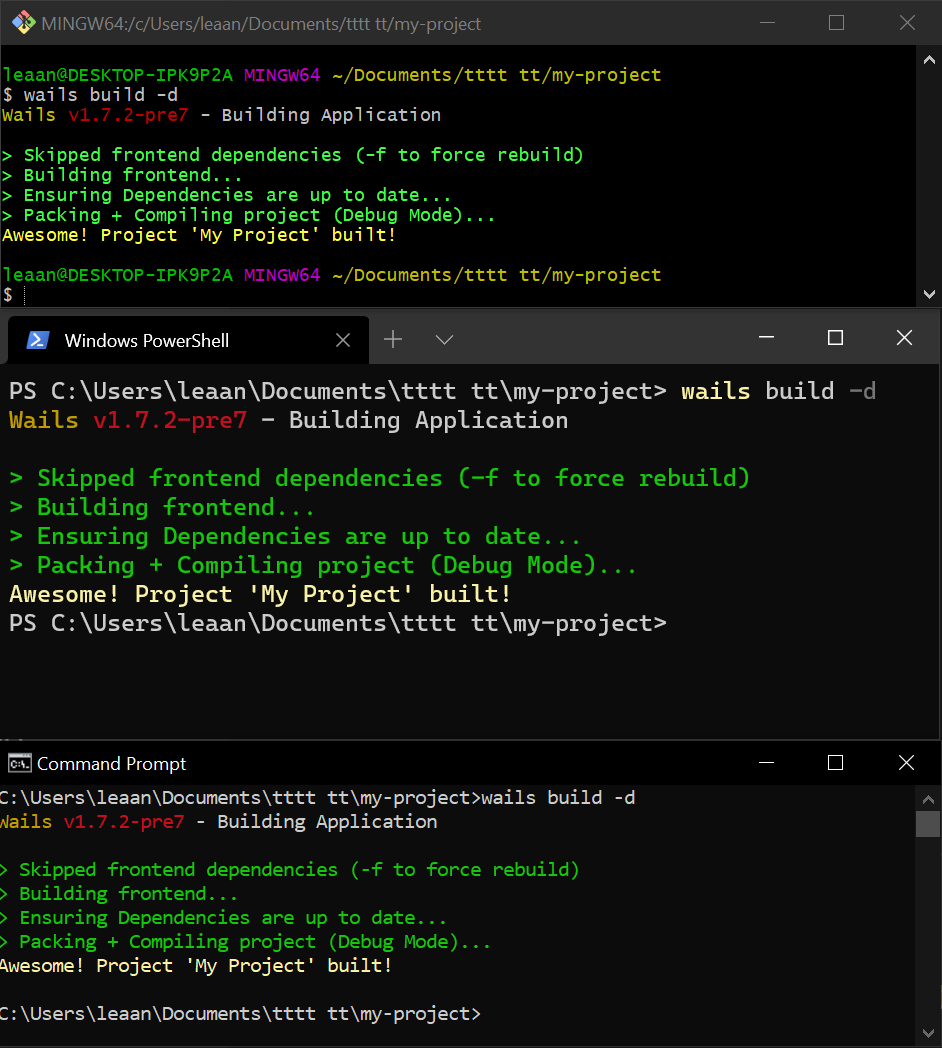
I'm unable to reproduce this. I tried in git bash, powershell and command prompt:
leaanthony
on 6 Sep 2020
I've been able to replicate this, I get the same issues as reported when I have a space in my User Profile Directory. Spaces in sub-directories have no impact, but definitely causing problems if it's in the User Profile directory. Bit of google-fu showed me that it seems to be a problem with npx specifically: https://github.com/npm/npx/issues/14
Edited my User Profile to remove the space and fix a bunch of registry entries and now this works for me.
 tingspace
on 5 Oct 2020
tingspace
on 5 Oct 2020
Thanks for reporting this info! How can we bet warn people about this? Would love to update the docs with a fix.
leaanthony
on 5 Oct 2020
If it were me, I'd just add a note to the Windows Getting Started page under the npm header with a link to the npx issue for clarity, there are some workarounds in the thread and linked issues that people could try.
I opted for not wanting a space in my User Profile entirely which isn't the only way around this.
tingspace
on 7 Oct 2020
I have added the suggested note to the docs as suggested 👍
leaanthony
on 25 Oct 2020
Related issues
 pedzed
·
7Comments
pedzed
·
7Comments
 intelwalk
·
4Comments
leaanthony
·
3Comments
intelwalk
·
4Comments
leaanthony
·
3Comments
 kelus
·
6Comments
kelus
·
6Comments
 VladislavSournine
·
5Comments
VladislavSournine
·
5Comments
Most helpful comment
If it were me, I'd just add a note to the Windows Getting Started page under the npm header with a link to the npx issue for clarity, there are some workarounds in the thread and linked issues that people could try.
I opted for not wanting a space in my User Profile entirely which isn't the only way around this.