Wagtail: Wagtail admin explorer menu broken on Chrome browser after upgrading to Wagtail 1.11
A summary of the issue.
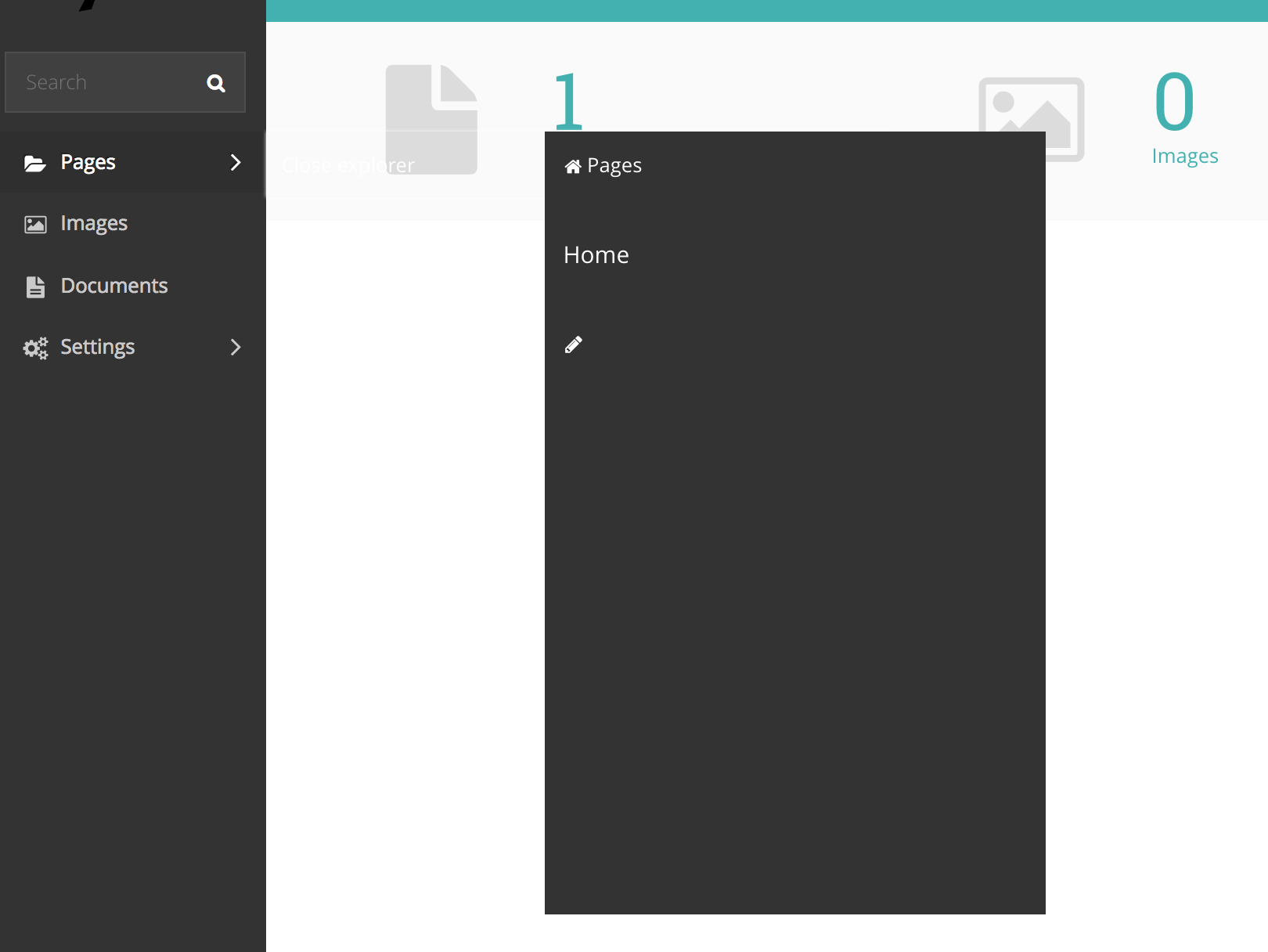
I do not see this issue on IE, Firefox, Safari browsers.
Steps to Reproduce
- Start a new project with
wagtail start myprojectwith old version of Wagtail, I am on 1.10.1 - Upgrade to Wagtail 1.11
- Login to Wagtail admin and try to use explorer menu.
Technical details
- Python version: Python 2.7.12
- Django version: 1.11.3
- Wagtail version: 1.11
- Browser version: http://www.whatsmybrowser.org/b/PJ6DP5Q, Chrome 58
 contactr2m
All 3 comments
Experiencing this as well on ChromeVersion 59.0.3071.115 (Official Build) (64-bit) and Ubuntu 17.04.
It's worth noting that the links on the main page (outside the explorer box) are clicked when attempting to click something on the box itself (acts like a z-index issue).
 iansprice
on 5 Jul 2017
iansprice
on 5 Jul 2017
Thanks for reporting this. Could you validate if this problem still persists after clearing the browser cache?
We have tested the new explorer quite extensively and my only guess is that some of the static files are still being served from the browsers' cache.
 jjanssen
on 5 Jul 2017
jjanssen
on 5 Jul 2017
Closing this.. stupid of me to report even before checking simple options.
PS: Clearing the browser cache solves this problem.
contactr2m
on 5 Jul 2017
Related issues
 allcaps
·
3Comments
allcaps
·
3Comments
 Braintelligence
·
3Comments
Braintelligence
·
3Comments
 coredumperror
·
3Comments
coredumperror
·
3Comments
 soar
·
3Comments
soar
·
3Comments
 gasman
·
3Comments
gasman
·
3Comments
Most helpful comment
Thanks for reporting this. Could you validate if this problem still persists after clearing the browser cache?
We have tested the new explorer quite extensively and my only guess is that some of the static files are still being served from the browsers' cache.