Wa-automate-nodejs: Requesting a QR CODE read again after restarting the process
Describe the bug
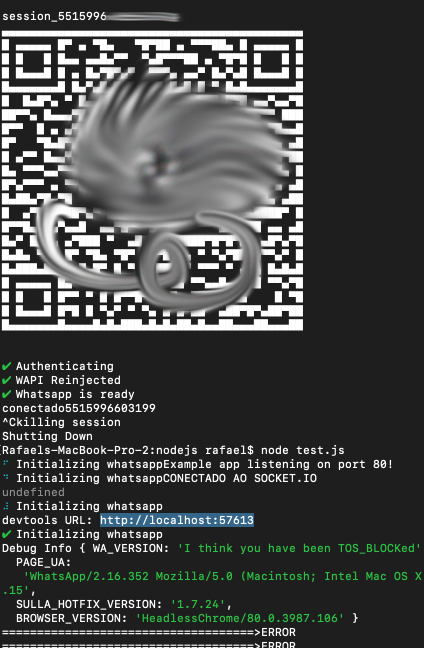
After the initialization of the example code in the "demo" I can read the QR CODE. When I finish the process and open again the session is not recovered generating an error or asking for the QR CODE again.
With the new update now the QR CODE keeps asking whenever the process starts again.
Debug Info {
WA_VERSION: '0.4.930',
PAGE_UA: 'WhatsApp / 0.4.613 Mozilla / 5.0 (Macintosh; Intel Mac OS X 10_15_2) AppleWebKit / 537.36 (KHTML, like Gecko) Chrome / 79.0.3945.88 Safari / 537.36',
SULLA_HOTFIX_VERSION: '1.7.26',
BROWSER_VERSION: 'HeadlessChrome / 80.0.3987.116'
}
Steps to Reproduce
- start the demo once and read the qr code
- end the process and start again
 rafael-sarti
All 10 comments
Are you using the same session name? Or aren't you disconnecting from Whatsapp web from your phone? Or using the same number for another session simultaneously?
 mcavazotti
on 21 Feb 2020
mcavazotti
on 21 Feb 2020
@rafael-sarti thanks, this is much clearer. I'm actually having this problem also. IDK what's going on. What's your operating system? Also, please share your create code.
 smashah
on 21 Feb 2020
smashah
on 21 Feb 2020
@mmc16 I'm not using two sessions :(
rafael-sarti
on 22 Feb 2020
@smashah I'm using demo / server.js to test if the error replicates. My operating system under development is OSX Catalina and in the production environment the same problem occurs as Ubuntu 18
rafael-sarti
on 22 Feb 2020
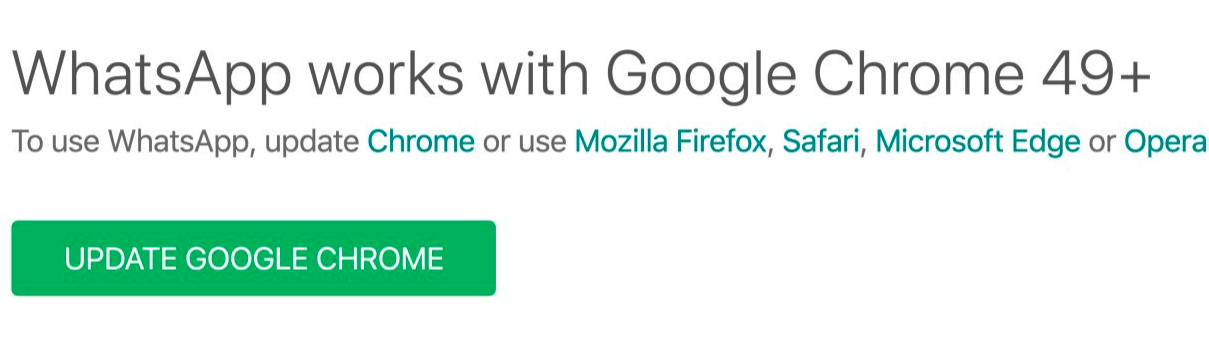
Update: It seems that he understands another browser not compatible at a time that returns the session. Have you tried some items? Support, does anyone know that I can recover a session?
rafael-sarti
on 29 Feb 2020
I discovered something very relevant by analyzing a similar project on github. They do the session just by keeping a JSON. Inside JSON it stores the following information.
{"WABrowserId": "\" 22 \ "", "WASecretBundle": "{\" key \ ": \" 2/2 = \ ", \" encKey \ ": \" 2 + 2 = \ ", \ "macKey \": \ "2/2 = \"} "," WAToken1 ":" \ "2 + 2/2 = \" "," WAToken2 ":" \ "1 @ / 2 + 2 == \" "}
Logically my data changed to number 2. Only with an inject is it possible to return to the session. See if this is evidence who understands the project better.
@smashah
rafael-sarti
on 2 Mar 2020
@rafael-sarti can you provide a link to that, please
smashah
on 2 Mar 2020
rafael-sarti
on 2 Mar 2020
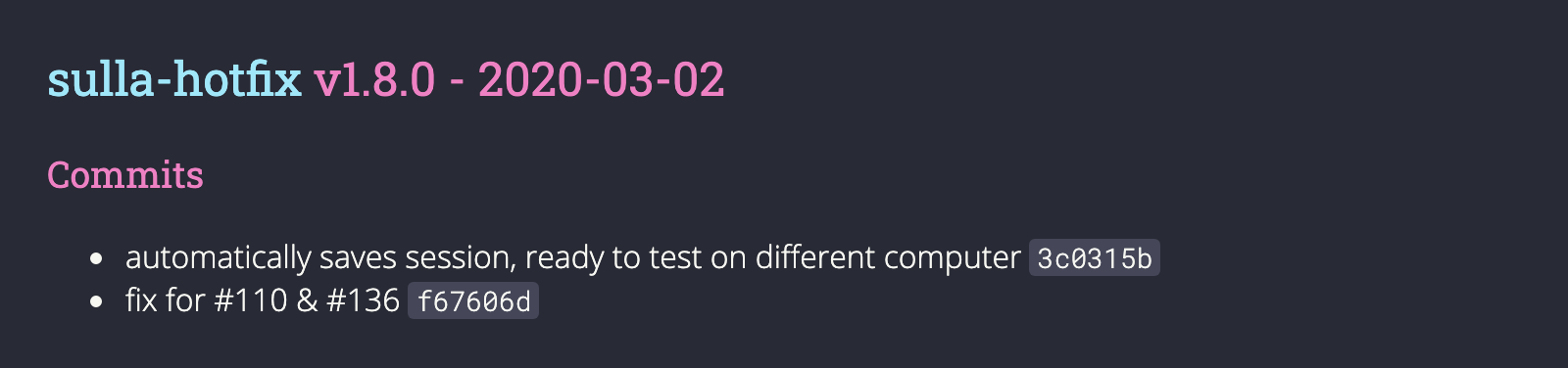
@rafael-sarti You're the MVP for the day. With your clue I was able to fix this issue. Thanks.
smashah
on 2 Mar 2020
@smashah, Thanks! Now it's 100% functional again :)
Uhuuuullll!!!
rafael-sarti
on 2 Mar 2020
Related issues
 phantom-limb
·
5Comments
phantom-limb
·
5Comments
 pedrogrisolia
·
4Comments
pedrogrisolia
·
4Comments
 renato-macedo
·
6Comments
renato-macedo
·
6Comments
 arisros
·
4Comments
arisros
·
4Comments
 jersonjunior
·
6Comments
jersonjunior
·
6Comments
Most helpful comment
@smashah, Thanks! Now it's 100% functional again :)
Uhuuuullll!!!