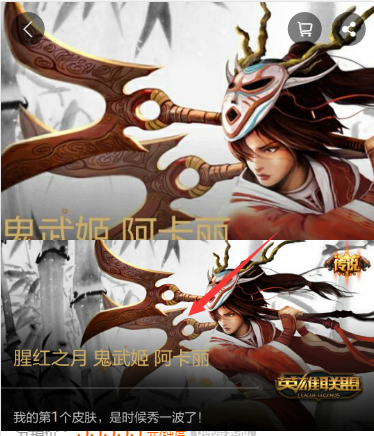
在项目中使用该组件,预览大图后再缩小回去的时候,会有一定概率整个app卡死,然后点什么都没有反应,需要重启。
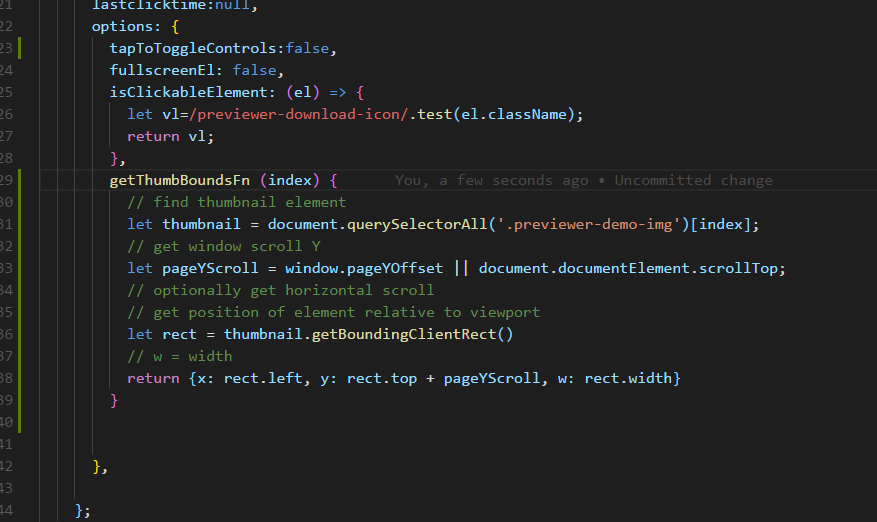
上代码:

 hezhiwen940420
All 4 comments
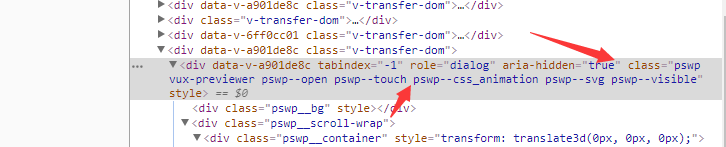
正常关闭aria-hidden="true" class="pswp vux-previewer ”;但卡死情况下,aria-hidden="true" ;class="pswp vux-previewer pswp--supports-fs pswp--open pswp--touch pswp--css_animation pswp--svg pswp--visible pswp--animated-in";引用的样式还是打开情况下的,怎么办
hezhiwen940420
on 1 Mar 2018
这个问题我也遇到过,整整做了一天,我用这个插件的时候 整个屏幕黑屏,无法继续操作,只能退出重启....但问题还是会出现....一打开 整个项目都崩了,无法恢复.... 这个可能是底层重绘,重排有关系....图片太大导致 页面乱七八糟的...
解决方法很简单,尽量不要把超大图片放进去,前端图片压缩是必备的...
我这里刚开始是5M左右的图片...压缩后300k,然后一切正常,很流畅...
我这是小米手机测得...不知道其它机器咋样...
 ErpanOmer
on 1 Mar 2018
ErpanOmer
on 1 Mar 2018
同怀疑是图片大小问题,可能要到 photoswipe 找下有没有相关 issue。
 airyland
on 1 Mar 2018
airyland
on 1 Mar 2018
我也遇到这个问题,图片也用了楼上的压缩思路,顺便加了个更保险的关闭的时候再查下class
<previewer :list="previewList" ref="previewer" @on-close="closePre"></previewer>
closePre() {
            if ($(this.$refs.preWrap).find('.pswp--open').length > 0) {
                $(this.$refs.preWrap).find('.pswp--open').removeClass('pswp--open')
                console.log('removeClass')
            }
        },
 Henry-Lixy
on 3 Aug 2018
Henry-Lixy
on 3 Aug 2018
Related issues
 felixjing
·
4Comments
felixjing
·
4Comments
 mymmoonoa
·
4Comments
mymmoonoa
·
4Comments
 chengjs
·
4Comments
chengjs
·
4Comments
 RenShine
·
4Comments
RenShine
·
4Comments
 prettybot
·
3Comments
prettybot
·
3Comments
Most helpful comment
这个问题我也遇到过,整整做了一天,我用这个插件的时候 整个屏幕黑屏,无法继续操作,只能退出重启....但问题还是会出现....一打开 整个项目都崩了,无法恢复.... 这个可能是底层重绘,重排有关系....图片太大导致 页面乱七八糟的...
解决方法很简单,尽量不要把超大图片放进去,前端图片压缩是必备的...
我这里刚开始是5M左右的图片...压缩后300k,然后一切正常,很流畅...
我这是小米手机测得...不知道其它机器咋样...