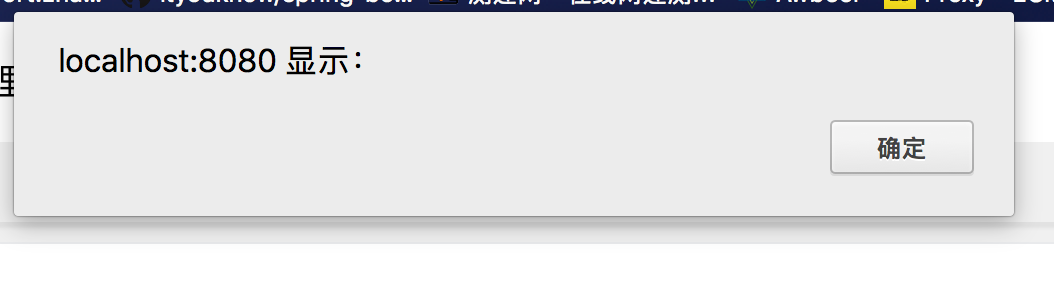
Vuex-persistedstate: I have used js-cookie in vuex-persistedstate,but when I refresh my brower is not exist
mycomponent.vue
...
created(){
        alert(this.teacherId)
    },
computed:{
            ...mapState({
                teacherId: state=>state.teacher.teacherId
            })
    },
...
 ...mapActions([
            'setTeacherId'
        ]),
saveTeacher(){

     //设置老师id保存在内存中
     this.setTeacherId("111");
}
...
store.js
import Vue from 'vue'
import Vuex from 'vuex'
import Cookies from 'js-cookie'
import createPersistedState from 'vuex-persistedstate'

import teacher from './modules/teacher'

Vue.use(Vuex);

const store = new Vuex.Store({

    modules:{
       teacher
    },
    plugins: [createPersistedState({
        storage: {
          getItem: key => Cookies.get(key),
          setItem: (key, value) => Cookies.set(key, value, { expires: 3, secure: true }),
          removeItem: key => Cookies.remove(key)
        }
      })],
    state:{

    },
    mutations:{

    },
    actions: {

    }
});

export default store;
teacher.js
import Cookies from 'js-cookie'

export default {
    state:{
      teacherId:''
    },
    mutations:{
        SET_TEACHER_ID(state,teacherId){
          state.teacherId = teacherId;
        }
    },
    actions:{
      setTeacherId(context,teacherId){
        context.commit('SET_TEACHER_ID',teacherId);
      }
    }
  };
 zhangwei900808
All 14 comments
if I didnt use js-cookie is worked!
plugins: [createPersistedState()],
You set secure: true when creating a cookie, are you using an https connection?
 robinvdvleuten
on 29 Nov 2017
robinvdvleuten
on 29 Nov 2017
I have the same issue, only in chrome though, mozilla works fine. I'm using https in localhost.
export const vuexToken = new VuexPersistedState({
    key: 'token_id',
    paths: [
        'auth.token_id'
    ],
    storage: {
        getItem: key => Cookies.get(key),
        setItem: (key, value) => Cookies.set(key, value, { domain: `.${window.location.hostname}`, expires: 375 }),
        removeItem: key => Cookies.remove(key)
    }
})
 MadReal
on 29 Nov 2017
MadReal
on 29 Nov 2017
Can you confirm that the getItem method is called? This to pinpoint that it isn't a plugin issue but a cookie one.
robinvdvleuten
on 29 Nov 2017
I have same problem
It is nice to set cookies by nuxtServerInit
(vuex-persistedstate sample code not load cookies to vuex)
https://github.com/robinvdvleuten/vuex-persistedstate/issues/54#issuecomment-347217551
 lbba
on 29 Nov 2017
lbba
on 29 Nov 2017
I actually think setItem isn't called, I never see my "token_id" added in the cookies.
The setItem and getItem are called, if I log something it's printed.
PS: issue on Safari too.
MadReal
on 29 Nov 2017
Hi, I had the same problem when I want to save the state in cookie (ex: userid, email first_name etc...) and when I refresh the page the cookie where vuex state is stored is reinit to default state. I know when you are in SSR mode the store is initialized when the application bootstrap. My solution is not very good but it work very well for my need. I explain it below:
On the store/index.js file I had and the action "nuxtServerInit" to hook on, I write this:
nuxtServerInit: ({state}, { req }) => {
    let persistDataFromCookie = JSON.parse(decodeURIComponent(req.headers['cookie'].split('**vuex=**')[1]))
    state.user = persistDataFromCookie.user
  }
When I receive the req I get the cookie and extract the part that contain my encoded state (ex: vuex={%22user%22:{%22userInfos%22:%22anonymous%22%2C%22changePwdEmail%22:false%2C%22passwordChanged%22:false%2C%22tokenExpDate%22:0%2C%22tokenTimer%22:{%22first%22:0%2C%22last%22:0}})
Note the 'vuex=' it is the key where the vuex persisted store object is stored I split on this to extract the string contain encoded object and convert it to json.
Finally I replace the reinit store key I want to persit with the data extracted from cookie.
Excuse me for my english.
 mickaelmarin
on 6 Jan 2018
mickaelmarin
on 6 Jan 2018
Is not working for me too. It seems that when a mutation is triggered the cookie is not updated.
 DiegoPerea
on 13 Apr 2018
DiegoPerea
on 13 Apr 2018
Does one of you tries to persists an object instead of a string value? Please read the corresponding JSON docs of js-cooke. What probably happens is that you guys store an object as value, so it gets stored as a JSON string. When you return a value with just calling Cookies.get(key), you'll get just the string back so Vuex won't handle this value correctly. Please read the corresponding docs and use Cookies.getJSON(key) as mentioned.
robinvdvleuten
on 15 Apr 2018
Cookies.getJSON(key) Didn't work for me, by the way
DiegoPerea
on 15 Apr 2018
I can save the state to cookies but it doesn't update its value. Anyone who can help me?
 JaypeeD
on 7 Mar 2019
JaypeeD
on 7 Mar 2019
I ran into issues with js-cookie whereby the eventual JSON string was too long - it would reduce the data before storing, so in a multi-step form only half the data was storing and displaying on refresh.
I opted for several cookies but this resulted in the headers being too large, chrome refused to run the site until I cleared the cookies.
Perhaps others here have observed the same?
I'm currently looking into storing only IDs and then using those IDs to retrieve the relevant options in the store - which pretty much rules out vuex-persistedstate.
 animald
on 28 Nov 2019
animald
on 28 Nov 2019
You set
secure: truewhen creating a cookie, are you using an https connection?
set secure: false works for me
 jieranzhi
on 4 Dec 2019
jieranzhi
on 4 Dec 2019
You set
secure: truewhen creating a cookie, are you using an https connection?set secure: false works for me
worked to me as well:
plugins: [createPersistedState({
storage: {
getItem: (key) => Cookies.get(key),
setItem: (key, value) => Cookies.set(key, value, { expires: 3, secure: false }),
removeItem: (key) => Cookies.remove(key)
}
})],
 ricardogil
on 22 Sep 2020
ricardogil
on 22 Sep 2020
Related issues
 kylewelsby
·
5Comments
kylewelsby
·
5Comments
 irrg
·
6Comments
irrg
·
6Comments
 usu-blog
·
3Comments
usu-blog
·
3Comments
 DelfsEngineering
·
6Comments
DelfsEngineering
·
6Comments
 syropian
·
6Comments
syropian
·
6Comments
Most helpful comment
You set
secure: truewhen creating a cookie, are you using an https connection?