Vuetify: [Bug Report] Tooltips in a navigation-drawer attach themselves to v-app allowing them to scroll out of viewport.
Environment
Vuetify Version: 2.0.2
Vue Version: 2.6.10
Browsers: Chrome 75.0.3770.142
OS: Mac OS 10.14.6
Steps to reproduce
Visit codepen link.
- Hover over list items in navigation drawer and activate a tooltip
- Scroll content in v-content
- Observe how tooltip is not aligned with it's activator element
Expected Behavior
If a tooltip is being invoked on an element with a fixed position, it should also have a fixed position relative to the activator. Thus, tooltips shouldn't be able to be scrolled out of the viewport.
Actual Behavior
Tooltips can be scrolled out of the viewport if the activator has a fixed position (on itself or by a parent, like a navigation bar)
Reproduction Link
https://codepen.io/MatthewAry/pen/YmVPoo
Other comments
When we scroll the contents of v-content, the navigation drawer and the app-bar instantly get set to have a fixed position. This causes problems with tooltips in these components.
 MatthewAry
All 6 comments
I have this issue all over my application with every tooltip. Is there a potential workaround to fix this misbehaviour until the issue is closed? Can we even get this bug higher prioritized, @johnleider? :)
 floqqi
on 29 Aug 2019
floqqi
on 29 Aug 2019
I believe it's a problem among all tooltips inside position: fixed elements, not only navigation drawers.
 Yihao-G
on 4 Sep 2019
Yihao-G
on 4 Sep 2019
I believe it's a problem among all tooltips inside
position: fixedelements, not only navigation drawers.
Correct. I experience this issue all over my application. Not only in navigation drawers.
floqqi
on 5 Sep 2019
Another example to reproduce can be found in the docs: https://vuetifyjs.com/en/components/tooltips#visibility
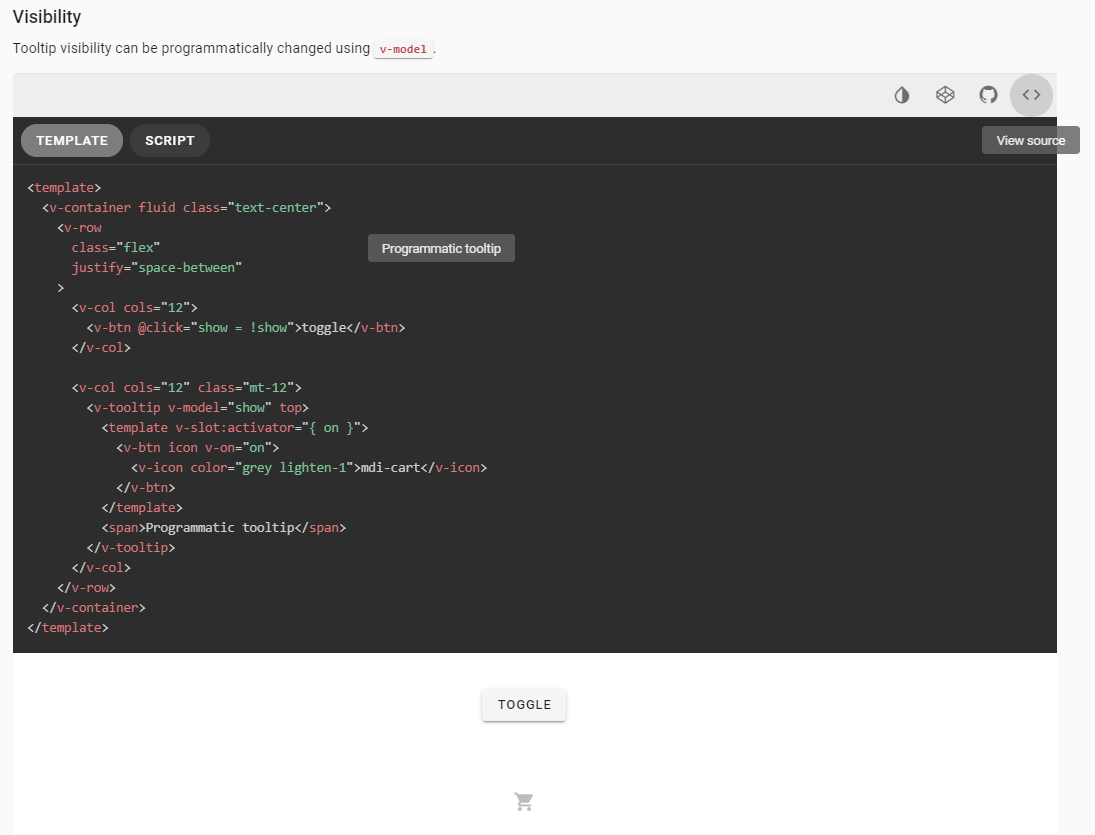
Opening the source of the example right after toggling the programmic tooltip moves it upwards.
floqqi
on 6 Sep 2019
Related to #8894
The next release _may_ have a fix for this issue as #8894 is closed via #8887
MatthewAry
on 9 Sep 2019
Yep, #8894 was a duplicate.
 KaelWD
on 10 Sep 2019
KaelWD
on 10 Sep 2019
Related issues
 dschreij
·
3Comments
dschreij
·
3Comments
 ricardovanlaarhoven
·
3Comments
ricardovanlaarhoven
·
3Comments
 KuroThing
·
3Comments
KuroThing
·
3Comments
 alterhu2020
·
3Comments
alterhu2020
·
3Comments
 itanka9
·
3Comments
itanka9
·
3Comments