- Your OS: window
- Node.js version 8.4.0
- VuePress version 0.8.4
- Is this a global or local install? global
- Which package manager did you use for the install? npm
Repository https://github.com/lusaxweb/vuesax/tree/master
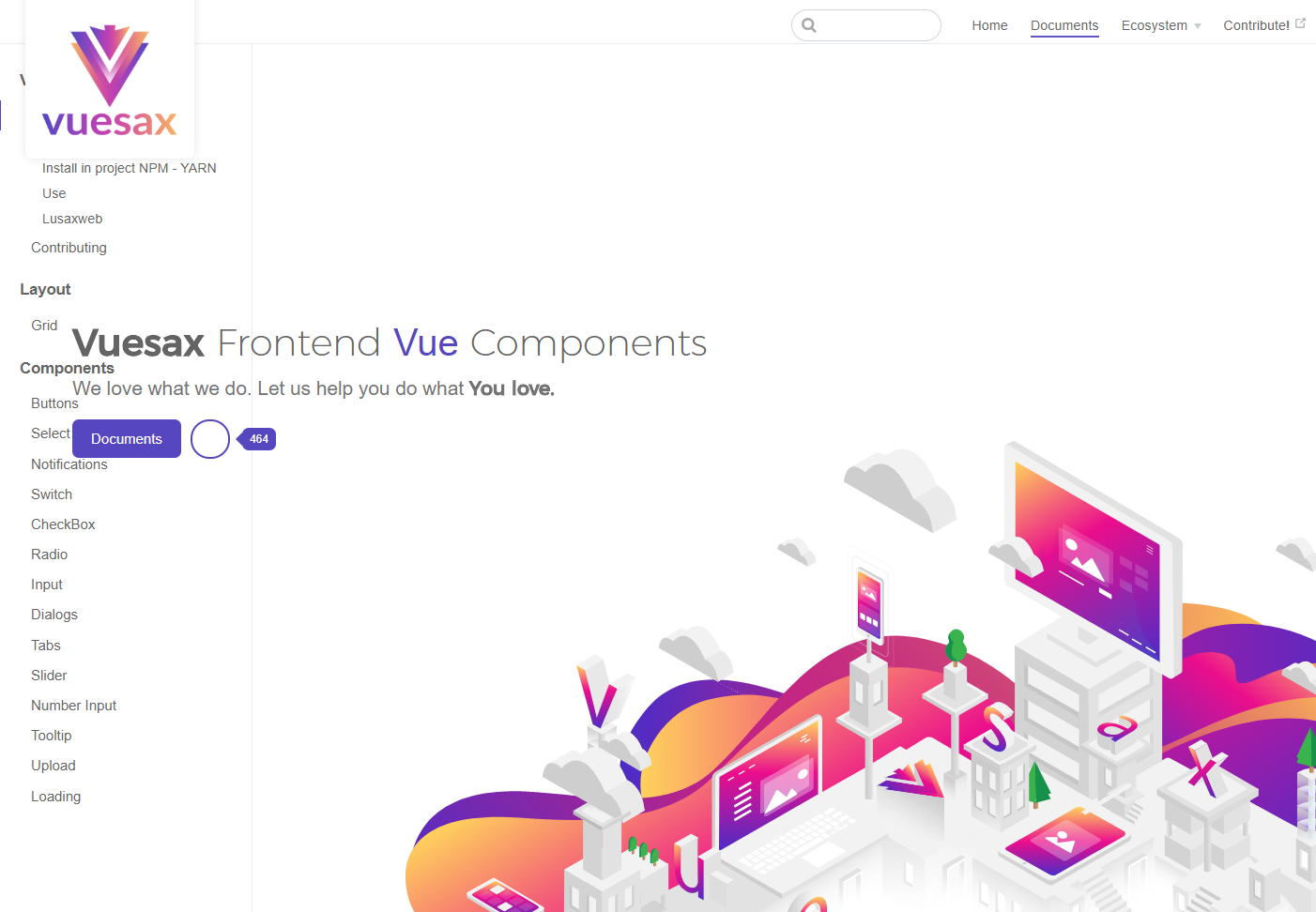
The page in development works well but when I upload it to production when going from home to documents it stays home on top of everything
I think it has to do with the $ page.frontmatter.home that is not working well because by giving it reload in documents everything works fine
I hope you can help me, thank you very much
and when I return to home, I see this error in the console

This is the link of the page https://lusaxweb.github.io/vuesax/
 luisDanielRoviraContreras
All 16 comments
https://vuepress.vuejs.org/config/#base
It looks like you haven't got base defined in your config?
 ycmjason
on 9 May 2018
ycmjason
on 9 May 2018
If it is already defined in the previous part / vuesax / it does not work
luisDanielRoviraContreras
on 9 May 2018
@ycmjason But why the js and css links are prefixed with /vuesax/ correctly?
 meteorlxy
on 9 May 2018
meteorlxy
on 9 May 2018
I had not updated the master branch and it has the latest I'm doing tests so the page now looks incomplete but still gives the same problem
luisDanielRoviraContreras
on 9 May 2018
@luisDanielRoviraContreras So please provide the actual repo......
meteorlxy
on 9 May 2018
@meteorlxy I see what you mean about /vuesax/ now, that's curious.
ycmjason
on 9 May 2018
luisDanielRoviraContreras
on 9 May 2018
@luisDanielRoviraContreras is this repo you are providing the updated repo?
ycmjason
on 9 May 2018
already works with the test what I did was bring me the home of the main theme but why mine does not work?
This is my home
Is there a problem with v-html? or do not know what it would be?
<template>
  <transition name="fade">
    <div class="">
      <div class="logo-g">
        <img  v-if="data.heroImage" :src="$withBase(data.heroImage)" alt="hero">
      </div>
  <div class="home">
    <div v-if="data.heroImage" :class="{'doc-activo':doc}" class="doc-img">
      <img :src="$withBase(data.heroImage)" alt="">
    </div>
    <div :class="{'git-activo':git}" class="flaticon-github git-img">

    </div>
    <div :class="{'homeBackgroundComponent':data.heroBackgroundComponent}" class="home-init">
      <div class="heroBackgroundComponent" :is="data.heroBackgroundComponent">

      </div>
    <div class="hero">

      <h1 v-if="data.heroText" v-html="data.heroText"></h1>
      <h1 v-else>{{$title || 'hello'}}</h1>
      <p v-html="data.tagline || $description || 'Welcome to your VuePress site'" class="description"></p>
      <p class="action" v-if="data.actionText && data.actionLink">
        <NavLink class="action-button" :item="actionLink"/>
      </p>
      <p class="actions">
        <!-- {{vT.actionsLinks}} -->
        <ul>
          <li @mouseenter="doc=true" @mouseleave="doc=false" v-for="action in vT.actionsLinks">
            <router-link
              class="nav-link"
              :to="action.link"
              :exact="action.link === '/'"
            >{{action.text}}</router-link>
          </li>
          <li>
            <a @mouseenter="git=true" @mouseleave="git=false" class="flaticon-github fgithub" :href="vT.github">
              <span class="stargazers_count">{{star}}</span>
            </a>
          </li>
        </ul>
      </p>
    </div>

    </div>
    <div class="contenedor">


    <div class="features" v-if="data.features && data.features.length">
      <div class="feature" v-for="feature in data.features">
        <div class="con-text-feature">
          <h2 v-html="feature.title"></h2>
          <p v-html="feature.details"></p>
          <div v-if="feature.button" class="con-btns-features">
            <button type="button" name="button">
              <router-link
                class="nav-link"
                :to="feature.button.link"
                :exact="feature.button.link === '/'"
              >{{feature.button.text?feature.button.text:'see more'}}</router-link>
              </button>
            <button v-if="feature.github" class="flaticon-github githubx" type="button" name="button"></button>
          </div>
        </div>
        <div class="con-img-feature">
          <div v-if="feature.component" :is="feature.component">
            {{feature.img}}
          </div>
          <img v-if="feature.img" :src="$withBase(data.heroImage)" alt="">
        </div>
      </div>
    </div>
    <Content custom/>
    </div>
    <!-- <div class="footer" v-if="data.footer">
      {{ data.footer }}
    </div> -->
    <div class="con-contribuitors">
      <contributors :title="title" :repo="this.$site.themeConfig.repo" :contributors="contributors"/>
    </div>
  </div>

      <Footer/>
  </div>
  </transition>
</template>

<script>
import NavLink from './NavLink.vue'
import Footer from './Footer.vue'
import contributors from './contributors.vue'
export default {
  components: { NavLink, Footer, contributors },
  data(){
    return {
      star:0,
      git:false,
      doc:false,
    }
  },
  computed: {
      contributors() {
        return this.$page.frontmatter.contributors
      },
      title() {
        return this.$page.frontmatter.titleContributors
      },
    vT(){
      return this.$page.frontmatter.vueThemes
    },
    data () {
      return this.$page.frontmatter
    },
    actionLink () {
      return {
        link: this.data.actionLink,
        text: this.data.actionText
      }
    }
  },
  mounted(){
    console.log("entro");
     fetch('https://api.github.com/repos/lusaxweb/vuesax')
  .then(response => response.json())
  .then(json => {
    this.star = json.stargazers_count

  })


  }
}
</script>
If it is already updated but to the test of putting the main theme what is my theme is the folder themeold
luisDanielRoviraContreras
on 9 May 2018
luisDanielRoviraContreras
on 9 May 2018
I am sorry, I really want to help. But I can't understand your question. 😭
I would come back and help if you could provide a better context.
ycmjason
on 9 May 2018
😅 same to me @ycmjason
meteorlxy
on 9 May 2018
@meteorlxy @ycmjason Change the theme to my liking and do not work in production later to try add the main thema of vuepress and if it works then it is wrong in my theme to not add it or change it
my theme is what happens to them in the themeold link
https://github.com/lusaxweb/vuesax/tree/master/docs/.vuepress/themeold
luisDanielRoviraContreras
on 9 May 2018
@luisDanielRoviraContreras I see your latest commit adding base to config and the site seems working?
ycmjason
on 9 May 2018
It works because the default theme of vuepress is already mounted, but I'm already changing it little by little to my own equal thanks for the help
luisDanielRoviraContreras
on 9 May 2018
Related issues
 shaodahong
·
3Comments
shaodahong
·
3Comments
 FadySamirSadek
·
3Comments
FadySamirSadek
·
3Comments
 higuoxing
·
3Comments
higuoxing
·
3Comments
 ynnelson
·
3Comments
ynnelson
·
3Comments
 AleksejDix
·
3Comments
AleksejDix
·
3Comments