Vue2leaflet: Popup with button click event
How to trigger the button click event in the marker popup?
 SupriyaSudhindra
All 17 comments
Hi @SupriyaSudhindra,
Did you try @click?
Do you have an example of what you try to achieve?
Mickaël
 KoRiGaN
on 3 May 2018
KoRiGaN
on 3 May 2018
Hi @KoRiGaN ,
I did try @click...but it didn't trigger...
Here is the piece i was trying to implement...
<v-marker ref="pin" v-for="(items, index) in marker" :key="index" :icon="items.icon" :visible="items.visible" :draggable="items.draggable" :lat-lng="items.position" ><!--:options="items.options"-->
<v-popup :content="items.tooltip"></v-popup>
</v-marker>
var popupcontent = '<br><strong>Location Name: </strong>' + ((result[i][4] === '' || result[i][4] === undefined) ? result[i][1] + ', ' + result[i][2] : result[i][4]) +
'<br><strong>Date: </strong>' + result[i][3] + '<br><button class="btn btn-warning btn-sm" style="color: white;margin:5% 0% 0% 35%;" @click="addStops(' + loc + ')">Add</button>'
me.markers.push({
id: i,
position: { lng: result[i][2], lat: result[i][1] },
visible: true,
draggable: false,
vehicleName: veh.vehicle_number,
tooltip: popupcontent
})
Please suggest.
SupriyaSudhindra
on 4 May 2018
Hi @KoRiGaN ,
any luck?
SupriyaSudhindra
on 7 May 2018
Hi @SupriyaSudhindra,
If you set popup content as a string it will be used as HTML. So all Vue binding and @ syntax sugar will not work.
If you want to do that, write your content directly inside the popup element like that:
      <l-marker v-for="marker in markers" :lat-lng="marker.position" >
        <l-popup>
          <br><strong>Location Name: </strong><br><strong>Date: </strong><br><button style="margin:5% 0% 0% 35%;" @click="addStops(marker)">Add</button>
        </l-popup>
      </l-marker>
Hope this helps,
Micka
KoRiGaN
on 7 May 2018
Oh ok...Thank you...will try...
SupriyaSudhindra
on 7 May 2018
Hi @KoRiGaN , actually the code didn't work...I mean nothing was displaying...even a simple text...also i am using version 0.0.55...
Please suggest.
SupriyaSudhindra
on 11 May 2018
Sorry....but it is bit urgent.
SupriyaSudhindra
on 11 May 2018
I prepared a working example for you. The suggested functionality seems to work fine.
 SiggyF
on 11 May 2018
SiggyF
on 11 May 2018
@SiggyF ...thank you for the quick update...but it didn't work for me... here is the result below...
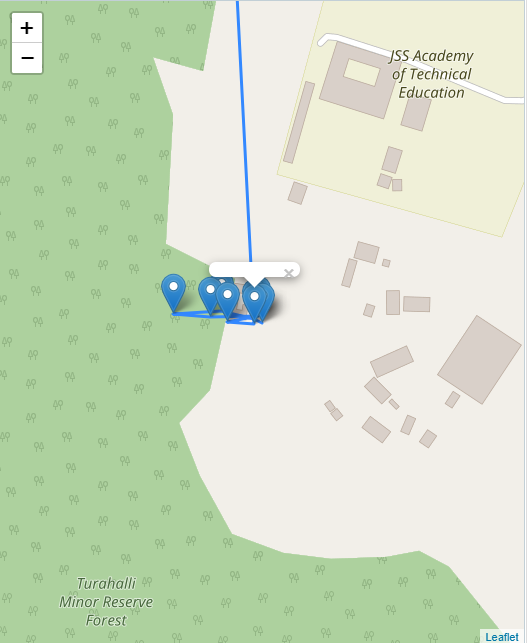
and this is the code used
<v-popup>
                              <div id="message">
                                hello
                              </div>
                              <button @click="addStops(items)">add marker</button>
                            </v-popup>
I guess it is the issue with version...i am using vue2-leaflet version 0.0.55...Also, I tried to update it to current version...it gave me this error
TypeError: Cannot read property 'trim' of undefined in leaflet-src.js file in dist folder
so i reverted back to version 0.0.55...
SupriyaSudhindra
on 11 May 2018
Hi @SupriyaSudhindra,
Please try using the latest version again as it fixes many issues.
When moving to the new version make sure to follow these rules:
❗️ Components names
As some component where conflicting with reserved name like Circle with SVG Circle, from v1.x.x all components are prefixed with L.
For example Marker component became LMarker (l-marker in template).
❗️ Events names
Event handling have been simplified and are now mapped directly to Leaflet event.
For example Marker move event was 'l-move' and became simply 'move'.
Let me know if something is not working for you.
Micka
KoRiGaN
on 11 May 2018
Hi @KoRiGaN ,
I installed the new of vue2-leaflet also vue..then it worked...thank u..
SupriyaSudhindra
on 14 May 2018
@SiggyF I'm getting this error with your example:
node_modules\leaflet\dist\leaflet-src.js:9436 Uncaught TypeError: Failed to execute 'appendChild' on 'Node': parameter 1 is not of type 'Node'.
Using ^1.1.1
 burzum
on 31 Oct 2018
burzum
on 31 Oct 2018
@burzum are you using exactly @SiggyF markup / js ? if so I will take a look with that example.
If not please post your structure, in 1.1.1 we released some speed improvements for the tooltip / popup and it may have caused this.
 DonNicoJs
on 31 Oct 2018
DonNicoJs
on 31 Oct 2018
@DonNicoJs Using the 2.0 version fixed the problem without further changes from my side. 👍
burzum
on 20 Mar 2019
@burzum Glad that is fixed!
DonNicoJs
on 21 Mar 2019
@KoRiGaN
thank you very much...
 gautam-patadiya
on 11 Apr 2019
gautam-patadiya
on 11 Apr 2019
I was stuck there too.
Here is what worked for me:
<l-marker
                    v-for="restaurant in activeFeatures"
                    :key="restaurant._id"
                    :lat-lng="restaurant.loc"
                    :title="restaurant.name"
                    :icon="foodIcon({ restaurant })"
                    @click="openPopup"
                  >
                    <l-popup :ref="restaurant.slug">
                      <div class="q-pa-xs row items-center q-gutter-xs">
                        <menu-item class="flex" :title="restaurant.name" :Item="restaurant" />
                      </div>
                    </l-popup>
                  </l-marker>
                </l-map>
and in my methods:
async openPopup(event) {
      await this.$nextTick(() => {
        event.target.openPopup();
      });
    },
The l-popup provides a slot for you.
As now I am trying to figure out how to listen on the close event in order to recenter my map.
Good luck
 waelio
on 25 May 2020
waelio
on 25 May 2020
Related issues
 carlmjohnson
·
4Comments
carlmjohnson
·
4Comments
 srtonz
·
4Comments
srtonz
·
4Comments
 zaqisilverano
·
4Comments
zaqisilverano
·
4Comments
 mits87
·
3Comments
mits87
·
3Comments
 udos
·
4Comments
udos
·
4Comments
Most helpful comment
Hi @SupriyaSudhindra,
If you set popup content as a string it will be used as HTML. So all Vue binding and @ syntax sugar will not work.
If you want to do that, write your content directly inside the popup element like that:
Hope this helps,
Micka