Vue-styleguidist: Unknown config option ignore was found
By following the documentation on the example of how to ignore a component it requests you to add the following into styleguide.config.js
ignore: ['**/*.spec.vue', '**/components/Button.vue']
However when doing so the following error comes back:
true 'StyleguidistError'
Unknown config option ignore was found, the value is:
[
  '**/*.spec.vue',
  '**/components/Button.vue'
]
undefined
error Command failed with exit code 1.
This leads me to believe there is a bug with ignore at the moment or the documentation is out of date for this option?
 steriley
All 7 comments
Getting this same error after updating to the latest version on Vue Design System.
Unknown config option ignore was found, the value is:
[
  '**/App.vue',
  '**/__tests__/**',
  '**/*.test.js',
  '**/*.test.jsx',
  '**/*.spec.js',
  '**/*.spec.jsx',
  '**/ExampleComponent.vue'
]
 viljamis
on 6 Sep 2018
viljamis
on 6 Sep 2018
Investigated a bit further and I’m not sure anymore if this is related to changes in Vue Styleguidist. Earlier today everything was working fine when doing an NPM install, but now, even if installing a year old version, I get this error on all repositories. Weird.
viljamis
on 6 Sep 2018
@steriley update: looks like it’s one of the dependencies of this project. Investigating which one.
viljamis
on 6 Sep 2018
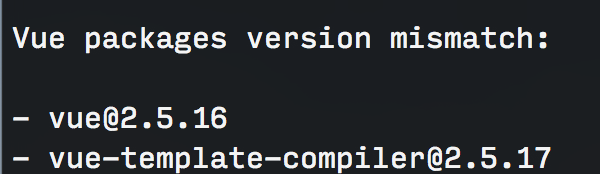
@rafaesc eventually it looks like this issue is related to the latest version (1.8.4) + vue & vue-template-compiler. If using vue-styleguidist v1.8.3 and forcing NPM to use the previous vue (2.5.16) and vue-template-compiler (2.5.17) everything works just fine. But if updating either one things break completely.
viljamis
on 6 Sep 2018
@steriley @viljamis Yes, it was removed by mistake.
I will release another version
 rafaesc
on 6 Sep 2018
rafaesc
on 6 Sep 2018
Fixed on version 1.8.5
rafaesc
on 6 Sep 2018
@rafaesc Awesome! Thank you!
viljamis
on 7 Sep 2018
Related issues
 dhruvkb
·
3Comments
dhruvkb
·
3Comments
 AlexQwerty
·
5Comments
AlexQwerty
·
5Comments
 bwcgn
·
6Comments
bwcgn
·
6Comments
 andreydos
·
6Comments
andreydos
·
6Comments
 lancetharper
·
5Comments
lancetharper
·
5Comments
Most helpful comment
@steriley @viljamis Yes, it was removed by mistake.
I will release another version