Vue-storefront: Help with Magento 2 and VueStoreFront settings and integration - CMS Error
Prerequisites
Please answer the following questions for yourself before submitting an issue.
- [ x ] I am running the latest version
- [ x ] I checked the documentation and found no answer
- [ x ] I checked to make sure that this issue has not already been filed
Check our forum:
https://forum.vuestorefront.io/
Is there something you don't understand? What is it? Describe it.
Hey guys, Do any of you guys recently setup a magento + vsapi + vsfront env ? I did this a little time ago and keep getting some critical errors like the following: “the product category or cms page is not available in offline mode. redirecting to home”.
The problem happens when I navegate from the home to any product from the website. It is possible to simulate the same problem that is happening here on the old website: https://test.storefrontcloud.io/
You can check the error on the following print screen:
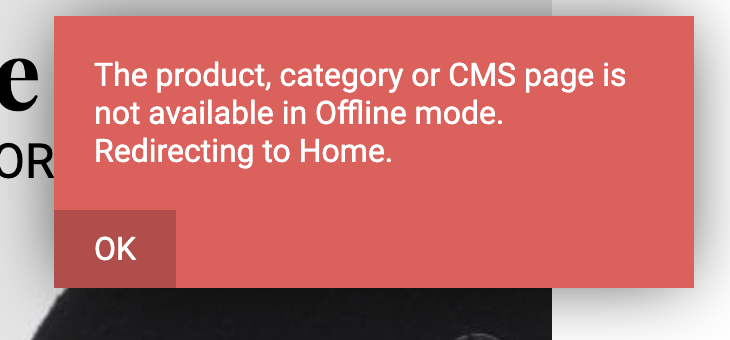
What we know is that, when we access the link of the product directly (by copying the address on the clipboard) the CMS error does not happens, and the product page opens correctly.
We are not sure exactly where the problem is occuring.
Could anyone help us with something?
Thank you in advance.
 brgccf
All 8 comments
Please make sure that Your pages and blocks were indexed properly into Elastic. If You were using the yarn mage2vs import then this PR may be an answer :D -> https://github.com/DivanteLtd/vue-storefront-api/pull/247
 pkarw
on 15 May 2019
pkarw
on 15 May 2019
Hi @pkarw , we saw the PR and followed your instructions but it did not solve our problem. Let me explain better what's happening: on the vsf If i'm on the home page And click on the product the CSM error do pop up, but If I go on the direct link ( open a new tab And paste the product URL ) It works Just fine, show the product without any errors, If you have any ideia on How to fix this or any clue on what might be happening please let me know here.
brgccf
on 16 May 2019
Hey @brgccf thanks for Your feedback! In that case it seems like only the SSR has network access to host set in the config.elastichsearch.host. Please make sure that this is a public URL accessible both from: browser + from the core/scripts/server.s -> SSR renderer
pkarw
on 16 May 2019
Hi @brgccf are you able to fix this, I am also getting the same issue, when I navigate from the home menu to any product list. But I can search a product, then i can see the products and the product page opens correctly.
I applied fix on the PR mentiond by @pkarw but still facing same issue.
 sree8637
on 26 May 2019
sree8637
on 26 May 2019
@sree8637 Do migrations for that store index
 dennisotugo
on 28 May 2019
dennisotugo
on 28 May 2019
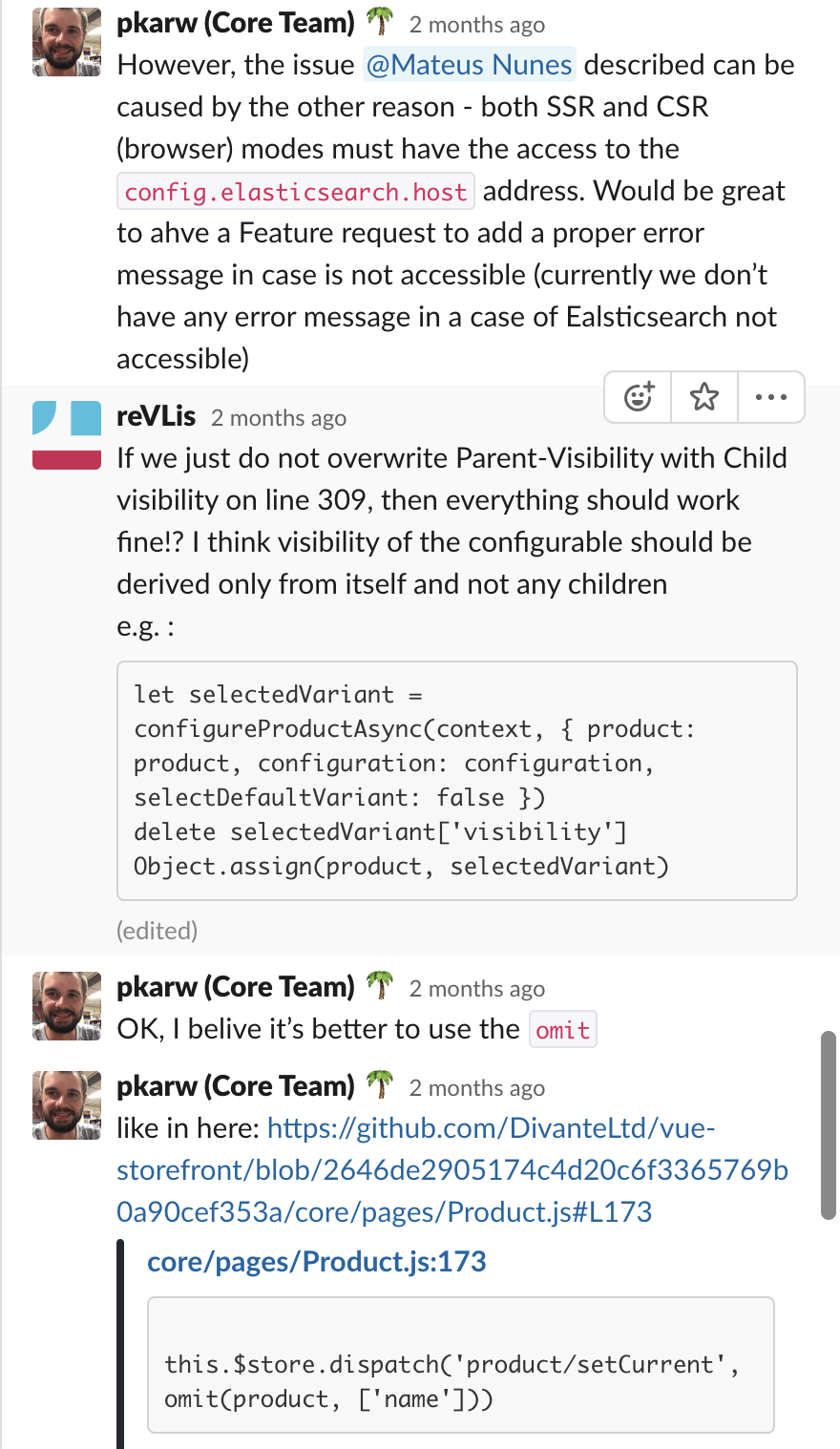
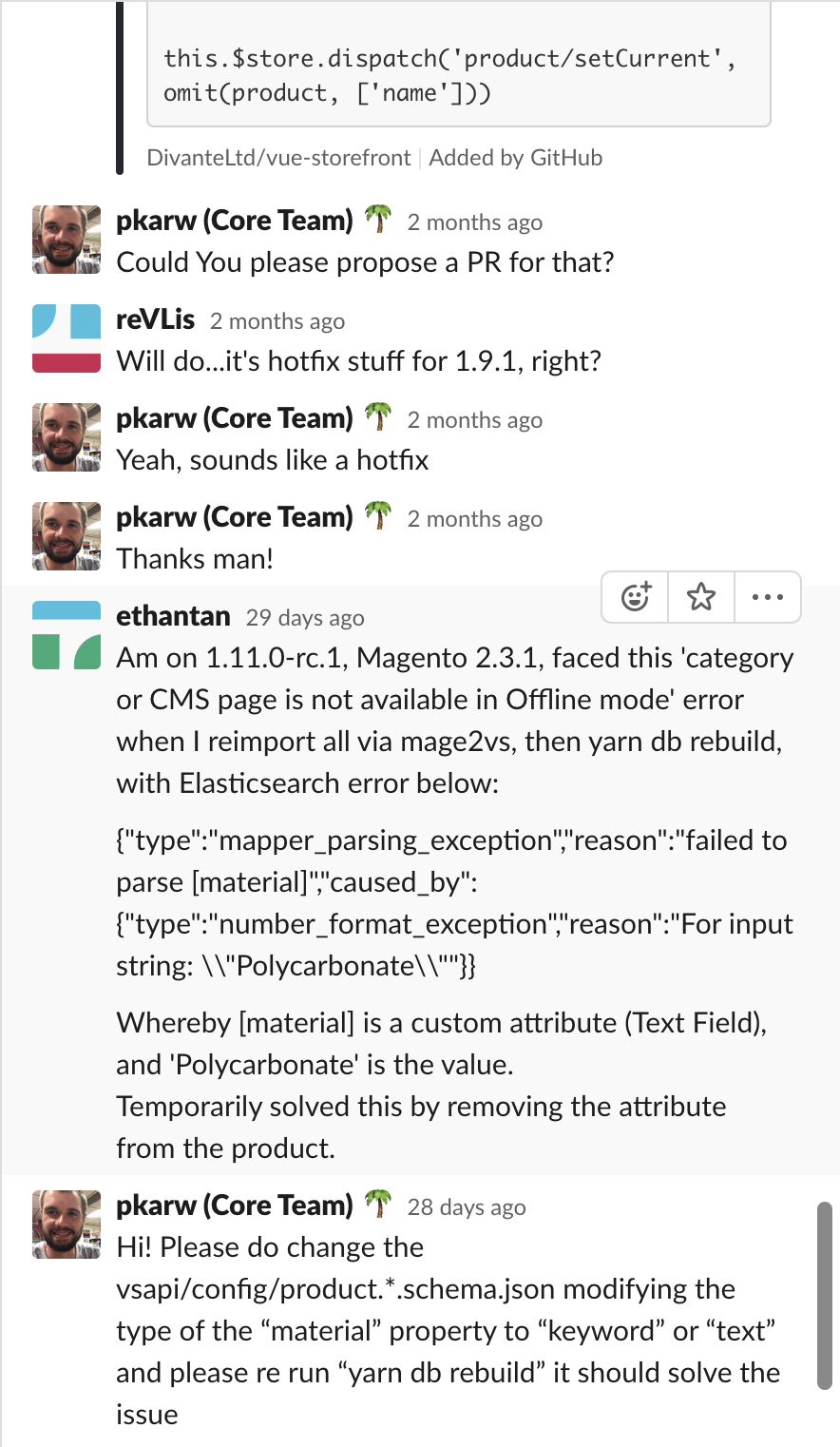
Hi @sree8637 we were able to fix it by executing the steps we discussed on this thread on Slack: https://vuestorefront.slack.com/archives/CA68P1JUF/p1557923071162700.
If you have any more doubts, please let me know and I will ask my team that solved it and tell you something more specific.
brgccf
on 28 May 2019
I'm having the same problem, @brgccf can you please post the solution here in this thread. I can't see the thread on Slack. Thanks
 Amir-Teshome
on 24 Jul 2019
Amir-Teshome
on 24 Jul 2019
Hi @Amir-Teshome , I'll put down here print screens from all the conversation on Slack:


brgccf
on 24 Jul 2019
Related issues
 alinadivante
·
5Comments
alinadivante
·
5Comments
 sandermangel
·
5Comments
sandermangel
·
5Comments
 cewald
·
5Comments
cewald
·
5Comments
 paulocoghi
·
5Comments
paulocoghi
·
5Comments
 Jensderond
·
5Comments
Jensderond
·
5Comments