Vue-storefront: Categories and products showing intermittently
Current behavior
After a clean install of Vue Storefront I notice some erratic behaviour:
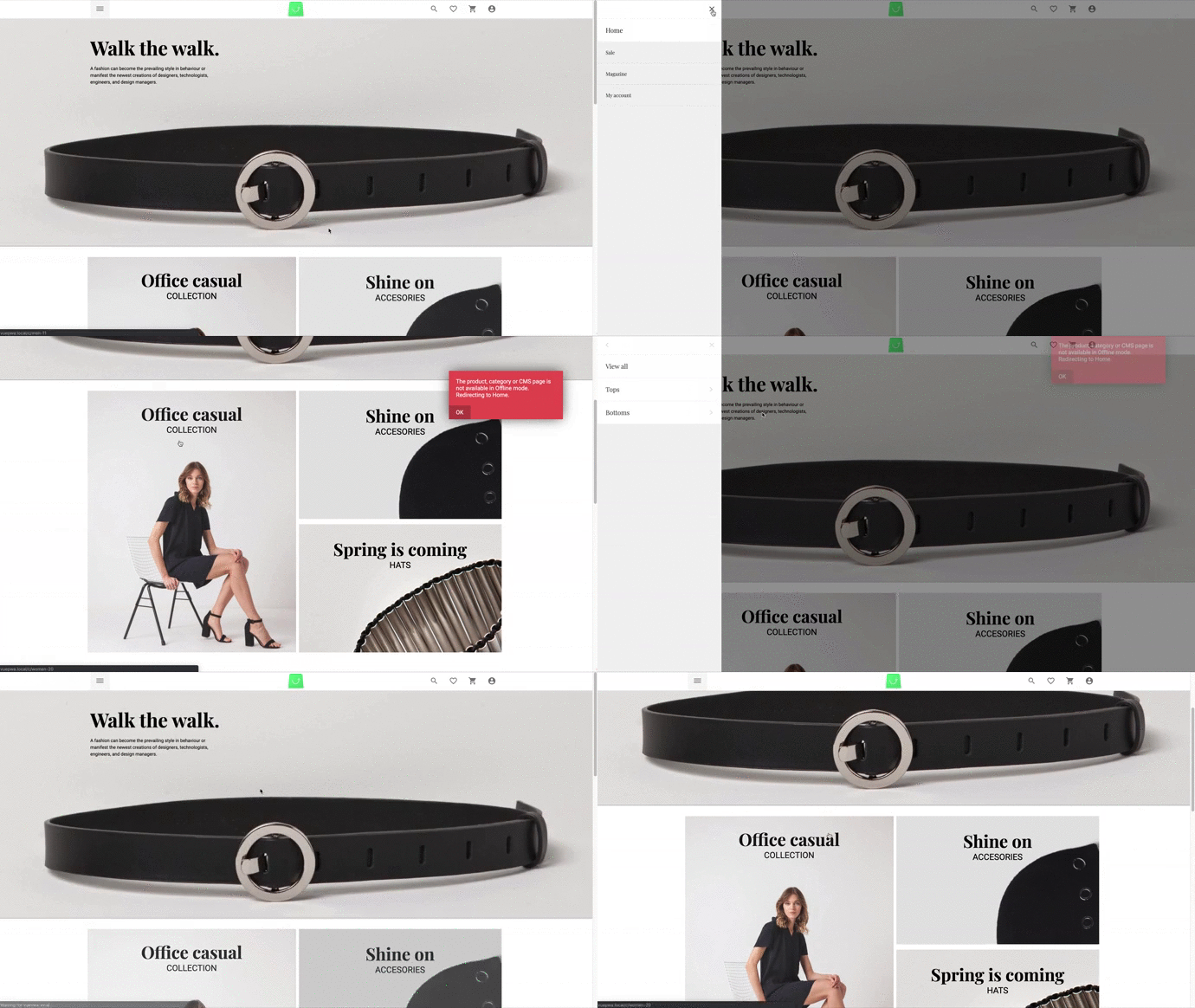
On the homepage categories and the products are missing. Also the photos representing the categories do not link to any categories. When clicking on these an error is prompted saying "_The product, category or CMS page is not available in Offline mode. Redirecting to Home._" But then the categories show up in the sidebar. The error only is prompted in the production setup, this doesn't happen in the development setup.
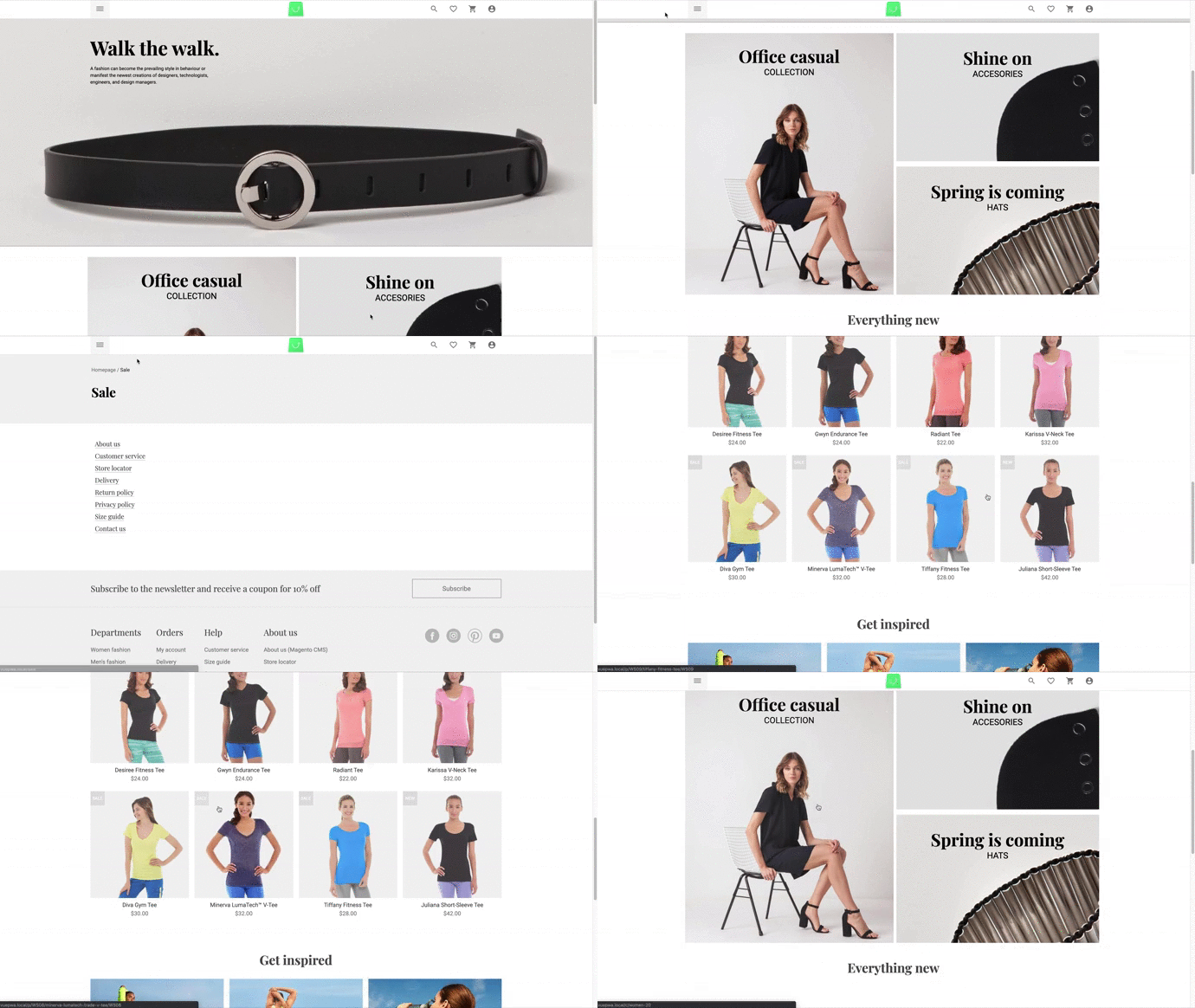
When navigating to any other page and returning to the homepage, the products show up. This is independent from clicking on the categorie-photos.
The photos linked to the categories (eg Office casual, Shine on, ..) never work. A page refresh cancels all these actions, both categories and products disappear again and all those actions have to be repeated to get both back. This does also happen when refreshing on a product or category page (results in a page not found).
Expected behavior
Categories and products showing at all times, no sequence of actions should be necessary to get them to show. Refreshing a page on a product or category should not return a page not found.
Steps to reproduce the issue
These are recordings of the production setup. In the development setup the offline error does not happen when clicking on a category photo on the homepage.
Can you handle fixing this bug by yourself?
NO
Environment details
- Browser: All browsers
- OS: Debian inside Vagrant
- Node: v10.15.2
- Code Version: Master branch on 974c5293
I have set up Vue Storefront (vue-storefront + vue-storefront-api) and Magento 2.3 on different servers (both debian with 4GB RAM & 2vCPUs inside Vagrant). Vue Storefront was installed using the documentation. The data was imported from the Magento server whitout any errors.
 Ale763
All 9 comments
@Ale763 it seems like Your SSR app doesn't have connectivity to the API (so web browser - client side renderign mode (CSR)) is able to connect to Your vs-api (localhost:8080?) but the server app (vue-storefront/core/scripts/server.js) is not able to get to the same localhost:8080. If You're using docker then You need to have the network_mode: host set in place to have the connectivity between containers. Otherwise please do use some kind of DNS service to have this connectivity in place (need to change the endpoint urls in the config in that case)
 pkarw
on 19 Mar 2019
pkarw
on 19 Mar 2019
The slider links to be checked by @patzick
pkarw
on 19 Mar 2019
@Ale763 please make sure You don't have both: catalog.useShortMagentoUrls + seo.useUrlDispatcher options set to true (https://github.com/DivanteLtd/vue-storefront/blob/develop/docs/guide/basics/url.md).
It won't work in this case. Please do confirm
pkarw
on 23 Mar 2019
I'm sorry for my late response, but I have been busy with another project.
I run Vue Storefront locally, docker is used by the framework for redis and elasticsearch. I checked the config files and I don't have the catalog.useShortMagentoUrls set at all, seo.useUrlDispatcher is set to false.
I am running Vue Storefront with yarn dev for both vue-storefront and vue-storefront api, but I'm not seeing any errors. I have included the config files, so you can see if there is an error with the setup.
Ale763
on 4 Apr 2019
Turns out you were right about the connection between vue storefront and vue storefront api. It was a bad configuration. Maybe you could add some logging for this somewhere?
Ale763
on 11 Apr 2019
Same error here after an upgrade from 1.5 to 1.9
The problem doesn't concern all the categories but only some of them, I'm investigating
In console I have this error:
Category query returned empty result url_key = sample-category null
 nuovecode
on 12 Apr 2019
nuovecode
on 12 Apr 2019
@nuovecode in 1.9 You need to have url_path and url_key set in category entities - please make sure You've re-indexed the database using the most recent mage2vuestorefront
pkarw
on 12 Apr 2019
I was able to run in docker using:
environment:
      NODE_TLS_REJECT_UNAUTHORIZED: 0
 AdrianBalcan
on 7 May 2019
AdrianBalcan
on 7 May 2019
ERROR │
│ │
│ Error: Can't build storefront npm.
 DJ-DESIGN
on 16 Dec 2019
DJ-DESIGN
on 16 Dec 2019
Related issues
 slightlyoff
·
3Comments
slightlyoff
·
3Comments
 filrak
·
4Comments
filrak
·
4Comments
 ArjanStudent
·
3Comments
ArjanStudent
·
3Comments
 paulocoghi
·
5Comments
paulocoghi
·
5Comments
 revlis-x
·
3Comments
revlis-x
·
3Comments
Most helpful comment
@nuovecode in 1.9 You need to have
url_pathandurl_keyset in category entities - please make sure You've re-indexed the database using the most recent mage2vuestorefront