Vue-slider-component: Styling getting lost when live
The styling for the slider does not appear live on the app I am building, although it appears in localhost.
Here is what it looks like on localhost:

Here is what it looks like live: (you can see this at https://taken.to - when you choose a pattern for your background)
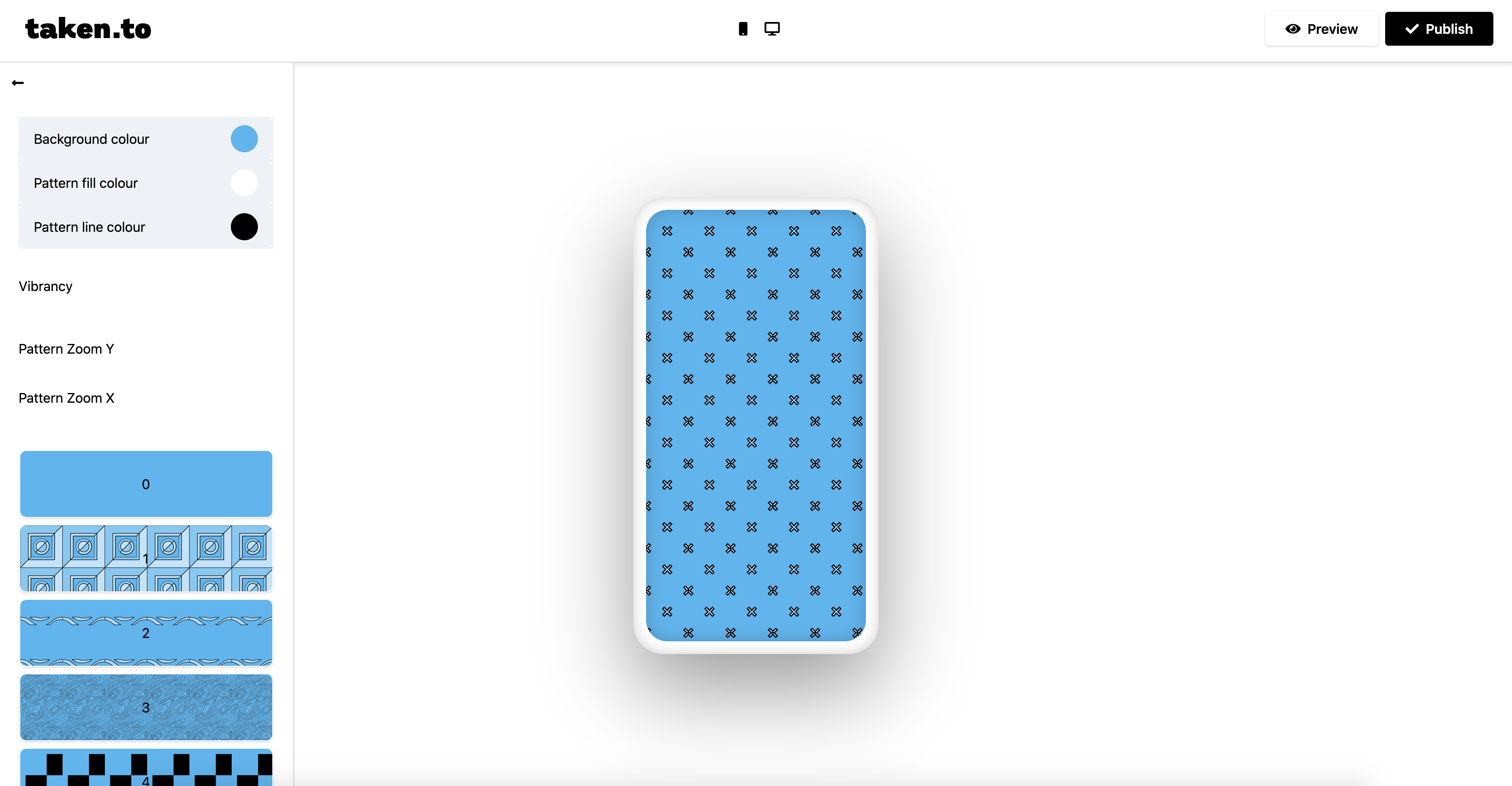
I'm using nuxt and the nuxt run build command to generate the static onto netlify.
I've been trying to get the styling to work for a while now. I've tried importing the css theme in the component like so:
`import 'vue-slider-component/theme/default.css'
I've tried adding the css to nuxt's css array in nuxt.config.js. I've tried adding this as a plugin. I'm lost as to why the styling works on localhost but not live. Somehow the CSS is getting lost when I build the app.
Does anyone know why this is? Would love to use vue-slider-component as it looks amazing on localhost! Appreciate any help
PS. I saw another bug posted earlier today where the styling was also missing but that could be fixed with
.vue-slider {
    box-sizing: content-box;
}
I tried adding this style inline on dev-tools and no change occurred.
Thanks,
Isaac
 isaacjoy
All 4 comments
@isaacjoy
The production environment is not correctly imported into the theme style file.
There should be a problem with your nuxt configuration.
Like this (I have never used nuxt)? https://nuxtjs.org/api/configuration-css/
 NightCatSama
on 24 Jun 2020
NightCatSama
on 24 Jun 2020
I'm having the same issue, except I'm on rails and using webpacker. Styles on production are just...gone! But they're fine on development. So, so strange.
 corinnpope
on 23 Jul 2020
corinnpope
on 23 Jul 2020
@corinnpope Refer to the nuxt documentation: https://nuxtjs.org/api/configuration-css/
NightCatSama
on 24 Jul 2020
I think I found the issue and it was not with vue-slider-component or nuxt.js.
It was actually with purgeCSS. I added the vue-slider component css file to the whitelist and that did the trick! Maybe that'll be helpful to anyone who runs into this issue 😸
corinnpope
on 28 Jul 2020
Related issues
 rvasoya
·
9Comments
rvasoya
·
9Comments
 adrianolobo
·
4Comments
adrianolobo
·
4Comments
 creativejeff
·
7Comments
creativejeff
·
7Comments
 ericdrobinson
·
4Comments
ericdrobinson
·
4Comments
 Shimabuk
·
5Comments
Shimabuk
·
5Comments
Most helpful comment
I think I found the issue and it was not with vue-slider-component or nuxt.js.
It was actually with purgeCSS. I added the vue-slider component css file to the whitelist and that did the trick! Maybe that'll be helpful to anyone who runs into this issue 😸