Problem:
I get a "window is not defined" error when using this plugin in Nuxt.
Version:
Nuxt: 2.12.2
Vue-js-modal: 2.0.0-rc.3
Example & screenshots:
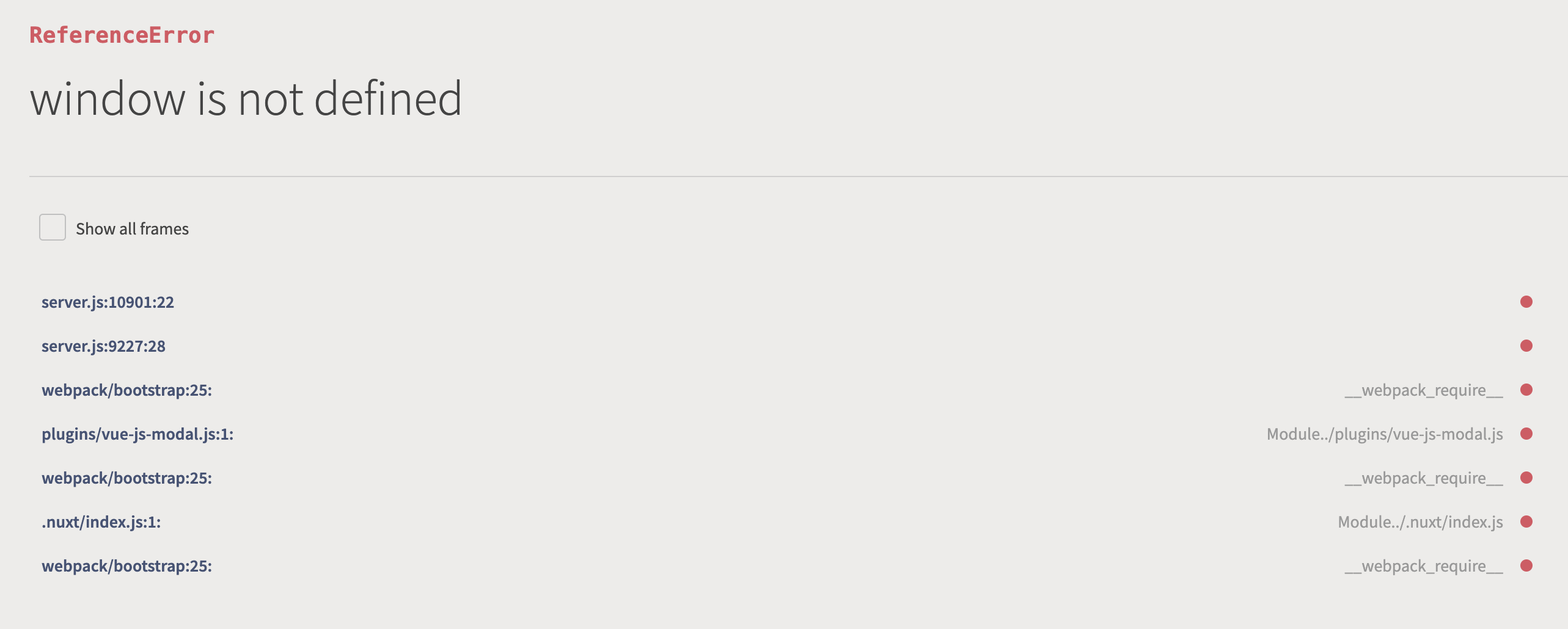
The content of my 'vue-js-modal.js' in ~/plugins
import Vue from 'vue'
import VModal from 'vue-js-modal/dist/ssr.index'
import 'vue-js-modal/dist/styles.css'

Vue.use(VModal)
 ishetnogferre
All 4 comments
I don't know your needs, but you can turn off the plugin in SSR-mode (because "window" doesn't exist on server without any workarounds).
I use the plugin in this way in nuxt.config.js:
plugins: [
{ src: '@/plugins/vue-js-modal', ssr: false }
],
 byeful
on 16 May 2020
byeful
on 16 May 2020
I have same situation...
vue-js-modal also supported SSR mode, so it could be used without problems until now.
However, the version of nuxt is 2.12.2, and when developing in SSR mode, I also got "window is not defined"...
 asaisorami
on 30 May 2020
asaisorami
on 30 May 2020
the readme states that ssr is supported but it's not working, ssr: false is just a workaround. Also it still gives an error:
- e._ssrNode is not a function
imports should be changed to:
import Vue from 'vue'
import VModal from 'vue-js-modal'
import 'vue-js-modal/dist/styles.css'

Vue.use(VModal)
 paolomangiadev
on 31 May 2020
paolomangiadev
on 31 May 2020
yo agregue { src: '~/plugins/vue-js-modal', mode: 'client' } y me funciona todo bien
 defcom20
on 15 Jun 2020
defcom20
on 15 Jun 2020
Related issues
 at0g
·
3Comments
at0g
·
3Comments
 ptilli
·
3Comments
ptilli
·
3Comments
 chris-rowe
·
4Comments
chris-rowe
·
4Comments
 outOFFspace
·
4Comments
outOFFspace
·
4Comments
 uptownhr
·
4Comments
uptownhr
·
4Comments
Most helpful comment
the readme states that ssr is supported but it's not working, ssr: false is just a workaround. Also it still gives an error:
imports should be changed to: