Vue-instantsearch: Memory leak in SSR (ex. using Nuxt)
Bug 🐞
I'm using the default example from the documentation.
What is the current behavior?
Visiting pages with Algolia components cause the memory to continue to grow up without stopping. After ~ 1000 urls (depends on how much HTML there is in page) the server is _out of memory_.
<--- Last few GCs --->
[10712:0000019808B1C120] 4706234 ms: Scavenge 1361.0 (1423.8) -> 1360.1 (1424.3) MB, 3.0 / 0.0 ms (average mu = 0.270, current mu = 0.276) allocation failure
[10712:0000019808B1C120] 4706244 ms: Scavenge 1361.2 (1424.3) -> 1360.4 (1424.8) MB, 3.2 / 0.0 ms (average mu = 0.270, current mu = 0.276) allocation failure
==== JS stack trace =========================================
FATAL ERROR: Ineffective mark-compacts near heap limit Allocation failed - JavaScript heap out of memory
What is the expected behavior?
The GarbageCollector can free up the memory after every page reload.
Does this happen only in specific situations?
Placing components (ex. like <ais-hits />) inside <ais-instant-search-ssr />.
What is the version you are using?
- "nuxt": "^2.4.5",
- "algoliasearch": "^3.32.0",
- "vue-instantsearch": "^2.0.0"
_The bug persist updating to_
- "nuxt": "^2.8.1",
- "algoliasearch": "^3.33.0",
- "vue-instantsearch": "^2.2.1"
- "instantsearch.js": "^3.5.3",
 LuXDAmore
All 26 comments
Thanks a lot for the issue! Indeed we have a problem inside our SSR documentation example. The issue comes from the fact that only one instance is created for all the requests made to the server. It means that everything is always added to the exact same instance. This only happens with Nuxt though. The plain SSR example correctly scopes the instance of InstantSearch to each request.
You can definitely avoid this memory leak with the API provided by Vue InstantSearch, but it will require some manual plumbing for the moment. It's definitely not the best solution but the advantage is that you can use this solution right away. We'll investigate a solution to provide better integration with Nuxt in the next weeks (probably through a Nuxt module).
The first step is to move the creation of the InstantSearch outside of the main module. We'll create a Nuxt plugin for that. The plugin is called on each request and allow us to inject values into the App.
// plugins/vue-instantsearch.js

import algoliasearch from "algoliasearch/lite";
import { createInstantSearch } from "vue-instantsearch";

export default function VueInstantSearchPlugin(_, inject) {
  const searchClient = algoliasearch("YOUR_APP_ID", "YOUR_API_KEY");

  const { instantsearch } = createInstantSearch({
    indexName: "YOUR_INDEX_NAME",
    searchClient
  });

  inject("instantsearch", instantsearch);
}
Now that we have the plugin, we have to add it to the nuxt.config.js.
// nuxt.config.js

module.exports = {
  // ...
  plugins: ['~/plugins/vue-instantsearch.js'],
};
The final part is to update how the data is retrieved from the page component.
// pages/search.vue

export default {
  // ...
  provide() {
    return {
      // It was provided by the `rootMixin` but it's not possible to have access
      // to it anymore. That's why we have to provide it manually. The plugin
      // is in charge of exposing `$instantsearch` on the App instance.
      $_ais: this.$instantsearch
    };
  },
  asyncData(context) {
    // We are now able to access the instance through the context
    const $instantsearch = context.app.$instantsearch;

    return $instantsearch
      .findResultsState({
        // ...
      })
      .then(() => ({
        algoliaState: $instantsearch.getState()
      }));
  },
  beforeMount() {
    this.$instantsearch.hydrate(this.algoliaState);
  }
};
I've run some tests on the two different implementations. I monitor the usage of the memory after some request to the server (1 request, 1000 requests, see below). I hope this solution will fix the problem.
| | 1 request | 1000 requests |
| ----------------- | --------- | ------------- |
| With the issue | 29.6MB | 301MB |
| Without the issue | 29.7MB | 31.6MB |
You can find the complete example on GitHub.
 samouss
on 21 Jun 2019
samouss
on 21 Jun 2019
Any updates on this?
 agcty
on 24 Oct 2019
agcty
on 24 Oct 2019
No, the workaround from @samouss is still correct
 Haroenv
on 24 Oct 2019
Haroenv
on 24 Oct 2019
Ok got it! Will there be a nuxt module though?
agcty
on 25 Oct 2019
For now probably not, since it has not been sufficiently battle-tested. I think at some point we will likely make one, but for now copy-pasting will make editing easier
Haroenv
on 28 Oct 2019
@samouss do you know how to create a solution like this from the new v3?
 bootsmann1995
on 21 Jul 2020
bootsmann1995
on 21 Jul 2020
The issue can be avoided by just injecting the search client,
import algoliasearch from "algoliasearch/lite";

export default function VueInstantSearchPlugin(_, inject) {
  const searchClient = algoliasearch("YOUR_APP_ID", "YOUR_API_KEY");

  inject("searchClient", searchClient);
}
Thank you for the quick response @Haroenv
and how do you use it in the component ? they do something like this now:
 mixins: [
    createServerRootMixin({
      searchClient,
      indexName: 'instant_search',
    }),
  ],
  serverPrefetch() {
    return this.instantsearch.findResultsState().then(algoliaState => {
      this.$ssrContext.nuxt.algoliaState = algoliaState;
    });
  },
  beforeMount() {
    const results =
      this.$nuxt.context.nuxtState.algoliaState || window.__NUXT__.algoliaState;

    this.instantsearch.hydrate(results);
  },
Since you want access to this, you're forced to repeat part of the mixin (we're still trying to find the nicest way of passing these arguments, hopefully this will be better with Vue 3):
export default {
  data() {
    // Created in `data` to access the Vue Router
    const mixin = createServerRootMixin({
      searchClient,
      indexName: 'instant_search',
    });
    return {
      ...mixin.data(),
    };
  },
  provide() {
    return {
      // Repeat of the content of the root mixin, which now can't be used
      $_ais_ssrInstantSearchInstance: this.instantsearch,
    };
  },
@Haroenv Thank you!
So the solution would be like this:
data() {
    // Created in `data` to access the Vue Router
    const mixin = createServerRootMixin({
      searchClient,
      indexName: 'instant_search',
    });
    return {
      ...mixin.data(),
    };
},
provide() {
    return {
      // Repeat of the content of the root mixin, which now can't be used
      $_ais_ssrInstantSearchInstance: this.instantsearch,
    };
},
serverPrefetch() {
    return this.instantsearch
      .findResultsState(this)
      .then((algoliaState: any) => {
        this.$ssrContext.nuxt.algoliaState = algoliaState;
      });
},
beforeMount() {
    const results = window.__NUXT__.algoliaState;
    this.instantsearch.hydrate(results);
},
bootsmann1995
on 22 Jul 2020
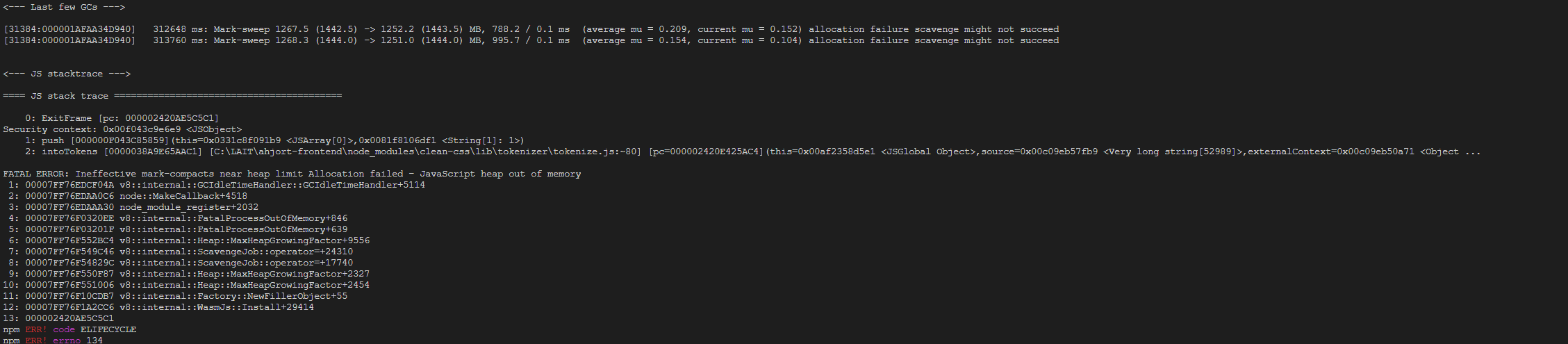
Still get this error when I "nuxt build && nuxt export" @Haroenv
bootsmann1995
on 22 Jul 2020
@bootsmann1995, if this error happens during export, it's likely not related to the parent issue, would it be possible to create a demo for us to see this?
Haroenv
on 22 Jul 2020
hmm i have a lot in this application :) could you email me @Haroenv ? [email protected]
bootsmann1995
on 23 Jul 2020
Sorry, that will be complicated to find the root cause, could you instead recreate this from the simplest possible example, and open a new issue with it?
Haroenv
on 23 Jul 2020
Yea okay, ill try to create and example for you on codesandbox
bootsmann1995
on 23 Jul 2020
Hello @Haroenv, i have a questing regarding the promblem i was facing. Is it possible to convert my solution into async instead of serverprefetch?
 bootsmann95
on 4 Aug 2020
bootsmann95
on 4 Aug 2020
Can you create a full issue please @bootsmann95 @bootsmann1995? I'm not sure I understand.
Since it seems this original issue here is solved for v3, I will close it.
Haroenv
on 5 Aug 2020
@Haroenv so i don't have to worry about memory leak if i use v3?
bootsmann1995
on 5 Aug 2020
No, this issue is fixed, since the instantsearch instance is created during a component life cycle now, and is no longer global
Haroenv
on 5 Aug 2020
im still getting memory leak: @Haroenv
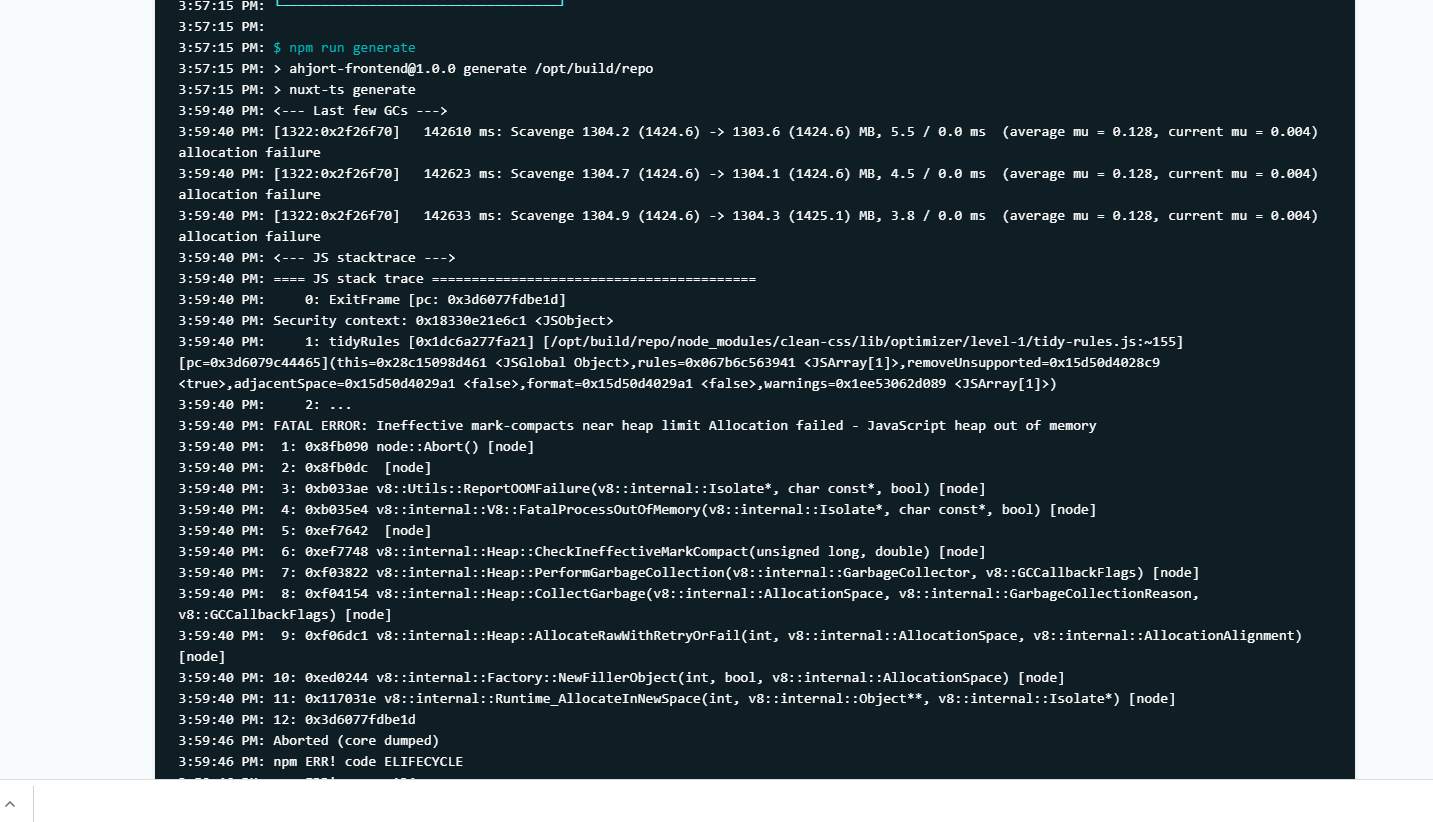
bootsmann1995
on 6 Aug 2020
Could you open a new issue with reproduction @bootsmann1995? The original issue is about serving, this is about generating.
Haroenv
on 6 Aug 2020
@Haroenv JTK: I've opened this issue a year ago, but i remember that the problem was also present during the generating command too 🤔
LuXDAmore
on 6 Aug 2020
That makes sense, however I’d rather have a fresh issue for v3 with reproduction, there could be some unrelated issues
Haroenv
on 7 Aug 2020
I also get it in serve some times @Haroenv
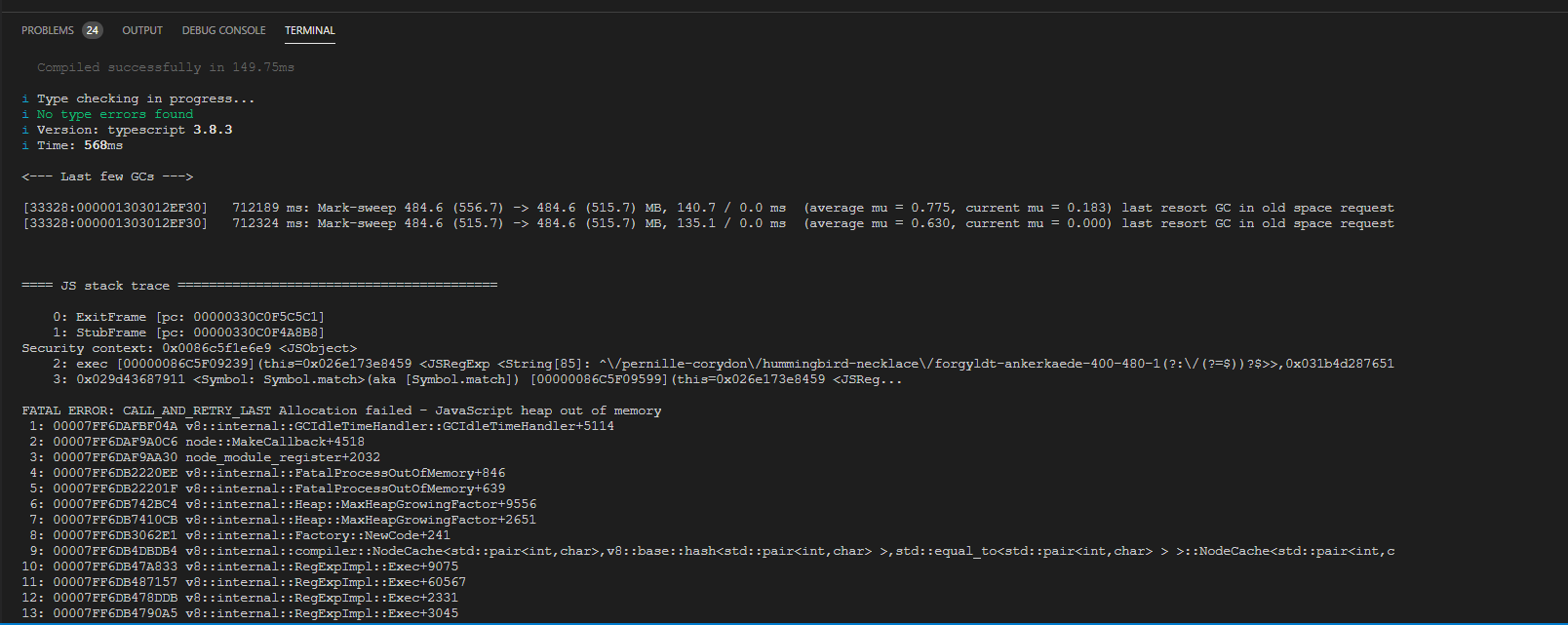
bootsmann1995
on 7 Aug 2020
Any update on this issue?
 akr4m
on 24 Jun 2021
akr4m
on 24 Jun 2021
Could you open a new issue with clear reproduction on GitHub @akr4m ?
Haroenv
on 24 Jun 2021
Related issues
samouss
·
3Comments
 chamby
·
3Comments
chamby
·
3Comments
 alekcarvalho
·
3Comments
alekcarvalho
·
3Comments
 socieboy
·
5Comments
socieboy
·
5Comments
 jackwkinsey
·
4Comments
jackwkinsey
·
4Comments
Most helpful comment
Thanks a lot for the issue! Indeed we have a problem inside our SSR documentation example. The issue comes from the fact that only one instance is created for all the requests made to the server. It means that everything is always added to the exact same instance. This only happens with Nuxt though. The plain SSR example correctly scopes the instance of InstantSearch to each request.
You can definitely avoid this memory leak with the API provided by Vue InstantSearch, but it will require some manual plumbing for the moment. It's definitely not the best solution but the advantage is that you can use this solution right away. We'll investigate a solution to provide better integration with Nuxt in the next weeks (probably through a Nuxt module).
The first step is to move the creation of the InstantSearch outside of the main module. We'll create a Nuxt plugin for that. The plugin is called on each request and allow us to inject values into the App.
Now that we have the plugin, we have to add it to the
nuxt.config.js.The final part is to update how the data is retrieved from the page component.
I've run some tests on the two different implementations. I monitor the usage of the memory after some request to the server (1 request, 1000 requests, see below). I hope this solution will fix the problem.
| | 1 request | 1000 requests |
| ----------------- | --------- | ------------- |
| With the issue | 29.6MB | 301MB |
| Without the issue | 29.7MB | 31.6MB |
You can find the complete example on GitHub.