Vue-grid-layout: Is there any way to show all cell placeholder?
Hi
i am creating like a salesforce grid, Is there any way to show all cell placeholder?
Thanks

 AsheKR
>All comments
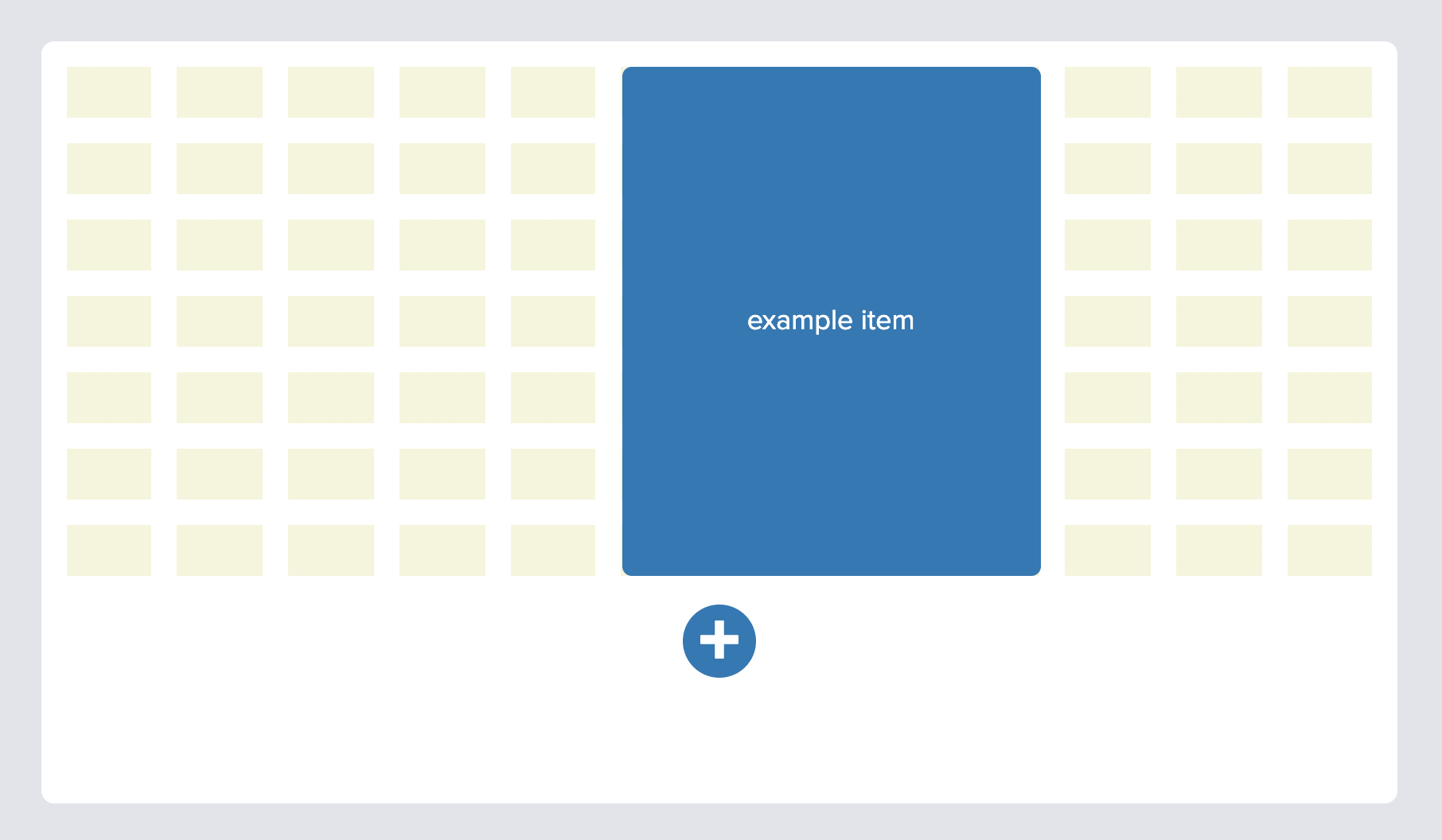
Hi, I made a quick version similar to this. I used flexbox in the background for the columns, and a linear gradient for the rows. It might be even easier with css grid, but here's what I used. Maybe you can edit it for what you need.
The grid background is its own component:
<template>
  <div class="grid-background"
    :style="{
      bottom: `${margin[1]}px`,
      left: `${margin[0]}px`,
      right: `${margin[0]}px`,
      top: `${margin[1]}px`,
    }"
  >
    <div
      v-for="n in colNum"
      :key="n"
      class="grid-background__column"
      :style="{
        background: backgroundGradient,
        marginRight: n === colNum ? 0 : `${margin[0]}px`,
      }"
    >
    </div>
  </div>
</template>

<script>

export default {
  name: 'GridBackground',
  computed: {
    backgroundGradient() {
      return `repeating-linear-gradient(beige, beige ${this.rowHeight}px, transparent ${this.rowHeight}px, transparent ${this.rowHeight + this.margin[1]}px)`;
    },
  },
  props: {
    margin: {
      type: Array,
      default() {
        // Match vue-grid-layout's API: [horizontal margin, vertical margin]
        return [10, 10];
      },
    },
    colNum: {
      type: Number,
      default: 12,
    },
    rowHeight: {
      type: Number,
      default: 150,
    },
  },
};
</script>

<style lang="stylus" scoped>
.grid-background {
  display: flex;
  position: absolute;

  > div {
    min-width: 0;
    flex-grow: 1;
  }
}
</style>
And is nested in the parent component like this:
  <GridLayout
    :col-num="colNum"
    :row-height="rowHeight"
    :margin="gridMargin"
  >
    <GridBackground
      :col-num="colNum"
      :row-height="rowHeight"
      :margin="gridMargin"
    />
    (GridItems)
  </GridLayout>
 jtenclay
on 4 Feb 2020
jtenclay
on 4 Feb 2020
🚀2
❤1
👍1
Was this page helpful?
0 / 5 - 0 ratings
Related issues
 jeremytiki
·
4Comments
jeremytiki
·
4Comments
 kennethllamasares
·
3Comments
kennethllamasares
·
3Comments
 mateo2181
·
6Comments
mateo2181
·
6Comments
 vitorhps
·
3Comments
vitorhps
·
3Comments
 MLongz
·
7Comments
MLongz
·
7Comments
Most helpful comment
Hi, I made a quick version similar to this. I used flexbox in the background for the columns, and a linear gradient for the rows. It might be even easier with css grid, but here's what I used. Maybe you can edit it for what you need.
The grid background is its own component:
And is nested in the parent component like this: