Vue-dropzone: "Remove File" button lost.
<dropzone
        ref="test"
        v-if="!isUploader"
        :id="formItem.id"
        @vdropzone-max-files-exceeded="checkExceeded"
        @vdropzone-success="onUploadSuccess"
        @vdropzone-removed-file="onRemoveUploadingFile"
        @vdropzone-max-files-reached="onAddFiles"
        :options="dzOptions">
        <input type="hidden" name="token" value="xxx">
      </dropzone>
computed: {
      dzOptions () {
        let config = {
          dictDefaultMessage: '将本地文件拖到此处,或点击上传',
          url: '/api/upload_file/',
          acceptedMimeTypes: this.formItem.value.regex.join(','),
        }
        if (this.formItem.value.type === 'file') {
          return {
            ...config,
            maxFiles: 1
          }
        } else {
          return {
            ...config,
            maxFiles: 20
          }
        }
      },
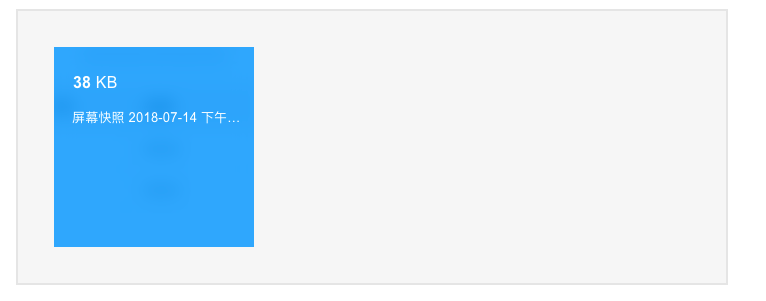
See, the "REMOVE FILE" button is lost.
 morance
All 3 comments
In your dzOptions you need to have addRemoveLinks: true
 rowanwins
on 16 Jul 2018
rowanwins
on 16 Jul 2018
❤7
thanks for help
morance
on 17 Jul 2018
Thanks! But i cannot find this in docs
 taewo
on 23 May 2019
taewo
on 23 May 2019
Was this page helpful?
0 / 5 - 0 ratings
Related issues
 azhard4int
·
6Comments
azhard4int
·
6Comments
 dainemedia
·
4Comments
dainemedia
·
4Comments
 zhangzhen
·
3Comments
zhangzhen
·
3Comments
 estrica2000
·
5Comments
estrica2000
·
5Comments
 jd-0001
·
5Comments
jd-0001
·
5Comments
Most helpful comment
In your
dzOptionsyou need to haveaddRemoveLinks: true