Vue-devtools: What did you do to the Vuex state in the new update? Where is the way to see it?
Version
5.0.3
Browser and OS info
Version 0.61.52 Chromium: 73.0.3683.86 / MacOS 10.14.2
Steps to reproduce
Open Vue devtools, change tab to "Vuex" and try to see the current state
What is expected?
There was a way to see the current Vuex state but now there is the only way to see it by mutation
What is actually happening?
I can see the state only by mutation
 SilencerWeb
All 10 comments
Select last mutation to see actual state. Last mutation is selected by default.
 sp1ker
on 27 Mar 2019
sp1ker
on 27 Mar 2019
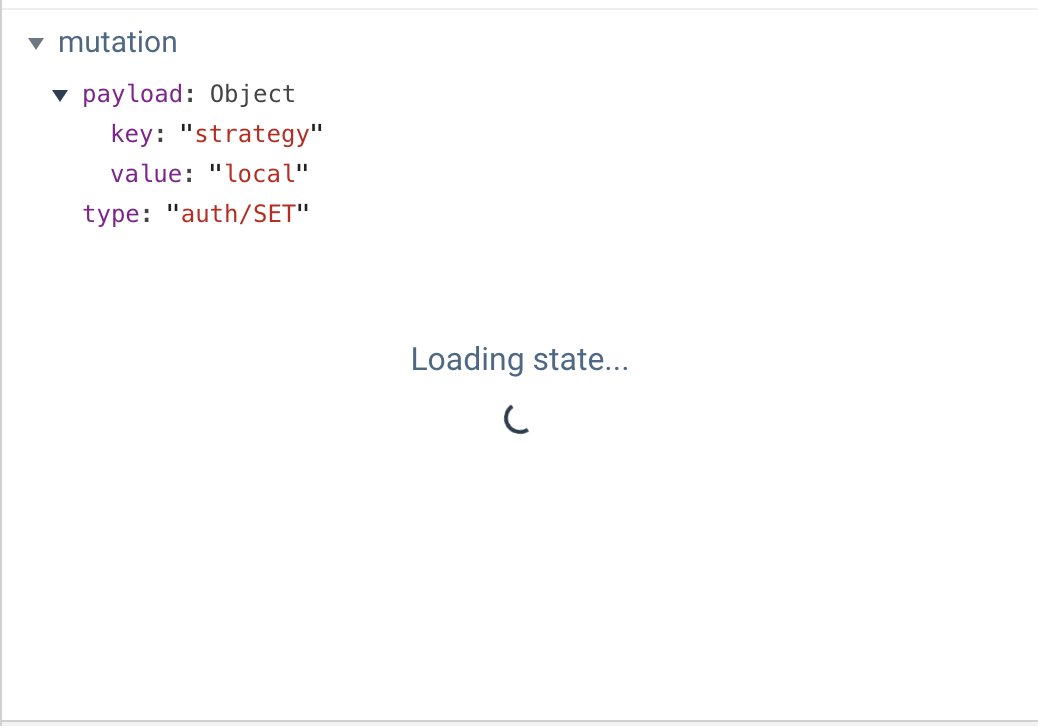
After selecting last mutation, loading state... loader indicator enter in an infinite loop.
 filippolcr
on 27 Mar 2019
filippolcr
on 27 Mar 2019
Oh.. possible bug :)
sp1ker
on 27 Mar 2019
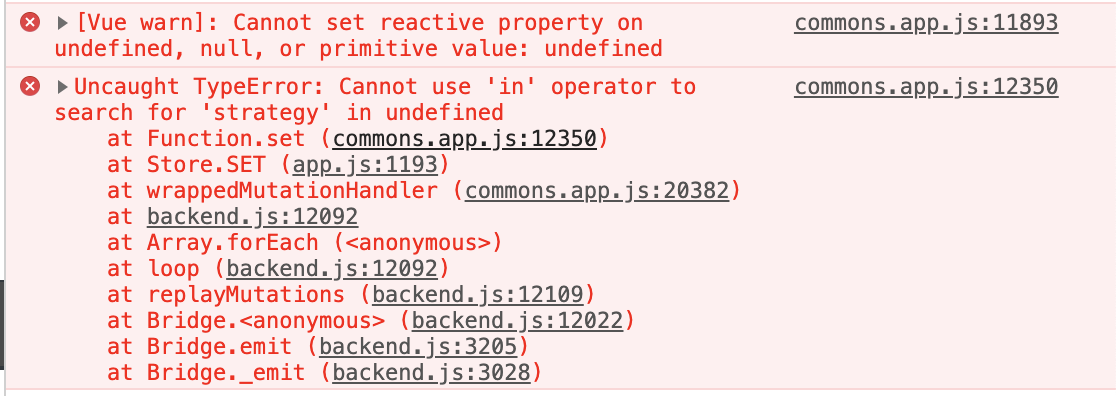
Yeah, I'm developing with nuxt.js, I notice that without "@nuxtjs/auth": "^4.5.3" module, vue dev tools load state correctly and it's really fast.
With this module in console:
filippolcr
on 27 Mar 2019
Sounds similar to the issues I was facing in #922 I have posted some workarounds in my latest comment there
 G-Bro
on 27 Mar 2019
G-Bro
on 27 Mar 2019
Thanks G-Bro, following #922
filippolcr
on 27 Mar 2019
Temporary workaround: did a manual install of [email protected] and I don't see this issue using that release.
I see the infinite loop loading Vuex state too. When I click the new button in the last mutation to load the Vuex state, it loads very slowly, sometimes doesn't load at all unless I reopen devtools. Eventually I see a 100% CPU process for Google Chrome Helper and have to force quit the tab. Only see this issue in version 5.x.
 jDrysdale
on 27 Mar 2019
jDrysdale
on 27 Mar 2019
We have an issue with dynamic vuex modules.
We register/unregister them in route components.
When I click "load state" in dev tools it tries to register these modules again (I guess) and fails with errors like vuex.esm.js:729 [vuex] duplicate getter key:
 denisinvader
on 28 Mar 2019
denisinvader
on 28 Mar 2019
@filippolcr I have the same issue by using version 4.1.5, click "Load state" a few times and the state may eventually display
 GeniaT
on 28 Mar 2019
GeniaT
on 28 Mar 2019
Please open separate issues for each problem.
 Akryum
on 28 Mar 2019
Akryum
on 28 Mar 2019
Related issues
 trollderius
·
3Comments
trollderius
·
3Comments
 gustojs
·
3Comments
gustojs
·
3Comments
 sithuaung
·
4Comments
sithuaung
·
4Comments
 pxwee5
·
3Comments
pxwee5
·
3Comments
 matthewsunrise
·
3Comments
matthewsunrise
·
3Comments
Most helpful comment
After selecting last mutation, loading state... loader indicator enter in an infinite loop.