Vue-cli: Invalid src:url for font-face when building a library
Version
3.0.1
Reproduction link
https://github.com/qspoerri/vue-cli-font
Node and OS info
Yarn 1.6.0 / Node 8.11.3 / Windows 7 professional
Steps to reproduce
run yarn build-lib to generate a library build
What is expected?
The font-face's src:url should be set correctly.
What is actually happening?
When generating a library containing fonts, the dist directory has the following structure:
.
 -- fonts
|    -- FiraSans-Bold.bf0aaa9c.woff
|    -- FiraSans-Book.6d4e4a15.woff
|    -- FiraSans-Light.29430787.woff
|-- img
|     -- logo.82b9c7a5.png
 -- logo.82b9c7a5.png
 -- myLib.common.js
 -- myLib.css
 -- myLib.umd.js
Unfortunately, in myLib.css the urls for the font-faces seems incorrect moving to the parent directory:
@font-face{font-family:FiraSans-Book;font-style:normal;font-weight:400;src:url(../fonts/FiraSans-Book.6d4e4a15.woff)}
Therefore, when using the library the font-face is not loaded correctly.
The problem occured when I was trying to create a library of shared components to be reused across serveral different application.
For consistency, the fonts should be included in the library
 qspoerri
All 8 comments
This is fixed, but it may not be the best idea in bundle fonts in a library...
 yyx990803
on 17 Aug 2018
yyx990803
on 17 Aug 2018
Thank you very much for the quick fix!!
Your advice would be importing the fonts directly in the projects that needs them?
qspoerri
on 19 Aug 2018
@yyx990803 can you release this bug fix? I'm also having a library who's font is broken now 😂
 crazyxhz
on 21 Aug 2018
crazyxhz
on 21 Aug 2018
Does this fix solve the same issue for static images?
And background-images in css?
I use it with the @ alias (~@ in css) –
I have a major release on monday and really need this library to work. If there is no chance releasing this bug fix, could you maybe tell us what / how to fix it ourselves? 🤕
Or maybe another workaround to get the assets working?
Maybe reverting back to an earlier version? (A guide on that one would be good; I tried changing the package.json version back to 3.0.0-rc.12 and then npm install – but still got the same version)
Thank you!
 katerlouis
on 23 Aug 2018
katerlouis
on 23 Aug 2018
@katerlouis in vue.config.js:
module.exports = {
  chainWebpack: config => {
    if (process.env.VUE_CLI_BUILD_TARGET === "lib") {
      const langs = ["css", "postcss", "scss", "sass", "less", "stylus"];
      const matches = ["vue-modules", "vue", "normal-modules", "normal"];

      langs.forEach(lang =>
        matches.forEach(match =>
          config.module
            .rule(lang)
            .oneOf(match)
            .use("extract-css-loader")
            .loader(require("mini-css-extract-plugin").loader)
            .options({
              publicPath: "./"
            })
        )
      );
    }
  }
};
 sodatea
on 24 Aug 2018
sodatea
on 24 Aug 2018
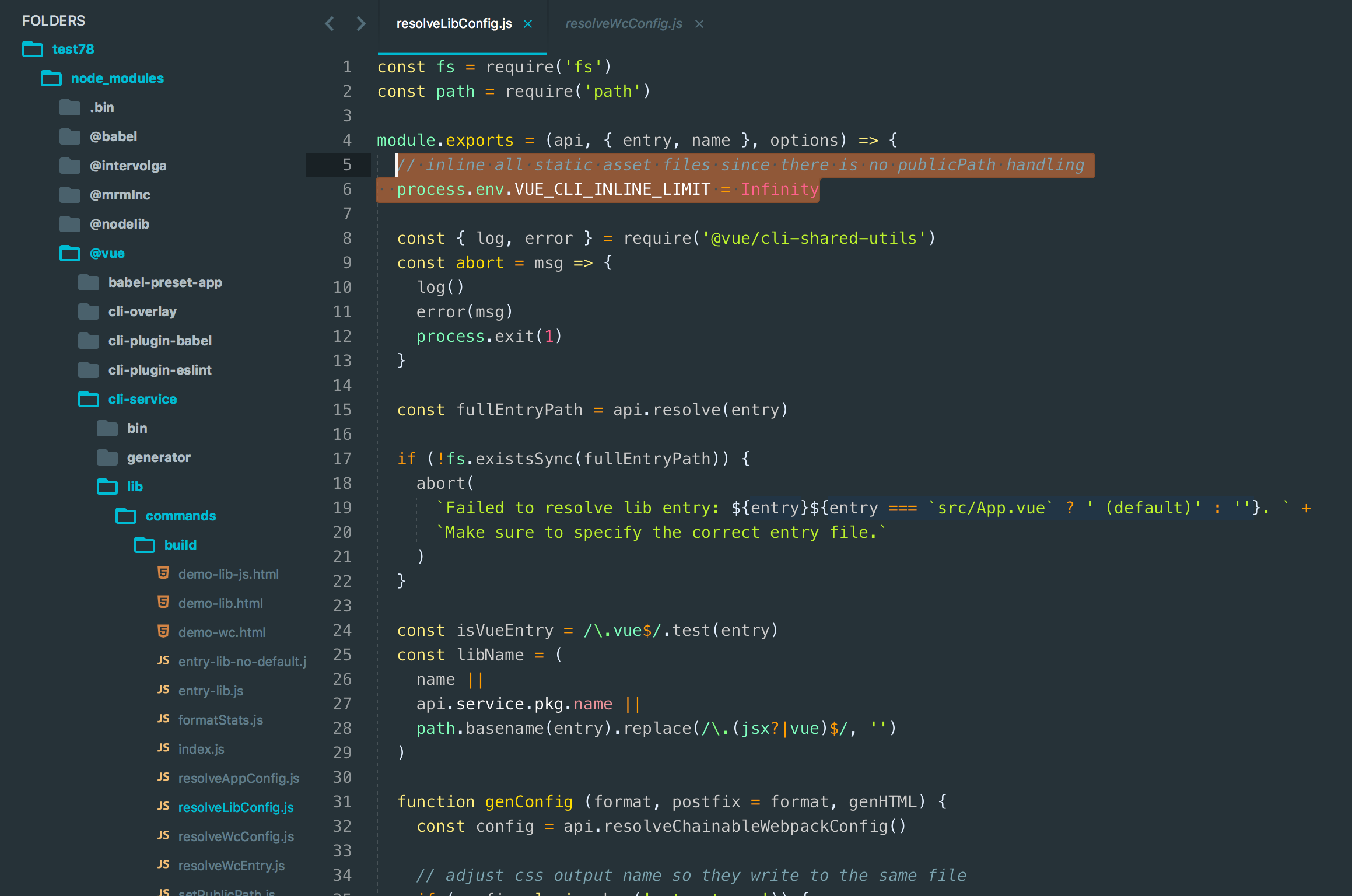
Could it be that the commited changes (https://github.com/vuejs/vue-cli/commit/1973e2de2c7d7cebed38e037ccae9331ff849841) are still not shipped yet?
I have the latest vue-cli version installed (3.0.1)

When I create a fresh vue-cli project


The changes are not there yet:

katerlouis
on 11 Sep 2018
@katerlouis
v3.0.2 was released a moment ago 🙂
sodatea
on 11 Sep 2018
Bam, and then why not go straight to 3.0.3 :D

So the change wasn't in there although it got commited before 3.0.1? Crazy! Just when I think I started to understand Git :D
katerlouis
on 12 Sep 2018
Related issues
 miyamoto-san
·
3Comments
miyamoto-san
·
3Comments
 DrSensor
·
3Comments
DrSensor
·
3Comments
 eladcandroid
·
3Comments
eladcandroid
·
3Comments
 JIANGYUJING1995
·
3Comments
JIANGYUJING1995
·
3Comments
 wahidrahim
·
3Comments
wahidrahim
·
3Comments
Most helpful comment
@yyx990803 can you release this bug fix? I'm also having a library who's font is broken now 😂