Vue-cli-plugin-electron-builder: Changed history mode but Blank screen on electron build
Blank screen when the application is build in windows platform although I changed the history mode as per the Instruction Given.
router/index.js
import Vue from "vue"
import VueRouter from "vue-router"
import Home from "../views/Home.vue"
import Billing from "../views/Billing.vue"
import Business_health_report from "../views/Business_health_report.vue"
import Expenses from "../views/Expenses.vue"
import Inventory from "../views/Inventory.vue"
import Payments from "../views/Payments.vue"
import Sales_invoice from "../views/Sales_invoice.vue"

Vue.use(VueRouter)

const routes = [
    {
        path: "/",
        name: "Home",
        component: Home,
    },
    // {
    //  path: "/about",
    //  name: "About",
    //  component: () =>
    //      import(/* webpackChunkName: "about" */ "../views/About.vue"),
    // },
]

const router = new VueRouter({
    mode: process.env.IS_ELECTRON ? "hash" : "history",
    base: process.env.BASE_URL,
    routes,
})

export default router
background.js
"use strict"

import { app, protocol, BrowserWindow } from "electron"
import { createProtocol } from "vue-cli-plugin-electron-builder/lib/createProtocol"
import installExtension, { VUEJS_DEVTOOLS } from "electron-devtools-installer"
const isDevelopment = process.env.NODE_ENV !== "production"

// Keep a global reference of the window object, if you don't, the window will
// be closed automatically when the JavaScript object is garbage collected.
let win

// Scheme must be registered before the app is ready
protocol.registerSchemesAsPrivileged([
    { scheme: "app", privileges: { secure: true, standard: true } },
])

function createWindow() {
    // Create the browser window.
    win = new BrowserWindow({
        width: 1265,
        height: 800,
        minWidth: 1265,
        icon: "./src/assets/logo.png",
        webPreferences: {
            // Use pluginOptions.nodeIntegration, leave this alone
            // See nklayman.github.io/vue-cli-plugin-electron-builder/guide/security.html#node-integration for more info
            nodeIntegration: process.env.ELECTRON_NODE_INTEGRATION,
        },
    })

    if (process.env.WEBPACK_DEV_SERVER_URL) {
        // Load the url of the dev server if in development mode
        win.loadURL(process.env.WEBPACK_DEV_SERVER_URL)
    } else {
        createProtocol("app")
        // Load the index.html when not in development
        win.loadURL("app://./index.html/")
    }

    win.on("closed", () => {
        win = null
    })
}

// Quit when all windows are closed.
app.on("window-all-closed", () => {
    // On macOS it is common for applications and their menu bar
    // to stay active until the user quits explicitly with Cmd + Q
    if (process.platform !== "darwin") {
        app.quit()
    }
})

app.on("activate", () => {
    // On macOS it's common to re-create a window in the app when the
    // dock icon is clicked and there are no other windows open.
    if (win === null) {
        createWindow()
    }
})

// This method will be called when Electron has finished
// initialization and is ready to create browser windows.
// Some APIs can only be used after this event occurs.
app.on("ready", async () => {
    if (isDevelopment && !process.env.IS_TEST) {
        // Install Vue Devtools
        try {
            await installExtension(VUEJS_DEVTOOLS)
        } catch (e) {
            console.error("Vue Devtools failed to install:", e.toString())
        }
    }
    createWindow()
})

// Exit cleanly on request from parent process in development mode.
if (isDevelopment) {
    if (process.platform === "win32") {
        process.on("message", data => {
            if (data === "graceful-exit") {
                app.quit()
            }
        })
    } else {
        process.on("SIGTERM", () => {
            app.quit()
        })
    }
}
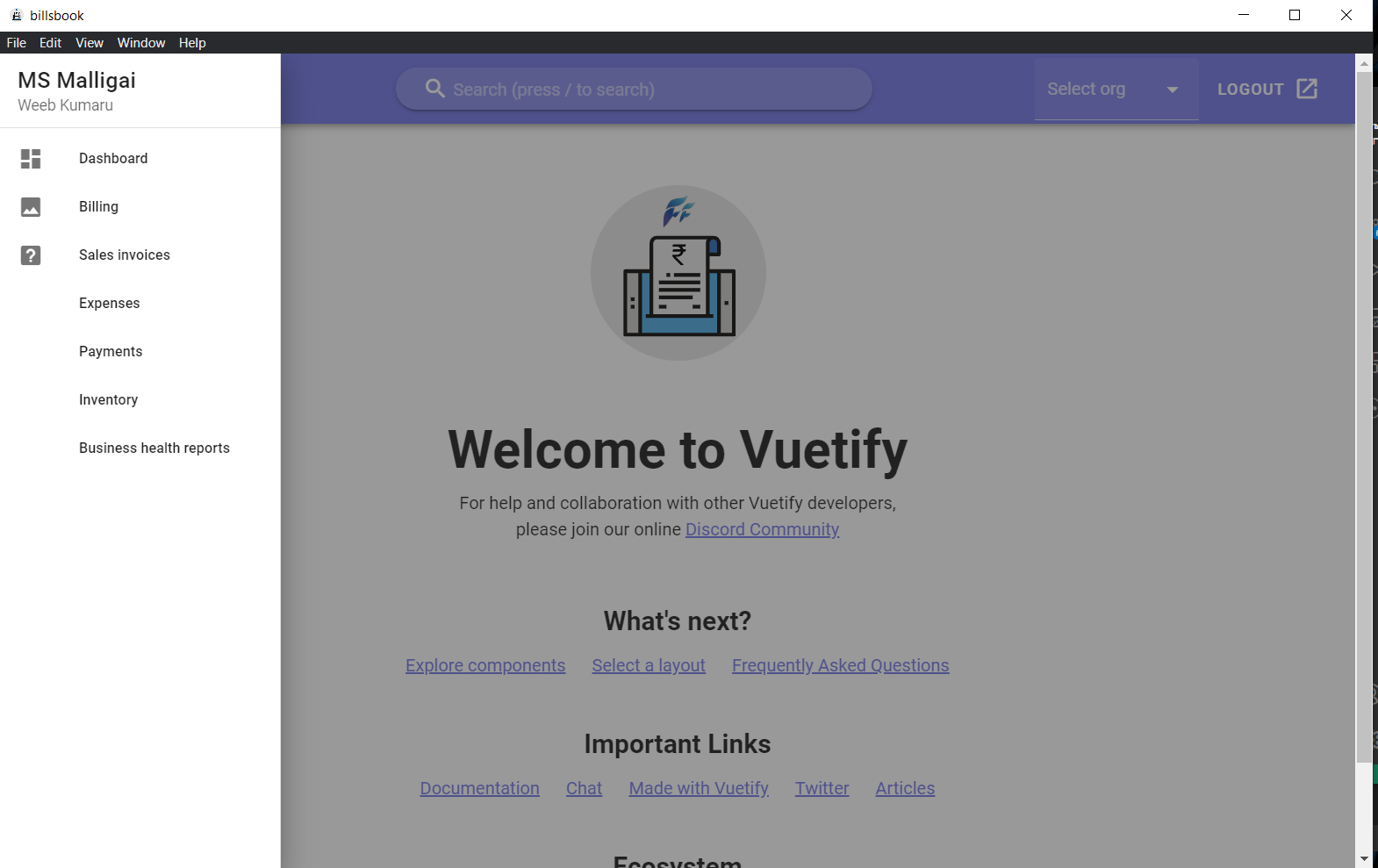
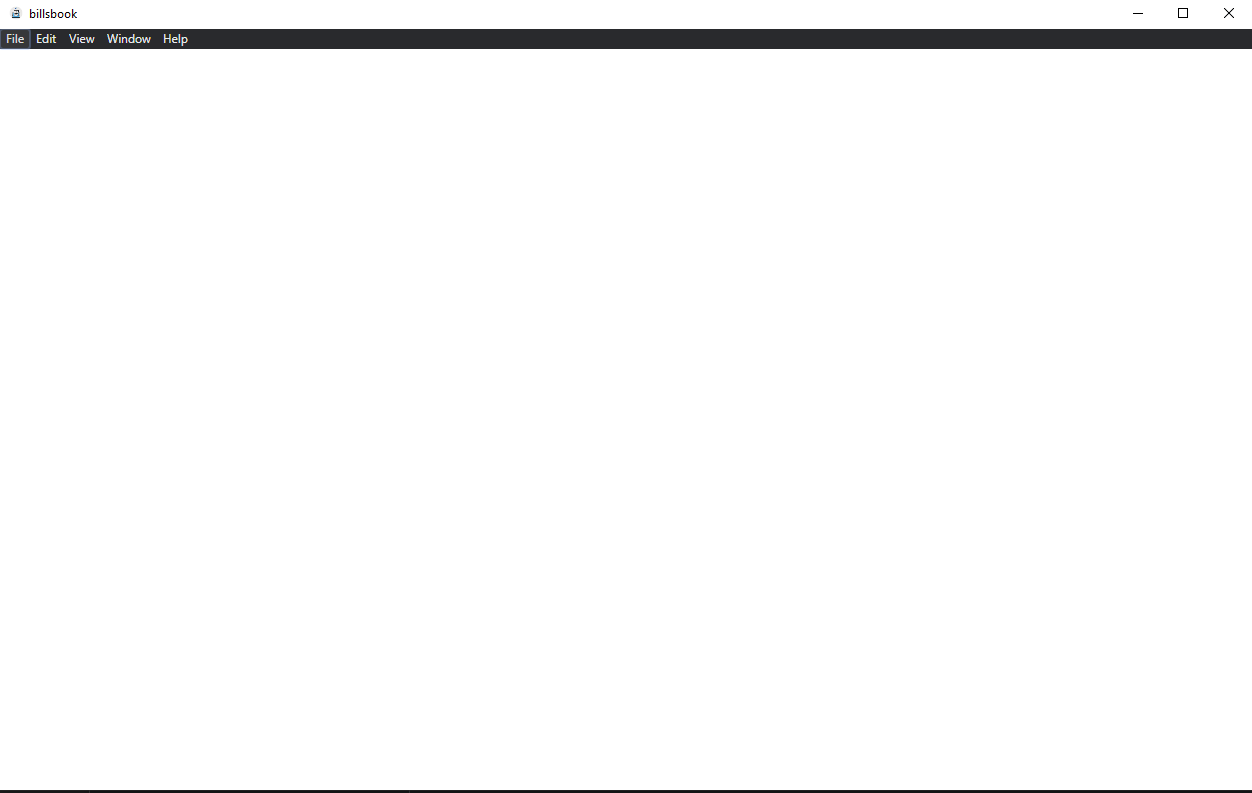
Screenshots
Expected output, when used eletron:serve
Output when build
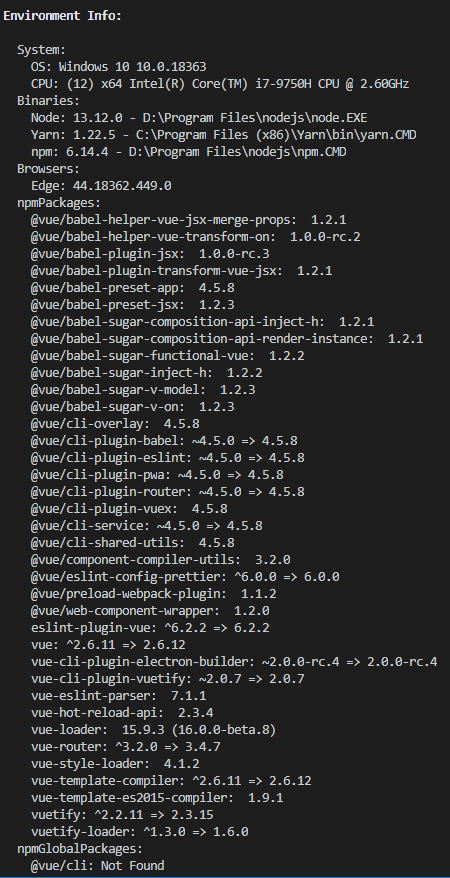
Environment (please complete the following information):
- vue info
 mage1k99
All 15 comments
I have the same problem
 13196789316
on 3 Nov 2020
13196789316
on 3 Nov 2020
I have the same problem
Did you add any event listener for specific key pressed in mounted() lifecycle method?? @13196789316
mage1k99
on 4 Nov 2020
@mage1k99 I added listener on 'resize'. I don't how to figure out
13196789316
on 4 Nov 2020
@mage1k99 I added listener on 'resize'. I don't how to figure out
tried build it after removing the resize listener? I'm going to try that @13196789316
mage1k99
on 4 Nov 2020
@mage1k99 I added listener on 'resize'. I don't how to figure out
tried build it after removing the resize listener? I'm going to try that @13196789316
So I tried to create a fresh vue project but this time history mode disabled
And adding the line snippet as in electron-builder plugin
Now it doesn't show blank page. sounds weird ?
The resize listener has nothing to do with.
create vue project with history mode disabled
add electron builder by
vue add electron-buildernow add the line to router/index.js
mode: process.env.IS_ELECTRON ? 'hash' : 'history'build and run it works fine. 🤷♂️
@13196789316
mage1k99
on 4 Nov 2020
@mage1k99 I did the same thing as you, a simple project worked well. But a vue project that used to work well reported an error after packaging. No matter how I set it up, I'll report an error. Uncaught ReferenceError: Can access 'a' before initialization
13196789316
on 5 Nov 2020
@mage1k99 After babel is configured, it can be executed
13196789316
on 5 Nov 2020
So figured out the problem? @13196789316
mage1k99
on 5 Nov 2020
@mage1k99 Yes
13196789316
on 5 Nov 2020
@mage1k99 Yes
Can you share your babel config ? @13196789316
mage1k99
on 5 Nov 2020
@mage1k99
{
"presets": [
["@vue/app", { "decoratorsLegacy": true }]
],
"plugins": [
["@babel/plugin-transform-runtime"]
]
}
and then import 'babel-polyfill' in the top of main.js
13196789316
on 5 Nov 2020
.babelrc
{
"presets": [
["@vue/app", { "decoratorsLegacy": true }]
],
"plugins": [
["@babel/plugin-transform-runtime"]
]
}
13196789316
on 5 Nov 2020
Is the original issue solved here or is there still a problem with history mode?
 nklayman
on 6 Nov 2020
nklayman
on 6 Nov 2020
Is the original issue solved here or is there still a problem with history mode?
For now its seems to be solved, but Still can't figure out the actual reason for it. I'm gonna test it out in 2 days and I'll close the Issue if it succeed.
mage1k99
on 6 Nov 2020
Still now I haven't encountered the History Issue, So I'm closing the issue. If it occurs again I'll re-open the Issue with details.
mage1k99
on 9 Nov 2020
Related issues
nklayman
·
3Comments
 thislooksfun
·
6Comments
thislooksfun
·
6Comments
 TrustNguyen
·
5Comments
TrustNguyen
·
5Comments
 wakamin
·
3Comments
wakamin
·
3Comments
 HarlanGitHub
·
4Comments
HarlanGitHub
·
4Comments
Most helpful comment
.babelrc
{
"presets": [
["@vue/app", { "decoratorsLegacy": true }]
],
"plugins": [
["@babel/plugin-transform-runtime"]
]
}