Vtk-js: Visualization precision issues with datasets that have 'large coordinates'
Hi there,
When trying to visualize a vtp with value ranges from 6200475.180468361 to 6200562.503912979, I've noticed that the visualization does not accurately represent the data.
For example, the vtp (see attached zip) is rendered in the vtk.js GeometryViewer example as:

Paraview renders it similarly:

However, by visualizing the same data in i.e. QGIS, one can see that the bottom border is not accurately represented in either vtk.js or Paraview:

Are there any ways to increase the accuracy of the visualization that come to mind?
Thanks for the help,
Dan
About the data:
The data represents geographical coordinates in a given projection. The precision is necessary because the data is sometimes shown on top of a map. Any transform to this coordinate with either misrepresent the geographical data or effectively reproject the data.
 danmindru
All 8 comments
Using ParaView 5.6 or 5.7, I can not reproduce the precision issue while I agree that on vtk.js the precision issue arises and you can see the geometry jumping around.
@martinken can we do similar things on vtk.js to properly handle double precision coordinates like it is done in VTK or ParaView without manually shifting the coordinates?
 jourdain
on 25 Sep 2019
jourdain
on 25 Sep 2019
Yes we can
 martinken
on 25 Sep 2019
martinken
on 25 Sep 2019
To be clear that is a "we could code the same technique", right now it isn't implemented though
martinken
on 25 Sep 2019
Latest PV should handle those coordinates fine (as you are seeing Seb)
martinken
on 25 Sep 2019
Thanks for getting back so quickly. It sounds promising!
To clarify, would you prefer that this is pushed / funded by a customer?
(that's fine, just want to make sure that is the case 😊)
danmindru
on 27 Sep 2019
Hi @boucaud @finetjul,
Upon updating to v11.9.0 seems to improve the original issue, however I'm seeing new scaling issues when visualizing i.e. 2+ actors that have shifted coordinates.
Example #1:
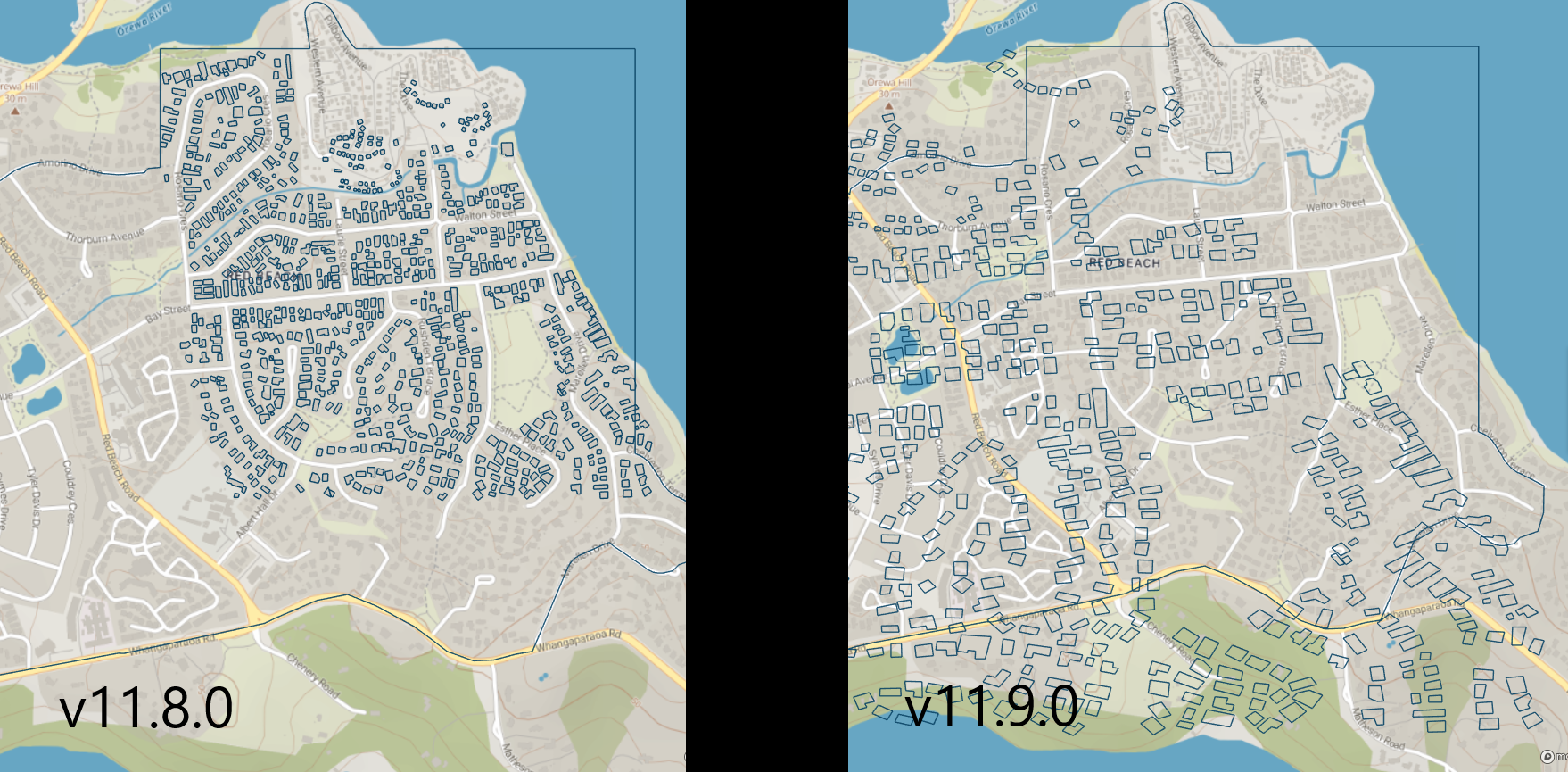
(zoomed)
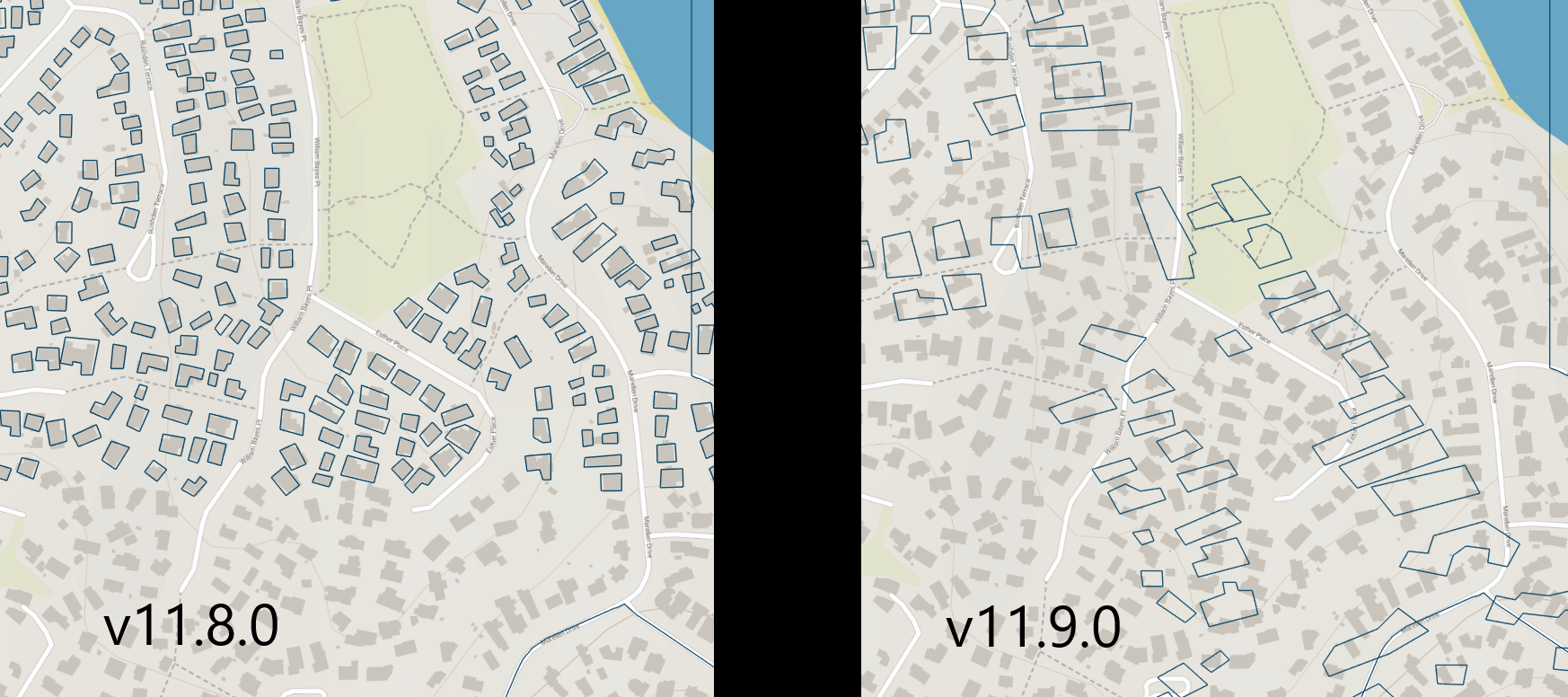
It seems like there is a proportional relation between the issue and the difference in size between the actors. In the following example, you can see what I mean.
Example #2
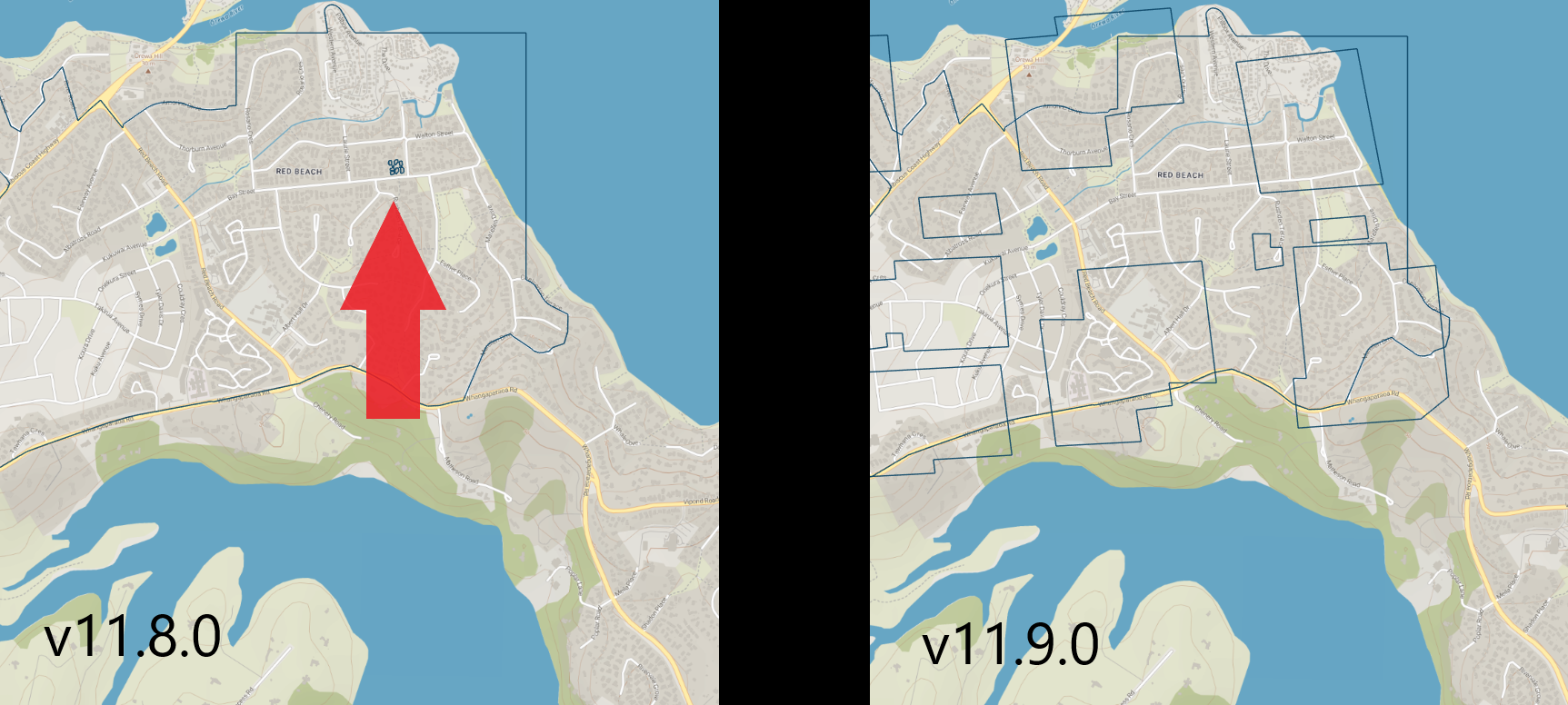
Again, rendering just one actor at a time does not present any problems. They seem to be scaled correctly / precisely. The problem occurs with 2+ actors.
I've also attached the input vtps.
I am not sure if the fix in #1251 will also take care of this, but it might.
Thanks for the good work,
Dan
danmindru
on 12 Nov 2019
Hello @danmindru,
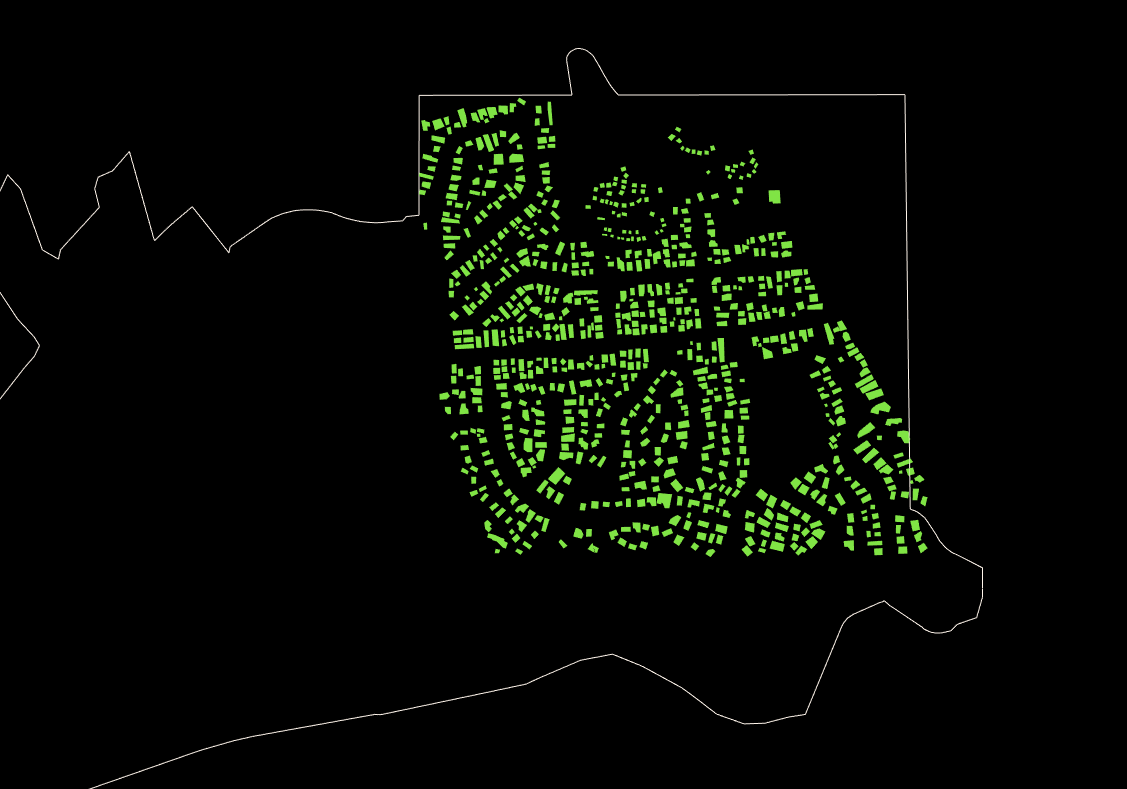
1251 should indeed fix these scaling issues (the issue being that view matrices are not properly updated for multiple actors).
edit: I can confirm that it does fix your issue:
 boucaud
on 12 Nov 2019
boucaud
on 12 Nov 2019
thanks @boucaud, seems that you are one step ahead 👍
Looking good then, let's keep this one closed.
All the best,
Dan
danmindru
on 12 Nov 2019
Related issues
 BotellaA
·
3Comments
BotellaA
·
3Comments
 thesharkm4n
·
7Comments
thesharkm4n
·
7Comments
 rjsgml5698
·
6Comments
rjsgml5698
·
6Comments
 truongleit
·
6Comments
truongleit
·
6Comments
 johannesring
·
6Comments
johannesring
·
6Comments
Most helpful comment
Hello @danmindru,
1251 should indeed fix these scaling issues (the issue being that view matrices are not properly updated for multiple actors).
edit: I can confirm that it does fix your issue:
