Vscodium: Mac installation: adding code-oss in the path
VScode installs code in the path, so that it's very convenient to open it from any directory:
~/in-my-project $ code .
opens VSCode for in-my-project
ls -la /usr/local/bin/code
lrwxr-xr-x 1 <user> <group> 68 May 17  2017 /usr/local/bin/code -> '/Applications/Visual Studio Code.app/Contents/Resources/app/bin/code'
It'd be awesome if the brew installation would do the same.
 yanns
yanns
All 2 comments
@yanns AFAIK, Visual Studio Code doesn't add code to the path by default. You have to go to the command palette and choose Shell command: Install 'code' command in PATH. In VSCodium you have the same option
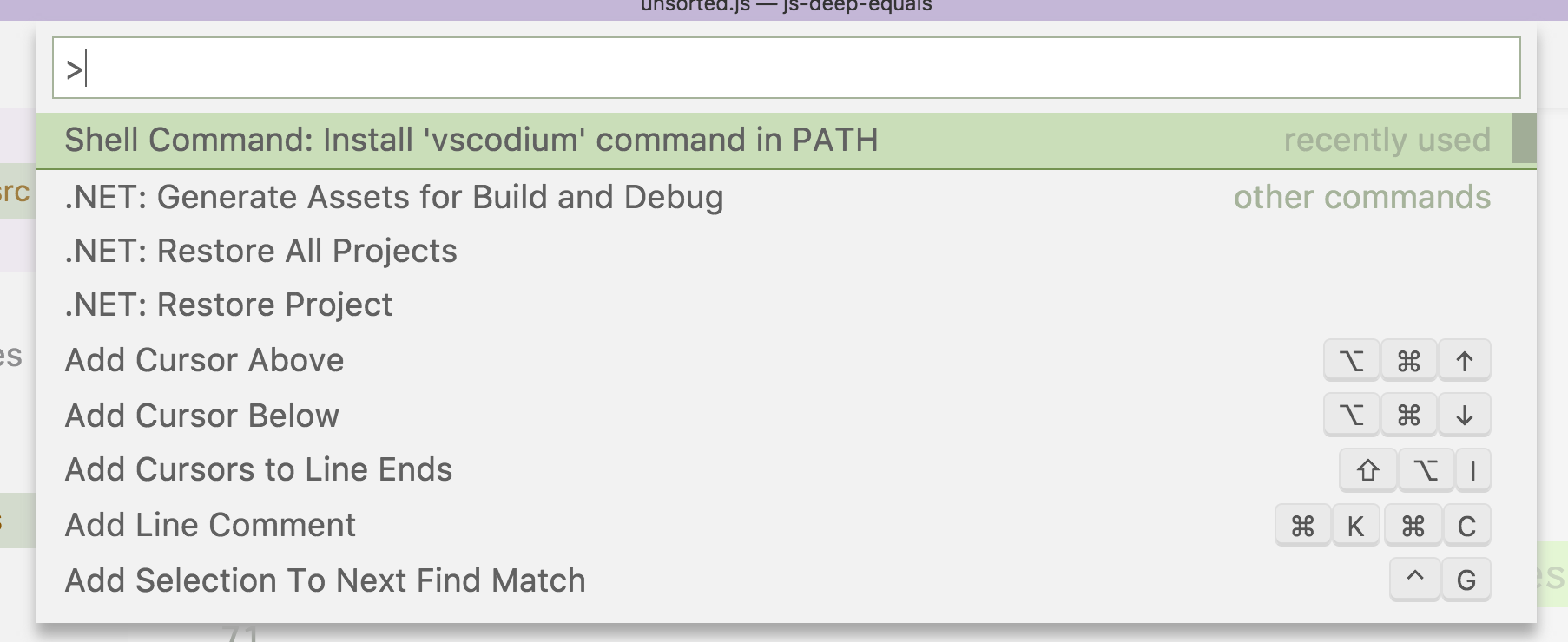
This allows ~/in-my-project $ vscodium .
If you want code, you can make an alias code=vscodium in your shell profile.
 stripedpajamas
on 19 Sep 2018
stripedpajamas
on 19 Sep 2018
❤5
👍4
Thx a lot for the precision!
yanns
on 19 Sep 2018
❤2
Was this page helpful?
0 / 5 - 0 ratings
Related issues
 gabeeg
·
19Comments
gabeeg
·
19Comments
 JL2210
·
55Comments
JL2210
·
55Comments
 jannik-mohemian
·
17Comments
jannik-mohemian
·
17Comments
 in-in
·
20Comments
in-in
·
20Comments
 dmfed
·
21Comments
dmfed
·
21Comments
Most helpful comment
@yanns AFAIK, Visual Studio Code doesn't add
codeto the path by default. You have to go to the command palette and chooseShell command: Install 'code' command in PATH. In VSCodium you have the same optionThis allows
~/in-my-project $ vscodium .If you want
code, you can make an aliascode=vscodiumin your shell profile.