Vscode: Integrated terminal stopped to work for debugging after insider update
Version: 1.50.0-insider (user setup)
Commit: 9e505675670d65138405321a60b0df4ddec28799
Date: 2020-09-16T06:49:37.816Z (7 hrs ago)
Electron: 9.3.0
Chrome: 83.0.4103.122
Node.js: 12.14.1
V8: 8.3.110.13-electron.0
OS: Windows_NT x64 10.0.19042
Steps to Reproduce:
- Open any project folder with debugger configured with "integratedTerminal"
- Hit F5 to start debugging
Debug toolbar will appear and integrated terminal opens at bottom, at this moment get an error message:
The terminal process "C:\Program Files\PowerShell\7\pwsh.exe" terminated with exit code: 3221225786.
After a research I made it work, but only with Command Prompt as default terminal and not the powershell 7.
Following this guide: https://code.visualstudio.com/docs/supporting/troubleshoot-terminal-launch#_terminal-exits-with-code-3221225786-or-similar
The error occurs only with powershell core (I'm with version 7.0.3).
Also tested with Windows Powershell, gets no error but doesn't work too.
 lucianotres
All 11 comments
So you did disable legacy console mode? You should also try this if you have anti-virus software https://code.visualstudio.com/docs/supporting/troubleshoot-terminal-launch#_error-connectnamedpipe-failed-windows-error-232
Do you have any terminal settings?
 Tyriar
on 17 Sep 2020
Tyriar
on 17 Sep 2020
Yes, the normal cmd works with or without legacy. And no anti-virus, only default "Windows Defender".
Do you have any terminal settings?
That's the problem:
"terminal.integrated.shell.windows": "C:\\WINDOWS\\System32\\cmd.exe", << Works
"terminal.integrated.shell.windows": "C:\\WINDOWS\\System32\\WindowsPowerShell\\v1.0\\powershell.exe", << No error but doesn't work
"terminal.integrated.shell.windows": "C:\\Program Files\\PowerShell\\7\\pwsh.exe", << Gives 3221225786 error and doesn't work
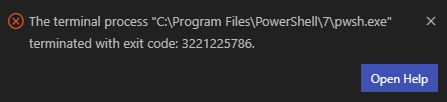
The same setup worked before update to 1.50.0-insider.
Need to do some config into powershell 7 terminal?
lucianotres
on 17 Sep 2020
@Tyriar
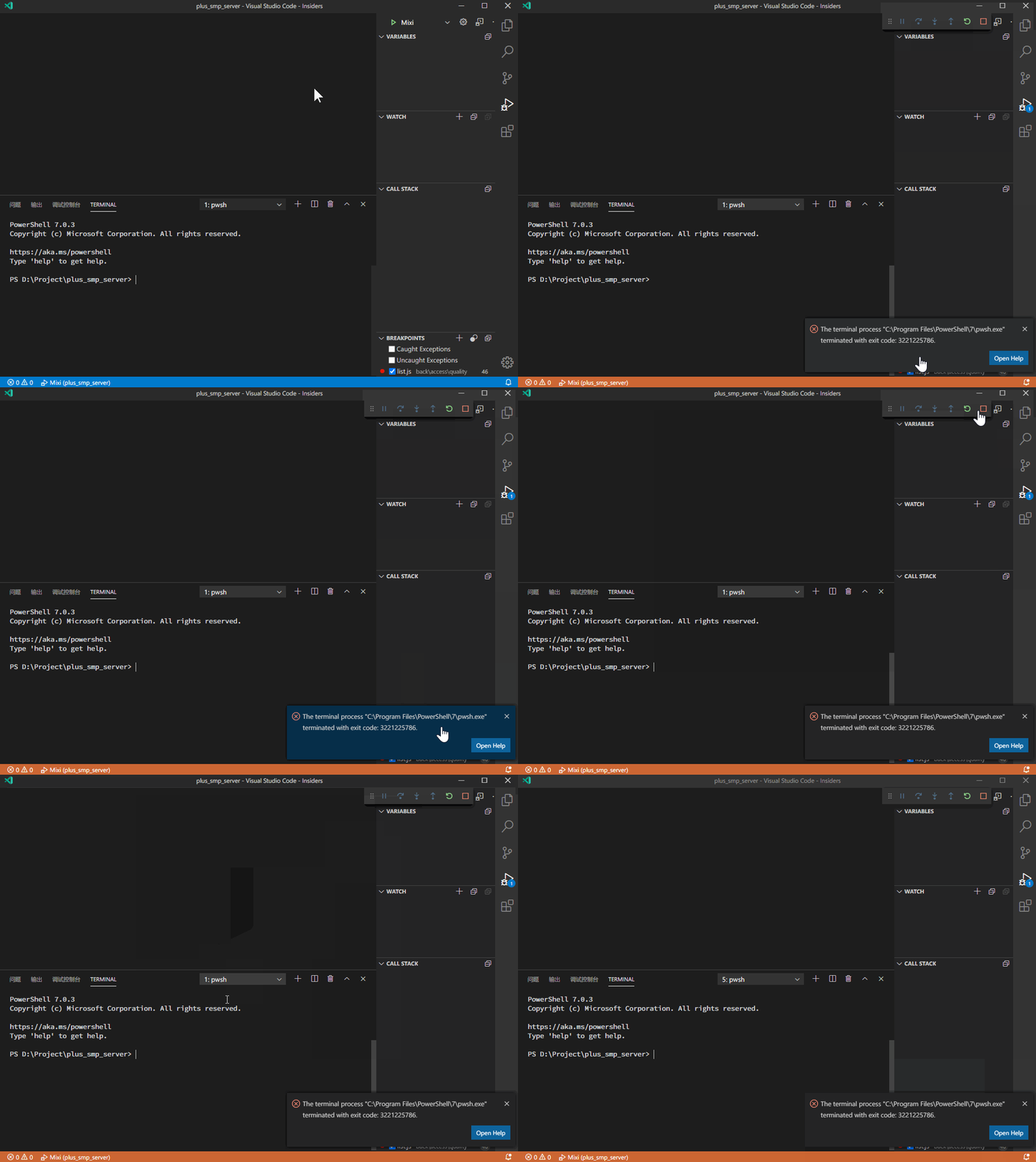
This error occurred on the latest Insider Code and 1.0 and 7.x Powershell.
I have encountered this error on three different computers, and it did not happen in previous versions of Insider Code.
Even though I turned on (off by default!) Legacy Console Mode on Powershell, the error persists.
I think this error is not directly related to Legacy Console Mode
 zheung
on 21 Sep 2020
zheung
on 21 Sep 2020
@lucianotres @zheung you must turn off legacy console mode, the terminal will break if it's enabled when the new backend conpty is used (Windows 1909+).
Tyriar
on 21 Sep 2020
@lucianotres @zheung you must turn off legacy console mode, the terminal will break if it's enabled when the new backend conpty is used (Windows 1909+).
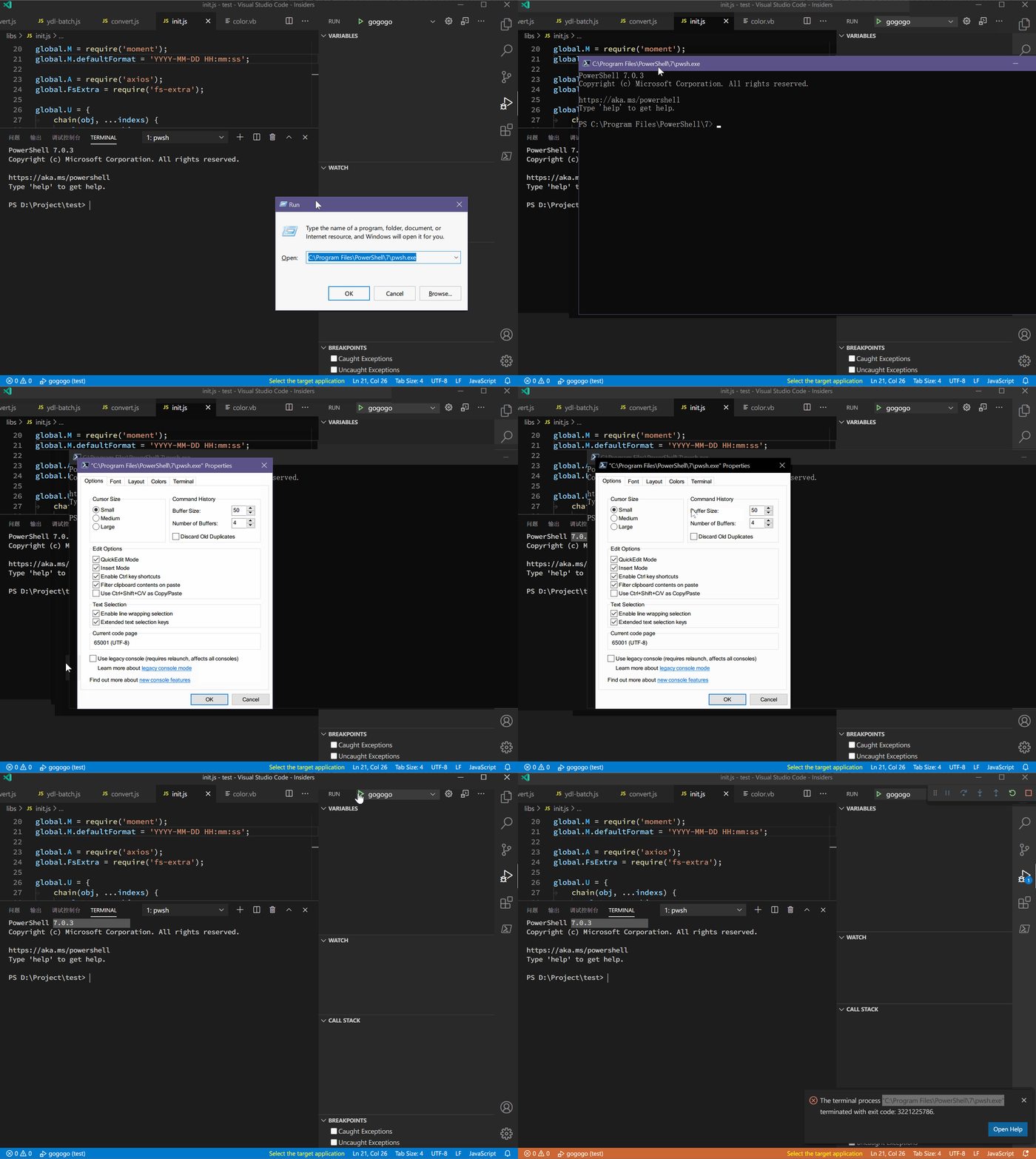
It is OFF!
It is turned off by default. I never checked this option
But the error still exists
ScreenRecord:
zheung
on 21 Sep 2020
Yep. I've also recently (last week) been affected by this issue. (I tried with PowerShell 7.1.0-preview.7 and the non-preview latest version.)
I've subsequently changed the terminal to cmd instead of Powershell to work around the issue.
 ericmclachlan
on 22 Sep 2020
ericmclachlan
on 22 Sep 2020
Yep. I've also recently (last week) been affected by this issue. (I tried with PowerShell 7.1.0-preview.7 and the non-preview latest version.)
I've subsequently changed the terminal to cmd instead of Powershell to work around the issue.
Exactly, only cmd works.
Yes @Tyriar, legacy console mode it's off. The issue it's with powershell only.
I'm experiencing the same that @zheung showed at gif.
lucianotres
on 22 Sep 2020
I am seeing this behaviour as well in debugging of Python programs. Works fine on VSCode, fails in the manner detailed above in VSCode-Insiders. Powershell core 7.0.3.
 d3r3kk
on 22 Sep 2020
d3r3kk
on 22 Sep 2020
Same issue here.
Powershell core 7.0.3 with VSCode-Insiders update to the lastest version of 1.50.0 and then same error msg.
The terminal process "C:\Program Files\PowerShell\7\pwsh.exe" terminated with exit code: 3221225786.
 Josh-Fan
on 25 Sep 2020
Josh-Fan
on 25 Sep 2020
Same issue too.
 StewartWong
on 25 Sep 2020
StewartWong
on 25 Sep 2020
FWIW I notice that the error code (3221225786, 0xC000013A) apparently represents when an application is exited via ctrl+c (STATUS_CONTROL_C_EXIT):
Tyriar
on 6 Nov 2020
Related issues
 vsccarl
·
3Comments
vsccarl
·
3Comments
 philipgiuliani
·
3Comments
philipgiuliani
·
3Comments
 biij5698
·
3Comments
biij5698
·
3Comments
 sijad
·
3Comments
sijad
·
3Comments
 lukehoban
·
3Comments
lukehoban
·
3Comments
Most helpful comment
It is OFF!
It is turned off by default. I never checked this option
But the error still exists
ScreenRecord:
