Issue Type: Bug
Step 1. Open any project with vscode
Step 2. Toggle Zen mode
Step 3. Close window
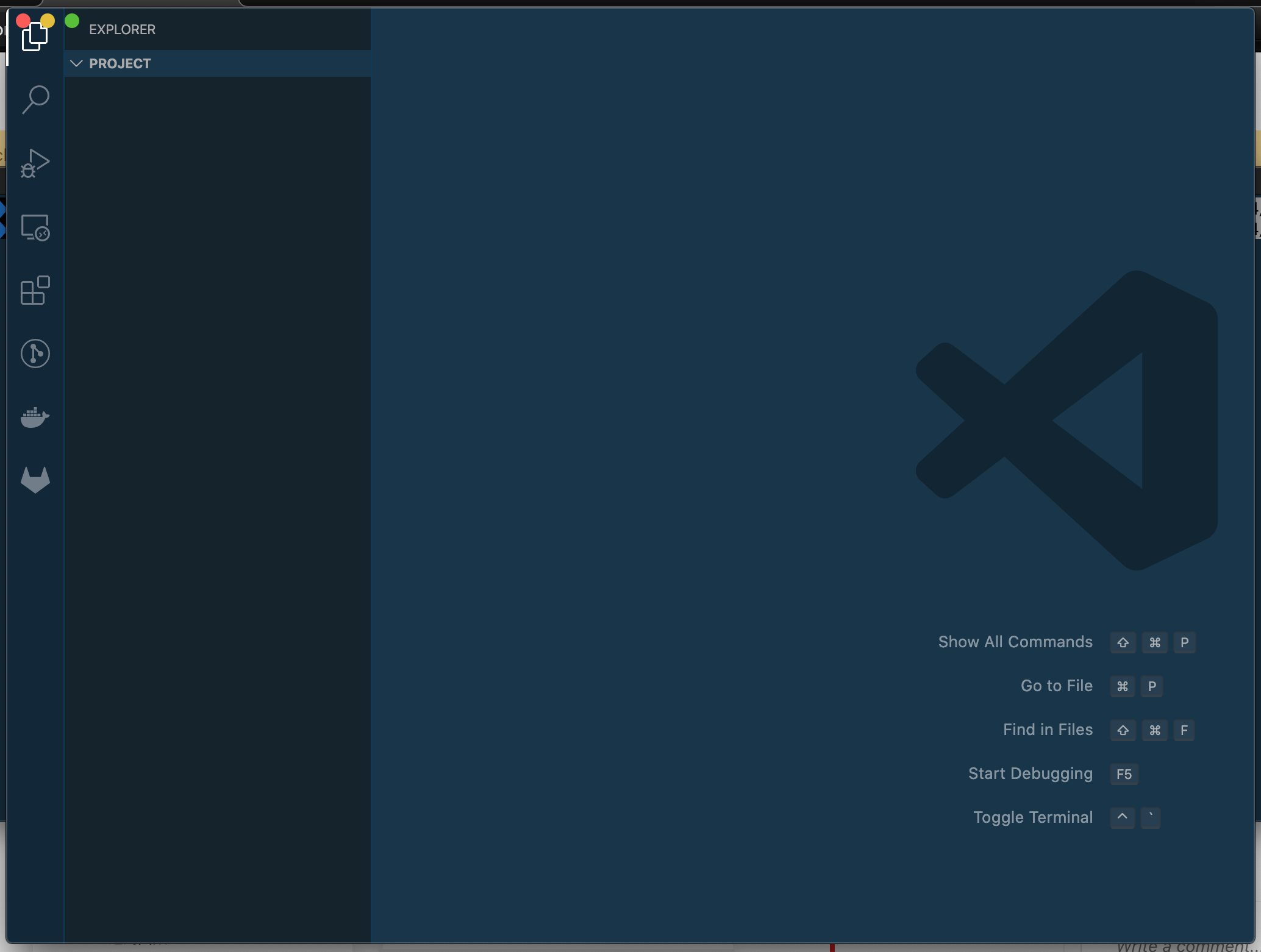
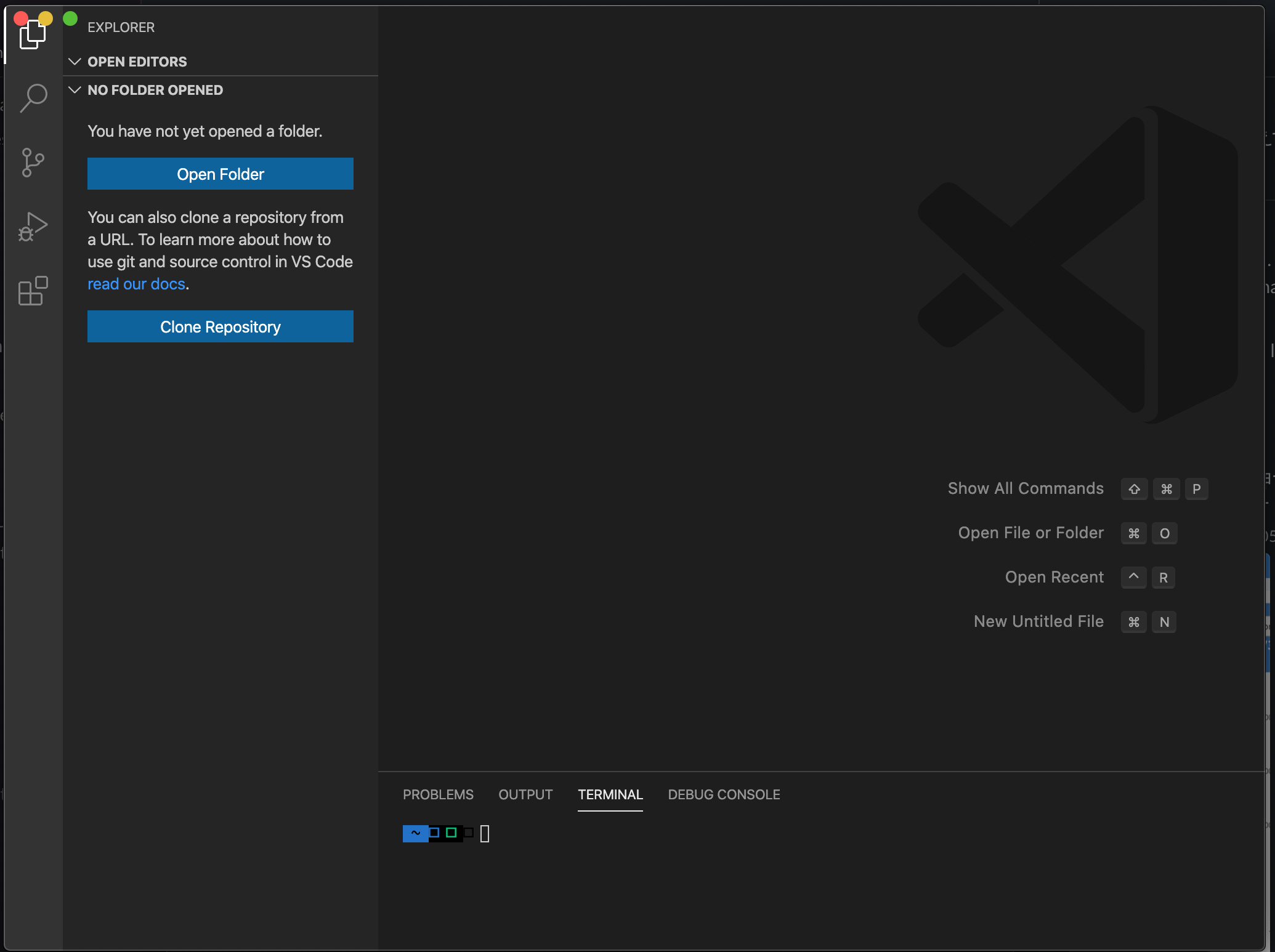
Problem: There is a blank vscode window on my machine which doesn't go anywhere and doesn't take any events.
VS Code version: Code 1.45.0 (d69a79b73808559a91206d73d7717ff5f798f23c, 2020-05-07T15:57:33.467Z)
OS version: Darwin x64 19.3.0
System Info
|Item|Value|
|---|---|
|CPUs|Intel(R) Core(TM) i7-4770HQ CPU @ 2.20GHz (8 x 2200)|
|GPU Status|2d_canvas: enabled
flash_3d: enabled
flash_stage3d: enabled
flash_stage3d_baseline: enabled
gpu_compositing: enabled
metal: disabled_off
multiple_raster_threads: enabled_on
oop_rasterization: disabled_off
protected_video_decode: unavailable_off
rasterization: enabled
skia_renderer: disabled_off_ok
video_decode: enabled
viz_display_compositor: enabled_on
viz_hit_test_surface_layer: disabled_off_ok
webgl: enabled
webgl2: enabled|
|Load (avg)|3, 3, 3|
|Memory (System)|16.00GB (0.33GB free)|
|Process Argv|saforce/front|
|Screen Reader|no|
|VM|0%|
Extensions (37)
Extension|Author (truncated)|Version
---|---|---
cucumberautocomplete|ale|2.14.1
markdown-mermaid|bie|1.5.0
npm-intellisense|chr|1.3.0
path-intellisense|chr|1.4.2
bracket-pair-colorizer|Coe|1.0.61
vscode-svgviewer|css|2.0.0
vscode-eslint|dba|2.1.5
es7-react-js-snippets|dsz|2.7.1
gitlens|eam|10.2.1
vscode-npm-script|eg2|0.3.11
prettier-vscode|esb|4.7.0
gitlab-workflow|fat|2.2.0
auto-rename-tag|for|0.1.2
gc-excelviewer|Gra|2.1.34
graphql-for-vscode|kum|1.15.3
rainbow-csv|mec|1.7.0
postcss-language|mhm|2.1.0
vscode-docker|ms-|1.2.0
remote-containers|ms-|0.117.1
remote-ssh|ms-|0.51.0
remote-ssh-edit|ms-|0.51.0
remote-wsl|ms-|0.44.2
vscode-remote-extensionpack|ms-|0.20.0
Go|ms-|0.14.2
debugger-for-chrome|msj|4.12.6
color-highlight|nau|2.3.0
vetur|oct|0.24.0
vscode-jest|Ort|3.2.0
material-icon-theme|PKi|4.1.0
polacode|pnp|0.3.4
prisma|Pri|0.0.36
vscode-graphql|Pri|0.2.14
LiveServer|rit|5.6.1
highlight-matching-tag|vin|0.9.9
vscodeintellicode|Vis|1.2.7
vscode-icons|vsc|10.1.1
vscode-import-cost|wix|2.12.0
(1 theme extensions excluded)
 hangai247
All 8 comments
hangai247
on 14 May 2020
I can not reproduce. Thanks for filling this issue. Can you reproduce using Visual Studio Code Insiders https://code.visualstudio.com/insiders/
 isidorn
on 14 May 2020
isidorn
on 14 May 2020
I can not reproduce. Thanks for filling this issue. Can you reproduce using Visual Studio Code Insiders https://code.visualstudio.com/insiders/
Same thing happens, Is it because of my local machine ?
hangai247
on 14 May 2020
hangai247
on 14 May 2020
https://youtu.be/HKzvXCnJRBQ
Please see the above video. :)
hangai247
on 14 May 2020
Seems like an electron issue. That Close Window when in full screen does not close the window.
Forwarding to @deepak1556
isidorn
on 14 May 2020
Seems like an electron issue. That Close Window when in full screen does not close the window.
Forwarding to @deepak1556
thank you for the quick response
hangai247
on 14 May 2020
Wow, what the heck?! We should try to reproduce with bare Electron...
 bpasero
on 19 May 2020
bpasero
on 19 May 2020
Related issues
 borekb
·
3Comments
borekb
·
3Comments
 shanalikhan
·
3Comments
shanalikhan
·
3Comments
 curtw
·
3Comments
curtw
·
3Comments
 v-pavanp
·
3Comments
v-pavanp
·
3Comments
 trstringer
·
3Comments
trstringer
·
3Comments
Most helpful comment
Seems like an electron issue. That Close Window when in full screen does not close the window.
Forwarding to @deepak1556